Download Agent List
By downloading the agent list to your local system, you can easily manage assets outside of the Qualys platform and share them with other users. You can download the agent list in multiple formats (CSV, PDF, ZIP, and HTML).
- In the Agent Management > Agents tab, click download icon.
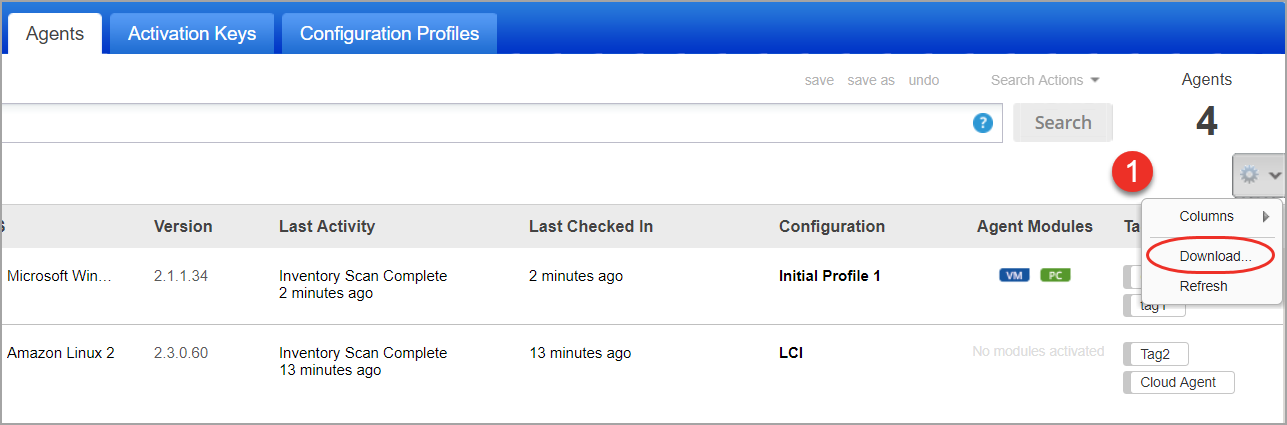
- Next, select a report download format. You can download Cloud Agent reports in CSV, PDF, ZIP, and HTML formats.
- Select the proper timezone for dates in Cloud Agent report.
- Click Download. The report download request is sent to Qualys platform.
- To track the report download request status, navigate to Agent Management > Requests tab.
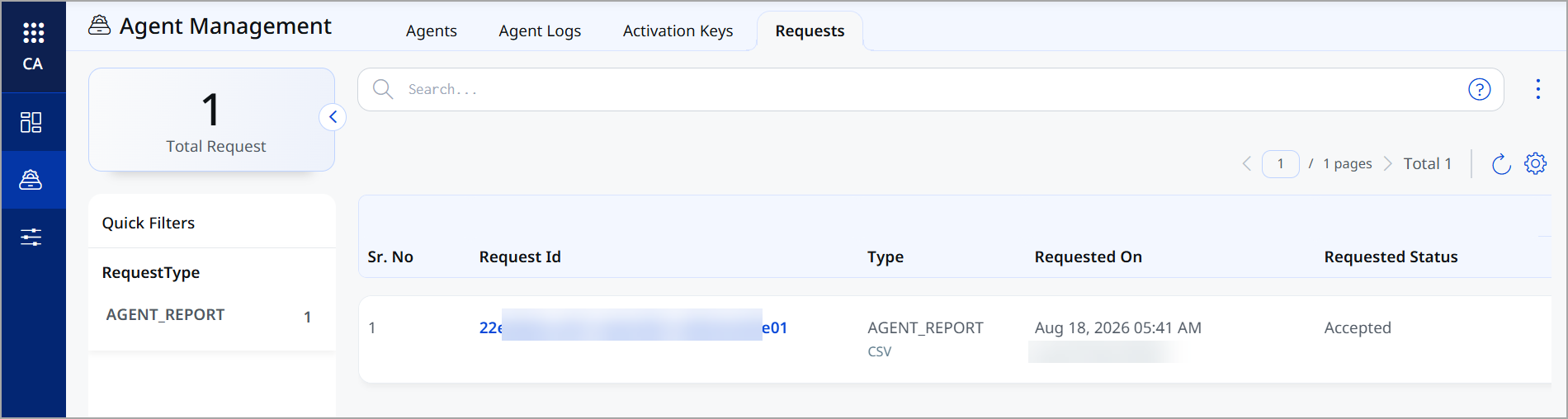
- In the Requests tab, locate your Cloud Agent report download request and check the request status. The request status must be Complete for you to download the agent report.
- In the Quick Actions menu for your request, click Download. The report is downloaded to your machine.