Uninstall the Agent from the Cloud Agent UI or API
When you uninstall a Cloud Agent using the Cloud Agent app user interface or Cloud Agent API, the agent and license is removed from the Qualys subscription. We’ll also purge the associated Cloud Agent host record and scan results for any licensed apps, i.e. Vulnerability Management, Policy Compliance. Host records with merged asset views (i.e. scans results from Cloud Agent and scanner) are purged until the next successful scanner job). Note agent registry data is not removed from Windows hosts.
How to Uninstall a Single Cloud Agent
- Locate the agent you want to uninstall and select Agent Operations > Uninstall Agent from the Quick Actions menu.
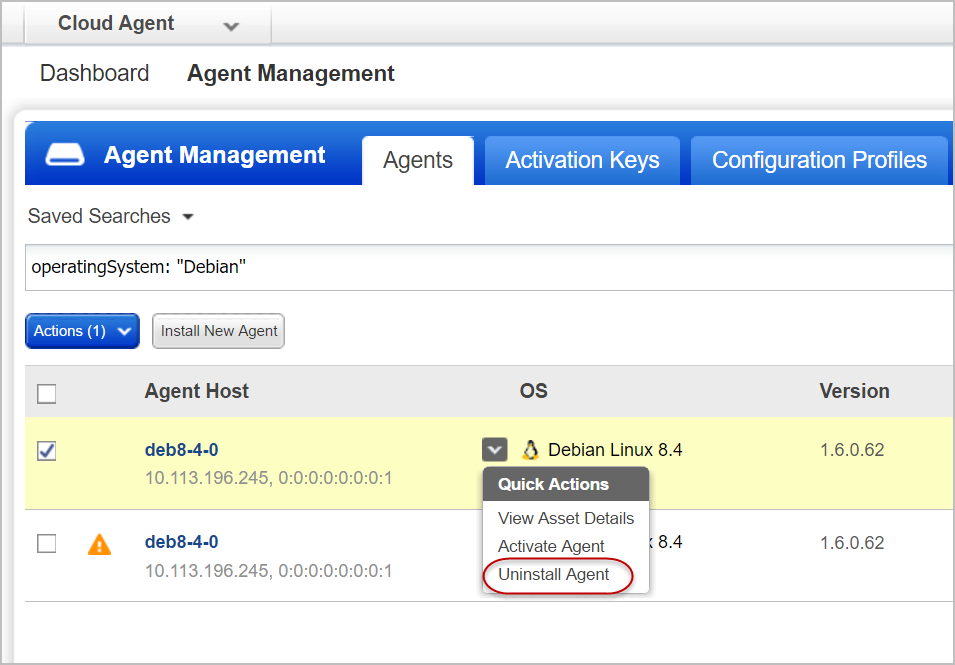
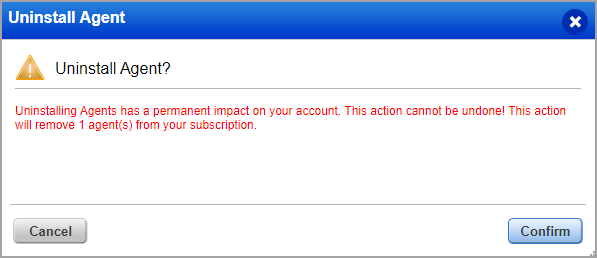
- Once you uninstall an agent, it cannot be reversed. The Confirmation dialog box displays the impact of uninstallation and the number of agents that are being removed.
On MacOS High Sierra (10.13), launched takes some time to remove the com.qualys.cloud-agent process, although the agent is already uninstalled.
How to Uninstall Multiple Cloud Agents
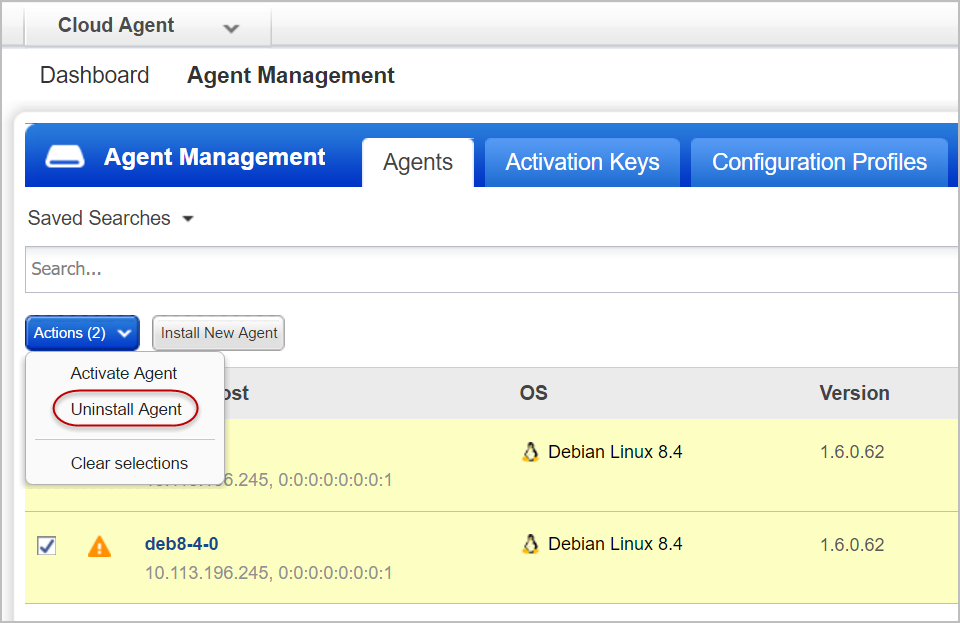
- Select the multiple Cloud Agents and in the Actions menu click Agent Operations > Uninstall Agent.
- If you select the agents for uninstallation in bulk by using the QQL query— asset.tag.name: Cloud Agent or tracking method as QAGENT, an error message is displayed.
In this case, the Cloud Agents are not uninstalled. You can add more filters to search for the Cloud Agents you want to uninstall and prevent unintentional uninstallation of Cloud Agents when selected in bulk.
Looking for something else?
Uninstalling the Agent from the host itself