View Manifest Version Details
The manifest version details give you a detailed overview of the newly released manifest version. You can refer to the manifest version details and take an informed decision on whether to use or delay the manifest assignment.
The following are the steps to view manifest details:
- To view the manifest version details, navigate to Configuration > Version Control Profiles > Manifest Version Control.
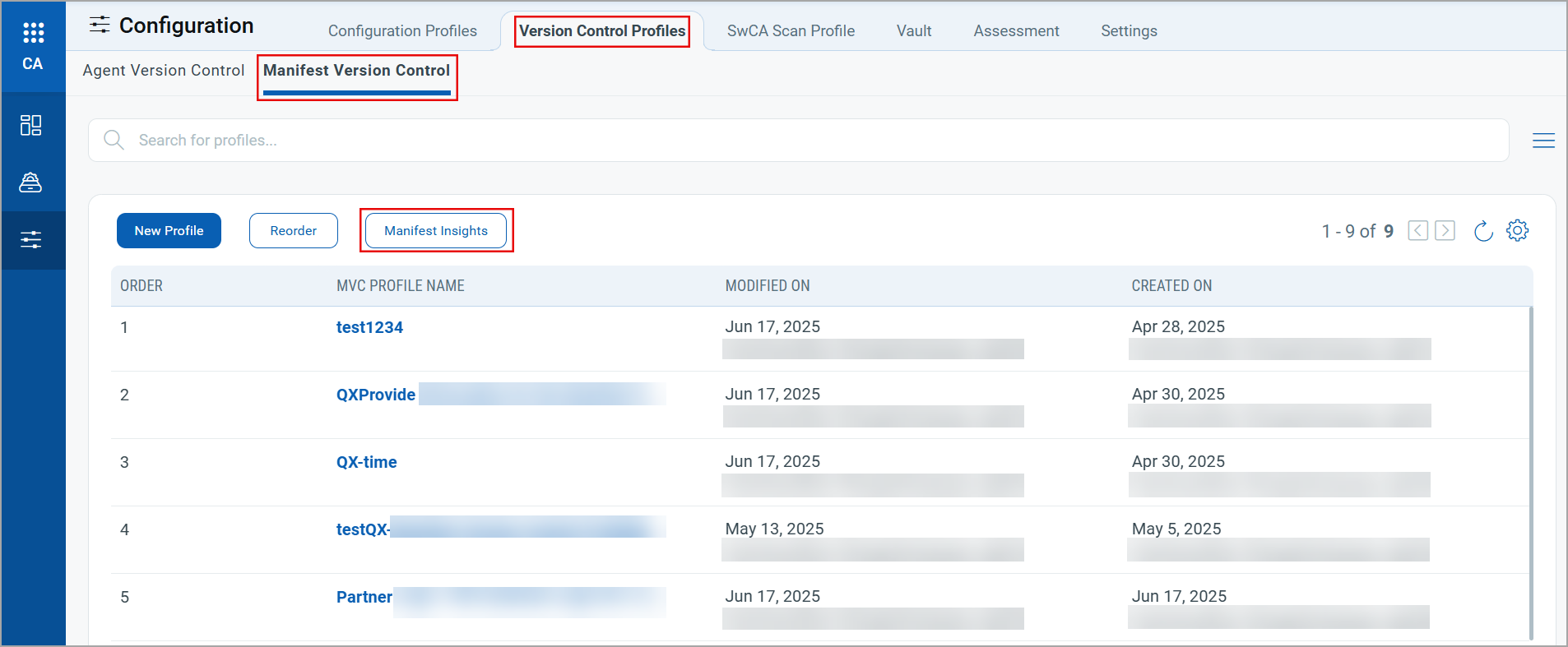
- Click Manifest Insights to view the details. You can also select Windows or Linux platforms as per your requirements.
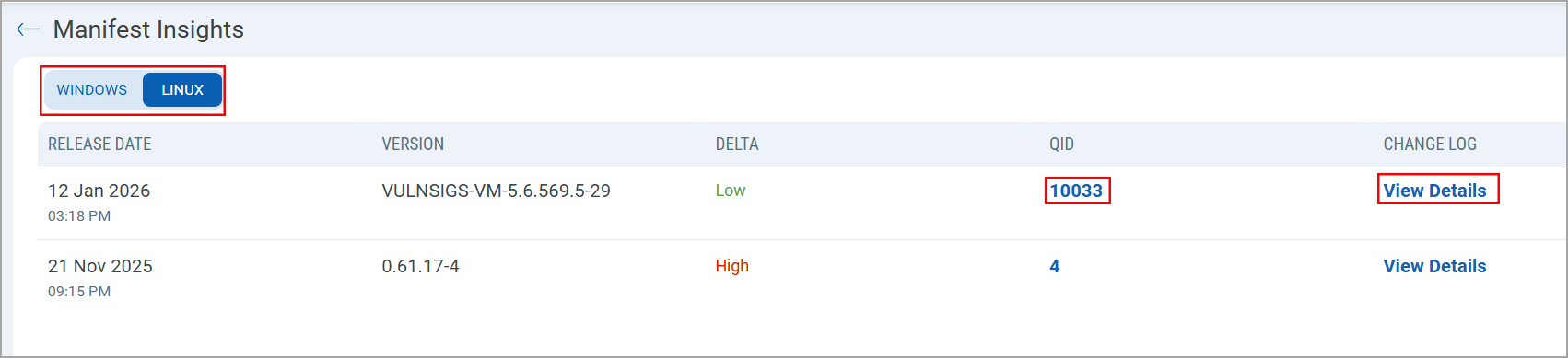
You can view the following details for released manifest versions:
- Release Date: Manifest version release date to track the latest available manifest versions.
- Version: Released manifest version.
- Delta: A summarized indicator to quantify the changes made for the manifest scope from its last released version. We quantify the delta as Low, Medium, and High. Low delta indicates a small change in the manifest scope, and High delta indicates a significant change in the manifest scope. The delta value helps you prioritize newly released manifests.
- QID: A total count of the number of QIDs covered in the manifest scope. The QID count contains both the new QIDs added in the scope and the updated QIDs for which the scan scope is updated.
To view all the newly added and updated QIDs, click the QID count. The QID details window lists all the New and the Updated QIDs with their QDS score.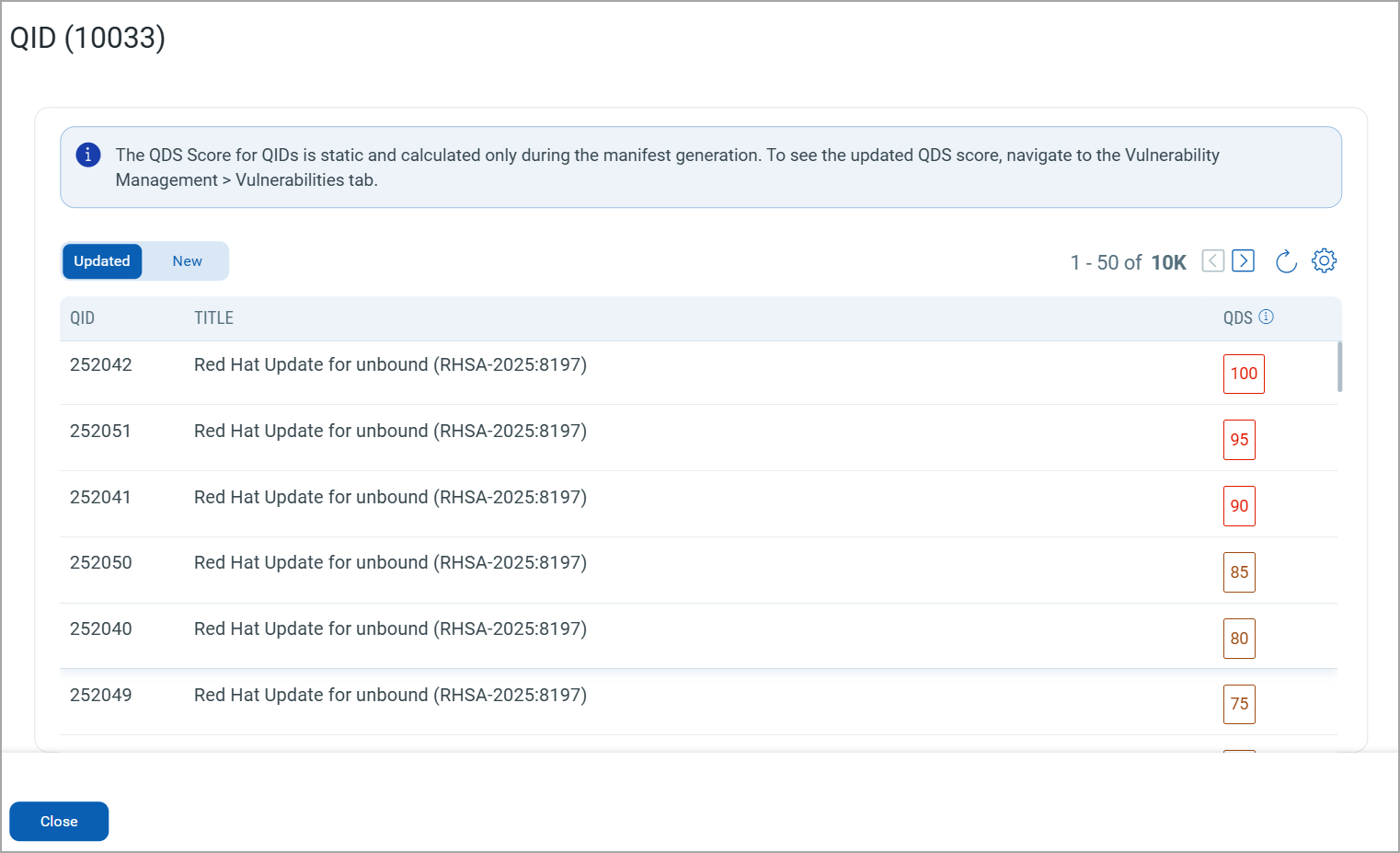
The QIDs are listed with the descending QDS Score. This help you with vulnerability management for the manifest.The QDS score displayed on this window is static and generated only during the manifest generation. It means, the QDS score for this window is not updated even after the scan is completed using new manifest. To see the updated QDS score, navigate to the Vulnerability Management > Vulnerability tab.
- Change Log: This shows the details of changes made to the manifest with change log commands.
- To view the details of changes made to the manifest, click View Details under the Change Log column.
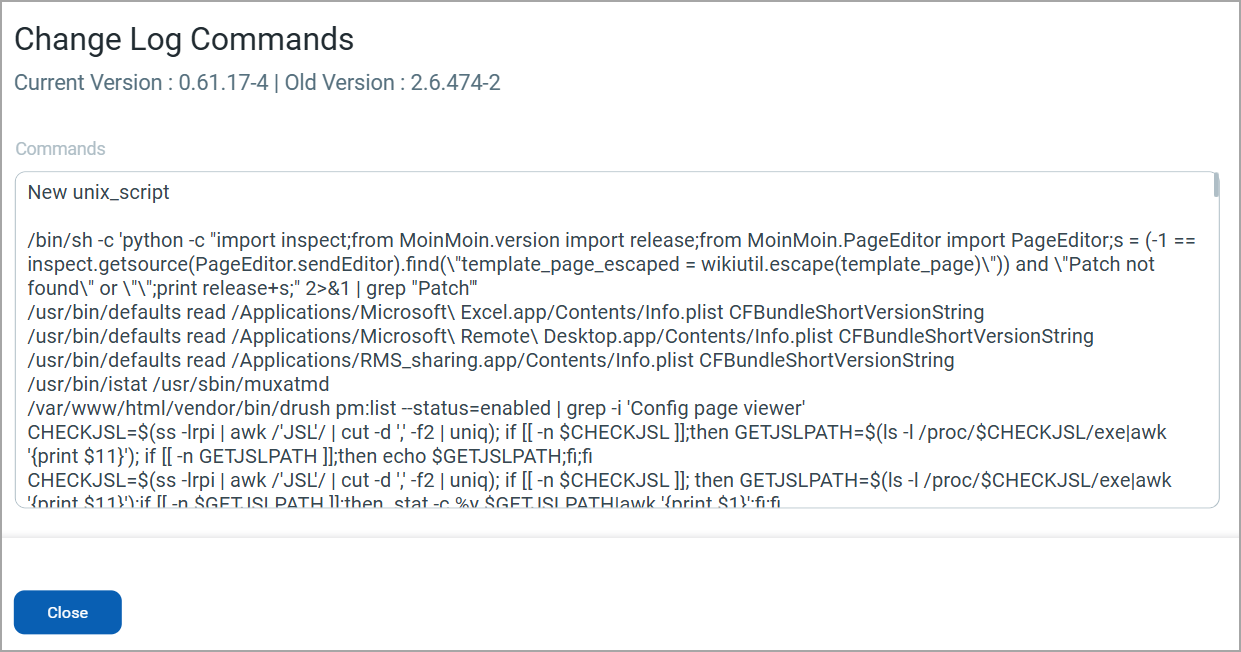
The Change Log Commands window contains information such as the current manifest version, the previous manifest version, and detailed change log commands.