Cloud Agent Additional Settings
The Additional Settings window provides a dedicated place to configure additional settings for your Cloud Agent. Previously, all these options were available in the Basic Details tab of the Configuration Profile workflow.
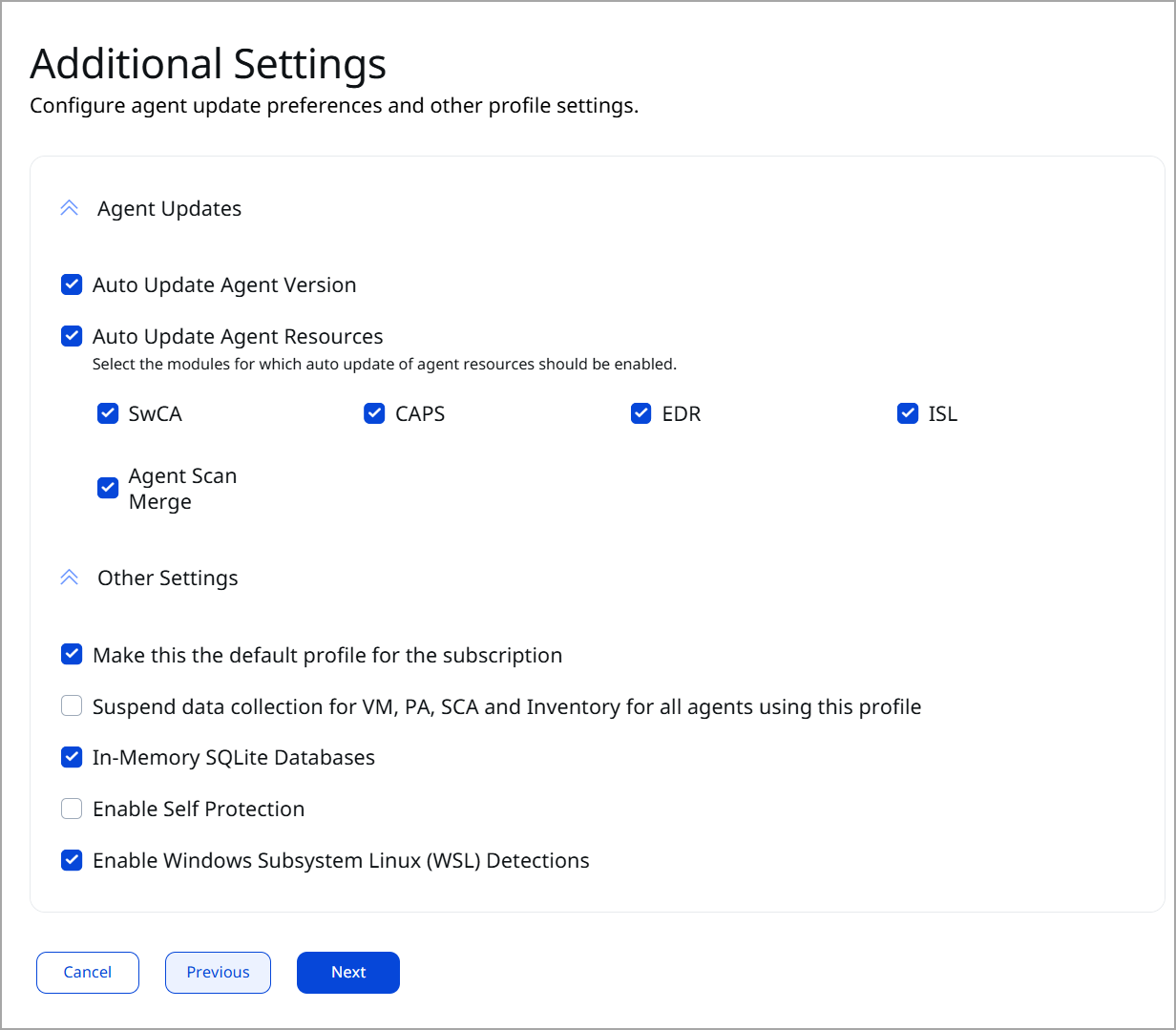
You can configure the following settings in the Additional Settings window.
Auto Update Agent Version
Select the Auto Update Agent Version checkbox to ensure that Cloud Agents associated with this configuration profile are auto-updated to the latest available version.
Uncheck the Auto Update Agent Version checkbox to prevent Cloud Agent from auto-updating. This helps you control Cloud Agent updates based on your system availability, without disrupting operations on critical assets.
Auto Update Agent Resources
Select the Auto Update Agent Resources checkbox to ensure that Cloud Agent secondary binaries, such as Software Composition Analysis (SwCA), Cloud Agent Passive Sensor (CAPS), Deep Scan, Remote Detection, Endpoint Detection and Response (EDR), TruRisk Isolate, and TruRisk Mitigate are automatically updated.
You can use this option to control the auto-updates for secondary binaries. If you uncheck the Auto Update Agent Resources checkbox, the secondary binaries are not updated automatically.
This prevents unplanned changes in sensitive environments and keeps binary updates aligned with your maintenance schedule. This enhancement also offers a test window for newly released binary versions before deploying them on critical assets.
The secondary binaries/modules must be activated in the configuration profile to control their auto-update behavior.
Other Settings
Make this the default profile for the subscription
Select this checkbox to make the current profile the default configuration profile. The default configuration profile is automatically applied to all the newly installed Cloud Agents.
Suspend data collection for VM, PA, SCA and Inventory for all agents using this profile
Select this checkbox to stop future VM, PC, SCA, and Inventory scans for all the Cloud Agents associated with this profile. Even when the data collection for the VM, PA, SCA, CSAM, and GAV is disabled, Cloud Agent can still perform auto-update, manifest updates, and configuration updates.
In-Memory SQLite Databases
Select this checkbox to load Cloud Agent's SQLite database into memory to improve system performance. Loading the SQLite database causes high memory usage. The option is disabled by default.
Enable Self Protection
Select this checkbox to enable Cloud Agent self-protection. When enabled, Cloud Agent guards its files and processes from tampering. The option is disabled by default.
Enable Windows Subsystem Linux (WSL) Detections
Select this option to track and detect WSL instances and software running on Windows assets.