Cloud Agent for Linux Intel Release 7.4.1
Limited Customer Release
May 18, 2026
We are introducing the following updates for the Linux Intel Cloud Agent.
Enforce CPU Limit for CEP Processes
We have introduced CPU limit enforcement for the Agent Command Execution Pipeline (qualys-cep process). The enhancement enforces precise CPU throttling based on the CPU limit configured in the Cloud Agent user interface. It helps you precisely control CPU usage on your Linux assets.
CPU limit enforcement applies only to Command Execution Pipeline (CEP) processes. The main agent process (qualys-cloud-agent) and other child processes use conventional CPU throttling.
CPU limit enforcement is not supported on platforms, such as RHEL 6, OEL 6, CentOS 6, Ubuntu 14.04, and Debian 8.
Key Capabilities
The following are the key capabilities of CPU limit enforcement.
- CPU enforcement using Linux cgroups
- Predictable and consistent CPU usage for CEP processes
- Accurate throttling across child processes
- Consistent throttling for Cloud Agent with Sudo configuration
CPU limit recalculation is not supported in dynamic CPU environments.
What is CEP
The CEP process is responsible for one-time command execution initiated by different applications that include operations such as:
- Remote Log Collection
- On-Demand Scans from user interface
- CAR Scripts Execution
- Remediation Actions such as Host Quarantine, Remote Shell, Kill Process
- Changing Log Levels
- Change Activation Keys
How to Enable Control Groups
By default, the cgroups are not enabled after Cloud Agent installation. To enable cgroups, run the following command using Cloud Agent configuration tool.
sudo /usr/local/qualys/cloud-agent/bin/qualys-cloud-agent.sh EnableCgroup=1How to Configure Kernel-based CPU Limit Enforcement
The following are the steps to specify the value for the CPU limit enforcement:
- Upgrade the earlier Linux Intel Cloud Agents to 7.4.1.
- In the Cloud Agent user interface, navigate to Configuration > Configuration Profile tab.
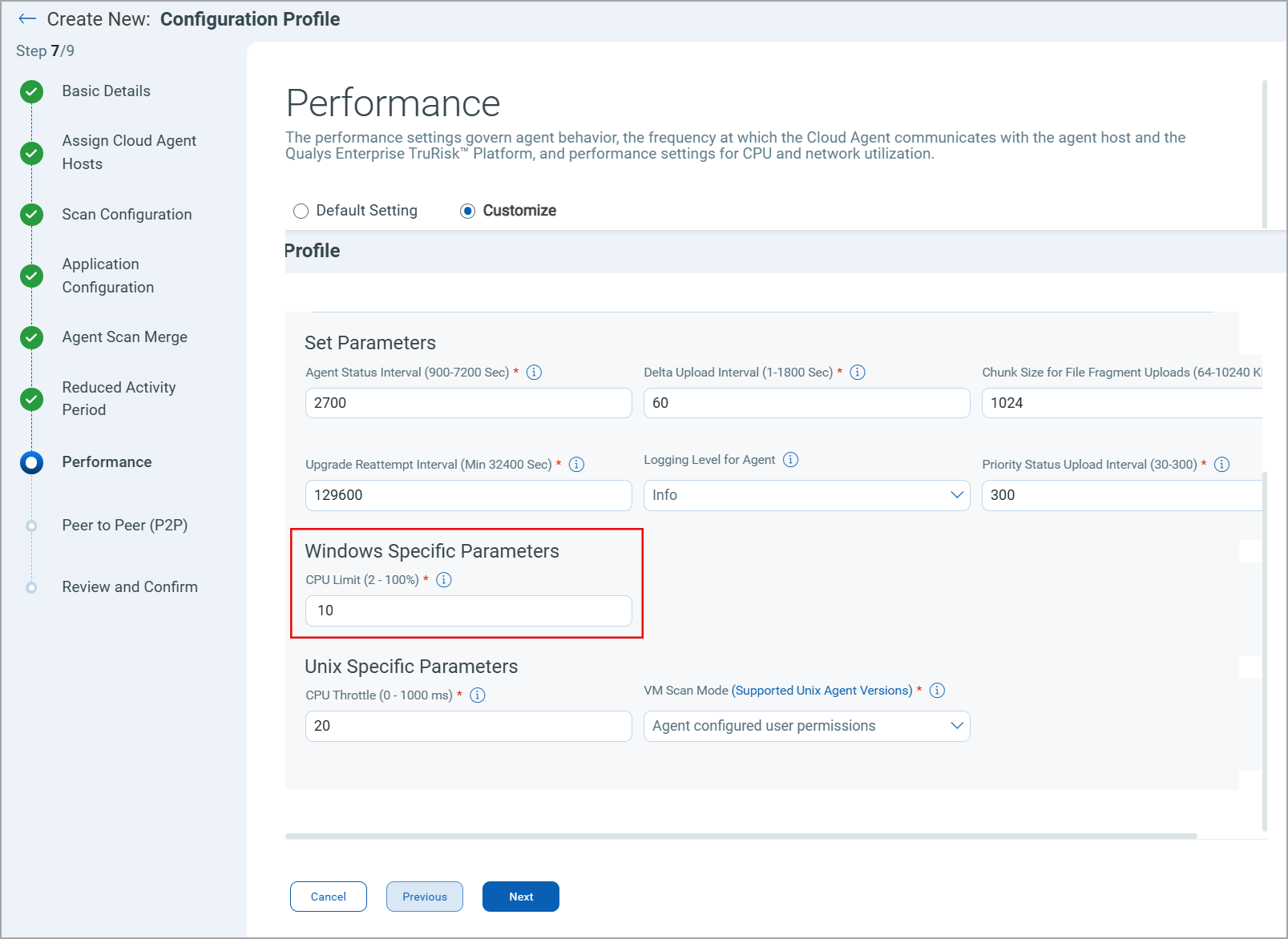
- In the Performance > Windows Specific Parameter section, specify the CPU Limit value.
How the CPU Limit is Calculated
We use the following calculation to ensure the precise CPU utilization:
CPU Quota used = CPU Limit % in Configuration Profile × Number of CPU × 1000 (Microseconds)
Example
On a single-core RHEL 7 machine configured with a CPU Limit of 10%, the CPU quota is 10×1×1000 = 10000.
Behavioral Change
There are no behavior changes in this release.
Platform Coverage Support
No new platform coverage added in this release.
Issues Addressed
No important and notable issues are fixed in this release.
Known Issues, Limitations, and Workarounds
The following are the notable known issues for this release.