Agent Based Assets
The Agent-Based Assets tab, available under Assets, provides a consolidated view of Assets with the Qualys Cloud Agent installed.
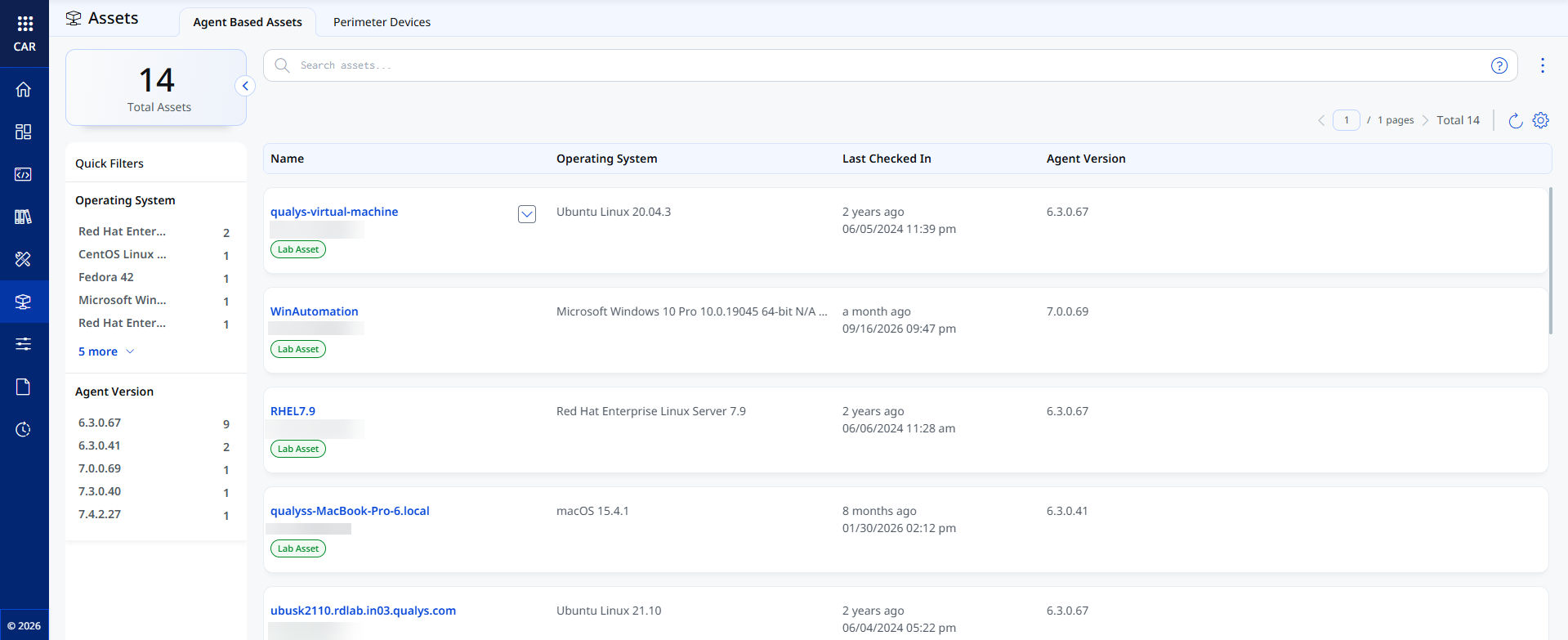
The tab displays the following details for each agent based asset:
| Agent Detail | Description |
|---|---|
| Name | The name of the asset. |
| Operating System | The operating system of the asset. |
| Last Checked In | The last time the Cloud Agent communicated with the Qualys platform. |
| Agent Version | The version of the Qualys Cloud Agent on the asset. |
Search Using Tokens
Use search tokens in the search bar for advanced searches. This enables you to use complex queries beyond quick filters.
For more information on supported tokens, refer to Search assets.
Quick Actions
You can perform the following actions on an agent-based device:
| Quick Action | Description |
|---|---|
| View Details | Display complete information about the selected agent based asset. You can view the complete information about the asset, including system and network details, installed software, security posture (TruRisk™ Score, vulnerabilities, and compliance), and agent activity. |
| View All Assets Jobs |
View the full history of jobs associated with the agent based asset. Opens View Asset Job Details, already filtered to this asset with the query |