Custom Assessment and Remediation Release 2.7.1
January 08, 2026
Custom Mitigation and Remediation Script
You can mitigate or remediate the risk of active vulnerabilities detected in your environment by applying custom mitigation or remediation actions. A new Mitigation QID script type is introduced, providing the ability to define custom mitigation or remediation actions for a specific QID.
This feature is beneficial in case of zero-day vulnerabilities, where mitigation logic evolves rapidly. It allows you to quickly deploy custom responses and reduce risk without waiting for a patch.
You can create this script from Scripts > Create > New Script. Simply select Mitigation QID as the script type and provide the required details.
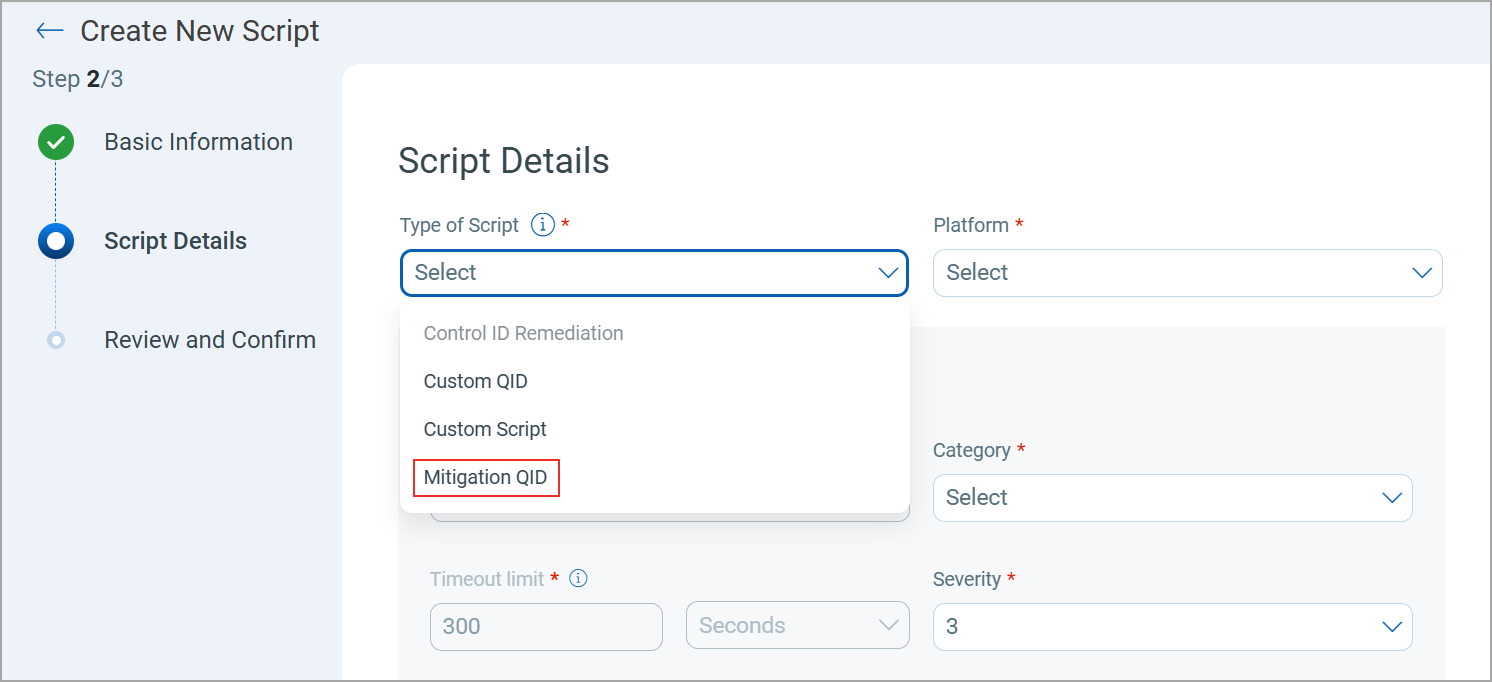
Mitigation QID scripts are executed from the TruRisk™ Eliminate module. CAR is used only to create, edit, clone, export, and deprecate these scripts.
Once a custom Mitigation QID script is created in CAR, the mitigation becomes available for that QID in VMDR.
These custom Mitigation QID scripts are then executed through TruRisk™ Eliminate, and once execution is complete, the affected vulnerabilities in VMDR are updated and marked as Fully Mitigated or Partially Mitigated, based on the outcome.
For more information on the Mitigation QID script, refer to CAR Online Help.
Email Notifications for New Library Scripts
You can now receive email notifications whenever new scripts are added to the CAR Script Library. This helps you start using the script as soon as they are available in the Library.
To subscribe to these notifications, click Subscribe to updates on the Library > Home tab.
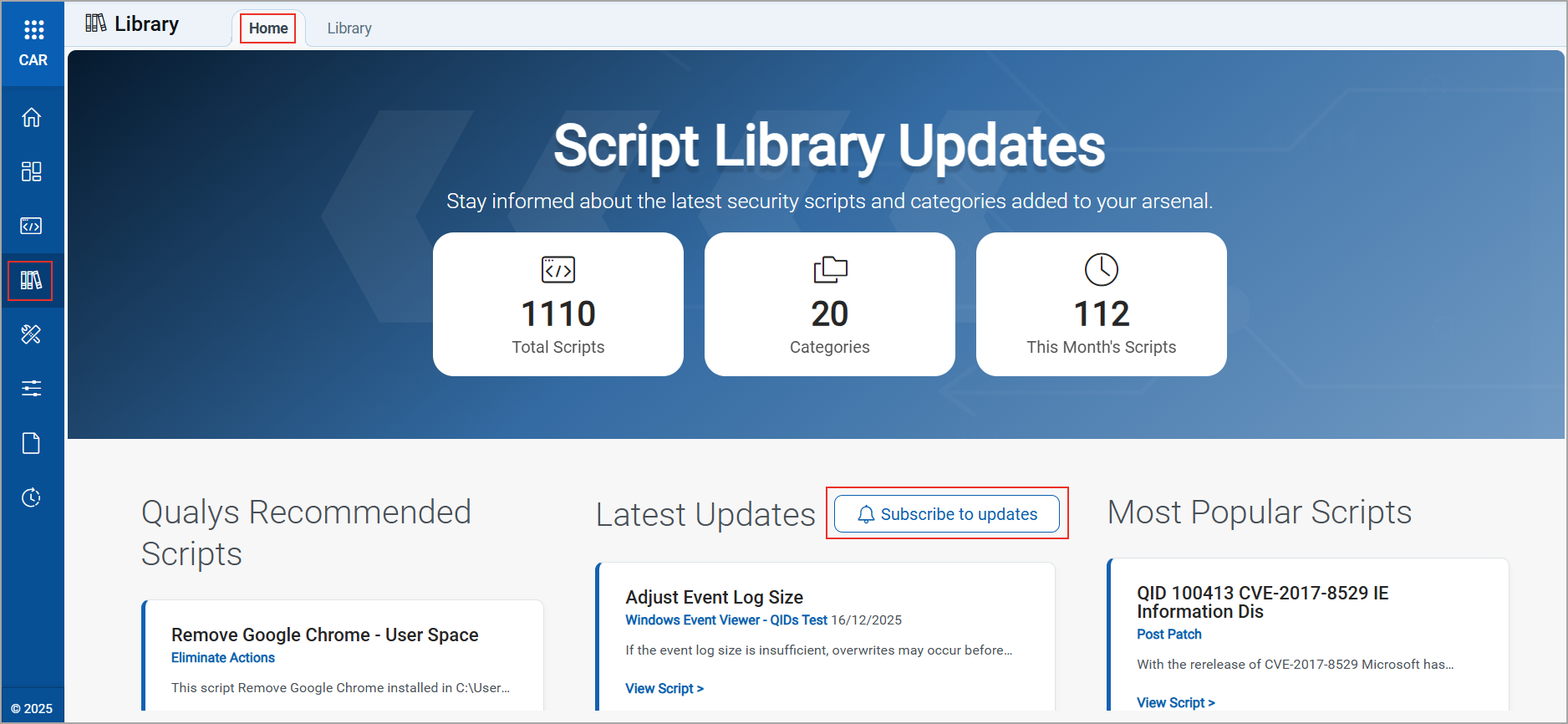
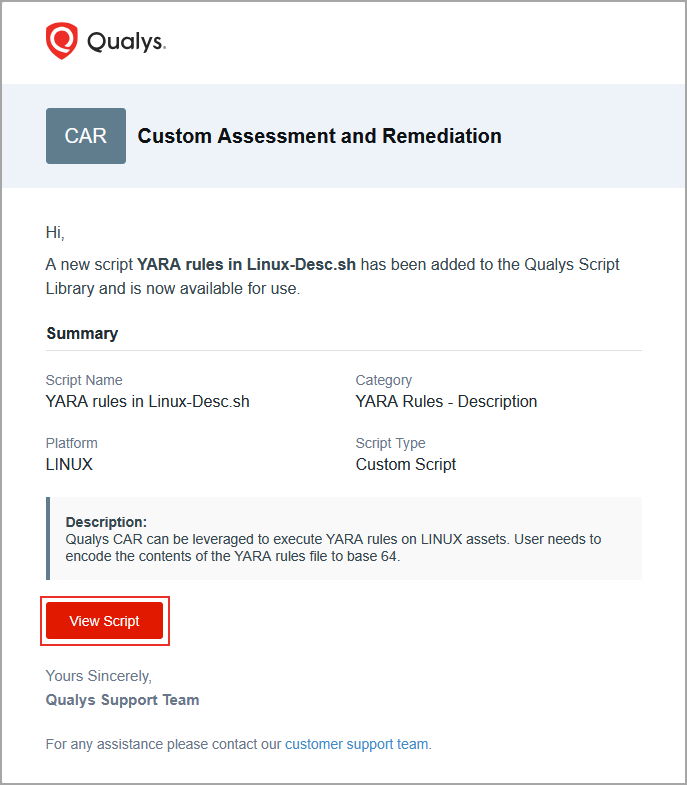
Email notifications for new library scripts are sent only to the logged-in user who has subscribed to the updates.
Each email notification includes a direct link to the latest script.
New Tokens for Scripts Tab
| Token | Description | Example |
|---|---|---|
| finding.cveId: | Use this token to search the scripts based on the CVE IDs. | finding.cveId: CVE-2022-23 |
| patch.qid: | Use this token to search the Mitigation QID scripts based on the QID number. | patch.qid: 233 |
| mitigation.type: | Use this token to search the Mitigation QID Scripts based on the mitigation type description provided while creating the script | mitigation.type: severe |
| patch.severity: | Use this token to search the Mitigation QID Scripts based on the severity value of the Script. | patch.severity: 1 |
| script.threshold: | Use this token to search the scripts based on the threshold value of the script. | script.threshold: 2010 |
| mitigation.implication: | Use this token to search for Mitigation QID Scripts based on the implication value of the script.
The implication values for token:
|
mitigation.implication: 0 |
| mitigation.impactFactor: | Use this token to search for Mitigation QID scripts based on the impact factor of each script. The impact factor indicates how significantly the script addresses the vulnerability.
The impact factor for Mitigation ranges from 1 to 99, for Temporary and 100 for Permanent implication, with 1 representing the lowest impact and 99 representing the highest impact on the vulnerability. |
mitigation.impactFactor: 60 |