Connector Release 2.16
March 27, 2026
Connector 2.16 introduces changes to GitHub Connector behavior based on TotalCloud licensing.
Updated GitHub Connector Behavior Based on TotalCloud Licensing
With this release, we are introducing the GitHub connector that allows you to connect your GitHub repositories and import Infrastructure‑as‑Code (IaC) scanning results into TotalCloud (TC). The connector is now displayed in the Connector module → Integrations tab for all users.
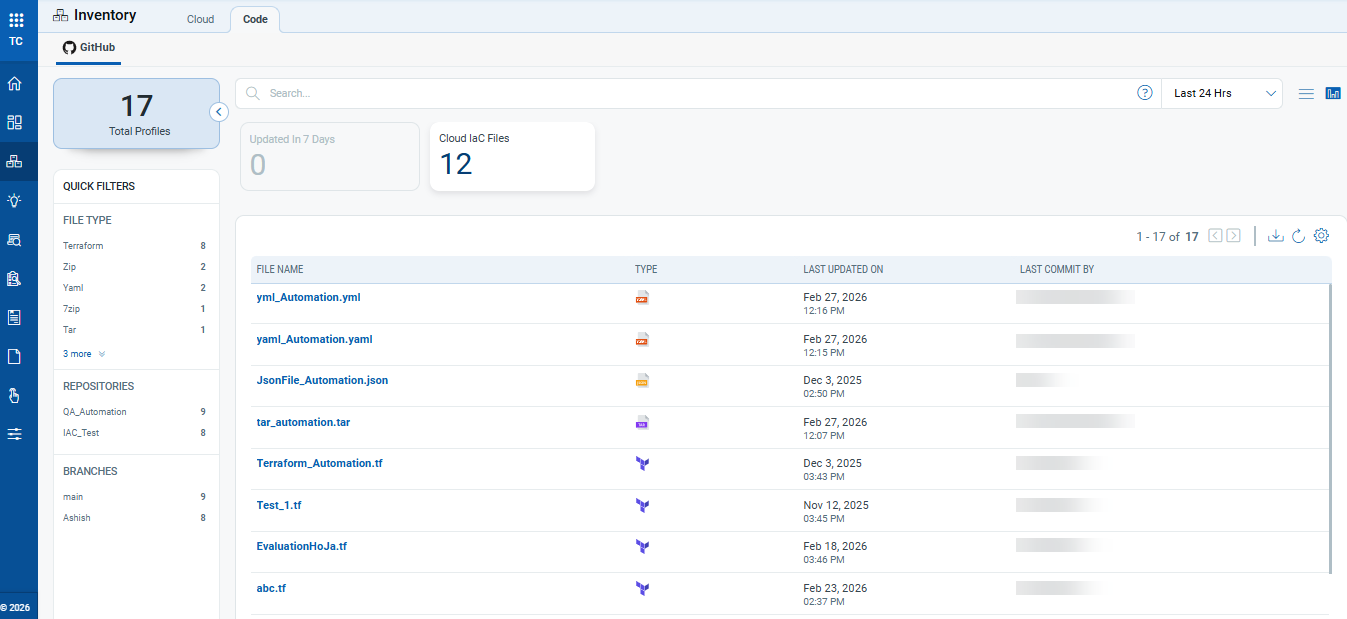
Once connected, IaC files scanned through the GitHub App integration become visible in the TC → Inventory → Code tab, providing detailed visibility into file metadata, repository information, and control evaluation results.
Key Features:
- New GitHub Connector Integration
- GitHub connector now appears under Connector module → Integrations.
- Supports connection through GitHub App for automated IaC file scanning.
- GitHub Connector Behavior:
The GitHub connector will appear under the Integrations tab of the Connector module.
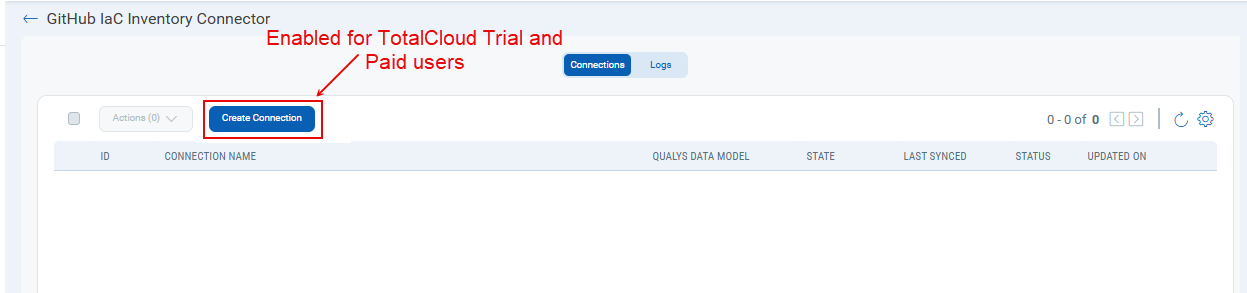
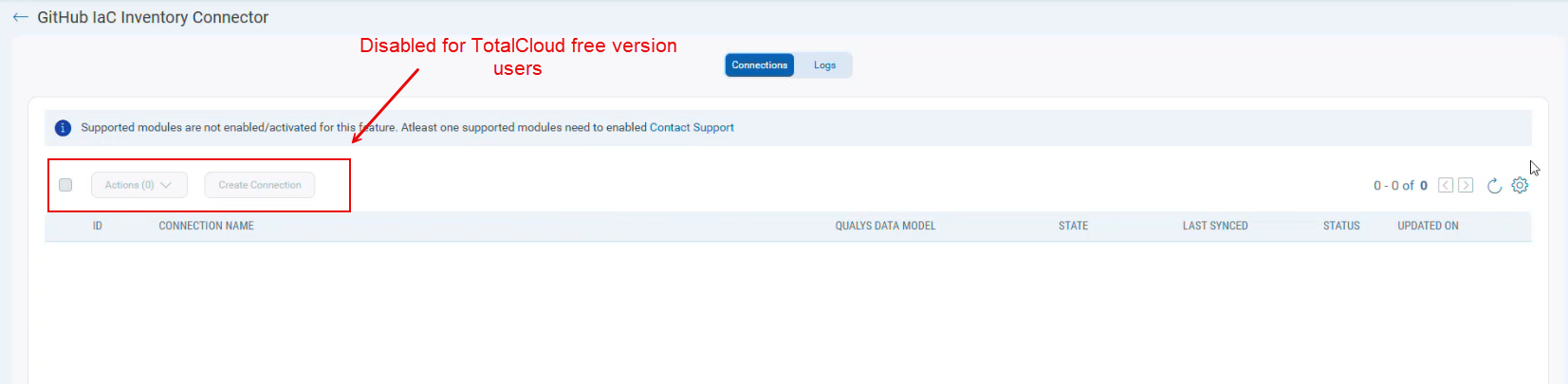
However, the availability of the “Create Connection” option and Code Security tab visibility depends on the user’s TotalCloud (TC) license:TotalCloud License Create GitHub Connection Code Tab in TotalCloud Result Visibility Trial Enabled Visible Visible in TotalCloud → Inventory → Code Paid Enabled Visible Visible in TotalCloud → Inventory → Code Free Disabled (greyed out) Not visible Not available (results cannot be shown)
Benefits (For Trial/Paid Users)
- Track who made changes to IaC files and when.
- Identify files with misconfigurations.
- Centralized inventory visibility across repositories.
- Detailed compliance and control evaluation insights.
Create Connection for GitHub Connector in Integration Tab - Enabled
Create Connection for GitHub Connector in Integration Tab - Disabled
Code Tab in TotalCloud (Trial/Paid)