Connector Release 2.17
April 29, 2026
Connector 2.17 introduces new visual indicators for flexscan techniques and improvements to AV-only connectors Inventory count behavior.
New Icons for FlexScan Techniques in Connector Listing
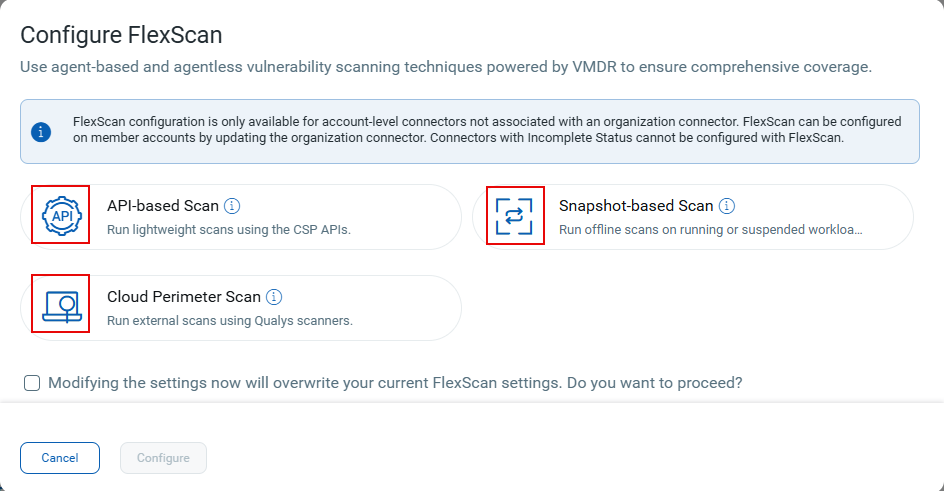
This release introduces a new icon-based display for FlexScan techniques on the connector listing page and the configure FlexScan menu. Each enabled FlexScan capability now appears as a compact icon, making scan capabilities easier to identify and improving readability.
The following FlexScan technique icons now appear on the connectors listing page:
- Snapshot‑based Scan (
 )
) - API‑based Scan (
 )
) - Cloud Perimeter Scan (
 )
)
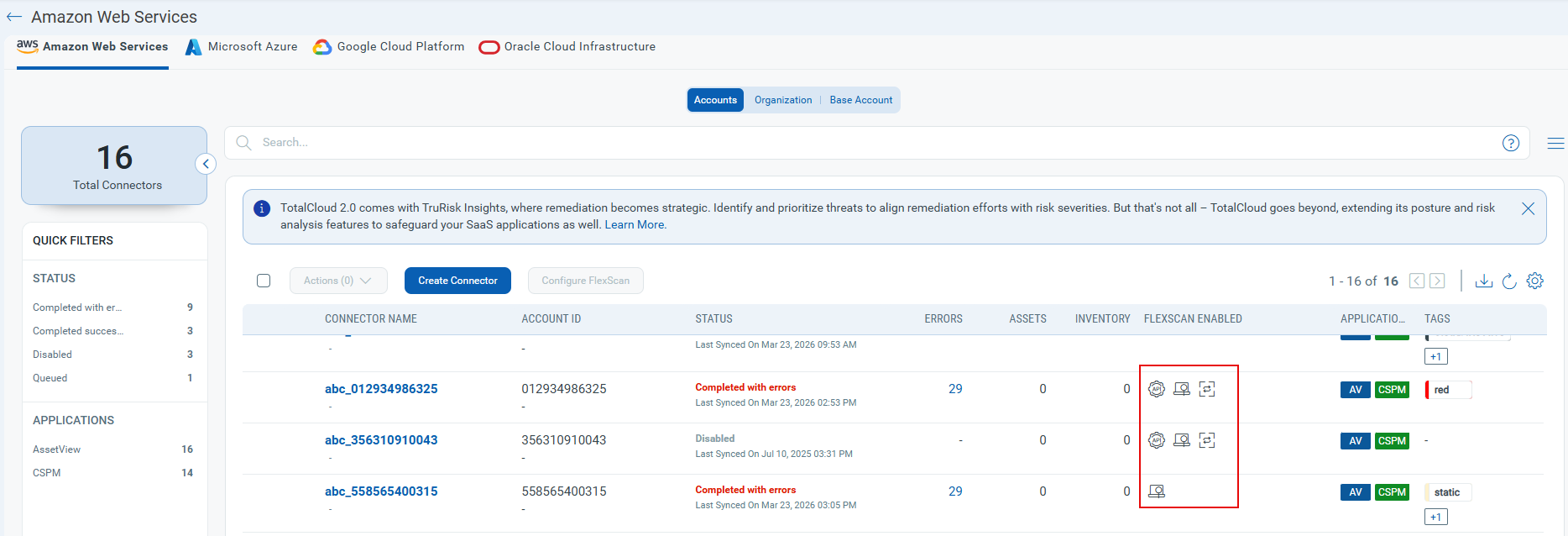
Select any connector, then click Configure FlexScan to view the new icons.
Improved Inventory Count Behavior for AV-only Connectors
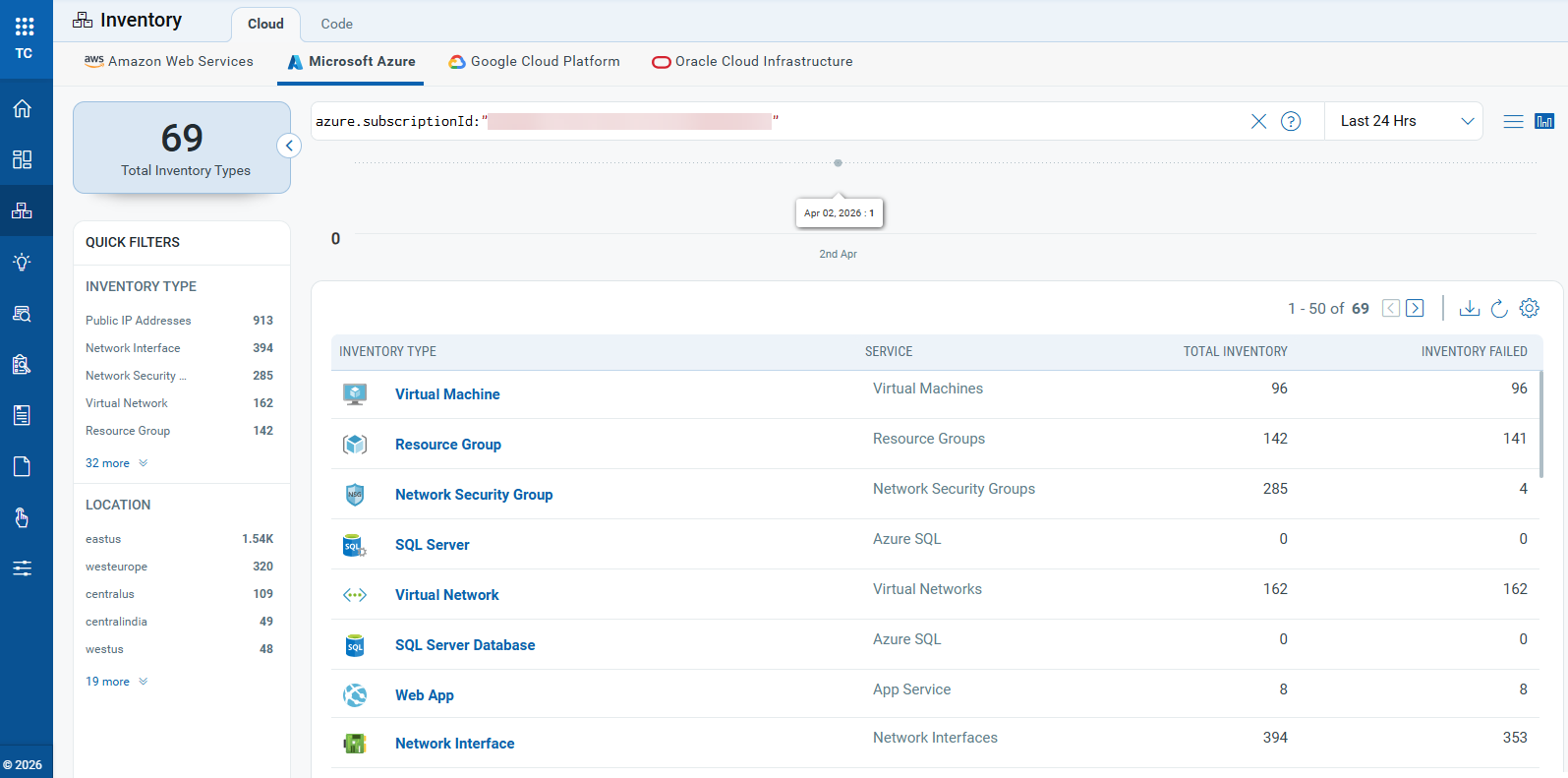
Inventory counts for AssetView (AV) connectors are no longer clickable. AV-only connectors do not support Inventory views, so the count shows only the asset total. For CSPM connectors, you can still click the inventory count to open the TotalCloud Inventory page and view all discovered resources.
This update ensures inventory counts show only supported data and prevents access to unsupported inventory views.
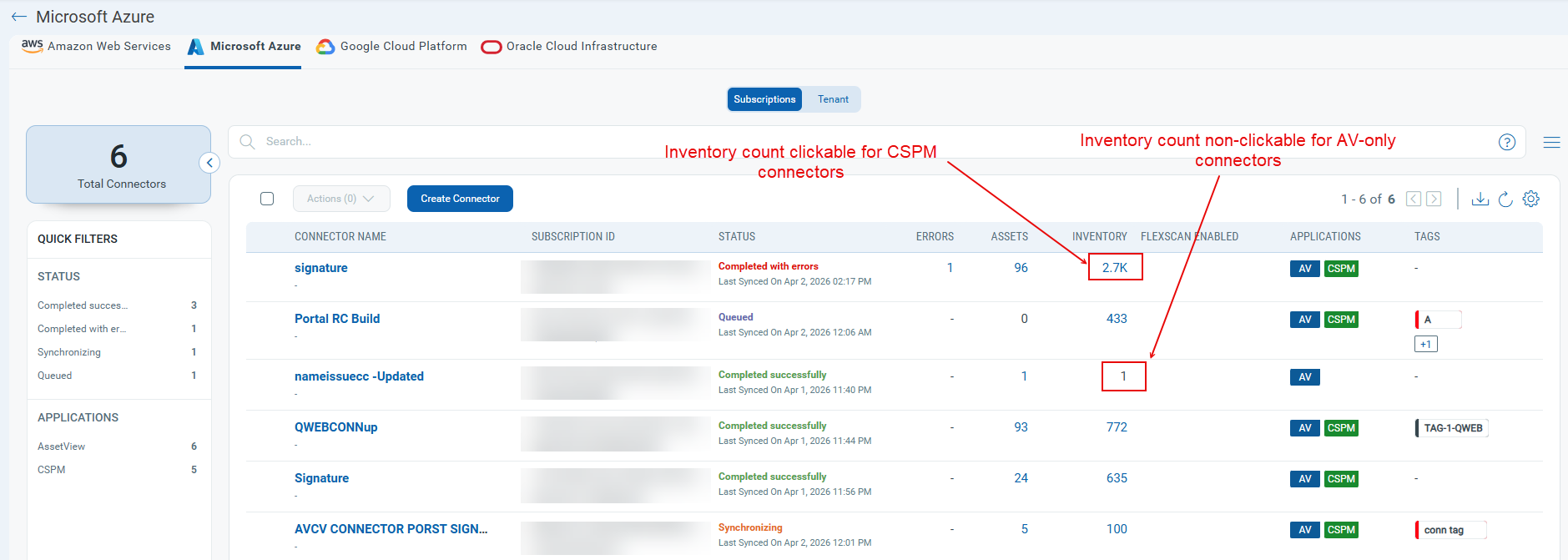
Click the inventory count for any CSPM connector to view its resource inventory in TotalCloud.