Connector Release 2.18
June 29, 2026
Connector 2.18 introduces Flexscan for GCP, Cloud perimeter Scanning for Organization connectors, EventBridge for AWS connectors, a unified CFT, and the ability to view connector audit logs.
Flexscan Support for Google Cloud Platform (GCP) Snapshots (Beta)
Applicable for: 
With this release, we are adding Flexscan support for Google Cloud (GCP) to enable agentless, automated security scanning of your compute resources. You can now achieve consistent, snapshot-based scanning across multi-cloud environments, enabling unified visibility and risk management through Qualys TotalCloud.
Key Capabilities
- Agentless Snapshot-Based Scanning: Discovers VM instances and performs OS and Software Composition Analysis (SCA) without deploying agents.
- Automated Deployment & Lifecycle Management: Terraform-based setup provisions IAM roles and the required permissions for managing the infrastructure used for scanning, along with automated cleanup capabilities.
- Flexible Coverage: Supports multi-project and multi-region scanning with label-based targeting.
- Integrated Visibility: Findings are automatically available in CloudView and TotalCloud dashboards.
Benefits
- No Impact on Workloads: Snapshot-based scans ensure zero disruption to running instances.
- Reduced Operational Overhead: No agent deployment; automated provisioning and cleanup simplify operations.
- Comprehensive Risk Coverage: Identify OS vulnerabilities, SCA risks, and secrets in a single workflow.
Prerequisites: An active Qualys TotalCloud subscription for connector setup.
How to Enable FlexScan for GCP
- Deploy using the provided Terraform scripts to provision the required permissions.
-
Register a Service Account with the "Register Service Account" API, then configure the required scan-related settings with the "Setup Service Account" API. All scans will run under the configured Service Account. Refer to the API Release Notes for more details on these APIs.
-
After the Service Account is registered, enable the "Zero-touch Snapshot Based Scan" option in the connector configuration for the target projects.
Optionally, use the "Setup Target Account" API configuration to override scan settings for individual target accounts.
for more information about FlexScan, refer to Manage FlexScan for Cloud Assessments.
Contact your Technical Account Manager (TAM) or Qualys Support to activate this feature.
EventBridge Support for AWS Connectors
Applicable for: 
This release introduces Delta Sync, a new inventory synchronization option for Amazon Web Services (AWS) connectors.
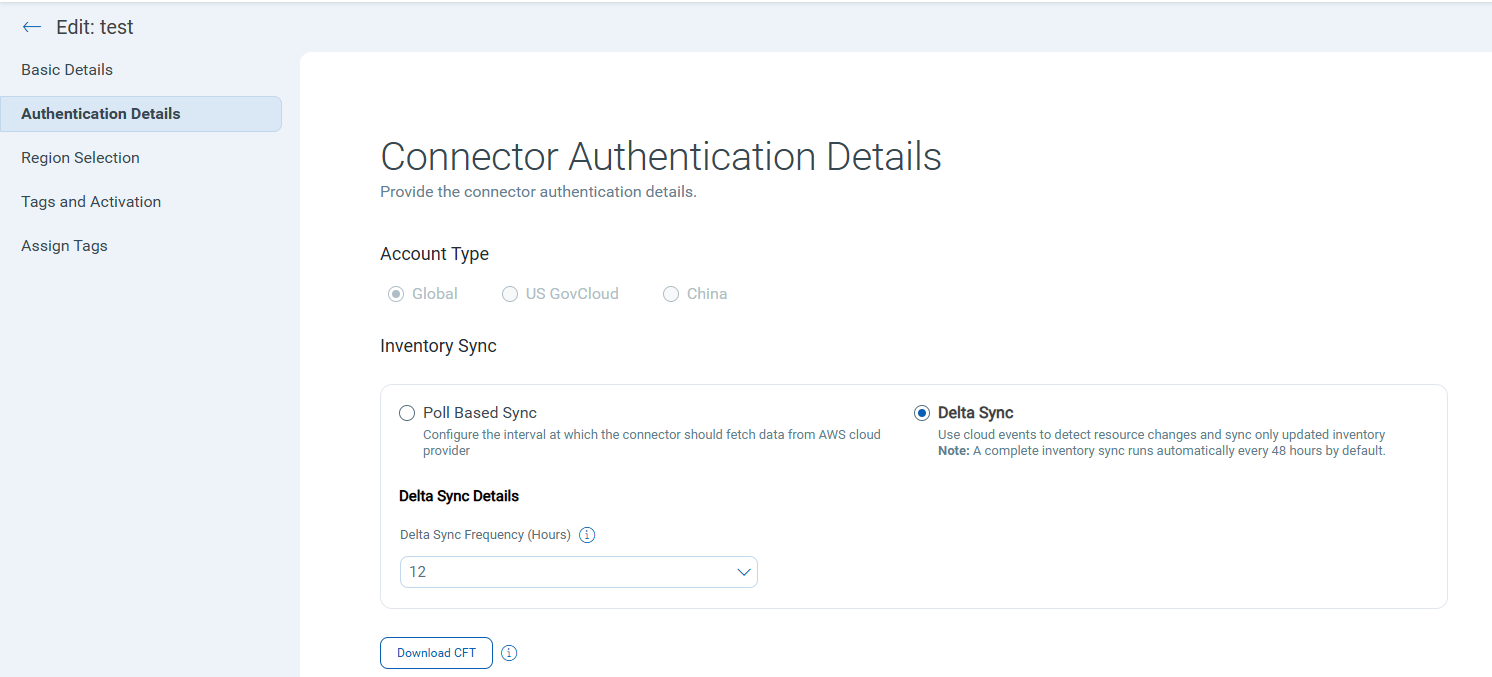
The Authentication Details section in the Edit and Create connector workflow now includes an Inventory Sync option with two modes:
- Poll BasedSync - The existing behavior. The connector runs a full inventory and evaluation of all resource types on the configured schedule (for example, every four hours).
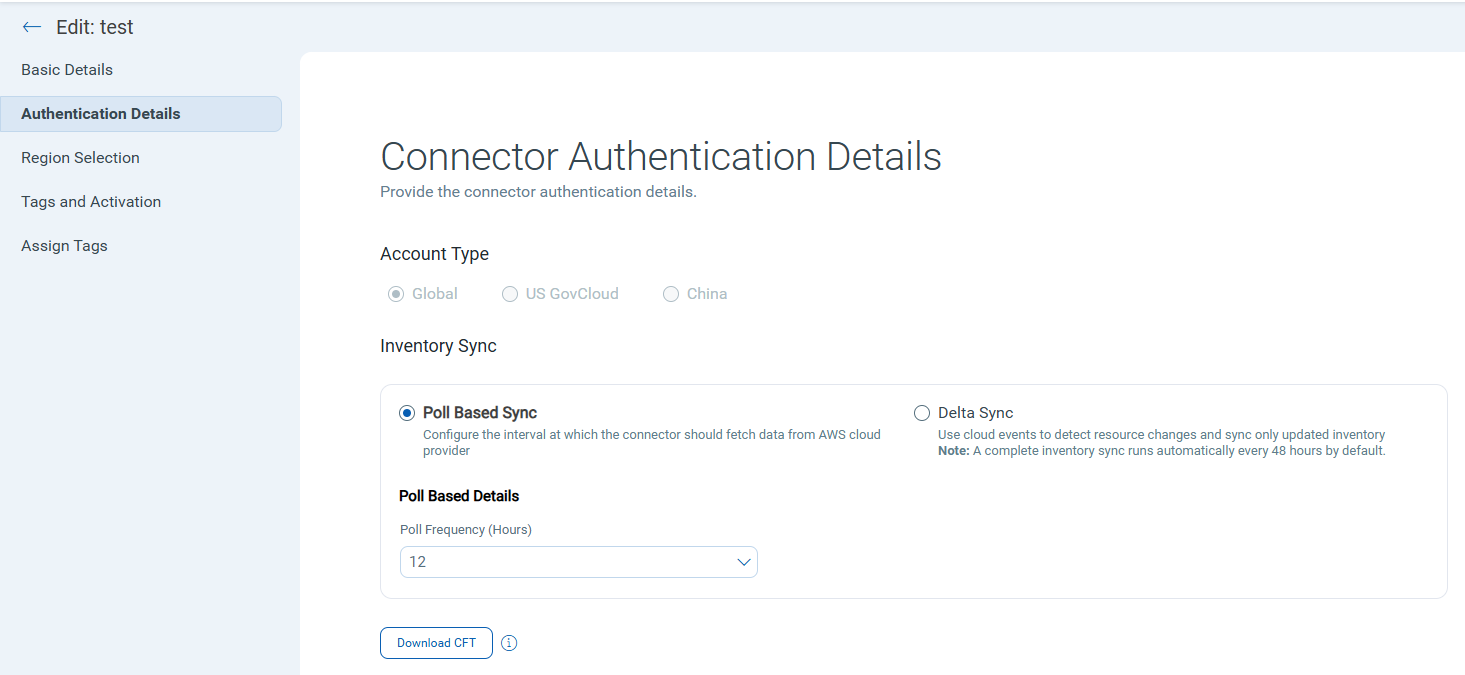
- Delta Sync - A new mode that processes only the resource types that changed between connector runs. Delete events and exceptions are reflected in real time. Inventory and evaluation for changed resources run on the configured Delta Sync frequency.
Once enabled, you can filter connectors with Delta Sync activated by using theconnector.isDeltaSyncEnabledtoken on the connectors listing page.A full inventory and evaluation run is automatically performed every 48 hours, regardless of whether any changes are detected.
Benefits:
- Reduces unnecessary processing by scoping inventory and evaluation to changed resources only.
- Reflects delete and exception events in real time, improving the accuracy of your cloud inventory.
Prerequisites:
The following requirements must be met before enabling Delta Sync:
- AWS EventBridge must be enabled in your AWS account. To enable EventBridge, deploy the Qualys-provided CloudFormation Template (CFT) in the AWS console. Qualys begins receiving management events after the CFT is successfully deployed.
- The Delta Sync option must be selected after the CFT deployment is complete. If Poll Based Sync remains selected, no events are processed, even if the CFT has been deployed.
EventBridge support is currently available only for the Global account type. It is not supported for the US Gov or China account types.
AWS Unified CloudFormation Template Enhancement
Applicable for:
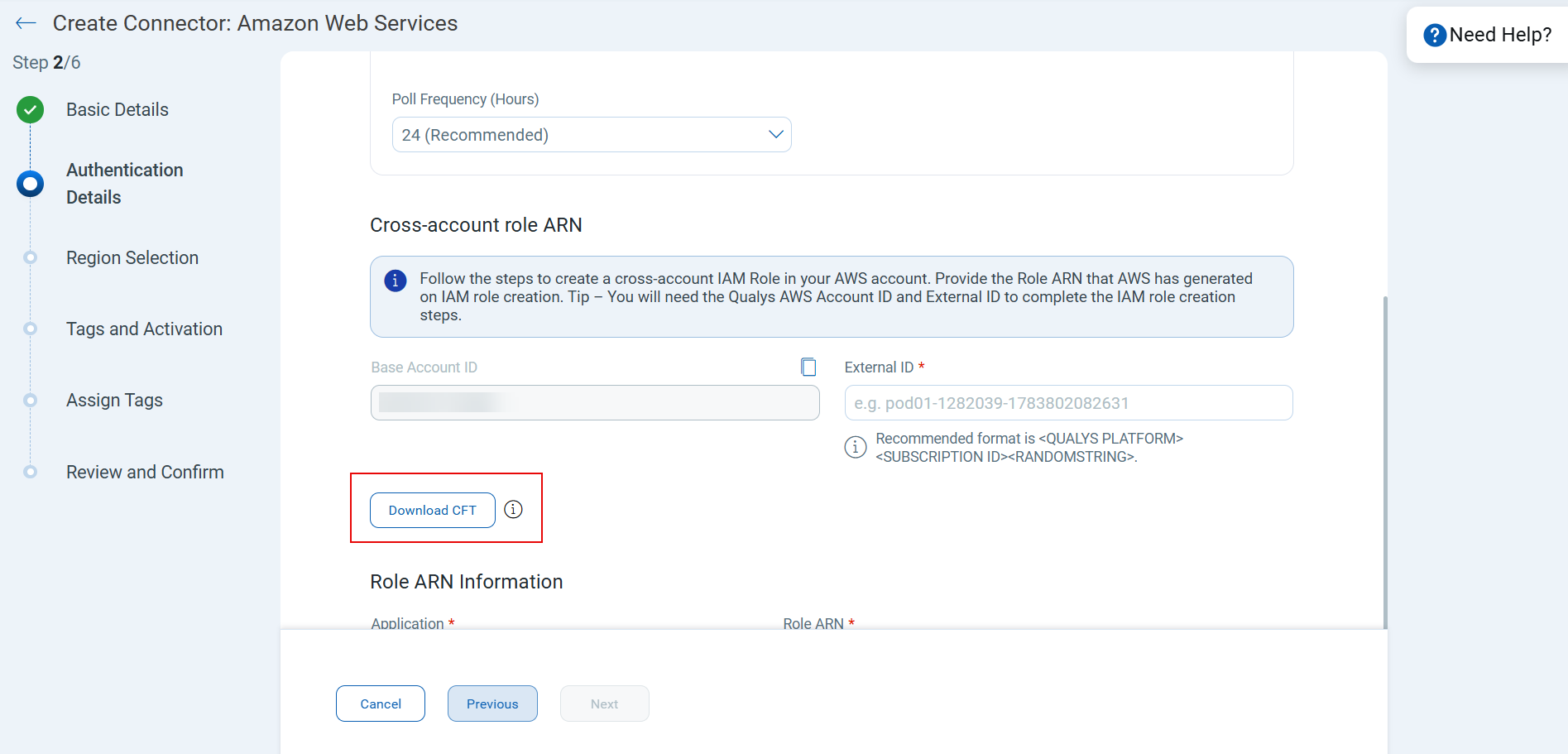
We have introduced an enhanced AWS Unified CloudFormation Template (CFT) to simplify connector setup. You can use this unified CFT to provision IAM roles and configure EventBridge integration, API-based scans, and Cloud Detection and Response (CDR) flow logs.
The new AWS CFT can be downloaded directly from: Create Connector → Authentication Details.
Connector Audit Log Visibility
Applicable for: 

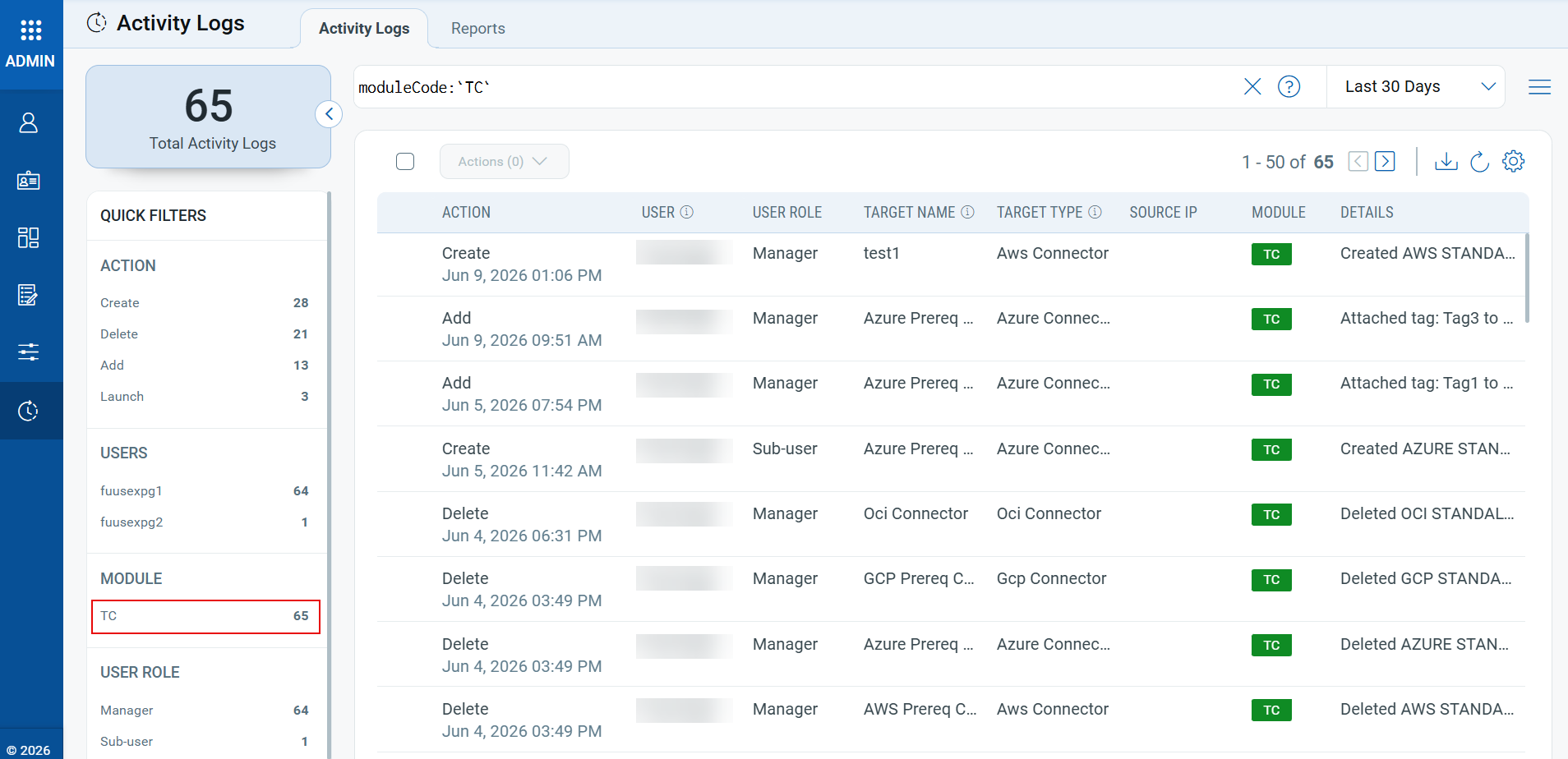
You can now track all connector activities in the Admin module’s Activity Log. This includes user actions, configuration changes, and operational events, giving you complete visibility into connector behavior across all cloud environments.
Audit log captures key actions such as:
- Creating connectors
- Running connectors
- Deleting connectors
- Run connectors
- Attach/Detach connectors
- Enable/Disable connectors
Each action is recorded as a separate log entry, helping you monitor user activity, track changes, and proactively maintain connector health.
To view the connectors logs, navigate to the Admin module → Activity Logs → Select TC under Module quick filters.
New Tokens
The following section describes the new tokens introduced in release 2.18.0.
| Platform | Name | Description | Example |
|---|---|---|---|
| AWS | connector.isDeltaSyncEnabled | Use this to filter connectors with Delta sync enabled. | connector.isDeltaSyncEnabled: true |