Connector Release 2.20
August 21, 2026
Connector 2.20 introduces EventGrid support for Azure Connectors, Cloud Perimeter Scan (CPS) support for OCI Cloud, and updates to the connectors listing page.
EventGrid Support for Azure Connectors
Applicable for: 
This release introduces Delta Sync, a new inventory synchronization option for Microsoft Azure connectors.
The Authentication Details section in the Edit and Create connector workflow now includes an Inventory Sync option with two modes:
- Poll Based Sync - The existing behavior. The connector runs a full inventory and evaluation of all resource types on the configured schedule (for example, every four hours).
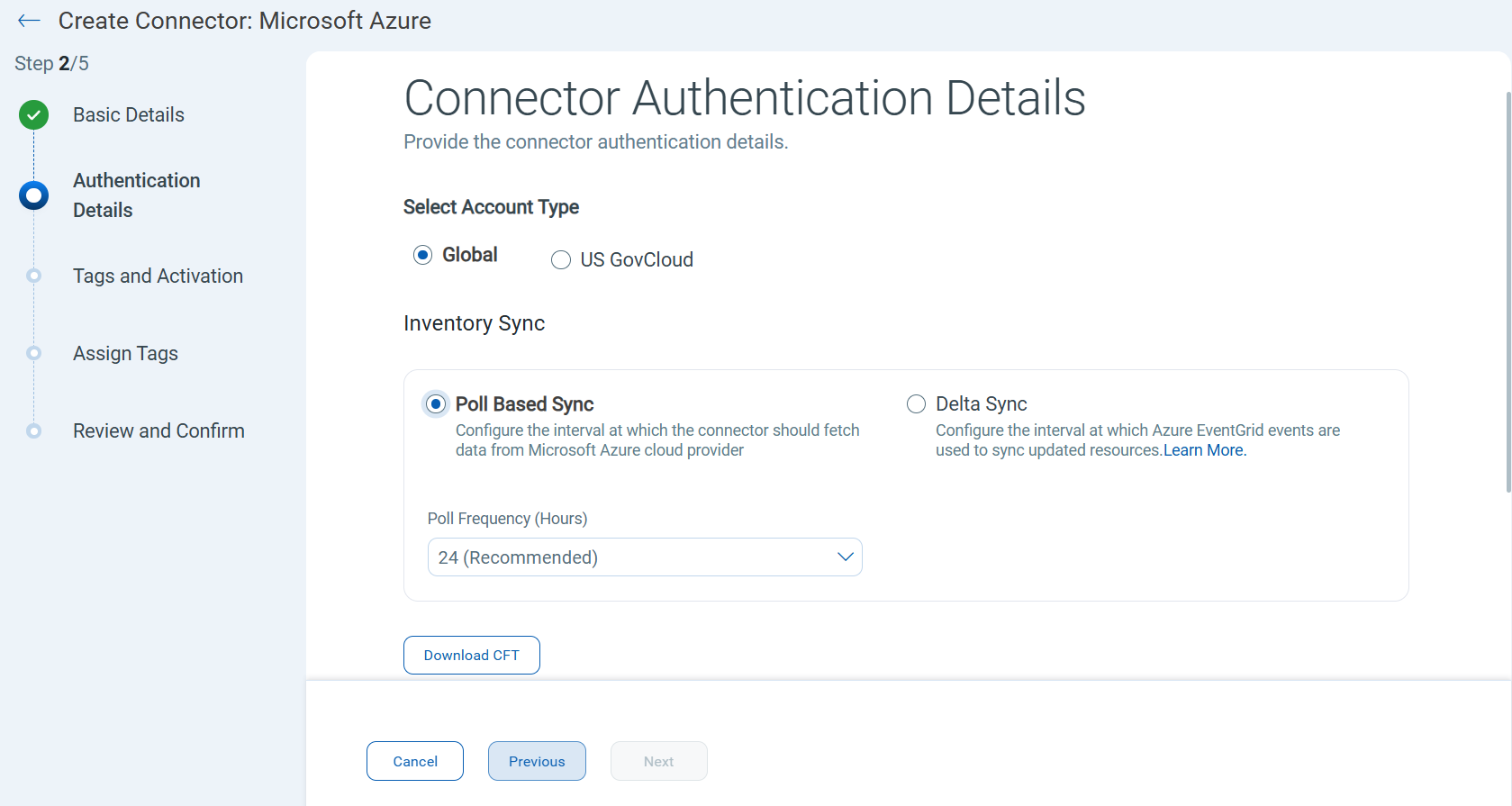
- Delta Sync - A new mode that processes only the resource types that changed between connector runs. Resource change events, including delete operations and exceptions, are reflected in real time using Azure Event Grid notifications. Inventory and evaluation for changed resources run on the configured Delta Sync frequency.
Once enabled, you can filter connectors with Delta Sync activated by using theconnector.isDeltaSyncEnabledtoken on the connectors listing page.A full inventory and evaluation run is automatically performed every 48 hours, regardless of whether any changes are detected.
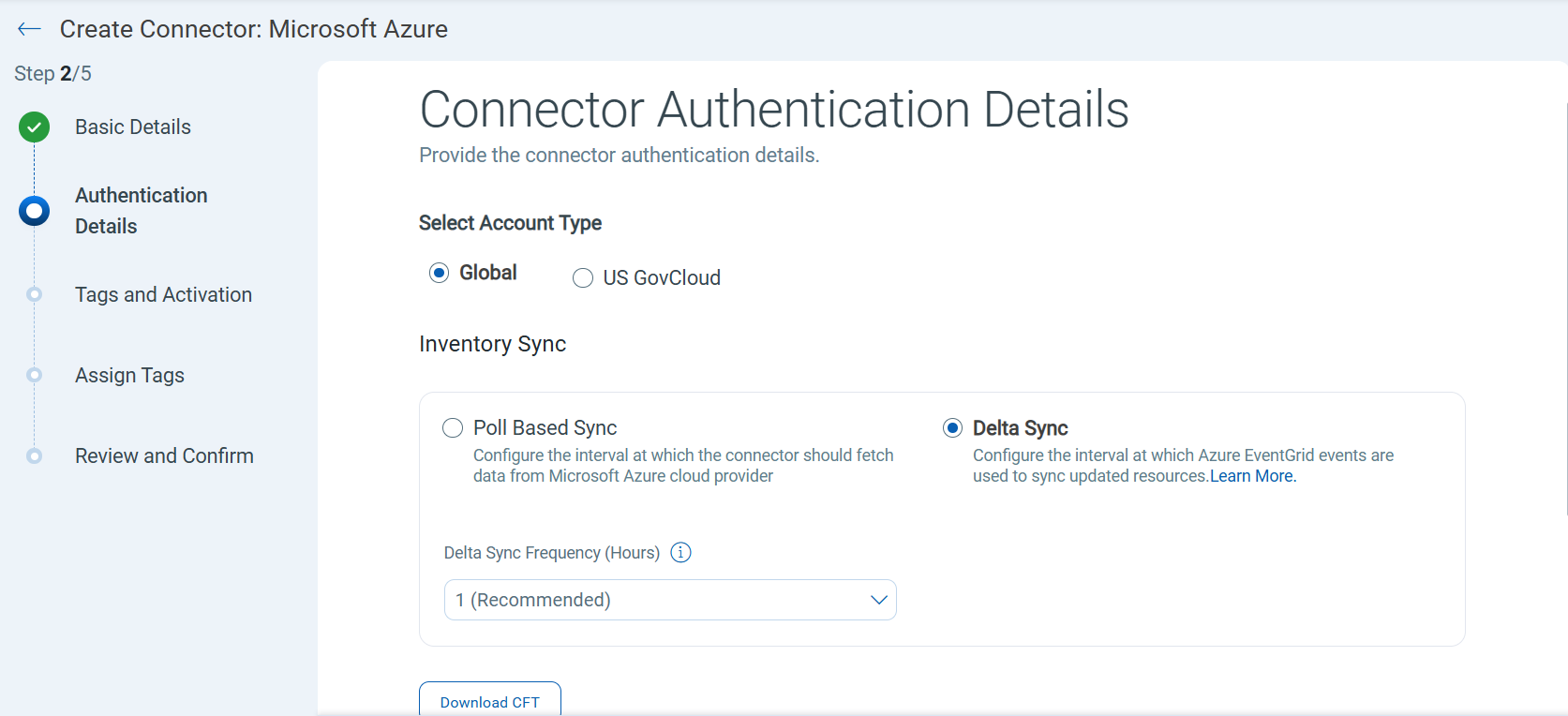
Benefits:
- Reduces unnecessary processing by scoping inventory and evaluation to changed resources only.
- Captures resource changes, including deletions and exceptions, in real time for improved inventory accuracy.
Prerequisites:
The following requirements must be met before enabling Delta Sync:
- Azure Event Grid must be enabled in your Azure subscription. Deploy the Qualys-provided Azure Resource Manager (ARM) template to configure Event Grid subscriptions and begin receiving resource change events.
- The Delta Sync option must be selected after the ARM template deployment is complete. If Poll Based Sync remains selected, no events are processed, even if the Event Grid configuration is in place.
Currently, this feature is not supported for Organization connectors and US GovCloud.
Event Grid-based Delta Sync is supported for standard Azure public cloud environments. Support for other Azure cloud environments may vary.
Cloud Perimeter Scan (CPS) Support for OCI Cloud
Applicable for: 
Qualys TotalCloud now extends Cloud Perimeter Scan (CPS) support to Oracle Cloud Infrastructure (OCI), bringing OCI in line with the CPS support already available for AWS, Azure, and GCP.
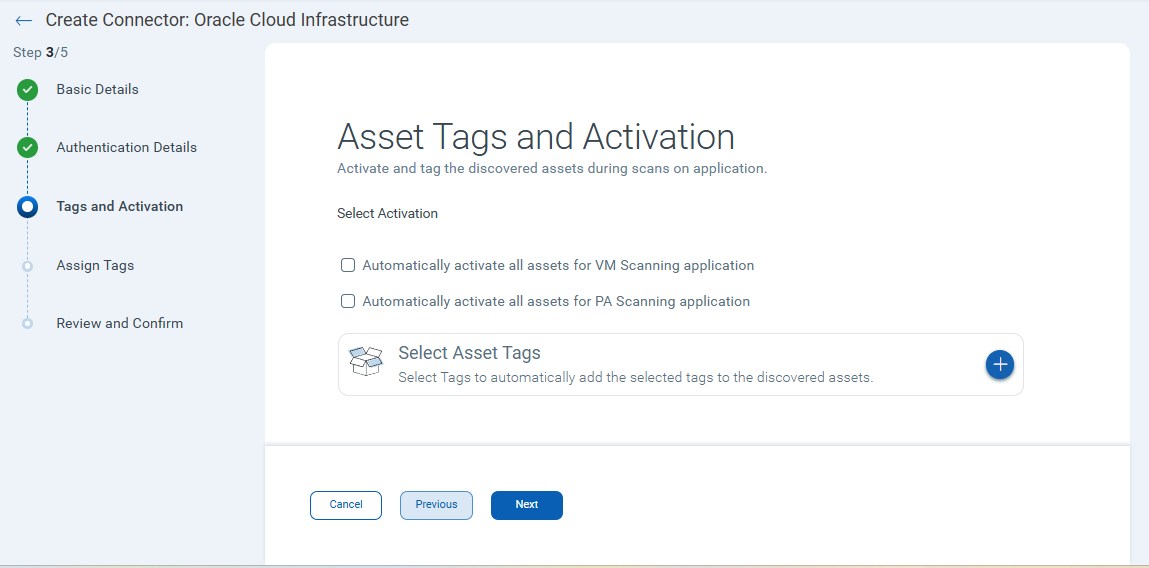
With this release, you can activate your OCI cloud assets for Vulnerability Management (VM) and Policy Audit (PA) scanning directly from the OCI connector configuration. A new Tags and Activation tab has been added to the OCI connector's Create and Update flows, allowing you to select the VM and/or PC modules to activate for the OCI assets discovered by that connector.
Benefits
- Agentless and non-intrusive - Bring OCI compute (VM) assets under vulnerability and compliance scanning coverage without deploying an agent, using the same tag-and-activate model as other cloud providers.
- Consistent experience - Consistent perimeter-scan activation experience for OCI, matching the existing connector-based workflow for AWS, Azure, and GCP.
- Secure by design - Runs in private networks with role-based access control.
- Comprehensive visibility - Identifies vulnerabilities, misconfigurations, and secrets.
- Scalable and automated - Works across projects and regions with minimal setup.
Navigate to OCI Connectors > Create or Edit a connector > Tags and Activation to view and select the options to activate all assets for VM and PA scanning.
Connector Errors is now Connector Logs
Applicable for: 

To better reflect what this data actually contains, we have renamed "Errors" to "Logs" across the Connectors experience:
- The Errors column on the Connector listing page is now called Logs
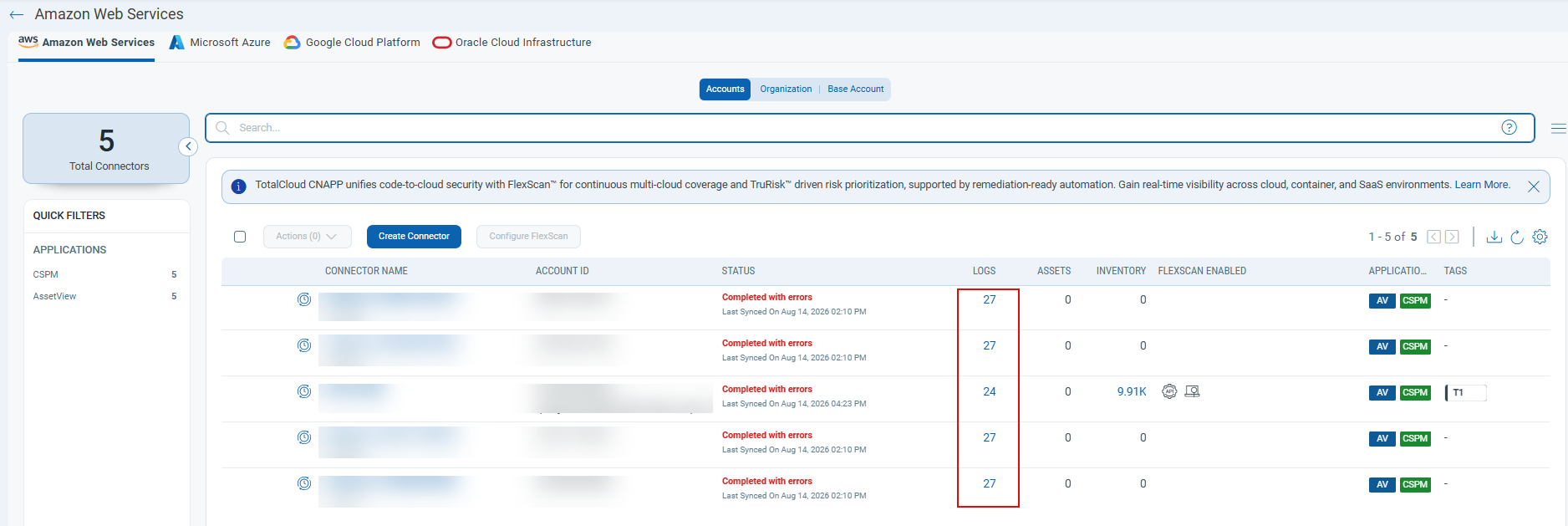
- On the Last Job Summary page, the Error section is now called Logs, and Total Errors is now Total Logs.
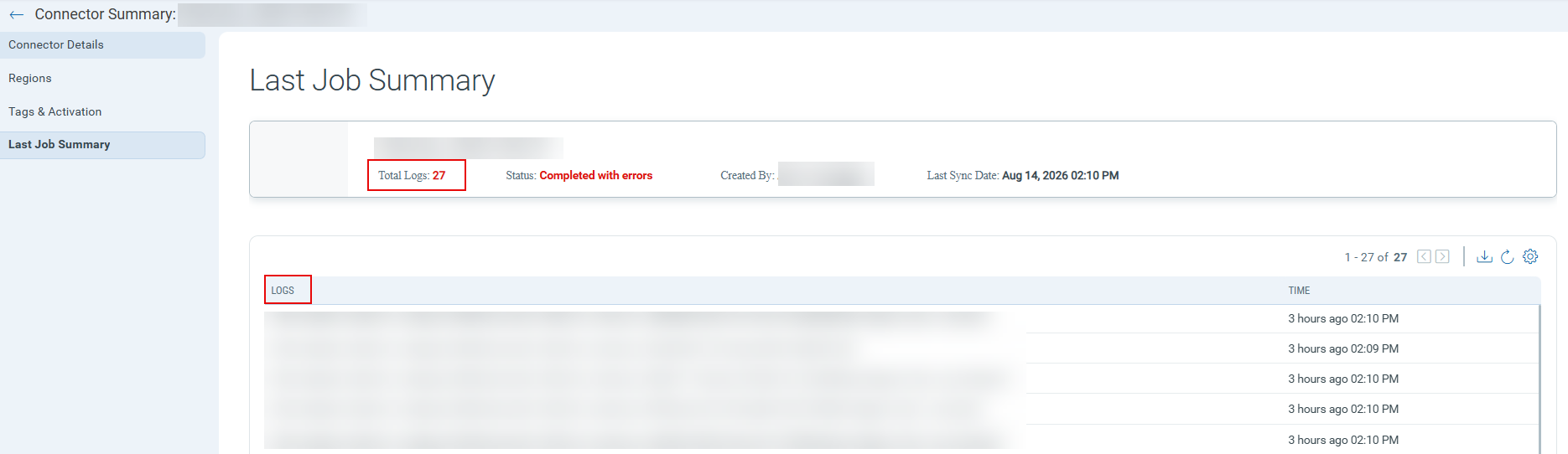
The Logs column is hidden by default and can be turned on from the column selector as needed.