Connector Release 2.21
September 30, 2026
Connector 2.21 improves the default CSPM capability selection for community users and extends event-based processing for organization connectors.
Default Capability Selection Updated for New Connectors
Applicable for: 


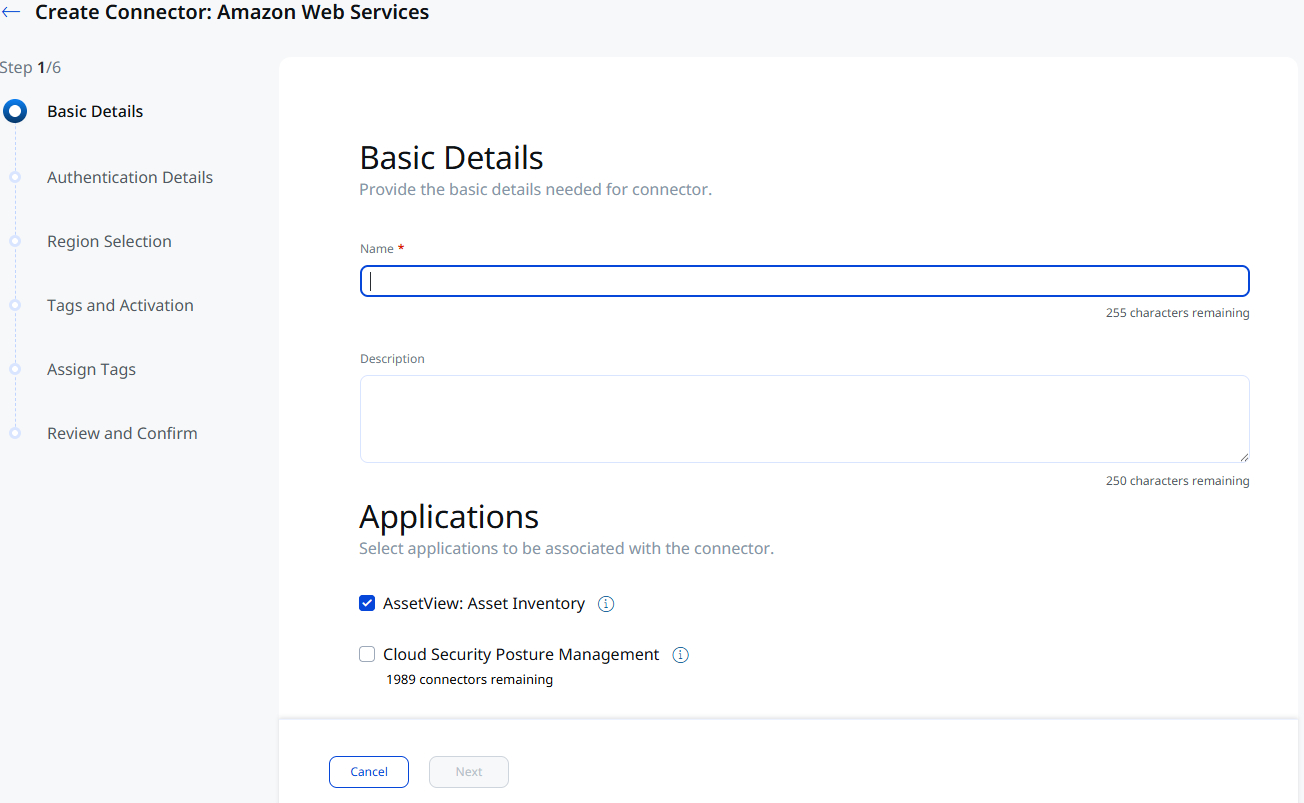
When creating a new connector, Cloud Security Posture Management (CSPM) is no longer selected by default, and AssetView is no longer locked. Previously, AssetView was preselected and locked, and CSPM was enabled by default, even for Community Edition (free) accounts.
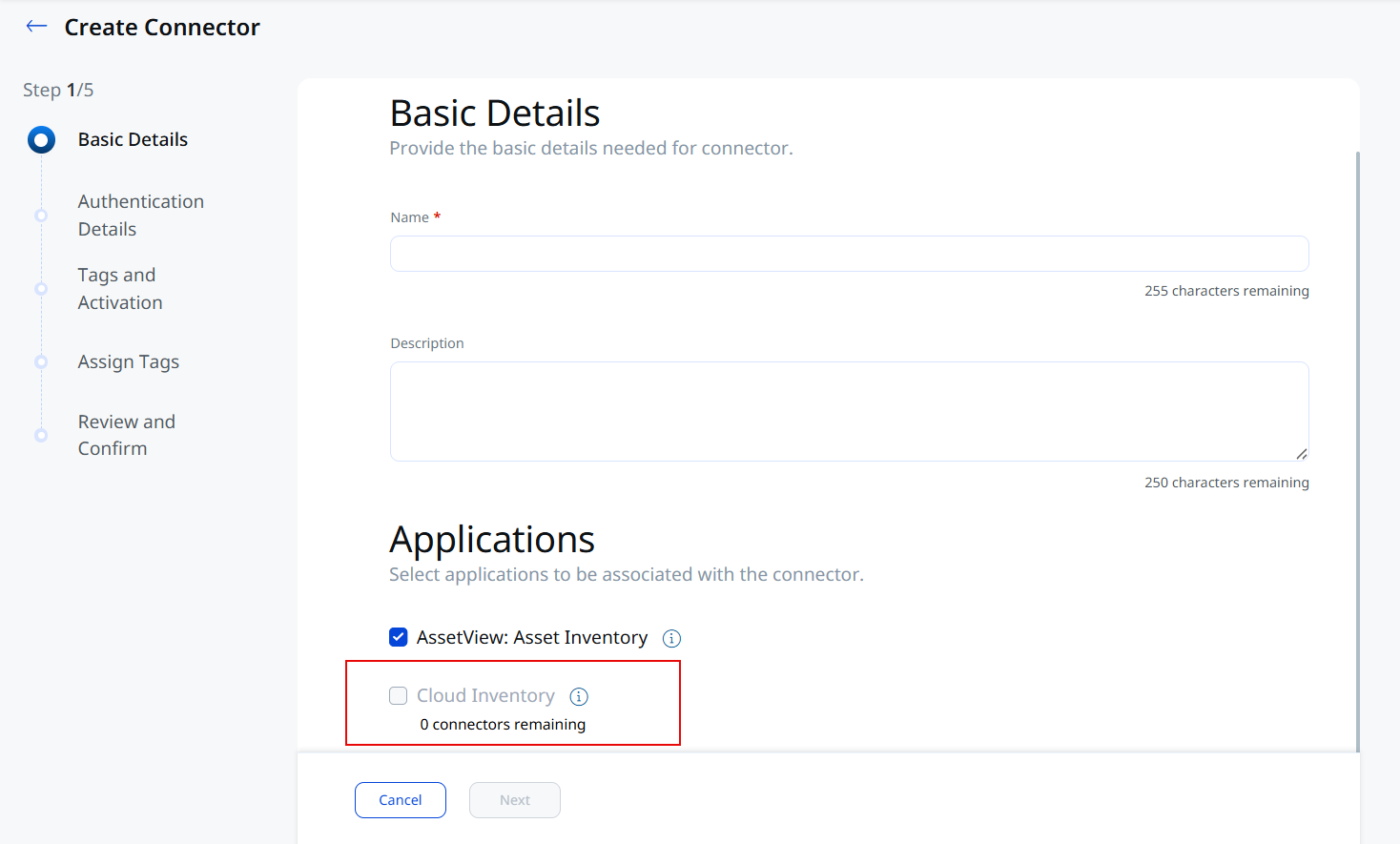
Additionally, Community Edition (free) accounts also see an updated label in the capability selector: Cloud Security Posture Management now reads Cloud Inventory, matching the capability that Community Edition connectors actually provide.
Benefit
- You control which capabilities a new connector enables, instead of CSPM being turned on for you automatically.
- Community Edition accounts see a capability label that matches what's actually available on their tier, reducing confusion about CSPM coverage.
This change applies to new connector creation only. Connectors created prior to this update keep their existing capability selections.
Delta Sync Support for Organization Connectors
Applicable for:
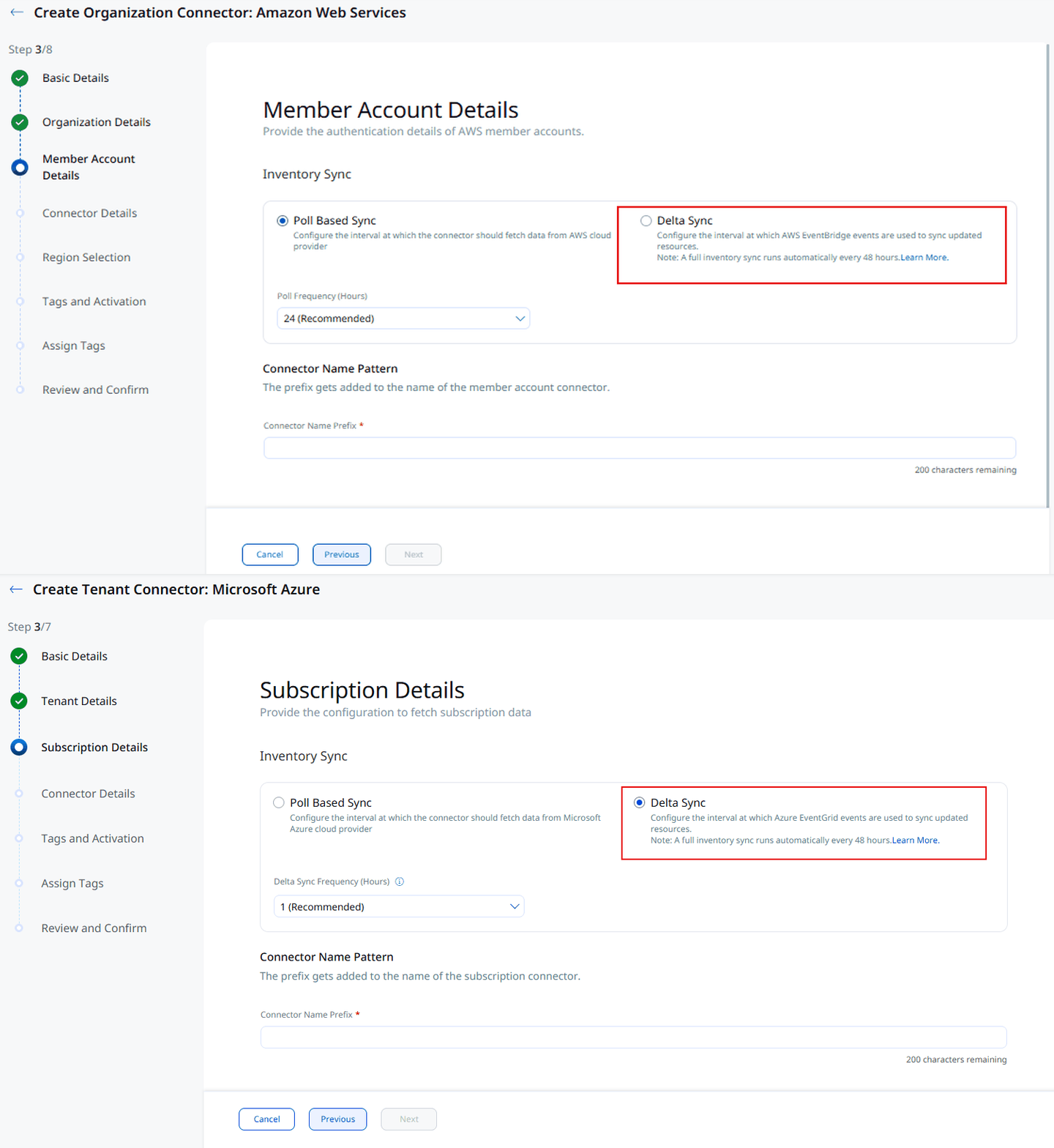
Delta Sync, the event-based inventory sync option already available for individual AWS and Azure connectors, is now also available to Organization connectors.
You can enable Delta Sync for AWS and Azure Organization connectors from the Member Account Details/Subscription Details step of the Create/Edit Organization Connector workflow, using the same Poll Based Sync and Delta Sync options already available for individual connectors.
Deploying a CloudFormation template is required for this feature to work across all member accounts. The prerequisites, setup steps, and limitations for Delta Sync remain the same as for individual connectors. See EventBridge Support for AWS Connectors and EventGrid Support for Azure Connectors for more details.
AV Connector Limit for Organization Connectors
Applicable for:
We have introduced a limit on the number of AssetView (AV)-only member connectors an Organization Connector can create, to help keep inventory updates and assessments running on time.
Key Changes
- By default, organization connectors can now create up to 5,000 AV-only member connectors per cloud platform (AWS, Azure, or GCP). This limit can be adjusted (up to the 10,000 maximum) based on account needs.
If you require more than your current limit on a given cloud platform, reach out to your Technical Account Manager (TAM) or Qualys Support to request an increase.