Container Security Sensor updates
When a newer sensor version is available than the one deployed, you’ll see Update Available next to the sensor name. You should update the sensor to the newer version to take advantage of new features, bug fixes, and to remediate vulnerabilities.
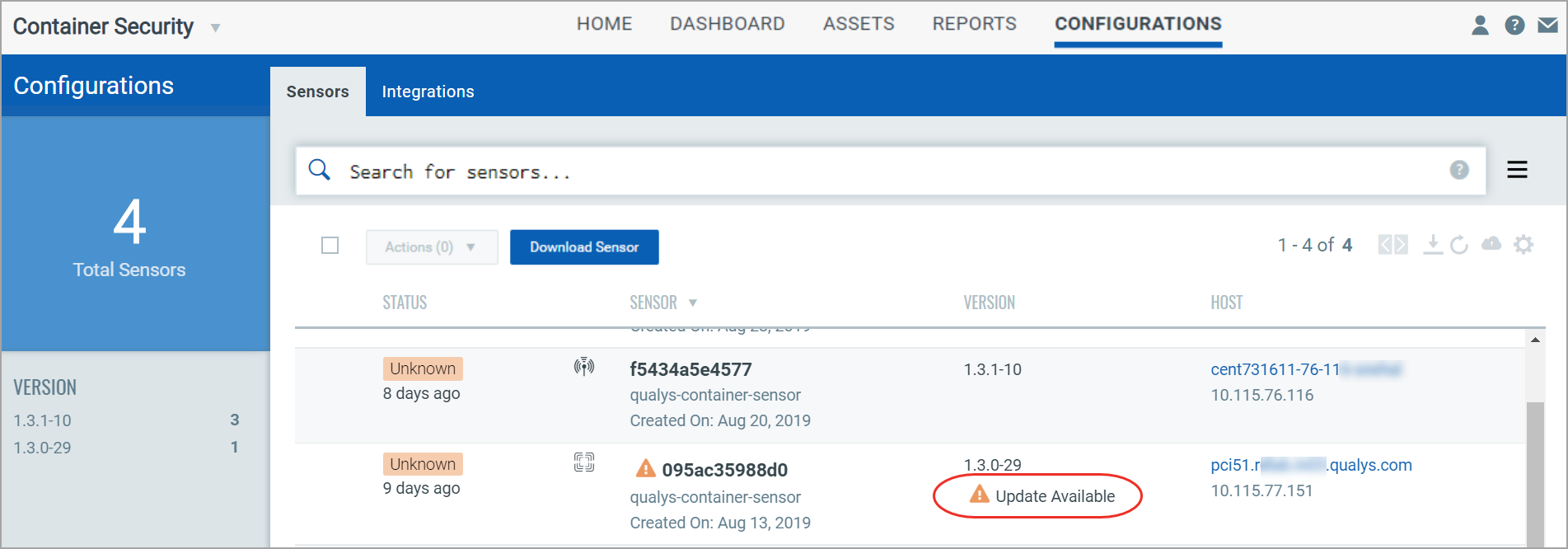
For sensors downloaded from the Qualys Enterprise TruRisk™ Platform
Sensors deployed in an environment with Docker or Podman runtime, with the installsensor.sh script will be updated automatically (unless the --disable-auto-update option was used for the installsensor.sh script). Sensors are not updated automatically for the Kubernetes environment. To know more about K8s environment, refer to 'Update the sensor deployed in Kubernetes' in the Qualys Container Security Sensor Deployment Guide for instructions.
For sensors installed from Docker Hub
The Qualys Container Sensor image hosted on Docker Hub does not support auto-update. See 'Upgrading the sensor' in the section 'Installing the sensor from Docker Hub' in the Qualys Container Security Sensor Deployment Guide for instructions.