Container Runtime Sensor Output
You can see the file and process events data on Qualys Cloud Platform or on your command line interface.
Viewing Events Data on Qualys Cloud Platform
Qualys Container Runtime Sensor displays the file and process events data of your containers on your Qualys Cloud Platform. This data is displayed under the EVENTS > Runtime tab.
File Events
The File Events tab shows you the following file event details.
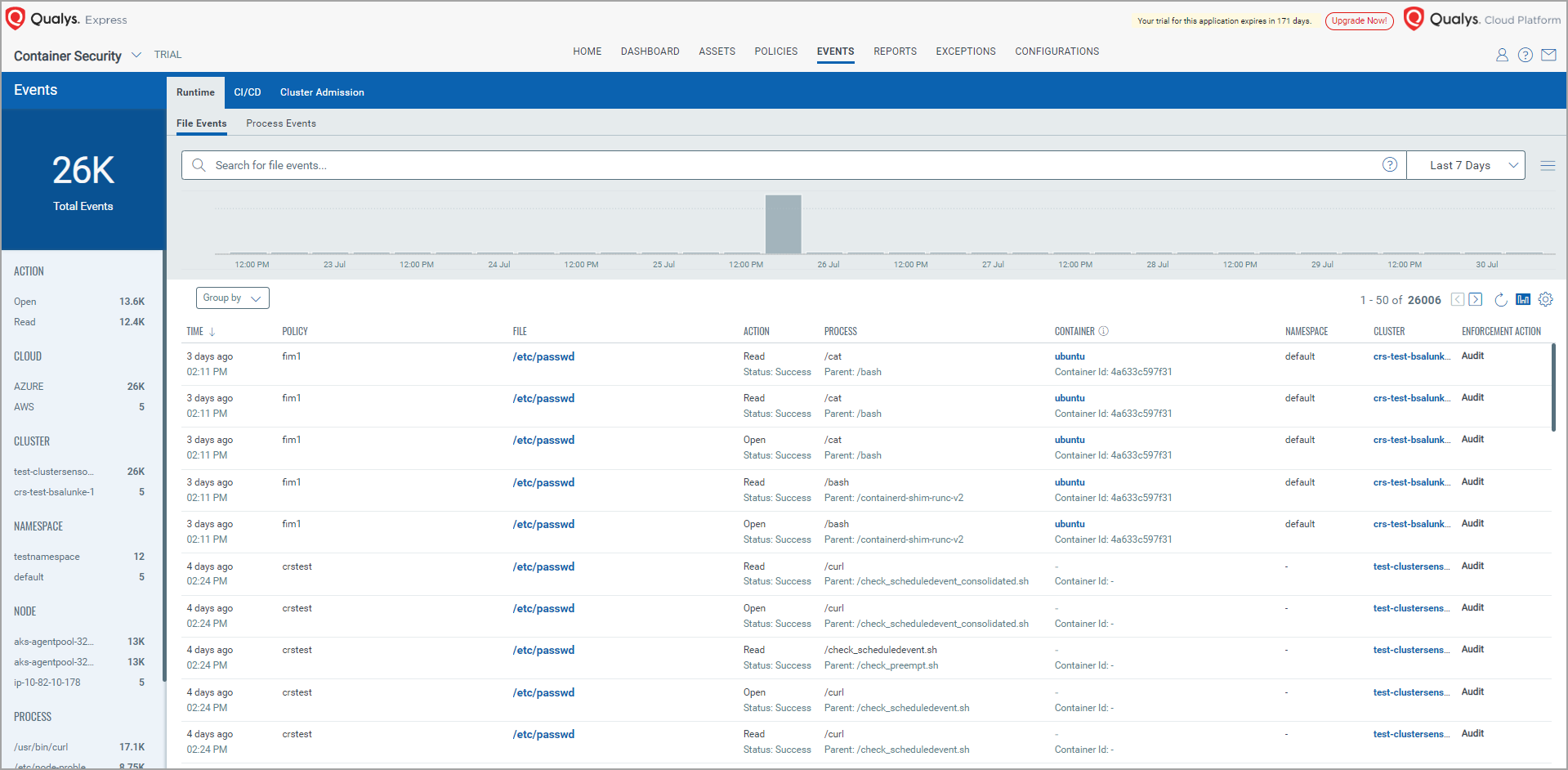
| Field Name | Description |
|---|---|
| TIME | When the event is recorded. |
| POLICY | The Tracing Policy which is applied and have triggered this event. |
| FILE | Indicates file name. |
| ACTION | Operation Performed on the File [READ, WRITE, OPEN, DELETE, RENAME] |
| PROCESS | The program used for that file activity. |
| CONTAINER | Container Name and Container ID. |
| NAMESPACE | Namespace used for the cluster to spin the container. |
| CLUSTER | Cluster name given by you. |
| ENFORCEMENT ACTION | Valid value: Audit |
Process Events
The Process Events tab shows you the following file event details.
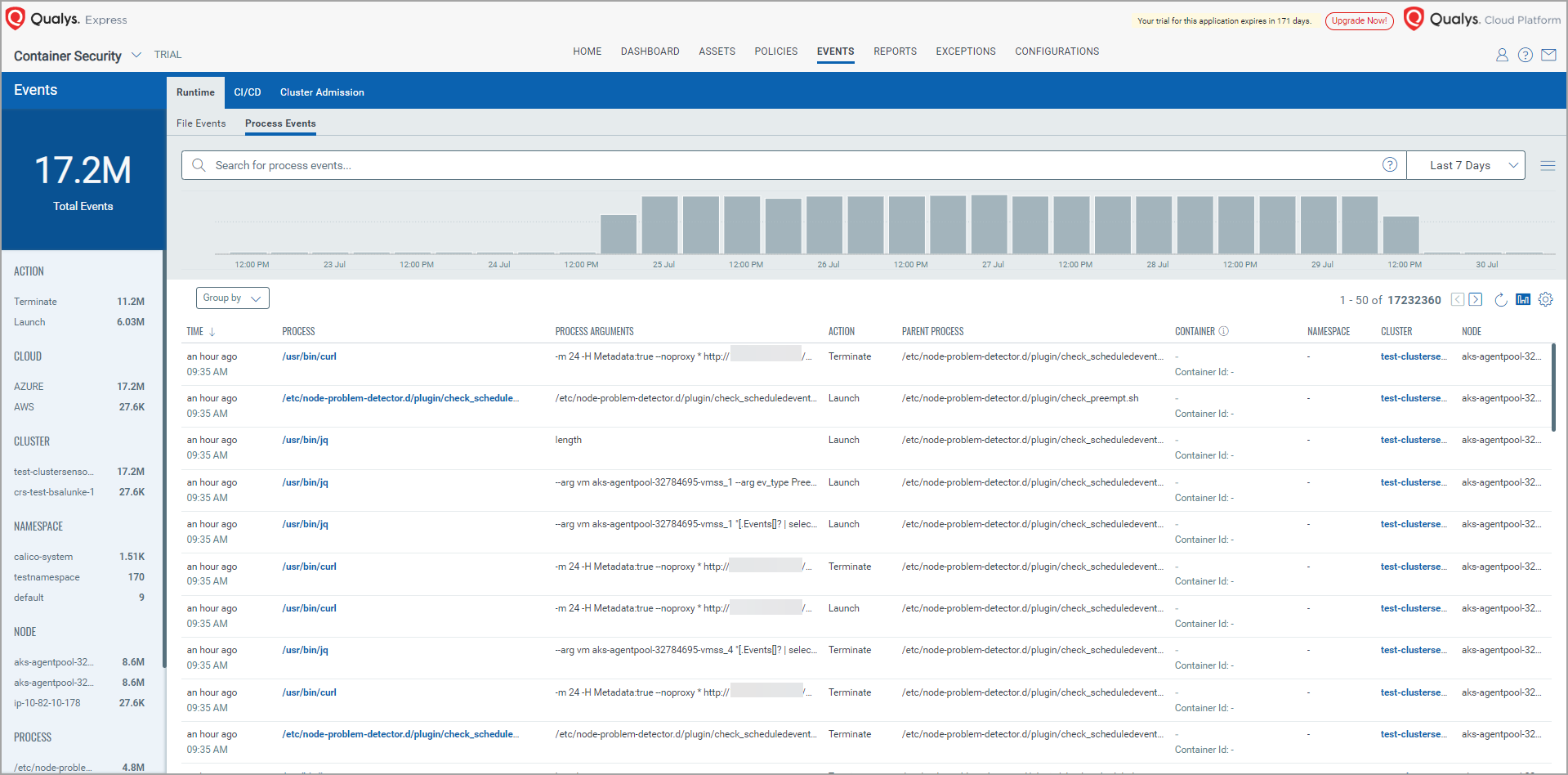
| Field Name | Description |
|---|---|
| TIME | When the event is recorded. |
| PROCESS | The Tracing Policy which is applied and have triggered this event. |
| PROCESS ARGUMENTS | The program that is triggered. |
| ACTION | Indicates action carried out during the Process Event. Valid values: Launch and Terminate |
| PARENT PROCESS | Parent process of the Program triggered in process argument. |
| CONTAINER | Container Name and Container ID. |
| NAMESPACE | Namespace used for the cluster to spin the container. |
| CLUSTER | Cluster name given by you. |
| NODE | Cluster node where the process is executed. |
Binary Properties in Event Payloads
CRS collects binary properties and includes them in process, file, and network event payloads. These properties help you detect privilege escalation and unauthorized binary execution.
File capabilities allow a binary to acquire elevated privileges for specific tasks. They are stored in the extended attributes of the binary on the filesystem and can be set using the setcap tool.
| Property | Description |
|---|---|
privileges_changed |
Indicates whether the binary execution resulted in a privilege change (for example, gaining elevated capabilities). |
inode |
Inode number and link count of the binary file on the filesystem. Useful for tracking hard links and detecting file substitution. |
setuid |
Indicates whether the setuid bit is set on the binary, allowing it to run with the privileges of the file owner. |
setgid |
Indicates whether the setgid bit is set on the binary, allowing it to run with the privileges of the file group. |
Viewing Events Data on Command Line Interface (CLI)
You can observe event details through event logs. To generate file or process event log,
- Identify pods present in the Qualys namespace.
kubectl get pods \

-n qualys - Run the following command to check the event log.
kubectl logs -f <runtime-sensor-pod-id> \

	-n qualys