Configuration Details
Provide the following configuration details:
-
API login information (Select Use Proxy to provide proxy information).
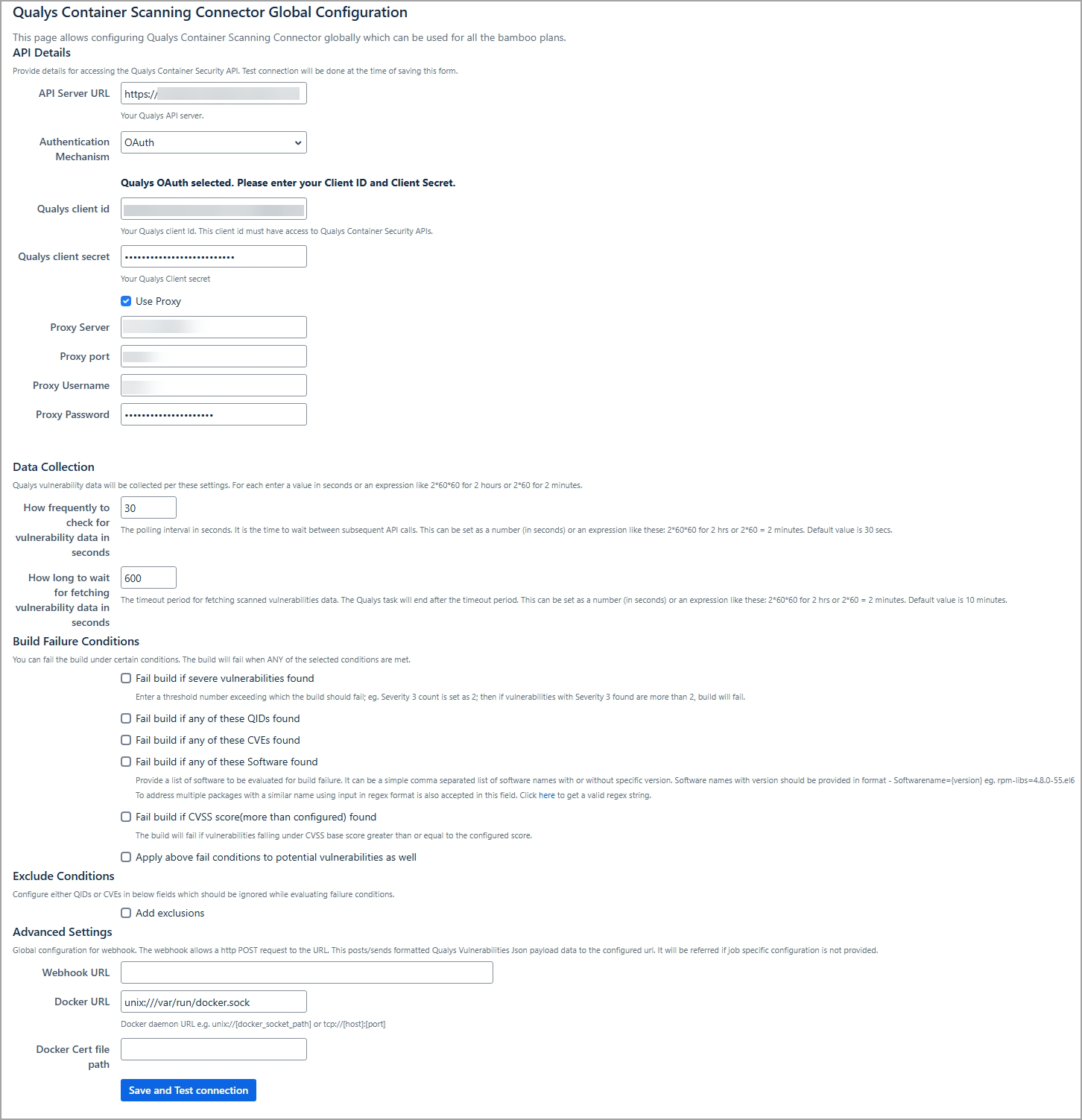
Authentication Mechanism
Configure OIDC Authentication
Use this method if your Qualys environment is configured for OpenID Connect with Client ID and Client Secret.
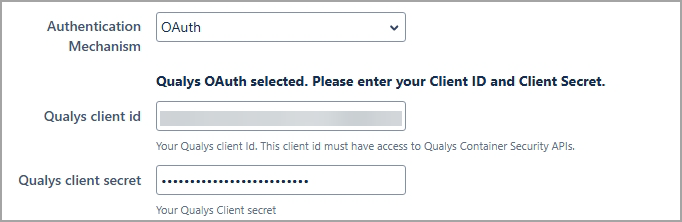
Perform the following steps:
- From the Authentication Type, select OAuth.
- Provide the following required fields:
- Qualys client id
Enter the Client ID received from your Qualys OIDC configuration. - Qualys client secret
Enter the corresponding Client Secret.
- Qualys client id
Configure Basic Authentication
-
Use this method if your Qualys setup uses a standard username and password.
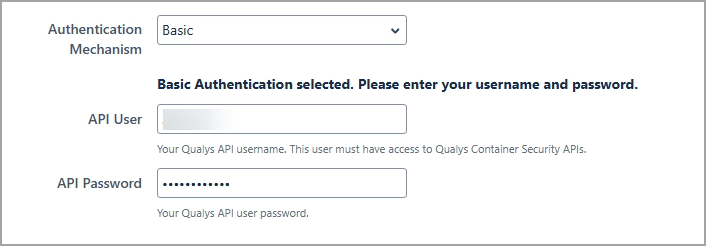
Perform the following steps:
- From the Authentication Type, select Basic.
- Provide the following required fields:
- API User
The Qualys username used for API access. - API Password
The password for the above username.
- API User
- Data Collection frequency.
- Build Failure conditions.
- Container image IDs/image names to check for vulnerabilities. We internally use the corresponding image sha256 of the image IDs / image names.
When multiple images are specified in the image ID input and during the scan, if the build timeout is reached for any of them, then the plugin generates the scan result and renders the report for the images for which it receives the scan data.
-
Forward Bamboo job results to a WebHook URL. When you are ready, click Save Configuration.
Once you save the details, the plugin uses the API credentials you provided to verify that it can call the Qualys Container Security API.
An error is shown if the plugin's call to the Container Security API fails.