How can I view details of vulnerabilities?
You can see details of your vulnerability (QID) by either clicking on the QID number or using Quick Action > View Details.
The following vulnerability details are shown.
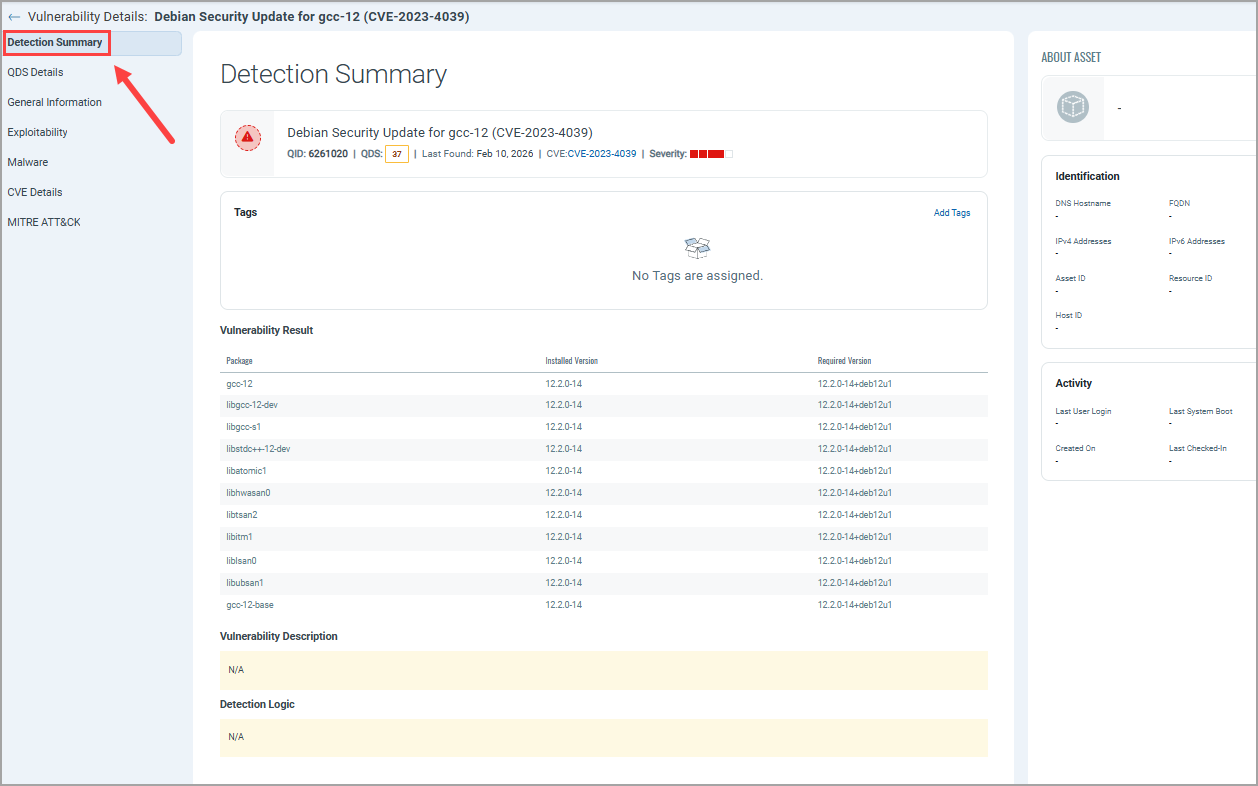
Detection Summary
Provides details of the scan, including the QID title and number, QDS, and severity. It also shows tags assigned to the associated image. In addition, it shows details of the vulnerabilities found and information about the related asset.
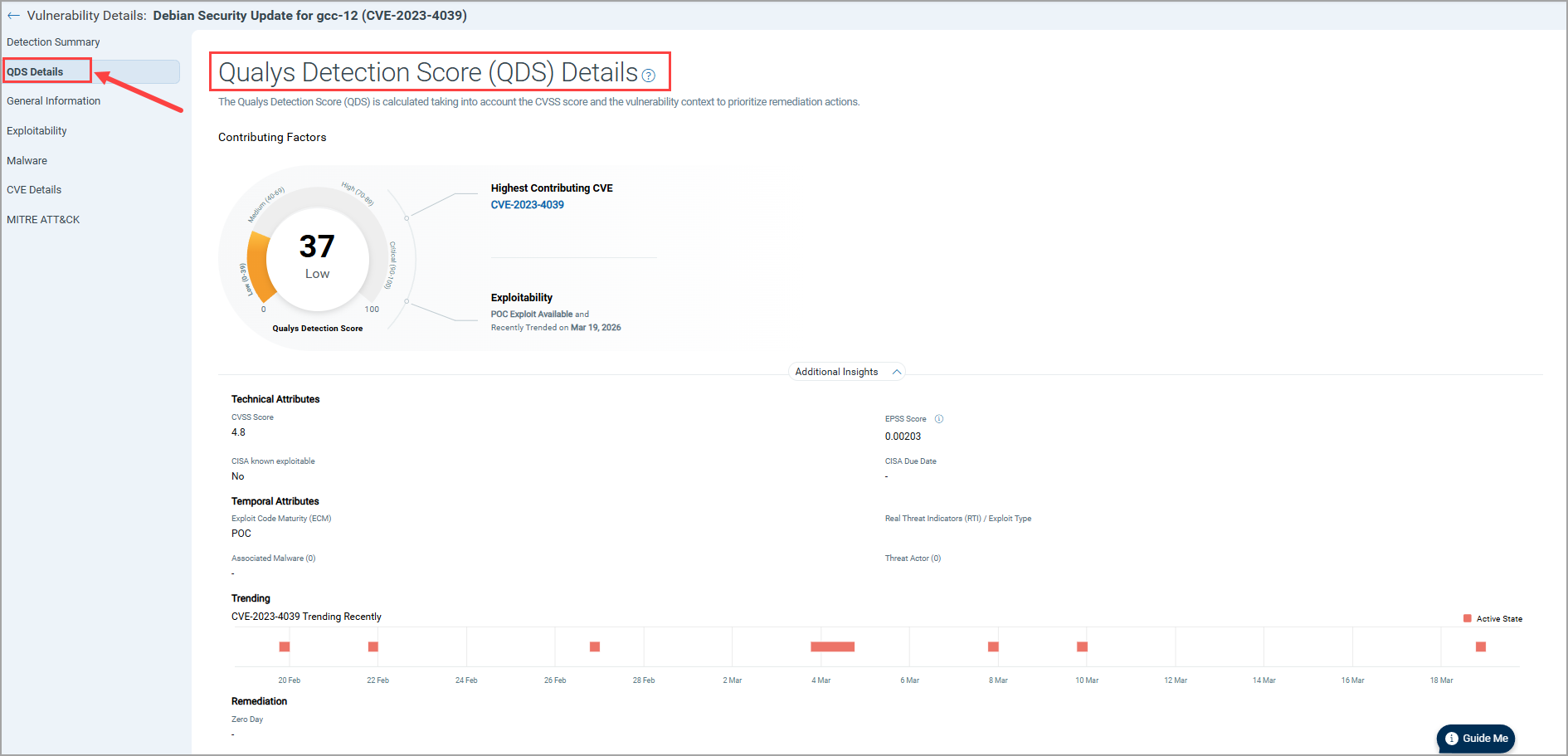
QDS Details
Qualys Detection Score (QDS) displays the Contributing Factors for an asset. The QDS contributing factors for an asset are:
- Highest Contributing CVE: Click the CVE number, and the Additional Insights will display the Technical Attributes, Recency, and Remediation.
- Exploitability: It displays the date when the exploitability recently trended.
- Additional Insights: When you click Additional Insights, it displays more information about the vulnerability's Technical Attributes, Temporal Attributes, Trending, and Remediation.
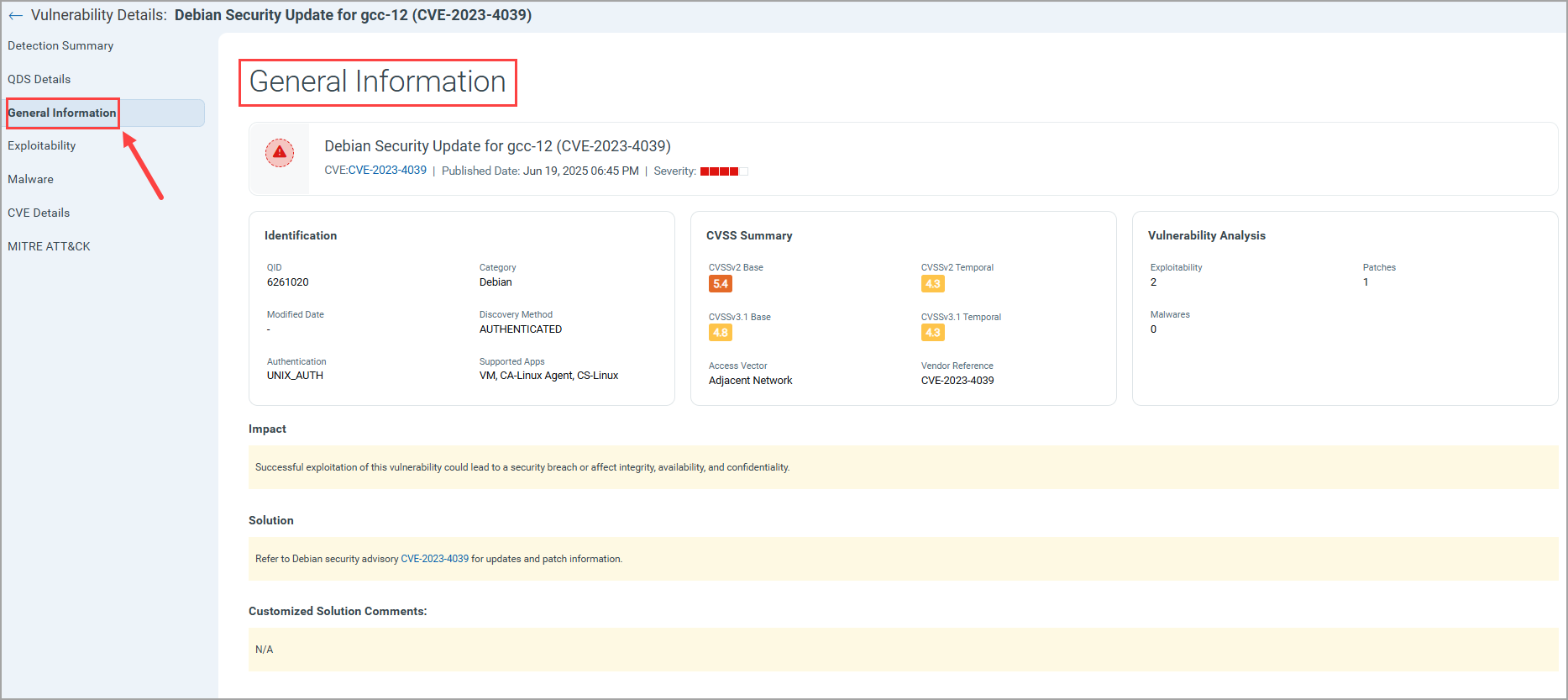
General Information
This page shows information such as,
- Identification: Provides QID details such as QID number.
- CVSS Summary
- Vulnerability Analysis
- Impact
- Solution
- Customized Solution Comments
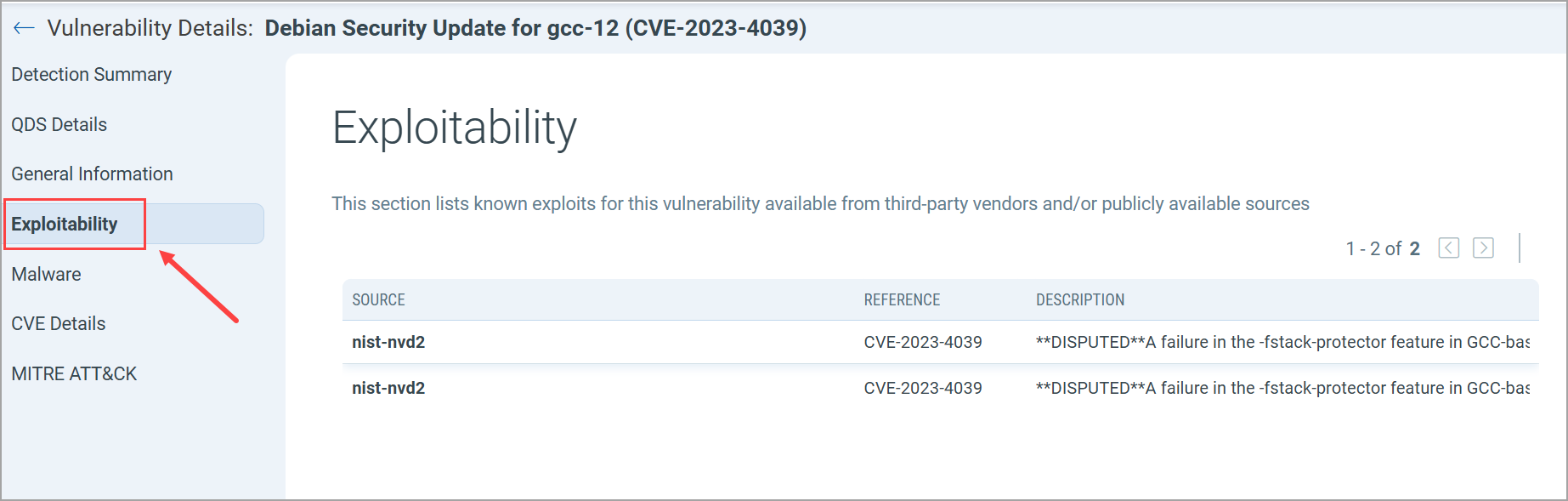
Exploitability
This page shows the known exploits for this vulnerability available from third-party vendors and/or publicly available sources.
Malware
This page provides details of the malware associated with your image.
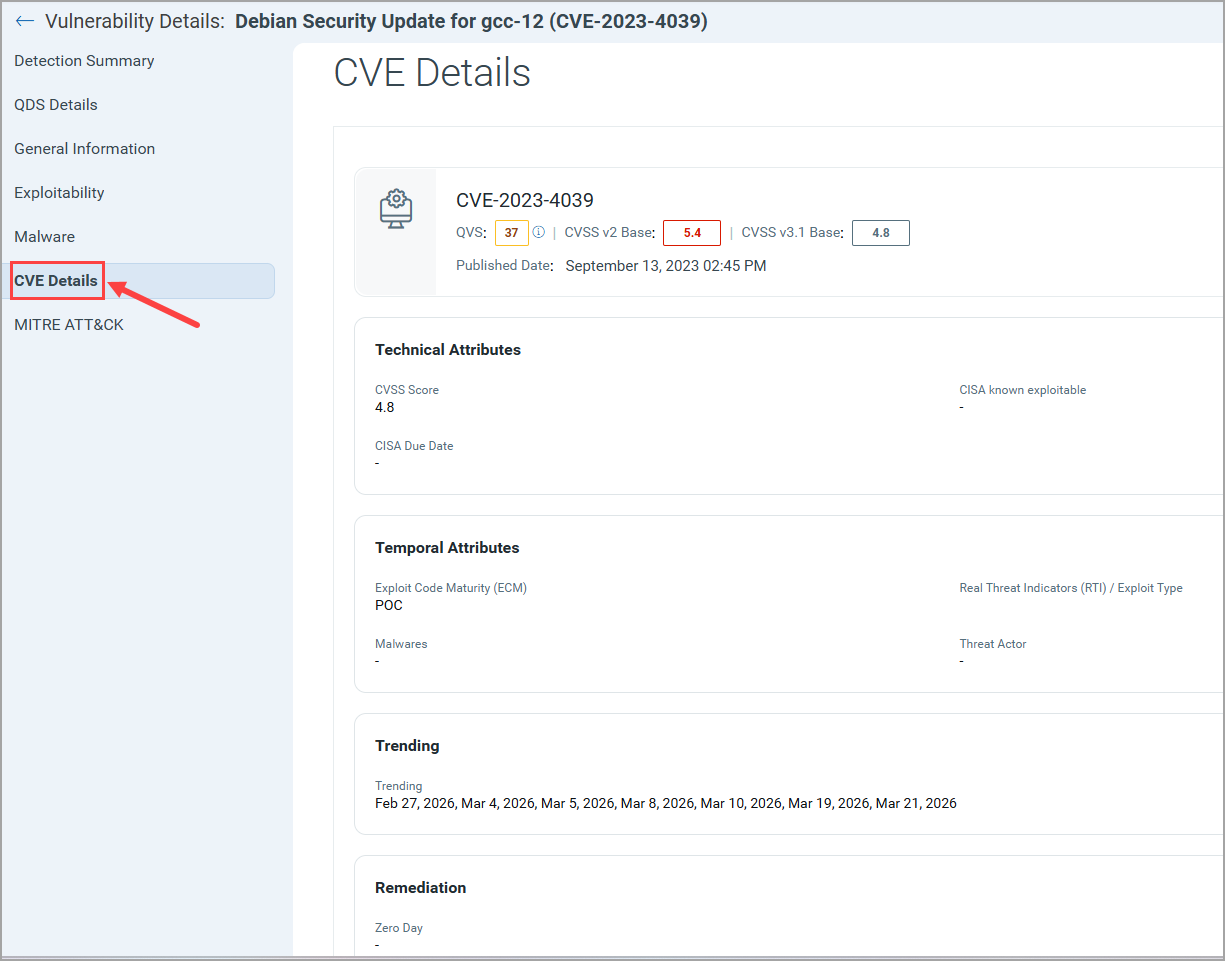
CVE Details
Shows CVE details of your QID such as, Technical Attributes, Temporal Attributes, Trending, and Remediation.
MITRE ATT&CK
Shows MITRE ATT&CK tactics for the QID.