Container Security Release 1.43
May 13, 2026 (Updated on July 02, 2026)
Rules to Enforce Image Compliance
Qualys Container Security now enables you to block or limit non‑compliant container images based on defined compliance controls and vulnerability criticality. To support this, Qualys has introduced the following two rule sub-types.
- Block known compliance using Controls - Use this rule to block container images that violate specific compliance controls. These controls are aligned with Qualys compliance frameworks. To know more about Controls, refer to the Qualys KSPM Policy Document.
- Limit Compliance using Criticality - Use this rule to define acceptable thresholds for non‑compliance of an image based on the criticality of vulnerabilities. This, in turn, enables controlled enforcement aligned with your risk tolerance.
These new rules ensure that images violating defined compliance controls or criticality thresholds are blocked before they are deployed to production.
These new rules are supported in both 'Image Assessment (CI/CD)' and 'Admission Controller' Policies.
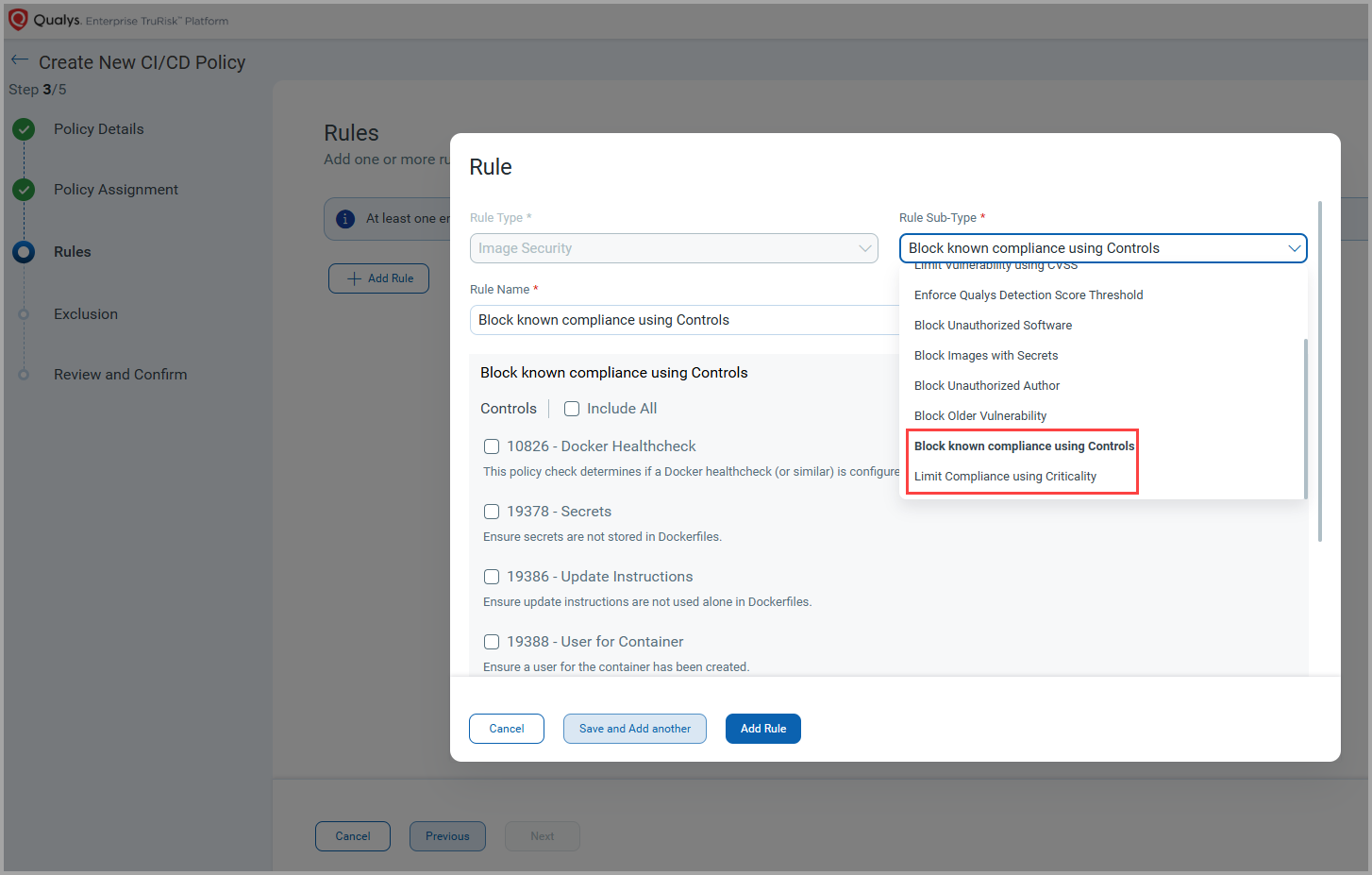
Qualys Enterprise TruRisk™ Platform > CS > Policies > Create Policy
Automated Sensor Profile Assignment for Cluster and Runtime Sensors
Earlier, tag‑based sensor profile assignment was supported only for General and CI/CD sensors. With this release, Qualys Container Security extends this capability to Cluster and Runtime sensors, enabling automated and consistent sensor profile assignment across more deployment types. This, in turn, reduces the manual configuration and deployment efforts. It also ensures consistent and scalable sensor configuration across dynamic environments, improving operational efficiency.
Using special tags, you can now associate one or more sensor profiles with a Cluster or Runtime sensor during sensor installation. When the sensor is launched, it automatically inherits all sensor profiles that match the specified special tag.
You can view the special tags associated with Sensors on the Qualys Enterprise TruRisk™ Platform under Container Security > CONFIGURATIONS > Sensors.
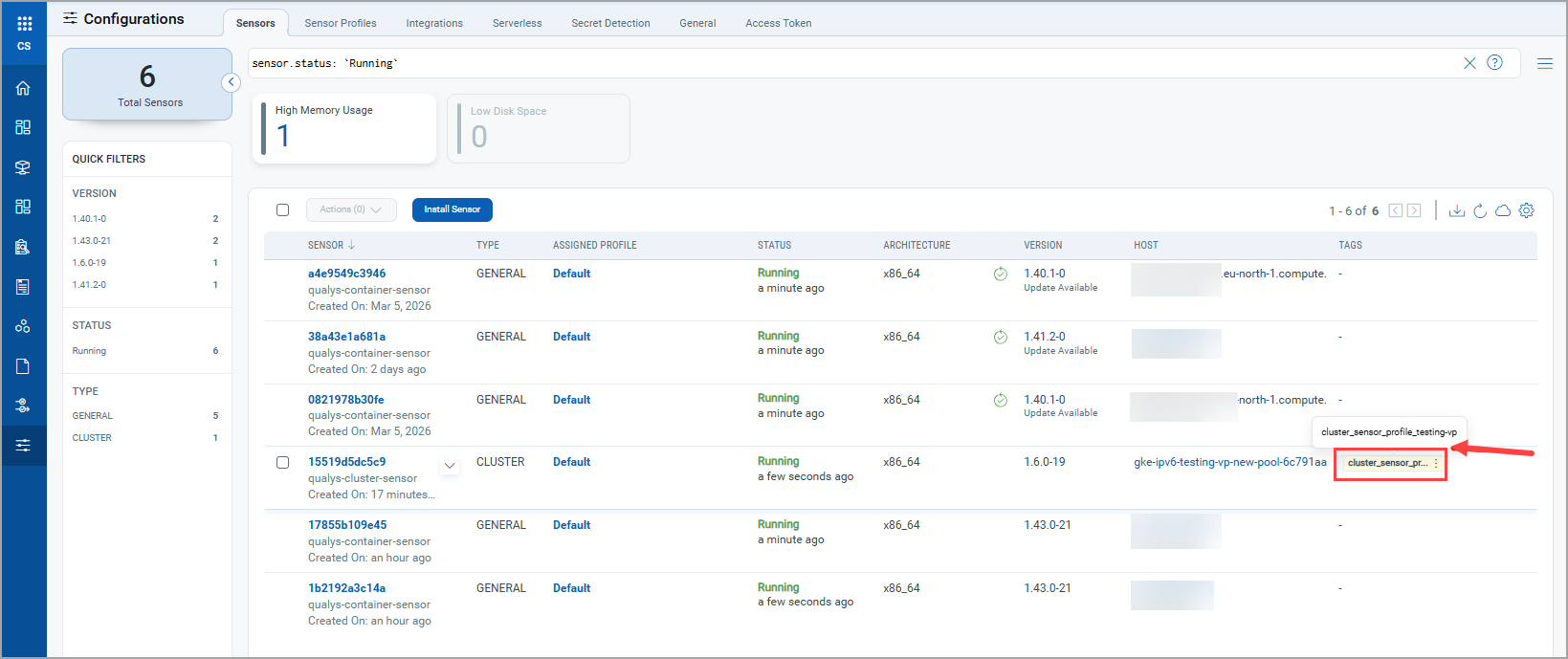
Qualys Enterprise TruRisk™ Platform > CS > Configurations > Sensors
Software End Of Life (EOL) Report Template
Previously, Qualys Container Security supported End Of Life (EOL) and End Of Support (EOS) software details within container images. With this release, these details are available in a new report template: Image Softwares. With this new template, you can generate dedicated reports that focus specifically on software lifecycle risk across container images, rather than viewing lifecycle data only at the image details level.
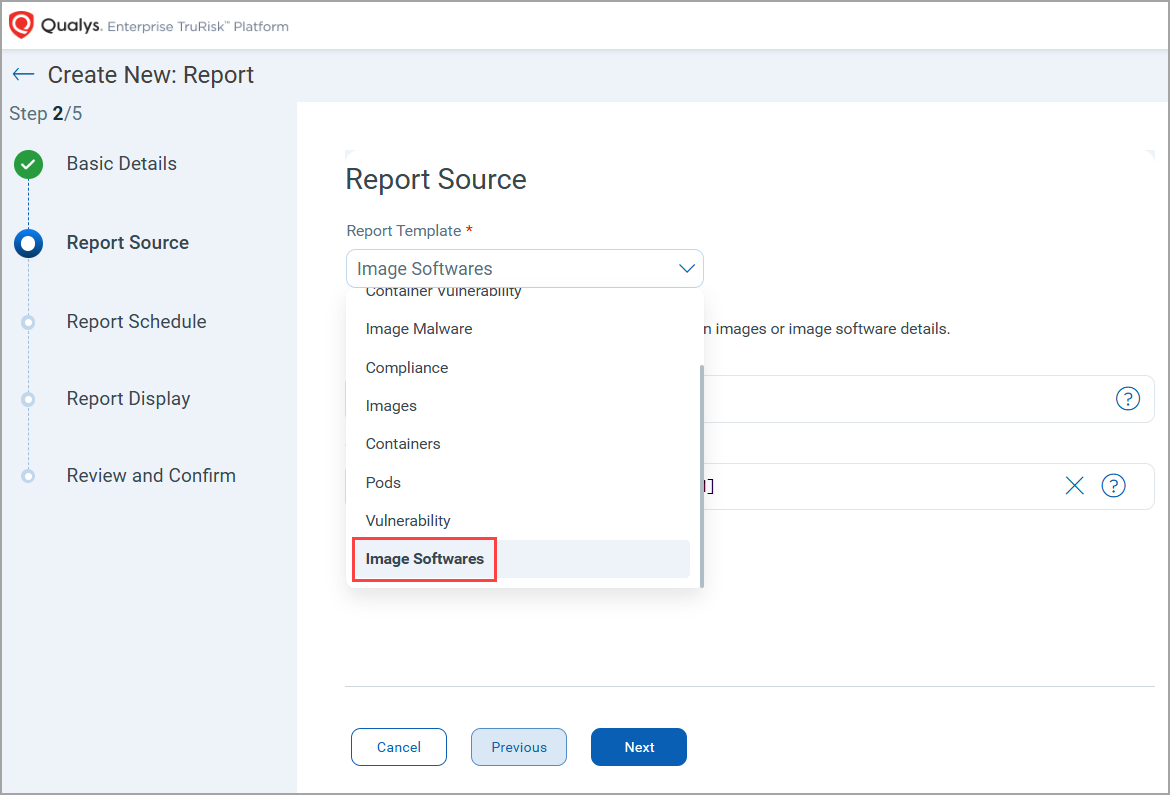
Qualys Enterprise TruRisk™ Platform > CS > Reports > Create Report > Report Source
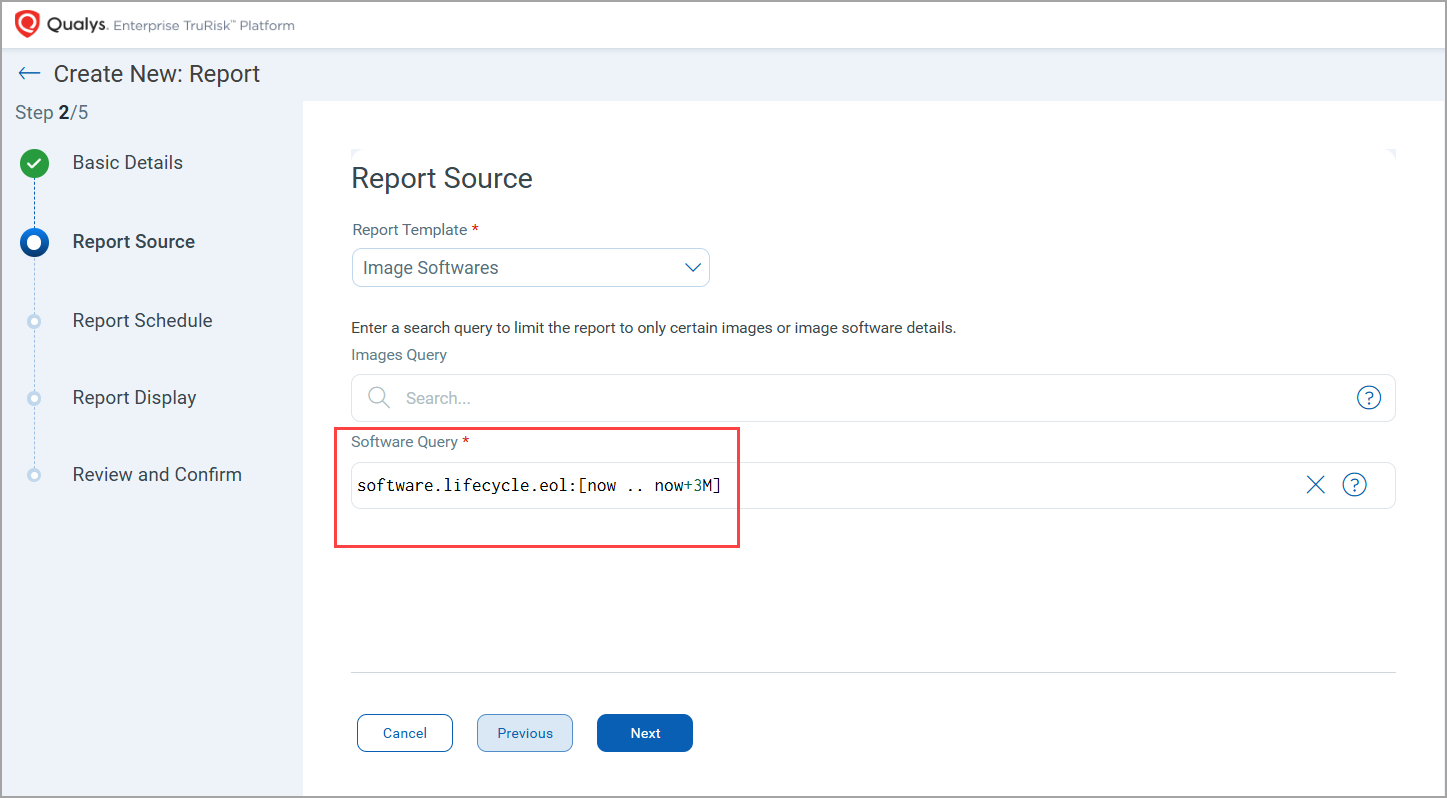
The Image Software report template uses a default Qualys Query Language (QQL) filter:
software.lifecycle.eol: [now .. now+3M]
This query highlights software in images that are expected to reach EOL within the next 3 months, enabling proactive identification.
Exclude Repository from Automatic Registry Scans
Qualys Container Security now allows you to exclude specific repositories from a registry’s automatic scan. This enhancement gives you greater control over what gets scanned when an automatic scan schedule runs.
You can selectively remove repositories that do not require continuous scanning, such as deprecated or low‑priority repositories, while continuing to scan the rest of the registry as per the schedule.
The repository removal feature is available only with Automatic Scan schedules.
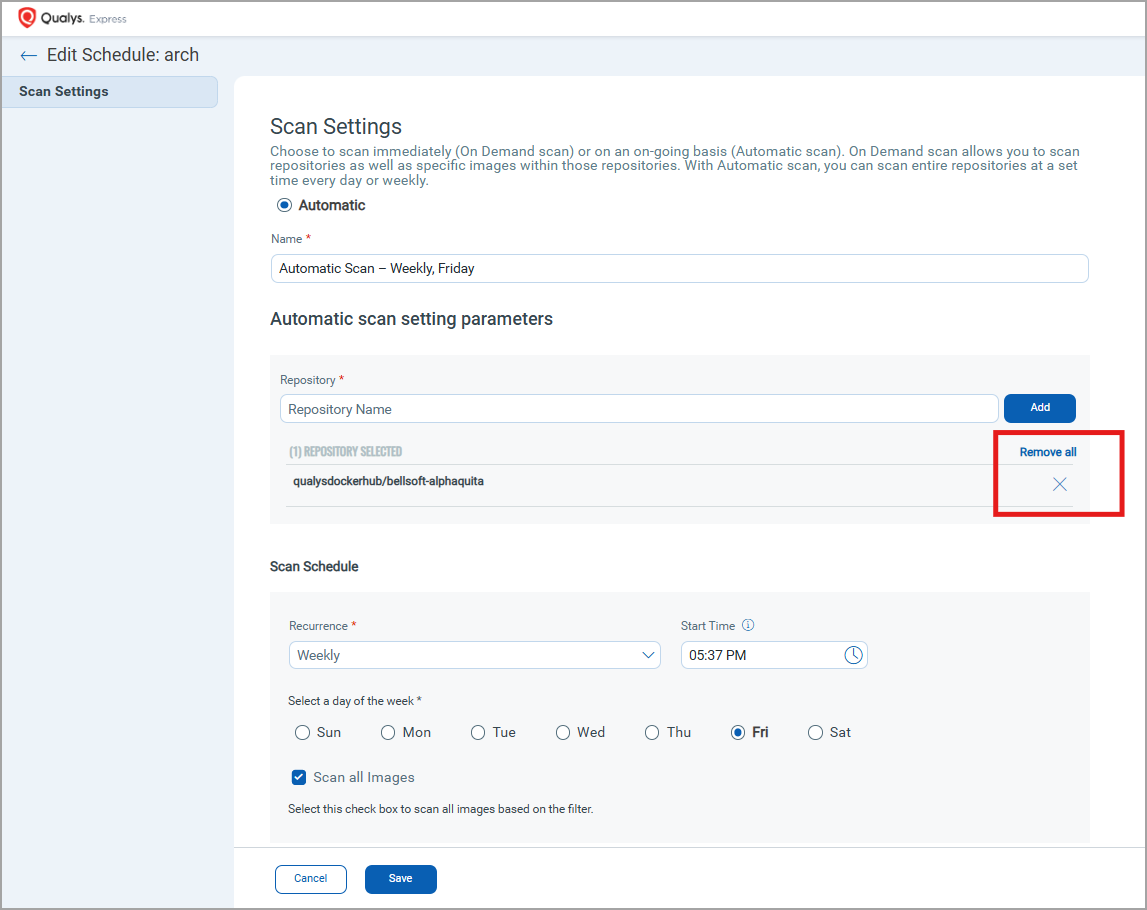
Qualys Enterprise TruRisk™ Platform > CS > Assets > Registries > Quick Actions - Edit > Schedules > Quick Actions - Edit > Scan Settings > Automatic scan setting parameters
Development Environment Scanning with QScanner
Qualys Container Security now introduces OAuth-based authentication for QScanner in development environments, enabling developers to securely scan container images without impacting production data.
This enhancement helps development teams validate images early in the lifecycle while maintaining a clear separation from production scanning activities.
This feature uses short-lived OAuth tokens to provide secure access for scanning operations. Development users are limited to scanning capabilities and do not have broader access to the platform, such as to the Qualys Enterprise TruRisk™ Platform (CS UI).
To support this feature, the following updates have been made in Qualys Enterprise TruRisk™ Platform > Container Security.
In the Container Security module, the following permissions are introduced.
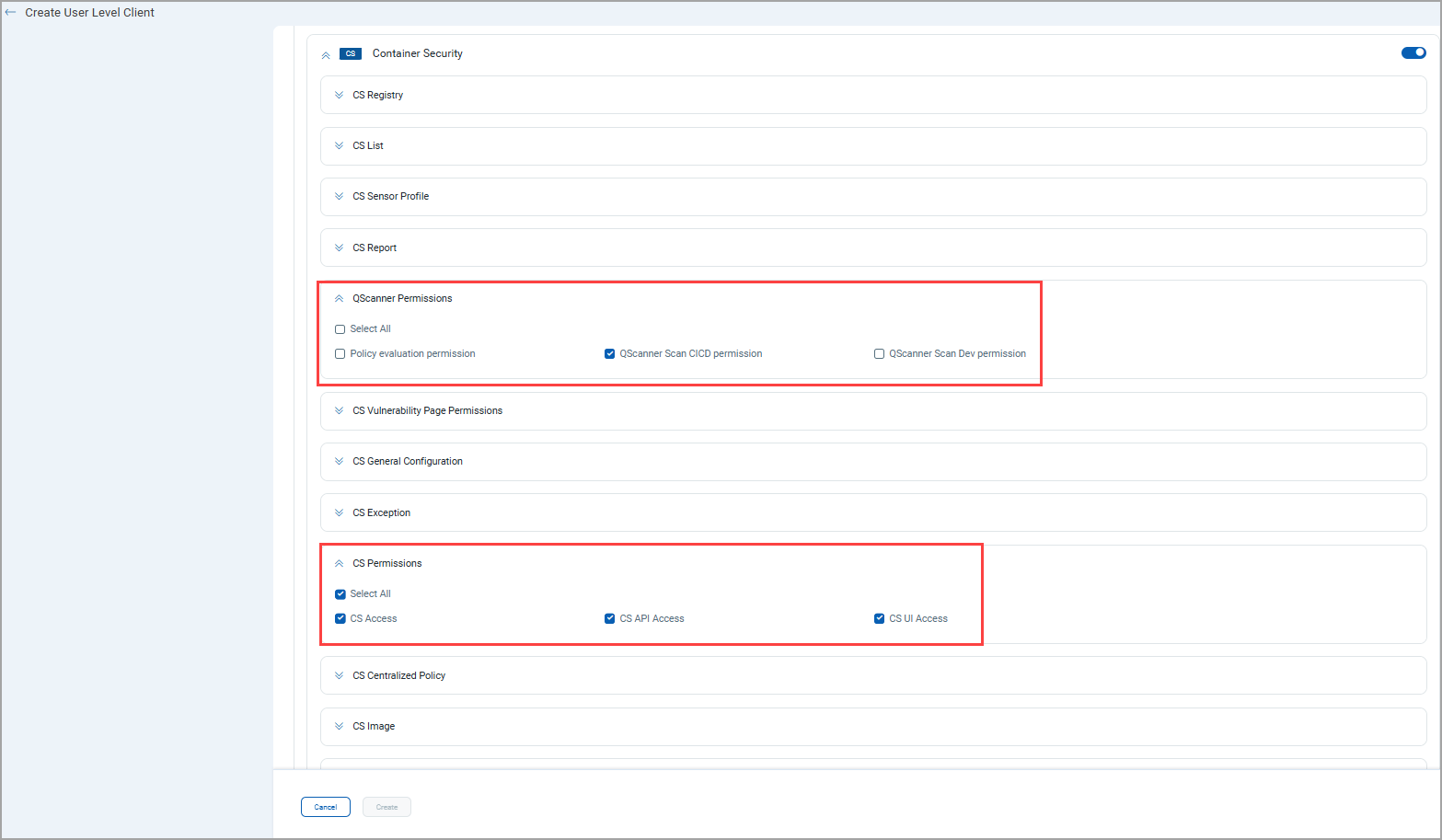
- QScanner Scan CICD permission -
Select this permission along with all CS permissions to enable OAuth token with CI/CD permission. This provides full access to Container Security, allowing users to work with both the CS UI and APIs. The following permissions are assigned to the users with this role: CS Access, CS UI Access, CS API Access, QScanner Scan CICD permission, Policy evaluation permission, and so on.
- QScanner Scan Dev permission -
Select this permission with CS Permissions > CS Access, CS API Access to enable OAuth for the CS QScanner Dev role.
Ideal for development use cases where multiple images are built and scanned daily, while preventing user access to the CS UI. The following permissions are assigned to the users with this role: CS Access, CS API Access, QScanner Scan Dev permission, Policy evaluation permission, and so on.
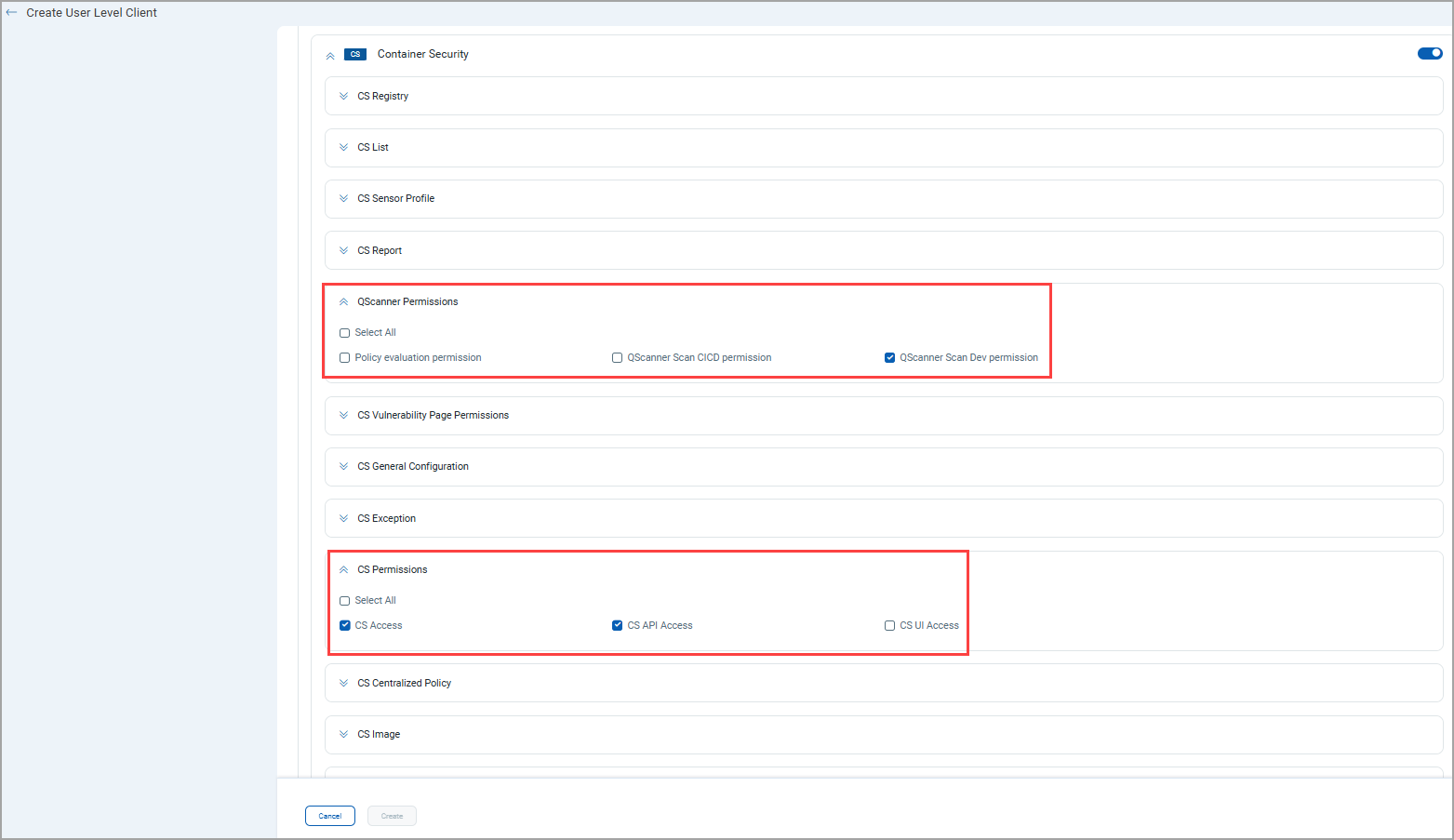
Qualys Enterprise TruRisk™ Platform > CS > Profile > Auth ID Client Management > User Level > New Client > Container Security > QScanner Permissions
If both QScanner Scan CI/CD permission and QScanner Scan Dev permission are selected, the QScanner Scan CI/CD permission takes precedence.
For new customers, these permissions are enabled by default. Existing customers can contact Qualys support or TAM.