AI-powered Asset Criticality Score (AI ACS)
The AI ACS automatically identifies your critical assets and scores them based on various attributes. It uses Machine Learning (ML) models trained on large asset datasets to analyze attributes, such as asset category, business context, open ports, running services, installed software, and vulnerability exposure. Based on these parameters, the AI calculates the criticality score. This helps you prioritize remediation efforts more effectively.
The AI continuously adapts to new inputs such as threat intelligence, incident patterns, and asset usage trends to keep the criticality scores current and relevant. This improves risk prioritization, remediation, and patching decisions.
The AI confidence level for each calculated score is also displayed, providing additional context on the reliability of the assessment.
The AI-generated ACS score is displayed only for assets whose tags are assigned the default criticality score.
Enable AI ACS
To enable the AI ACS, follow these steps:
- Navigate to Configuration > Asset Criticality Score.
From this tab, you can switch between the regular ACS calculation method and the AI-powered ACS calculation.
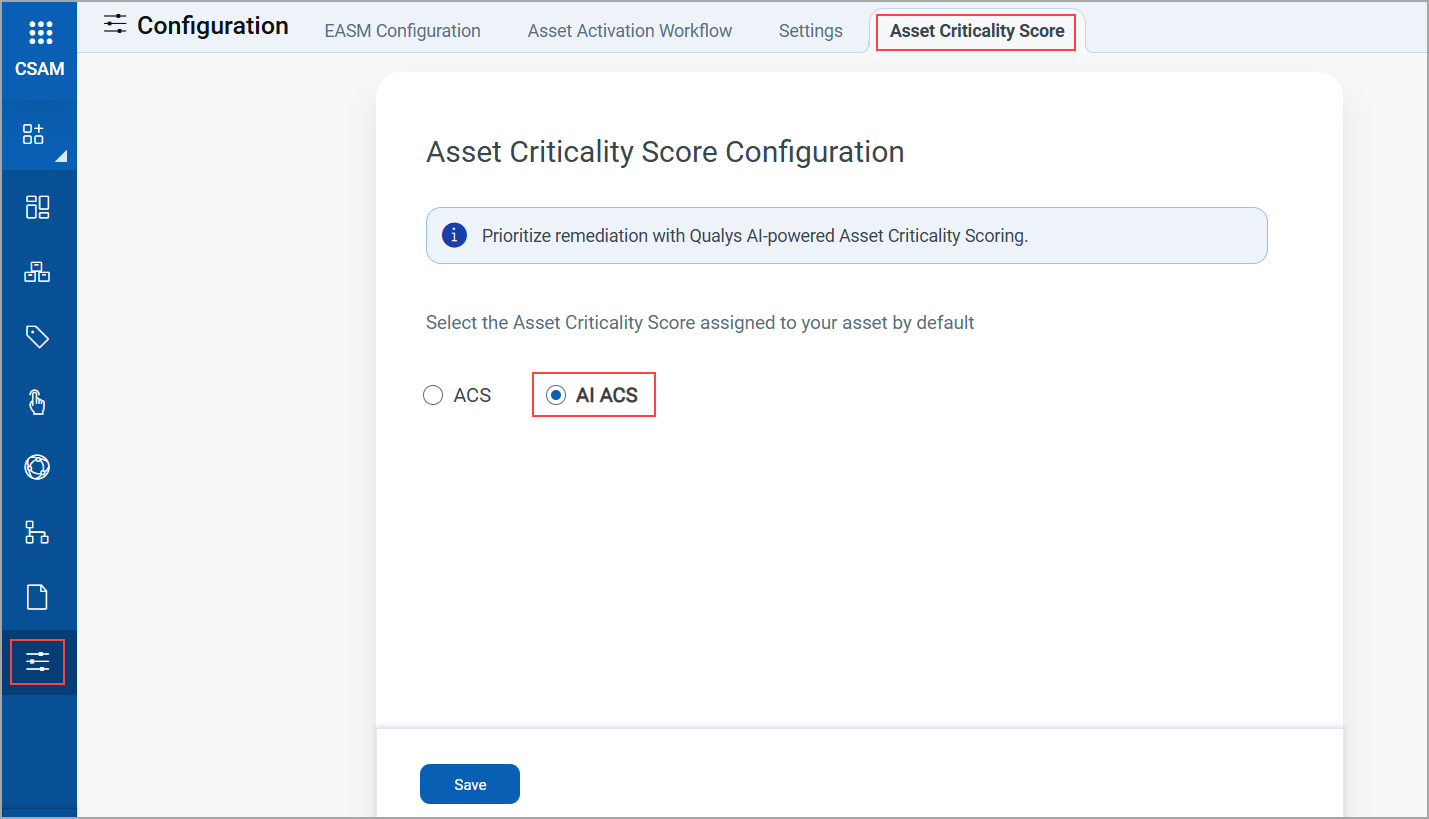
- Select AI ACS and click Save.
View AI ACS Score
After AI ACS is enabled, the AI-calculated scores are displayed on the following tabs:
- Inventory > Assets tab in the Criticality column
- Asset Details > Asset Summary
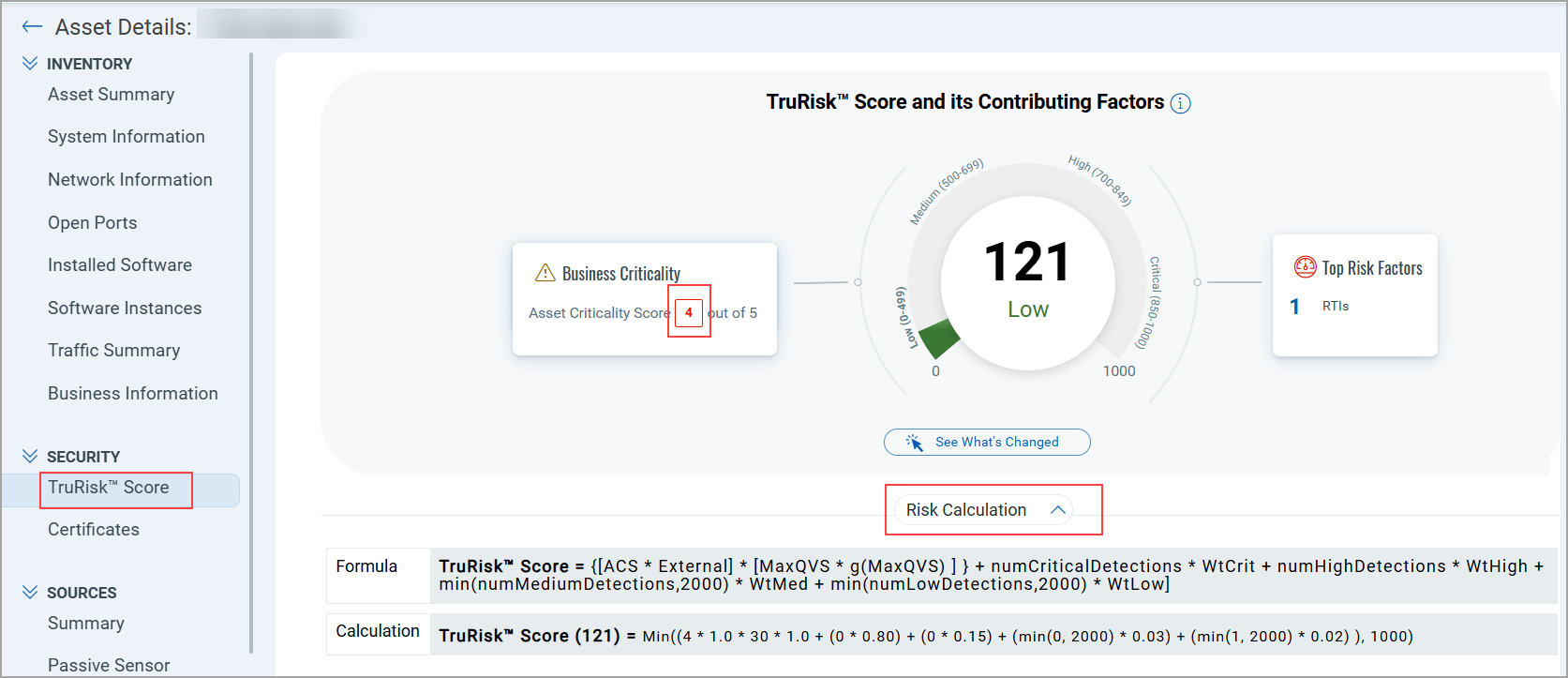
- Asset Details > TruRisk™ Score
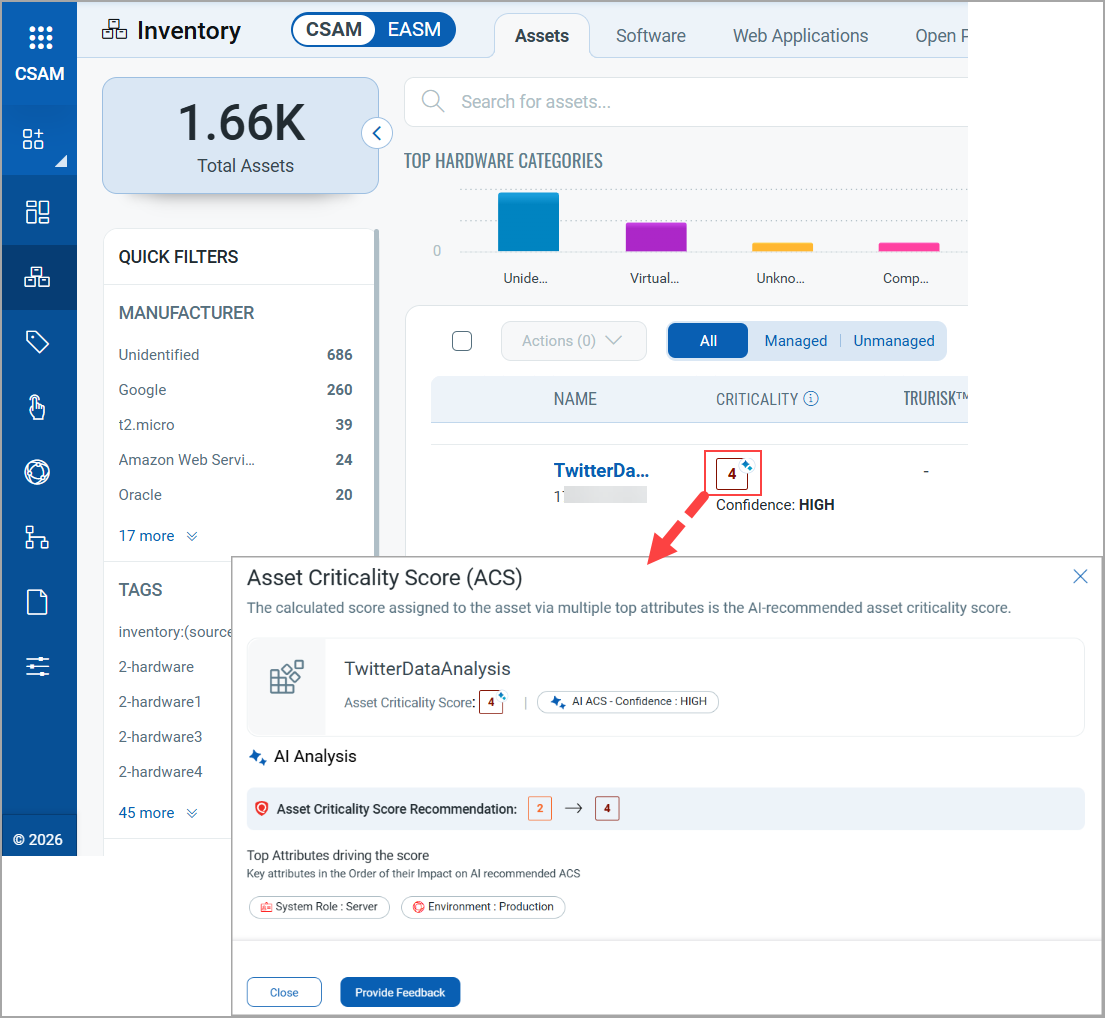
For example, to view the AI ACS score on the Assets tab, follow these steps:
- Navigate to Inventory > Assets.
- Select the asset for which you want to view the AI ACS score and click the criticality score.
The Asset Criticality Score (ACS) window displays the top attributes used by the AI.
The TruRisk™ Score is calculated once a week. AI ACS is calculated after a week, once the data is collected.
- To view the asset details, click View Details from the Quick Action menu of the asset.
- Navigate to SECURITY > TruRisk™ Score to view details of the score.
Provide Feedback
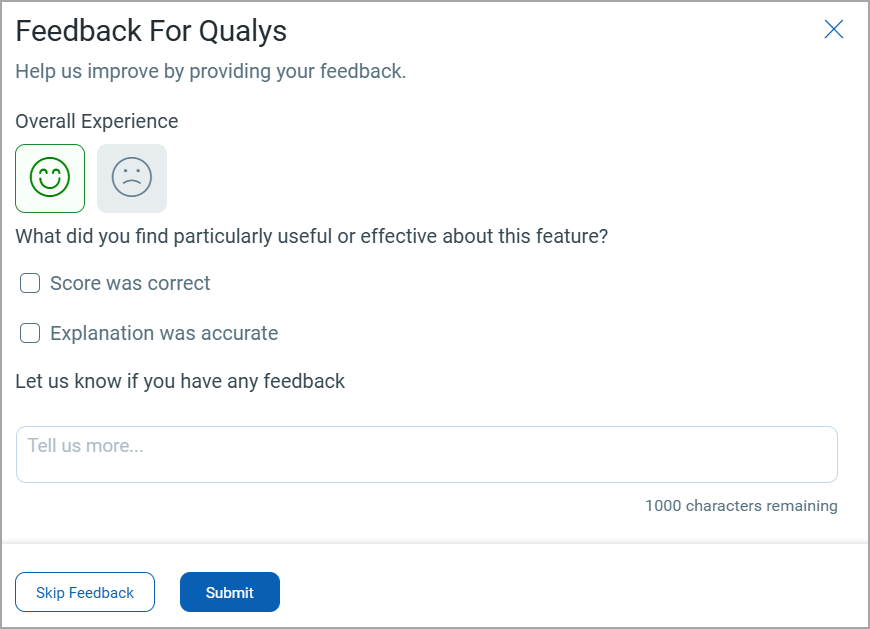
You can provide feedback about the AI ACS score to help us improve the scoring.
To provide feedback, follow these steps:
- On the Asset Criticality Score (ACS) window, click Provide Feedback.
- Provide your feedback and click Submit.
Related Topics