Troubleshooting
The following are the commonly faced issues and their troubleshooting solutions:
Changes to HTTP or Teams Webhook trigger flows
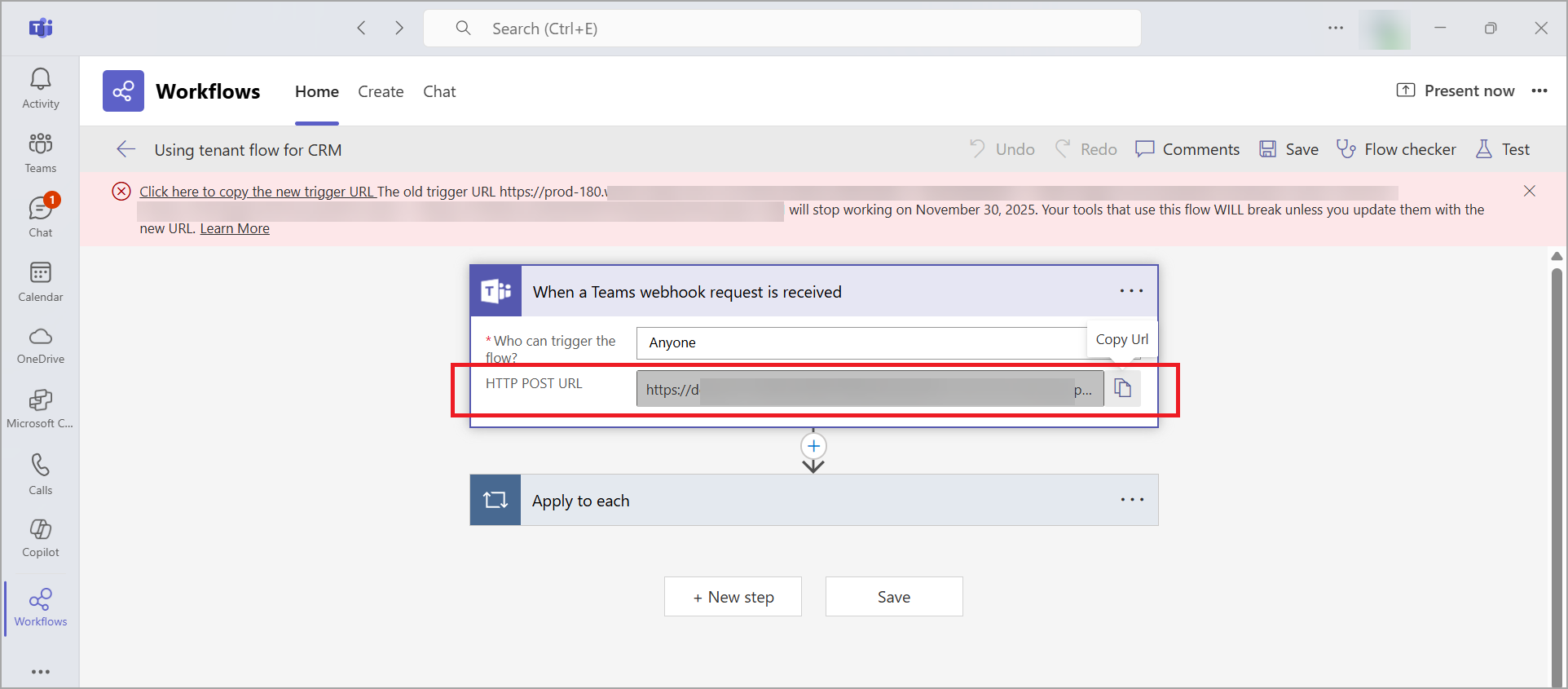
The webhook URL displayed on the HTTP trigger card will display a new URL. This new URL is required for your workflows to function correctly.
According to Microsoft documentation, the existing actions must be updated with the new URL by November 30, 2025, to ensure existing workflows continue to function. For more information, refer to the Microsoft troubleshooting documentation.
Follow these steps to copy the new URL:
- Navigate to Workflows > Home tab.
- Select a workflow.
- Click Edit.
- Copy the new URL and update your existing actions.
Messages are not delivered to Microsoft Teams
When creating an alert triggering rule on the Qualys Enterprise TruRisk™ Platform, using double quotes ("") for field values in QQL (for example, vulnerabilities.vulnerability.vendors.productName:"windows"), alert messages are not delivered to Microsoft Teams.
Solution:
To successfully trigger the alerting action from the Qualys platform, you need to replace "@{items('Apply_to_each_2')['text']}" with the replace(items('Apply_to_each_2')['text'],'"','\"') from the Expression in the Teams Workflow.
Perform the following steps to replace the expression:
- Select the text to replace the expression.
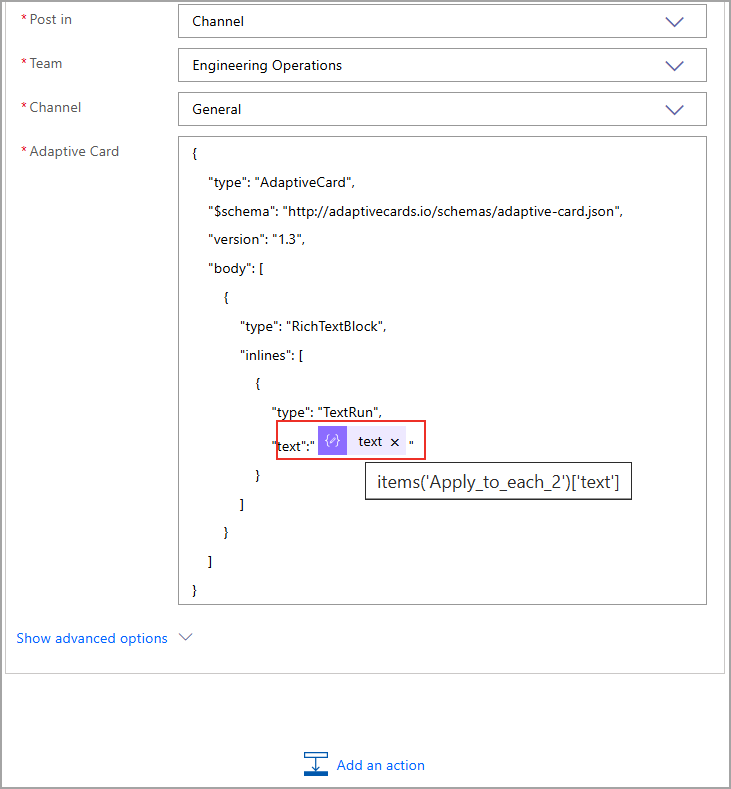
- Click the
 (cross) beside the text.
 - Click Expression from the Add Dynamic Content.
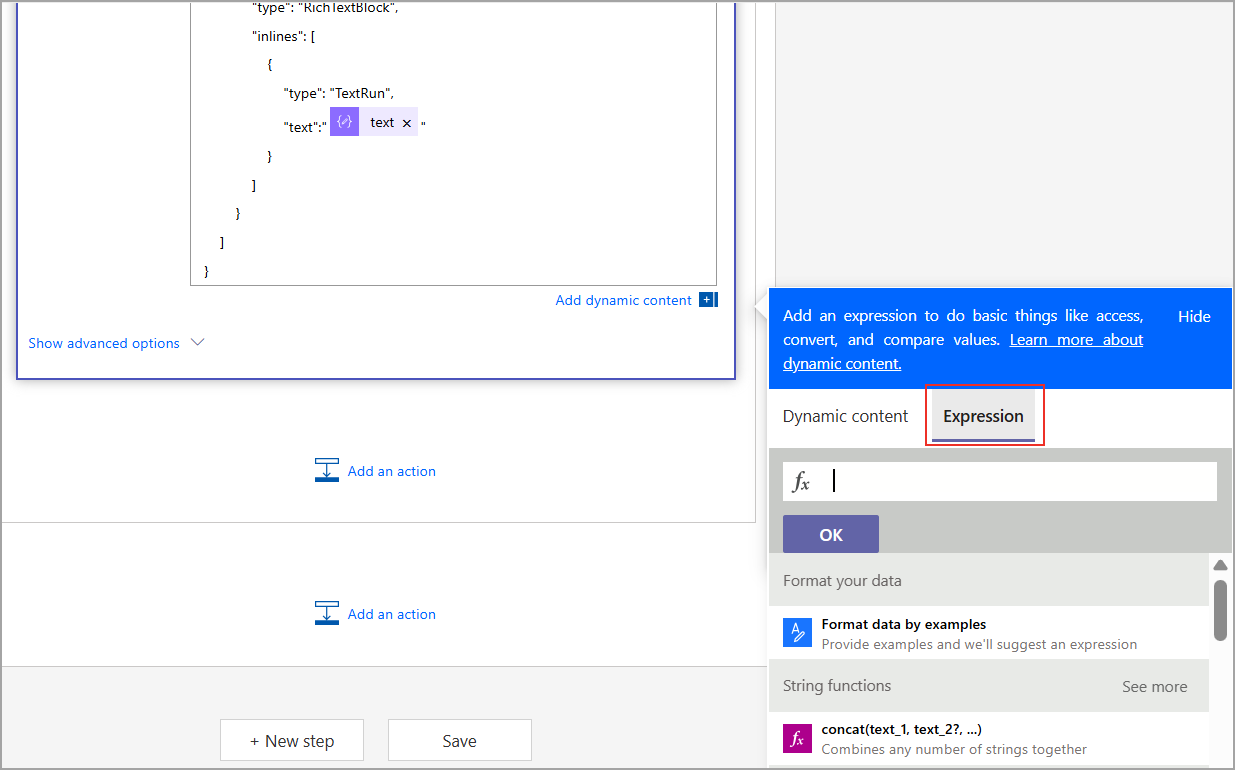
- Paste
replace(items('Apply_to_each_2')['text'],'"','\"')
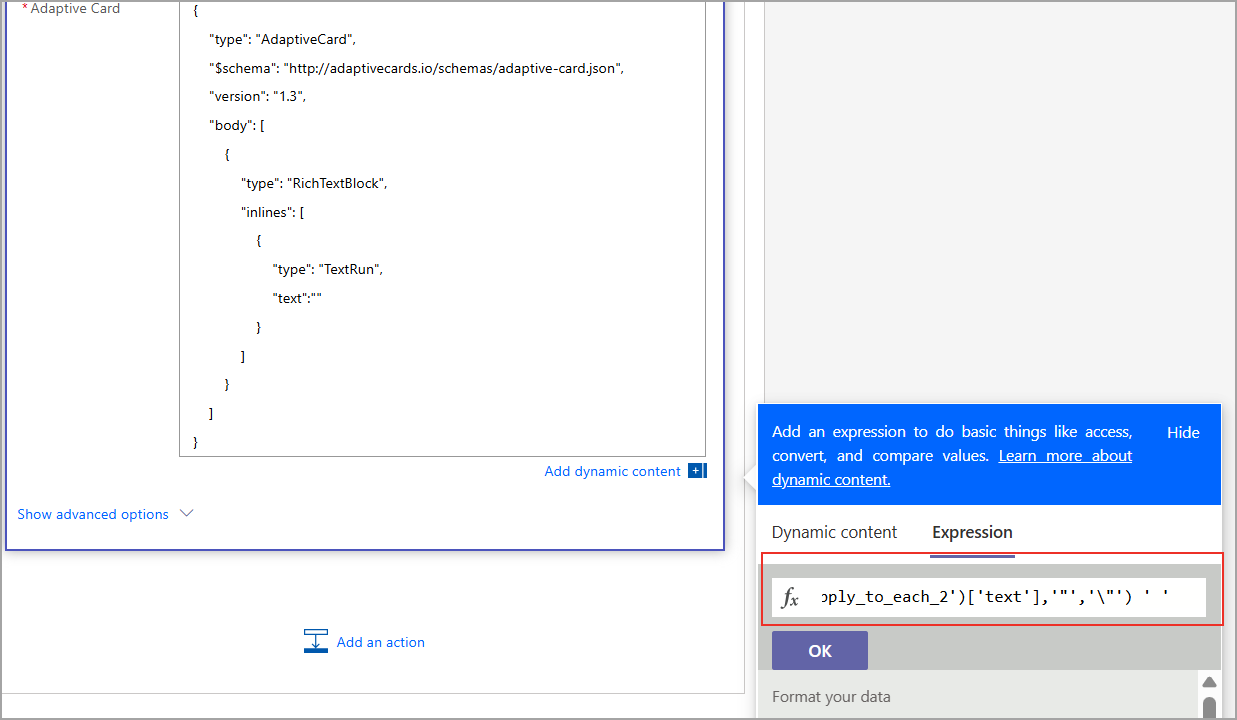
The replaced expression is shown with the 'replaced' label.
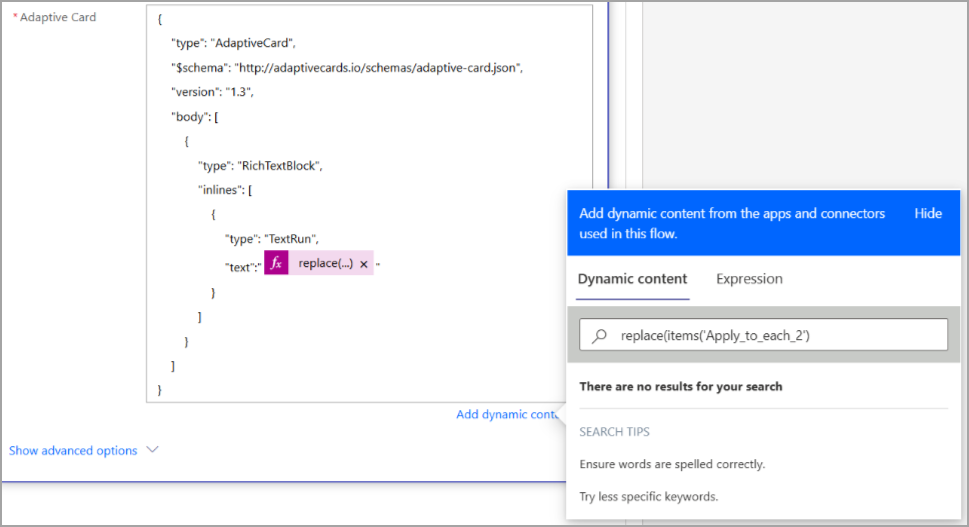
- Click Save.