Update Asset Criticality Score and TruRisk™ Score
You can define Asset Criticality Score and update TruRisk™ calculation. Administrators can assign risk scores to users and groups in Active Directory, which are essential for evaluating identity-related risks.
Key Capabilities
- Multi-Domain Support
Select and manage criticality scores across one or multiple Active Directory domains - Bulk Management
Export complete AD group hierarchies with a single operation, enabling efficient batch scoring - Organizational Structure Preservation
Group data is organized by Organizational Unit, maintaining your AD structure during export and import - Flexible Workflow
Edit exported data locally before importing, allowing integration with your existing processes and approval workflows
Instead of manually updating each AD group in the UI, administrators can:
- Export all groups
- Update scores in bulk
- Assign criticality score to Groups. Users inherited from groups
-
Score Range: 1 to 5 (from Low to High)
- Re-import the updated file
The criticality score indicates each identity's business importance and sensitivity. TruRisk™scores are automatically updated based on the relationship between identity criticality and detected misconfigurations, providing a comprehensive view of risk within identity infrastructure.
This improves efficiency and reduces manual effort.
Step 1: Export the Required Groups
- To access this feature, navigate to Configurations > Criticality Tab.
- Select the required domain.
You can choose multiple domains from the list.
If no group is selected, all groups are exported in the file by default.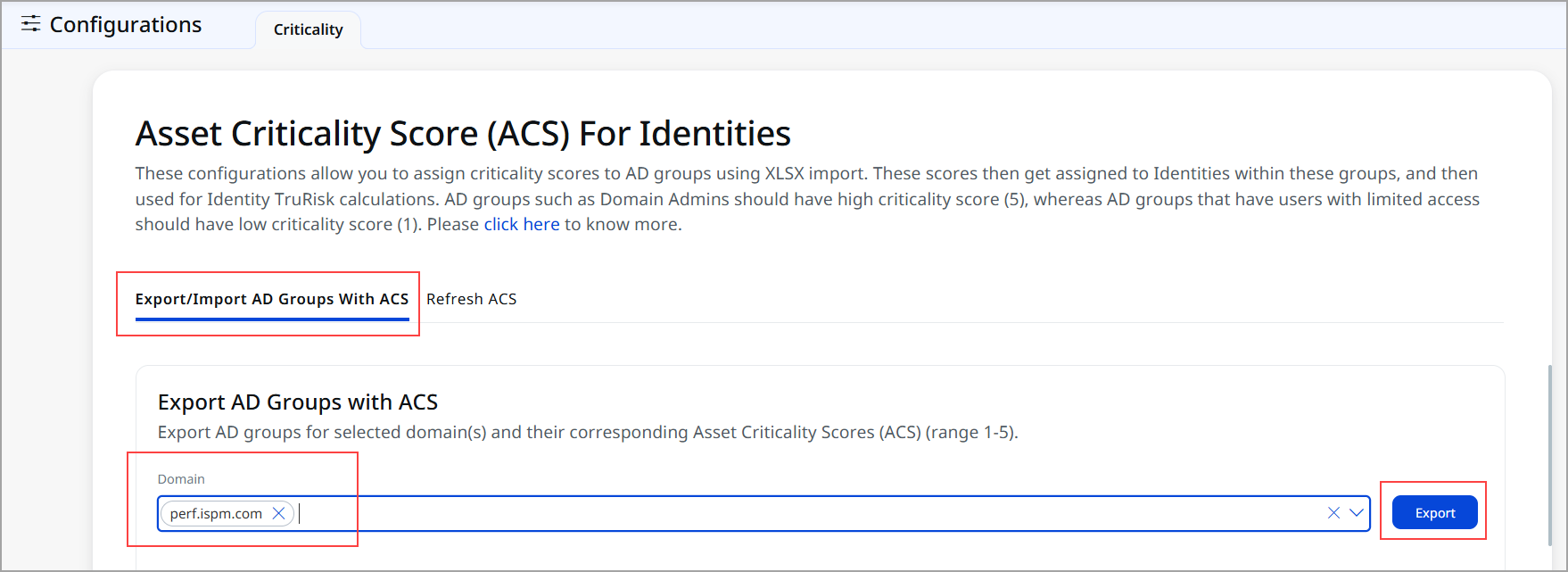
- Click Export.
The domain list is exported into your local machine in .xlsx, or .xls format
Step 2: Update Scores in Bulk
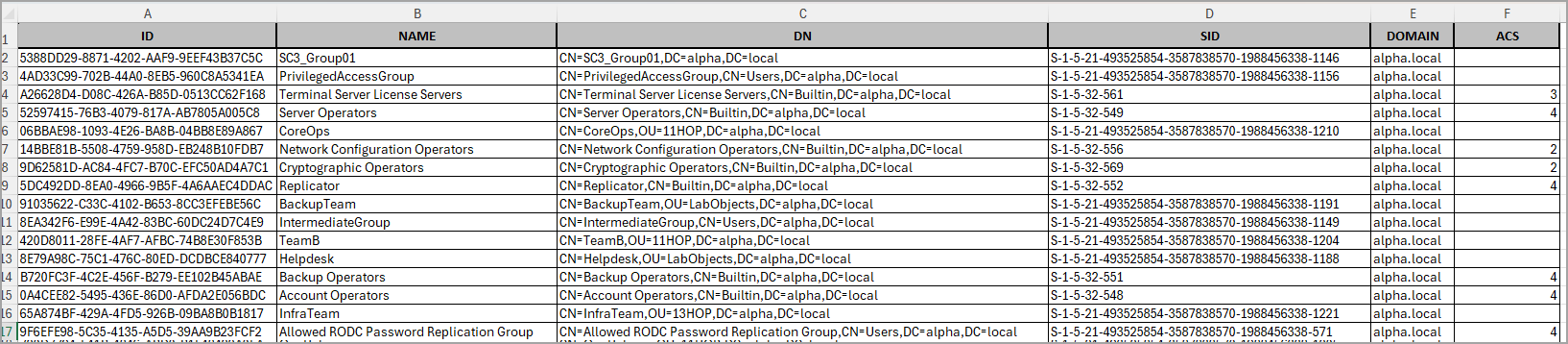
- Assign the score in the range of 1-5 in ACS column of the exported file you have downloaded from step1 mentioned above.
By default, the system provides a score for common groups, while the customized group scores are blank in the Excel sheet.
Click here to know about groups and scoreClick here to know about groups and score
Score Groups 5 - krbtgt Account
- Enterprise Admins
- Schema Admins
- Domain Admins
- Administrators
- Domain Controllers
4 - Enterprise Key Admins
- Key Admins
- Group Policy Creator Owners
- Account Operators
- Server Operators
- Backup Operators
- Print Operators
- Replicator
- DnsAdmins
- Cert Publishers
- Incoming Forest Trust Builders
- Allowed RODC Password Replication Group
- Denied RODC Password Replication Group
- Read-only Domain Controllers
- Enterprise Read-only Domain Controllers
- Cloneable Domain Controllers
- Windows Authorization Access Group
3 - Terminal Server License Servers
- Certificate Service DCOM Access
- RDS Remote Access Servers
- RDS Endpoint Servers
- RDS Management Servers
- Hyper-V Administrators
- Remote Management Users
- Storage Replica Administrators
- DnsUpdateProxy
- RAS and IAS Servers
2 - Cryptographic Operators
- Protected Users
- Access Control Assistance Operators
- Network Configuration Operators
- Remote Desktop Users
1 - Pre-Windows 2000 Compatible Access
- Users
- Guests
- Domain Users
- Domain Guests
- Domain Computers
- Distributed COM Users
- Performance Monitor Users
- Performance Log Users
- Event Log Readers
- IIS_IUSRS
-
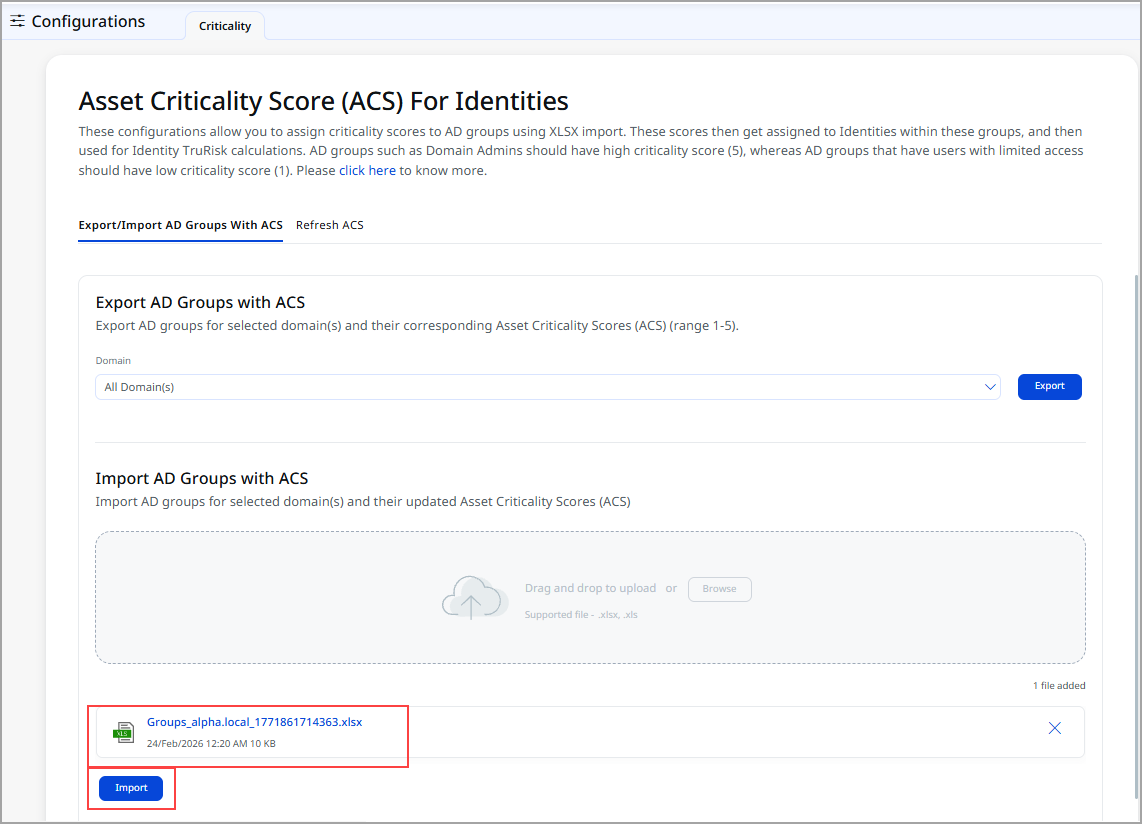
Upload the .xlsx, or .xls files by clicking Browse.
The file you have uploaded is displayed in the attachment.
-
To import the updated .xlsx, or .xls file, click Import.
You can view success message.You can import up to two jobs simultaneously.
Step 3: Refresh ACS
This step is optional and should be performed under the following conditions:
- If a user is transferred from one group to another, the ACS needs to be updated according to the new group.
- If there is a change in the existing ACS score of a group.
If asset is newly added in the group. there is no need to refresh the score.
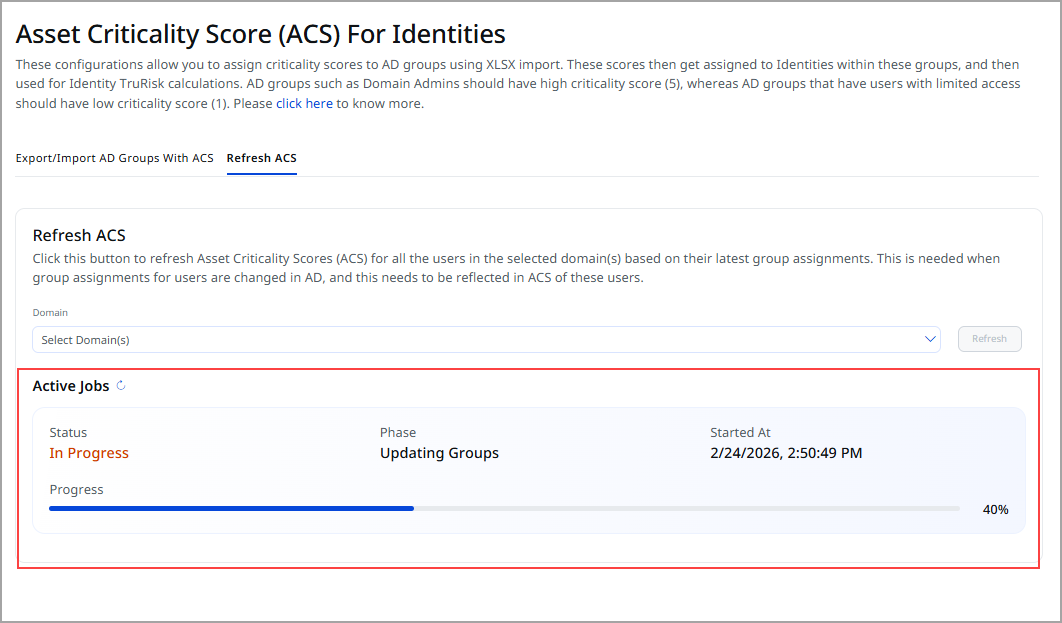
- To refresh the ACS, go to Refresh ACS tab.
- Select the required Domain and click Refresh.
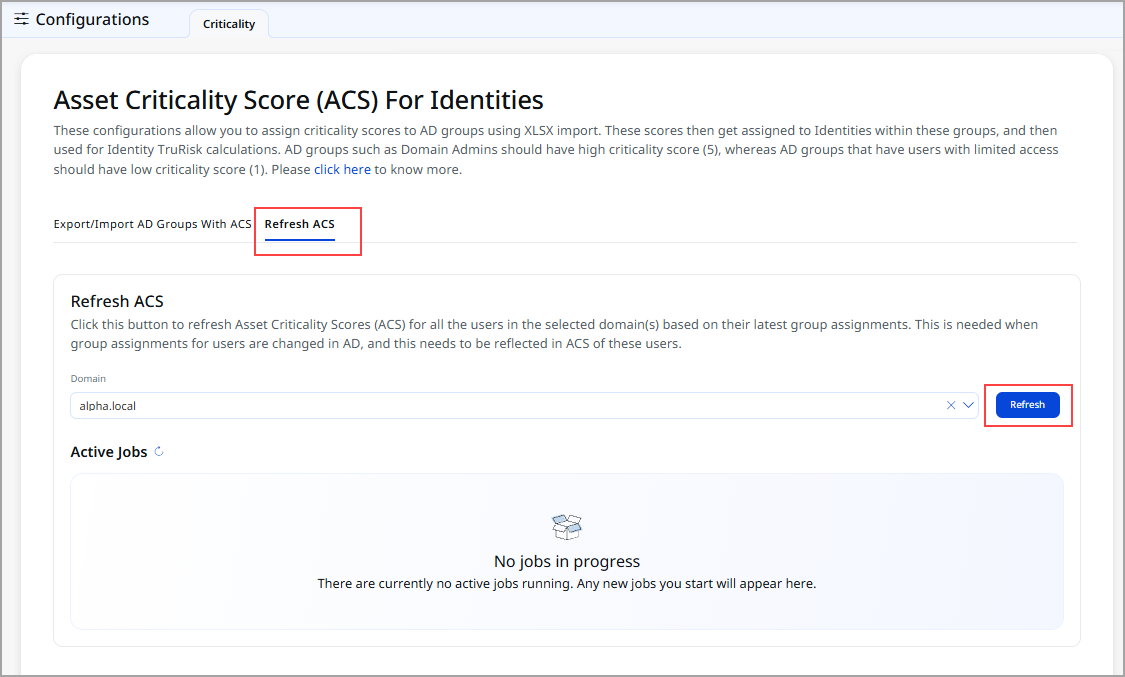
You can view the progress of Active Jobs.
TruRisk™ Calculation
Risk depends on:
- ACS Score
- QVSS Score
- Misconfigurations
The TruRisk™ Score is updated every hour. Any change in the parameters above triggers an update of the TruRisk™ Score.
Automated Group Scoring
Automated Group Scoring simplifies and accelerate identity risk assessment. The platform can now automatically assign default ACS (Asset Criticality Score) values to groups that lack manually configured scores.
This enables organizations to:
- Reduce the manual effort required to maintain ACS scoring
- Ensure broader coverage for identity risk calculations
- Eliminate scoring gaps caused by unclassified groups
- Improve consistency in risk posture evaluation across Active Directory environments