View Identity Users
The Identity Users section provides comprehensive visibility into all user accounts within your organization. Track user identities, assess risk profiles, and manage access controls. Every user account is monitored for security and organizational alignment.
A user is an individual person who can authenticate, sign in, and interact with applications, systems, or cloud resources.
The User tab provides all user identities discovered in your environment. This helps you understand who has access, how they authenticate, and their associated risk posture.
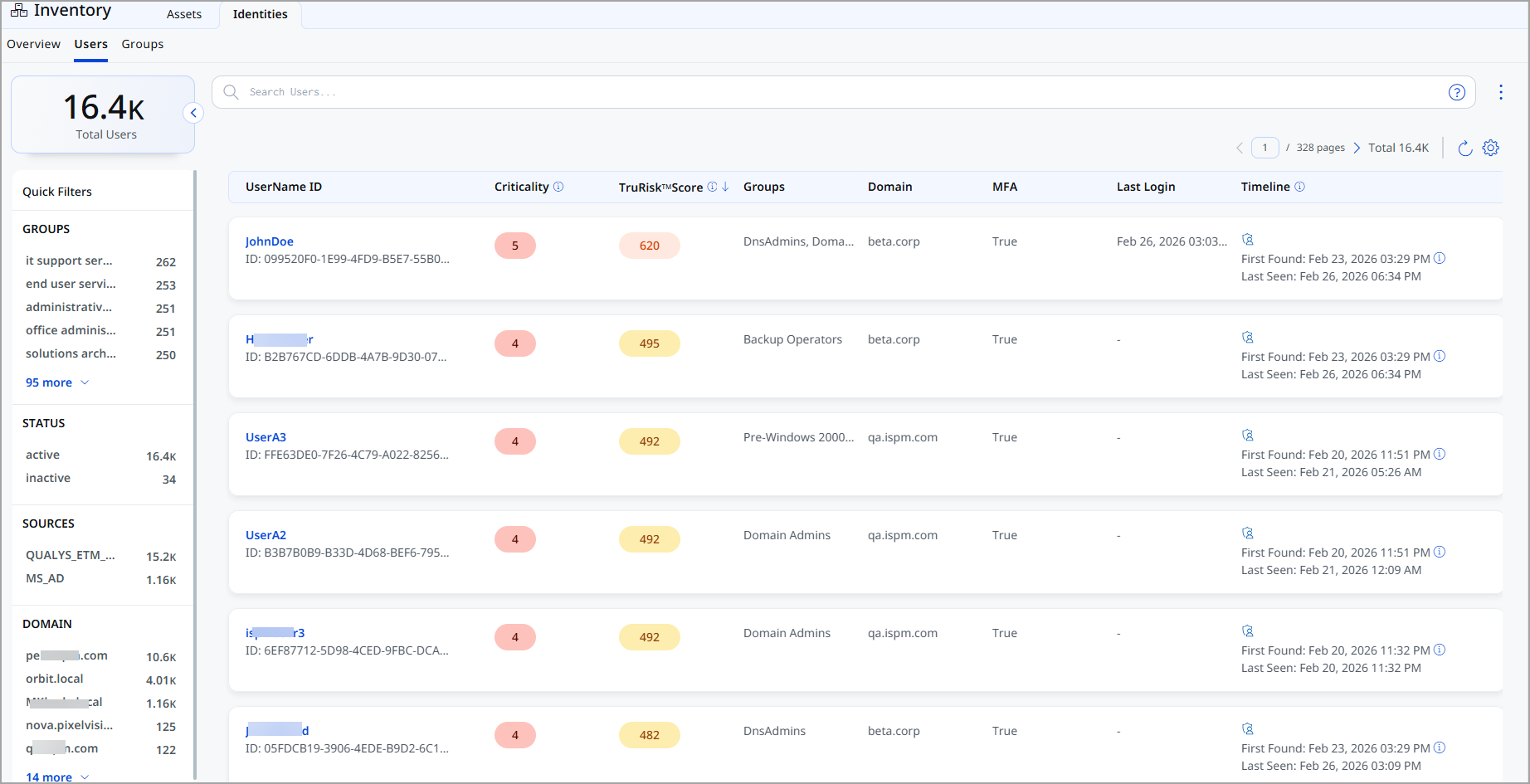
For each user, the following information is displayed:
| Column | Description |
|---|---|
| UserName ID | The name of the user, along with the unique identifier. |
| Criticality | Business importance assigned to the user. |
| TruRisk™ Score | Risk score calculated based on identity exposure, behavior, and associated risk factors. |
| Groups | Lists any identity groups the user belongs to. |
| Domain | Displays the domain of the group. |
| MFA | Shows whether multi-factor authentication is enabled for the user. |
| Last Login | The most recent successful login time stamp. |
| Timeline | Displays the first found and most recent seen activity associated with the user. |
View User Identity Details
The User Identity Details page provides details of an individual user identity discovered in your environment.
You can access this page by selecting a user from Inventory > Identity > User.
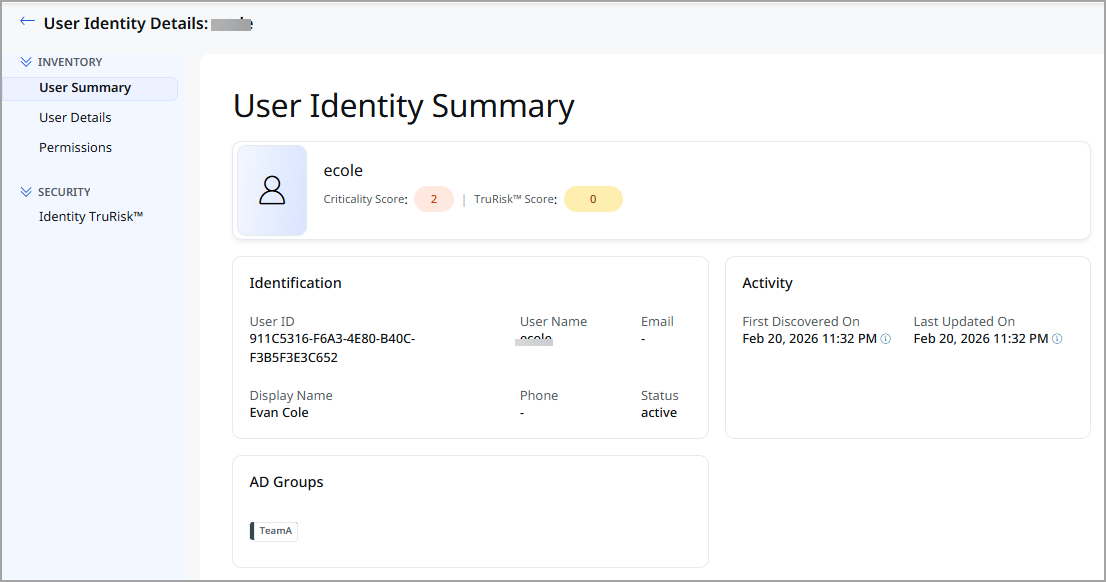
Expand the Inventory and Security sections from the left pane and see various tabs under each section. To know more about the details you can see from these tabs, refer to the following topics:
Inventory Section
The Inventory section provides detailed information about the selected user.
The following tabs are available under the Inventory section:
The User Identity Summary tab provides a consolidated, high-level overview of the selected User.
Summary
The summary header displays high-level information about the user, including:
| Field | Description |
|---|---|
| User Name | Name of the user. |
| Criticality Score | Asset Criticality Score (ACS) assigned to the user. |
| TruRisk™ Score | Displays the TruRisk™ score. |
Identification
The Identification section displays key attributes used to uniquely identify the container image.
| Field | Description |
|---|---|
| User ID | The unique identifier of the user. |
| User Name | The name of the user. |
| Email address of the user. | |
| Display Name | The display name of the user. |
| Phone | Contact phone number of the user. |
| Status | Current state of the user account (for example, Active or Suspended). |
| Asset ID | The unique identifier assigned to the user. |
Activity
The Activity section provides the following information for the group:
| Field | Description |
|---|---|
| First Discovered On | Date and time when the user was first detected. |
| Last Updated On | Most recent date and time when the user details were updated. |
The User Details tab provides details of an individual user identity discovered in the environment.
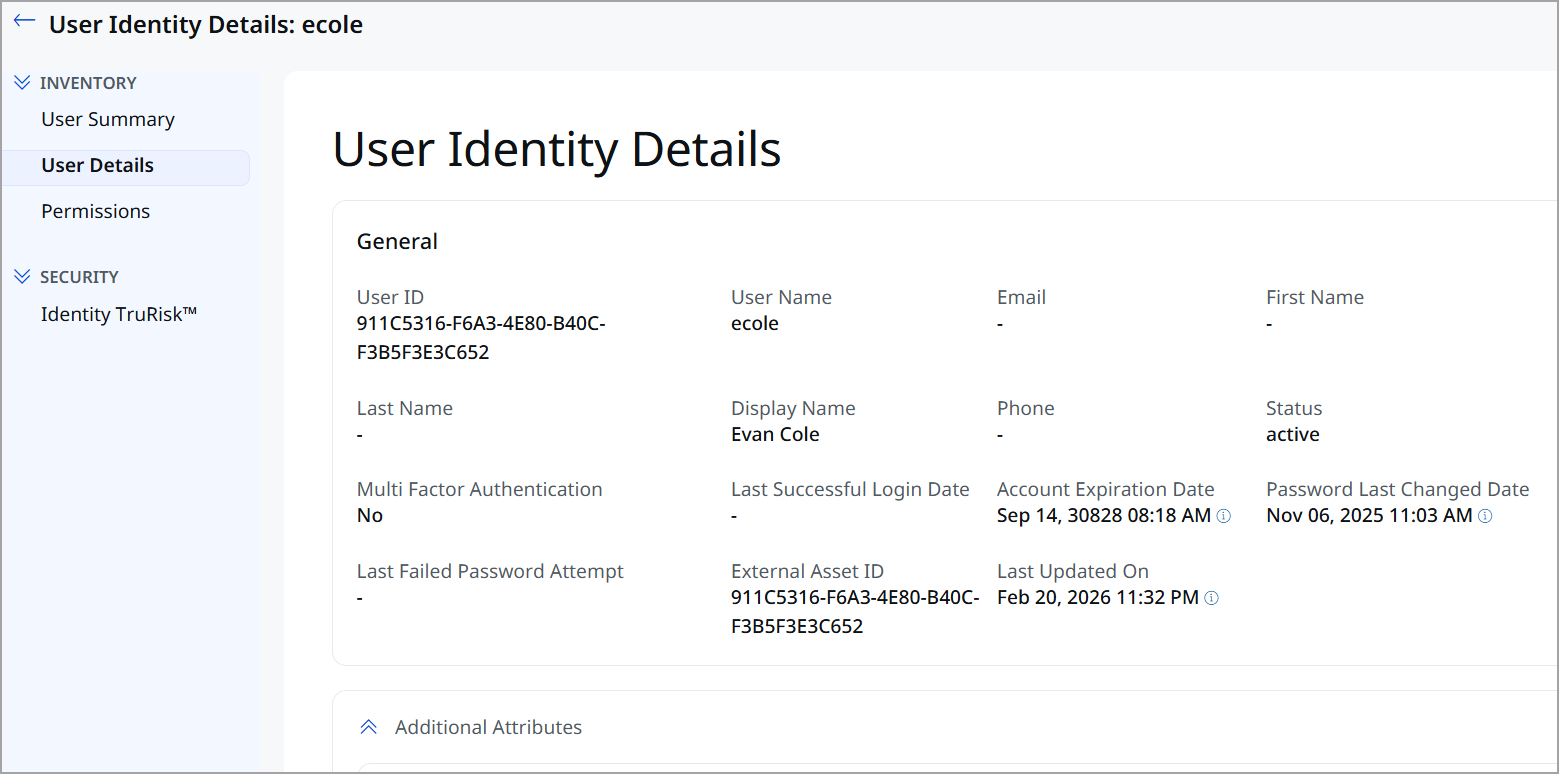
General Information
The General section displays the general details of the user.
| Field Name | Description |
|---|---|
| User ID | Unique internal identifier assigned to the user. |
| User Name | Login username of the user |
| First Name | User’s given name. |
| Last Name | User’s surname. |
| Display Name | Display name of the user across the platform. |
| Primary email address of the user. | |
| Phone | Contact phone number of the user. |
| Status | Current state of the user account (for example, Active or Suspended). |
| Multi Factor Authentication | Indicates whether MFA is enabled for the user. |
| Last Successful Login Date | Timestamp of the user’s most recent successful login. |
| No. of Failed Password Attempts | Count of recent unsuccessful authentication attempts by the user. |
| Account Expiration Date | Date when the user account is set to expire. |
| Password Last Changed Date | Date and time of the user's last password update. |
| Last Failed Password Attempt | Timestamp of the most recent failed login attempt. |
| External Asset ID | Identifier used by the external identity or source. |
| Last Updated On | Date and time when the user identity details were last updated. |
Additional Attributes
This section lists custom key–value attributes discovered or assigned to the user.
| Attribute | Description |
|---|---|
|
Distinguished Name |
The unique LDAP path that identifies the user’s location in Active Directory. |
|
User SID |
The security identifier (SID) that uniquely identifies the user within the domain. |
|
Group |
The security or distribution groups the user is a member of. |
|
Groups Dn |
The distinguished names of the groups the user belongs to. |
|
User Account Control |
Numeric value that defines account properties and security settings. |
| User Account Control Flags | Text representation of the enabled account control settings. |
| Does Not Require Pre Auth | Indicates whether Kerberos pre-authentication is disabled for the user. |
| Unconstrained Delegation | Indicates whether the account is trusted for unconstrained delegation. |
| Domain Sid | The unique security identifier assigned to the Active Directory domain. |
| Domain | The name of the Active Directory domain where the user account exists. |
| Mfa Enabled | Indicates whether multi-factor authentication is enabled for the user account. |
The Permissions tab displays the access rights assigned to the user identity across different resources.

| Field | Description |
|---|---|
| Summary | Overview of the user’s overall access and permission posture. |
| Permission | The type of operation the user is allowed to perform, such as Read, Write, Update, or Delete. |
| Resource | The specific resource on which the permission is granted, for example, a repository, application, or service. |
| Resource Type | The category of the resource. |
Security Section
The Security section provides risk and security-related insights for the user identity. This section helps you assess the security posture of the user and prioritize remediation efforts based on risk indicators.
The following tab is available under the Security section:
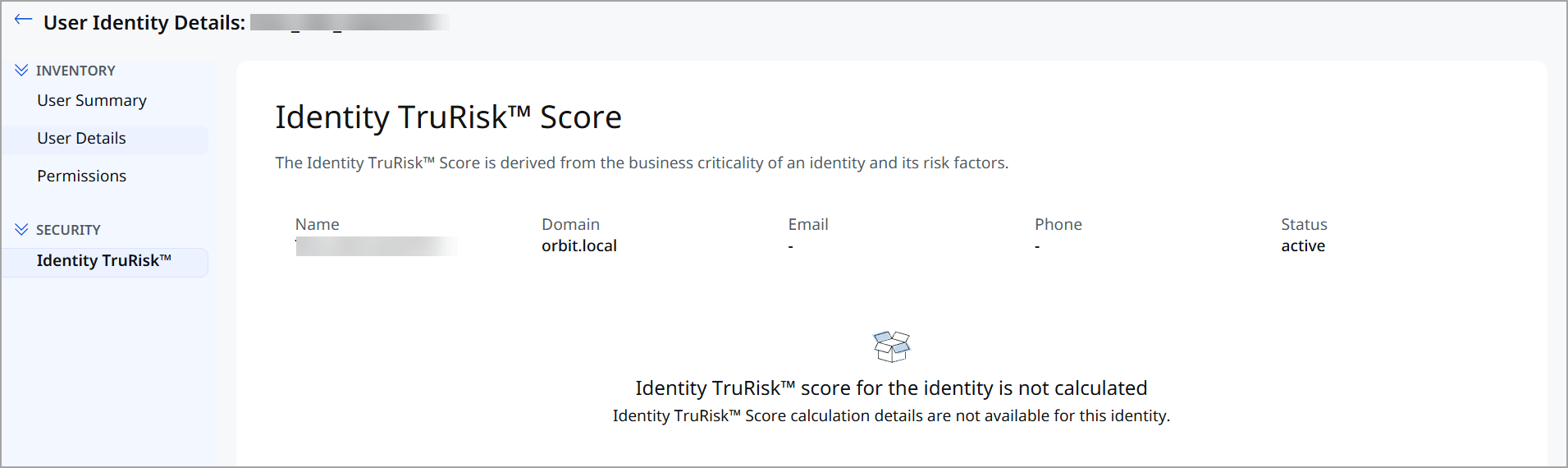
The TruRisk™ Score provides a risk-based assessment of the user identity by aggregating multiple contributing factors. This score helps you understand the potential security impact of the user within your environment.