Active Directory Misconfigurations Use Cases
This section demonstrates common Active Directory configuration issues identified by ETM Identity. Each control validates a specific security setting and reports a misconfiguration when the configured value does not meet the recommended baseline.
Minimum Password Length
Control ID (CID): 1071
Password length is a critical factor in protecting accounts from brute-force attacks. Longer passwords significantly increase the number of possible character combinations, making them more difficult for attackers to guess.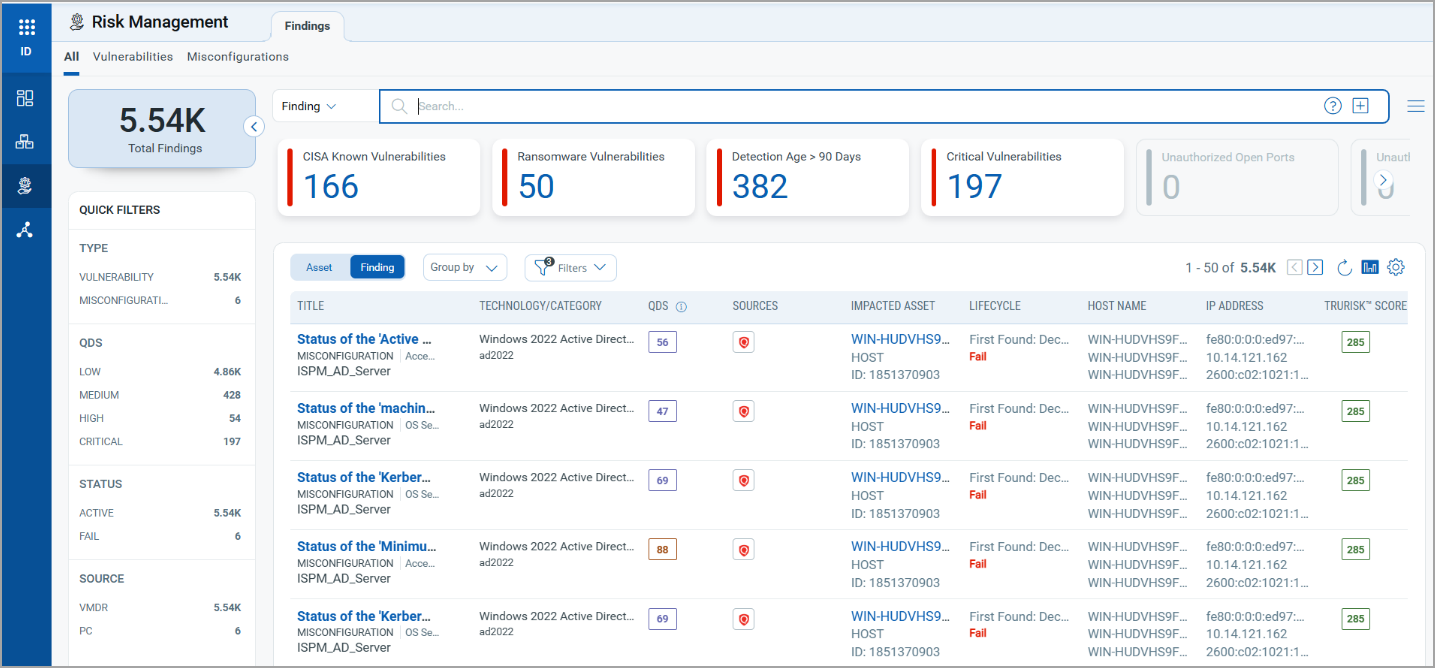 As a security best practice, passwords should:
-
Contain a minimum of 12 characters.
-
Include a combination of uppercase letters, lowercase letters, numbers, and special characters.
This control evaluates the domain password policy and verifies that the minimum password length is configured to at least 12 characters.
Detection Logic
The control checks the configured minimum password length in Active Directory.
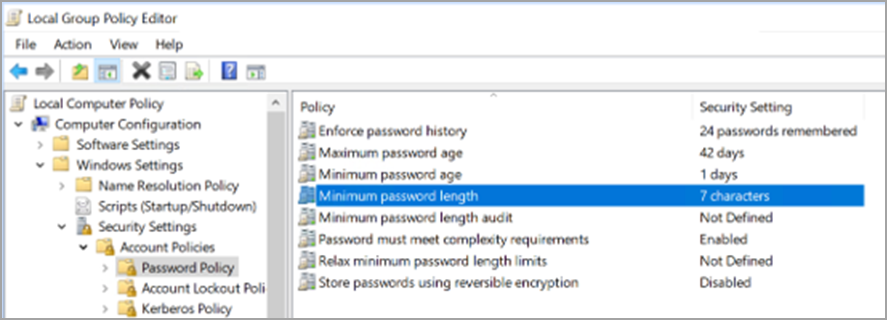
In the image above, it shows that the password is 7 characters long. This indicates a misconfiguration, as the minimum password length is set to less than 12 characters.
Remediation
Configure the minimum password length policy using Group Policy:
-
Open Group Policy Management.
-
Edit the applicable domain password policy.
-
Navigate to Computer Configuration > Policies > Windows Settings > Security Settings > Account Policies > Password Policy
-
Open Minimum Password Length.
-
Set the value to 12 or more characters.
-
Apply and save the policy changes.
Expected Result
The minimum password length is set to 12 or more characters, and the control will no longer be reported as a misconfiguration after the next policy evaluation cycle.
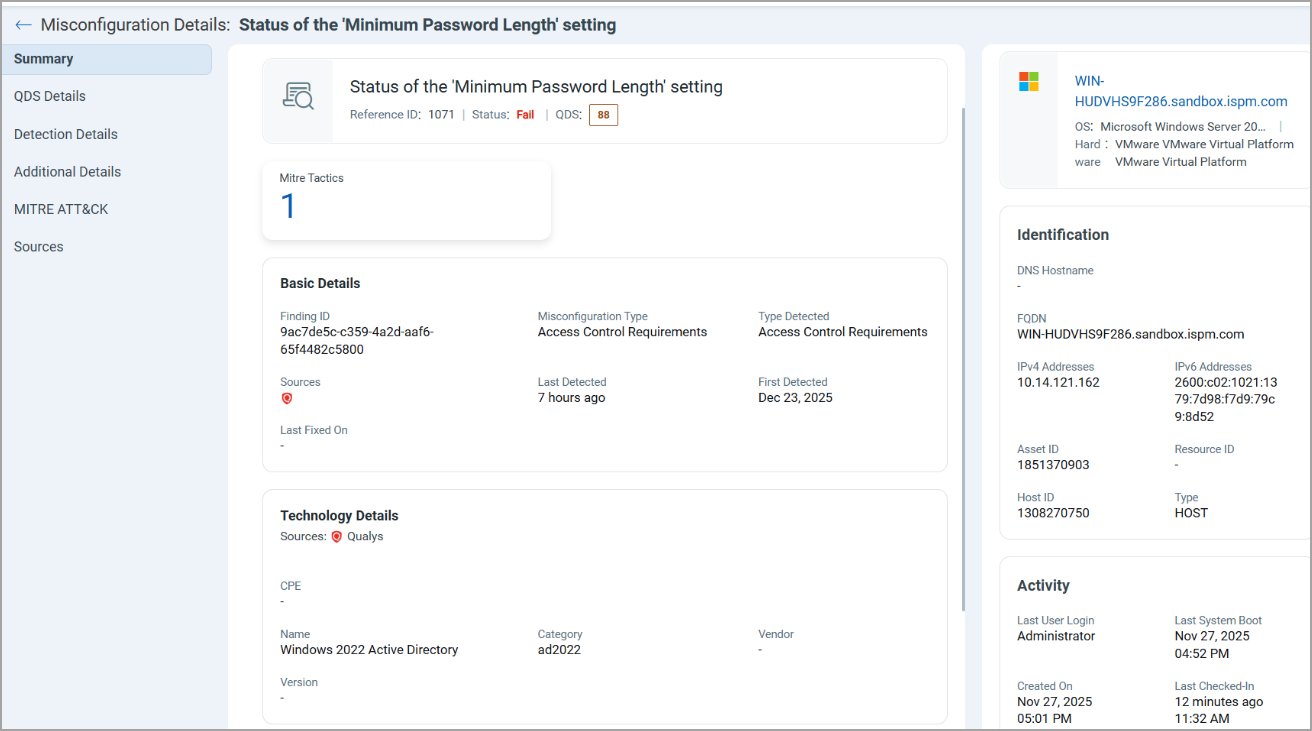
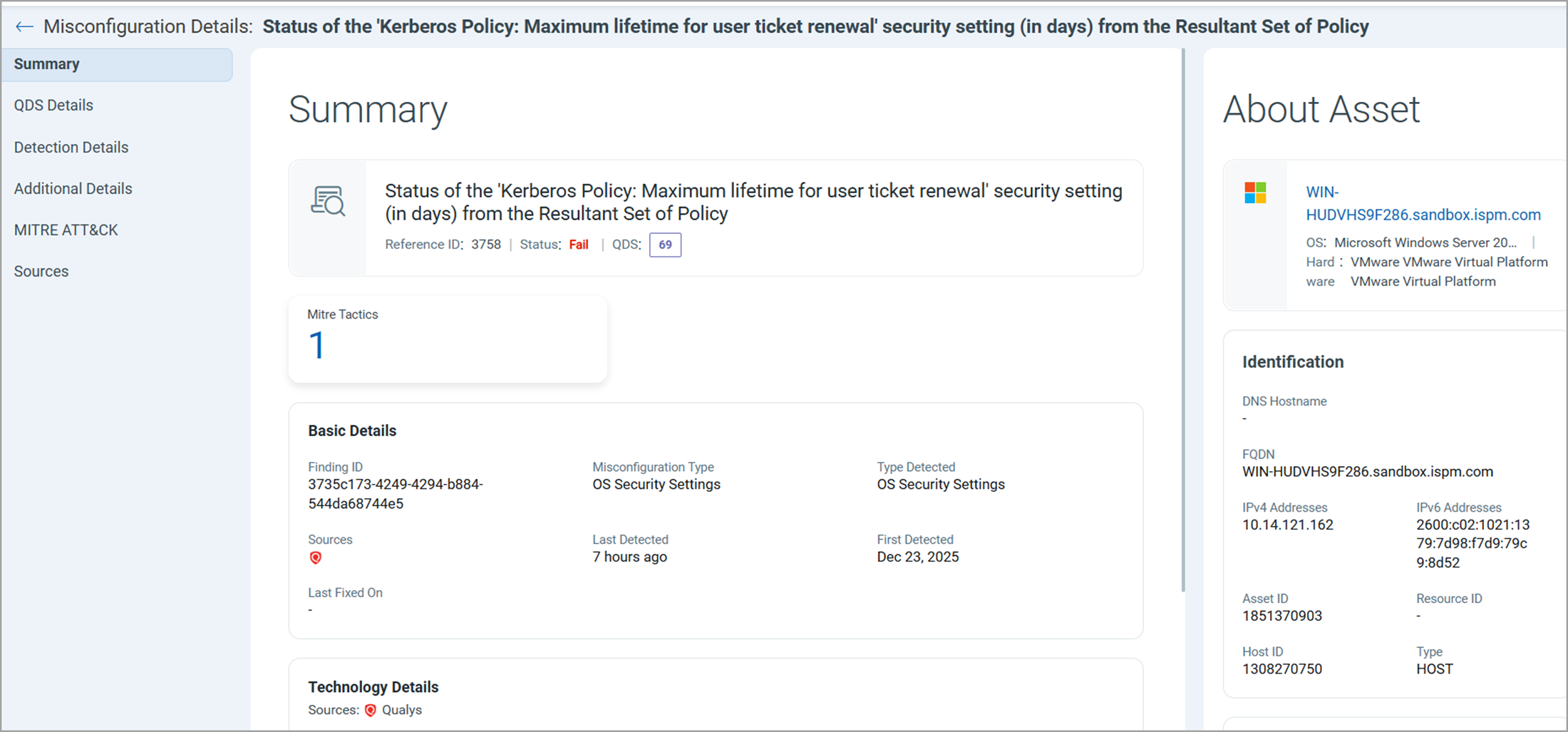
Kerberos Policy – Maximum Lifetime for Service Ticket
Control ID (CID): 3739
The Maximum Lifetime for Service Ticket setting determines how long a Kerberos service ticket remains valid before a new ticket must be requested from Active Directory.
This value is measured in minutes and directly impacts authentication and access to domain resources.
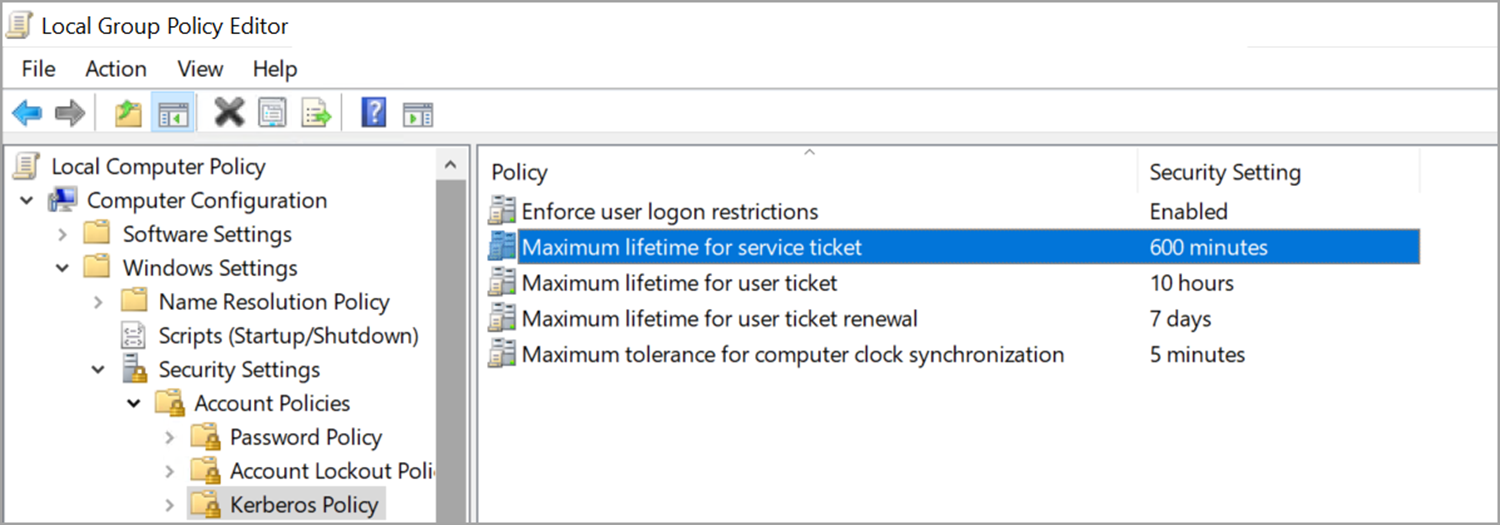
Microsoft recommends a value of 600 minutes (10 hours), which provides an appropriate balance between security and usability.
Detection Logic
The control validates the Kerberos service ticket lifetime configured in Active Directory.
Misconfiguration Condition:
-
Value is less than 600 minutes.
-
Value is greater than 600 minutes.
Remediation
Configure the setting in the Default Domain Policy:
-
Open Group Policy Management.
-
Edit the Default Domain Policy.
-
Navigate to Computer Configuration > Policies > Windows Settings > Security Settings > Account Policies > Kerberos Policy
-
Open Maximum Lifetime for Service Ticket.
-
Set the value to 600 minutes.
-
Ensure the value is not set to 0.
-
Apply and save the policy changes.
Expected Result
The Kerberos service ticket lifetime is configured to 600 minutes, and the control is no longer reported as a misconfiguration.
Machine Account Quota
Control ID (CID): 14219
The Machine Account Quota setting determines the number of computer accounts that a user can create within the domain.
An improperly configured value may allow excessive computer account creation, which can introduce security risks and unnecessary consumption of domain resources.
Organizations should configure this setting according to their security requirements and operational needs.
Detection Logic
The control evaluates the Machine Account Quota value configured for the domain.
Misconfiguration Condition: The Machine Account Quota is set to 0.
When this condition is detected, the control flags the setting as a potential misconfiguration and recommends review.
Remediation
Review the current setting and configure an appropriate value based on business requirements and organizational security policies.
-
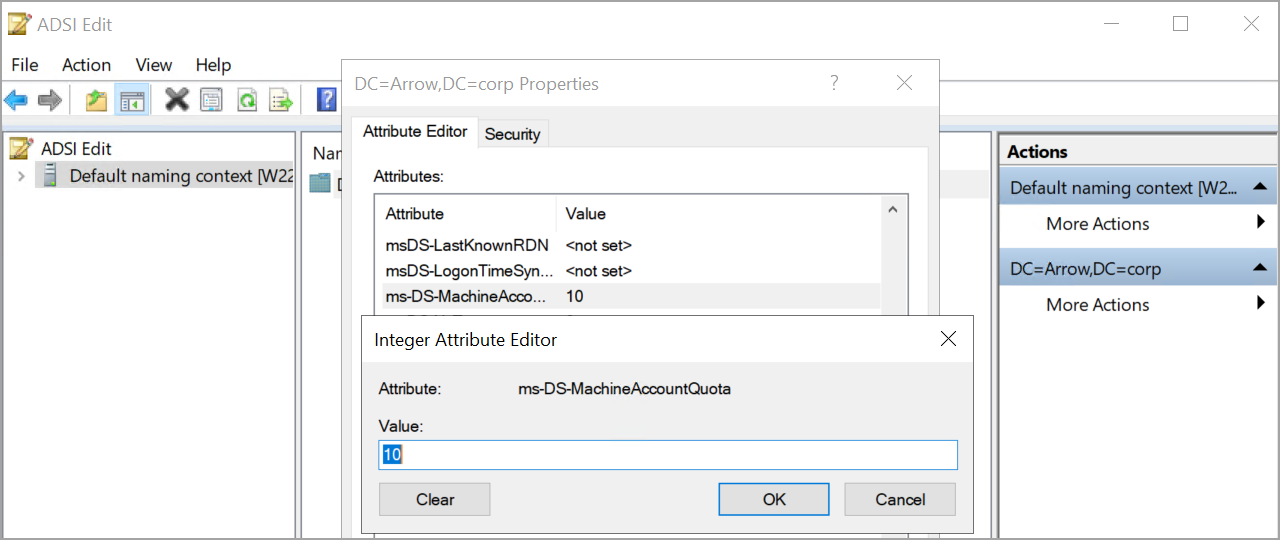
Open ADSI Edit.
-
Connect to the appropriate naming context if prompted.
-
Expand the domain structure. and right-click the domain name and select Properties.
-
Open the Attribute Editor tab.
-
Locate ms-DS-MachineAccountQuota.
-
Select the attribute and click Edit.
-
In the Integer Attribute Editor, enter the desired value and click OK to save the changes.
Expected Result
The Machine Account Quota is configured according to organizational requirements, and the control is no longer reported as a misconfiguration after the next assessment cycle.
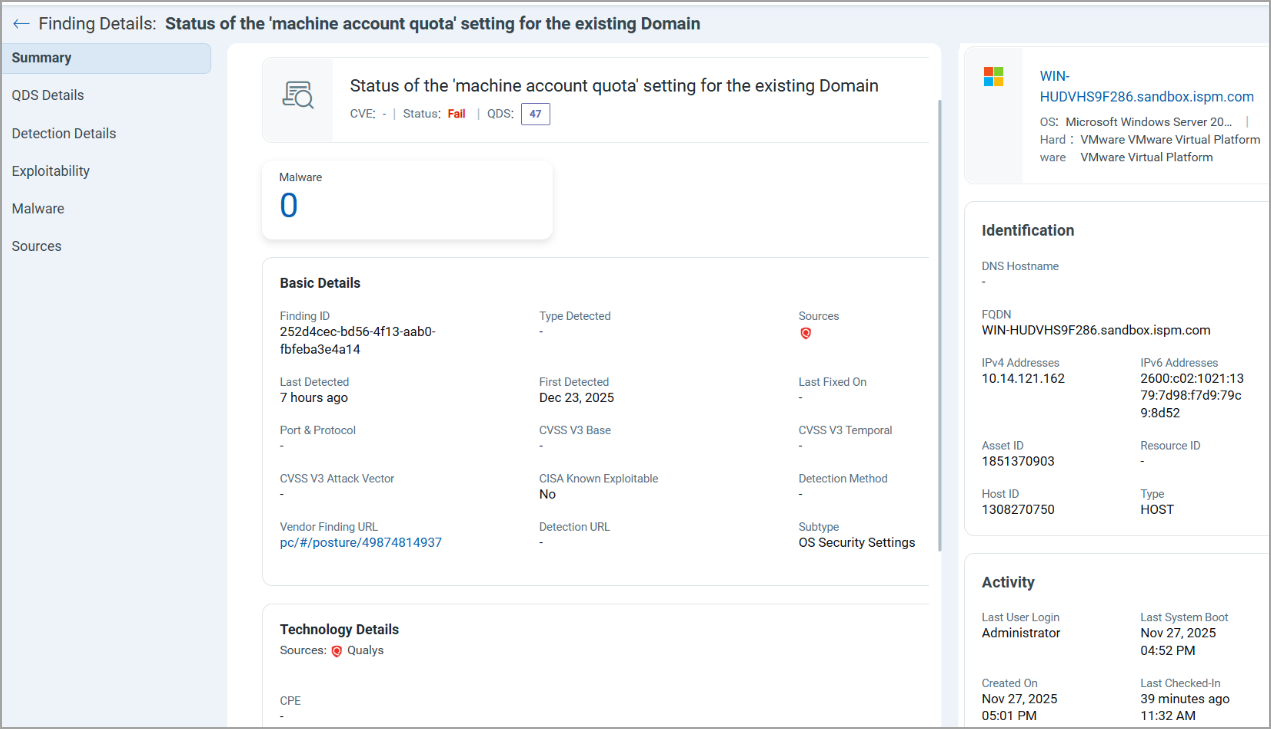
Changes made to Active Directory settings may take time to appear in the ETM Identity UI. Updated results will be displayed after the next scheduled scan and policy evaluation cycle.