Viewing Misconfigurations
Discover how to identify, understand, and remediate system configuration issues that create security vulnerabilities throughout your infrastructure.
A misconfiguration is any setting in a system or application that does not follow security best practices or planned security policies. In contrast to vulnerabilities, which are flaws within the products themselves, misconfigurations occur due to mistakes in how systems are set up.
Key Characteristics of Misconfigurations
- Configuration-Based
Results from incorrect settings rather than software flaws. - Organization-Specific
Often stems from a lack of awareness regarding security implications. - Remediable
Can be fixed by adjusting settings instead of applying patches. - Repeatable
May consistently occur across similar systems
Example of Misconfiguration
If a user account has password expiration disabled when your security policy requires passwords to expire every 90 days, this is a misconfiguration. The system allows the setting, but your policy requires it to be enabled.
Common Misconfiguration Categories
Here are some common categories of misconfigurations:
- Authentication and Access
Password policies, MFA settings, permission assignments, and account lockout policies - System Settings
Service configurations, protocol settings, encryption options, and audit logging - Network Configuration
Open ports, firewall rules, remote access settings, and protocol versions - Software Deployment
Unnecessary services, default credentials, unsafe configurations, legacy protocols - Security Controls
Antivirus settings, patch management, encryption configurations, and monitoring - Compliance Settings
Audit logging, retention policies, access controls, and data protection
- If your account has UAI enabled, you can view all types of misconfigurations in the Misconfigurations tab, a separate ID Miconfiguration tab is not visible.
- The UAI feature is available upon request. To activate it for your account, contact Qualys Support or your Technical Account Manager (TAM).
Misconfiguration Findings
To view the misconfigurations detected on your assets, navigate to the Risk Management > Findings tab and select Misconfiguration. You can also utilize group by options, and custom query capabilities.
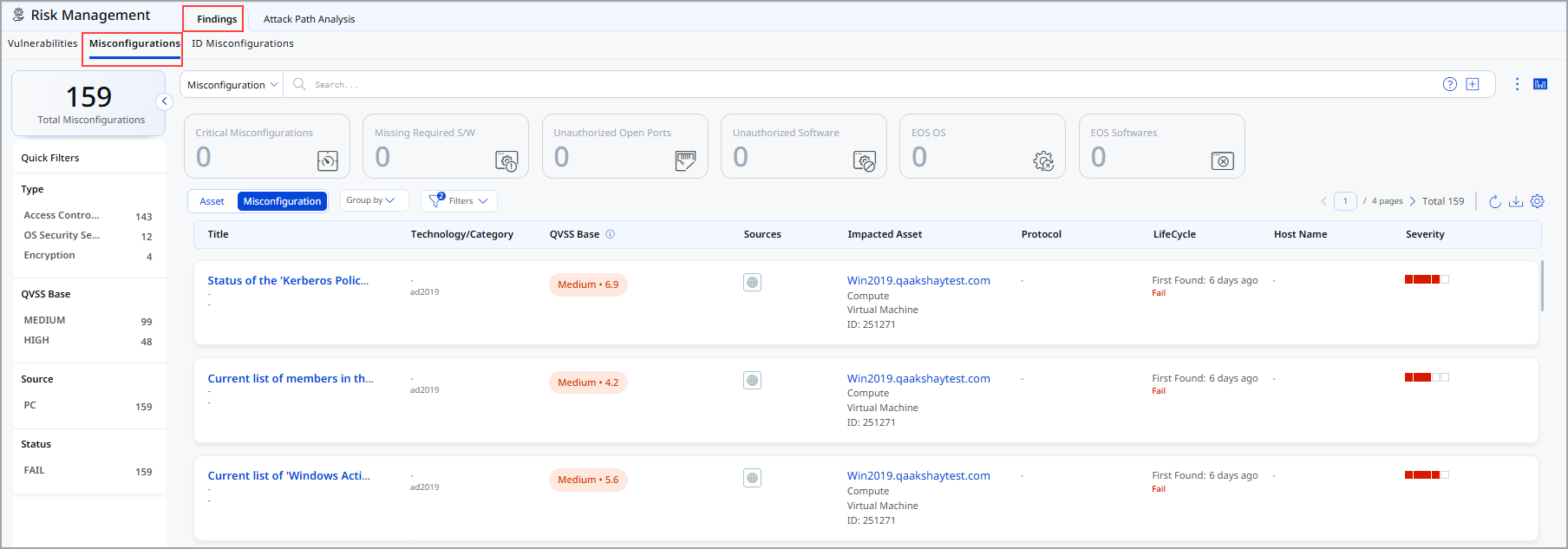
Following is the Misconfiguration data listed on the Findings page:
- Title: Indicates the rule or misconfiguration name
- Technology/Category: Indicates Technology and Category of the misconfiguration
- QVSS Base: Indicates QVSS Base Score such as High, Critical, Low and Medium
- Sources: Indicates source of the misconfiguration.
- Impacted Asset: Indicates which asset is impacted
- Lifecycle Information: Indicates when the issue was first detected and whether it is currently active (Fail)
- Host Name: Indicates Host name
- Severity: Indicates severity of the misconfiguration
View Misconfiguration Details
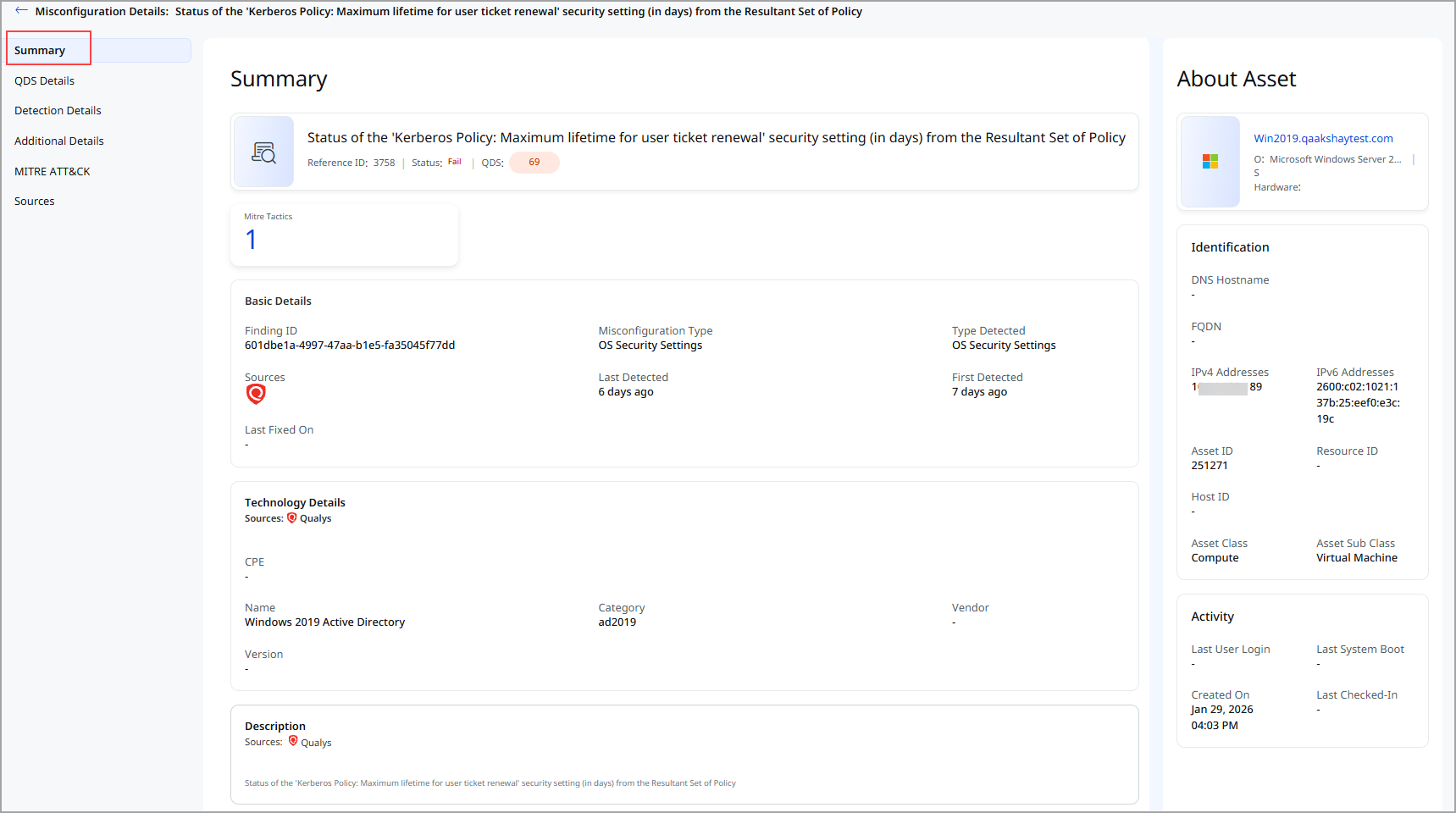
Click View Details from the Quick Actions menu to view the following details about a specific misconfiguration.
-
Summary: It displays basic details, reference ID, status, QVSS, severity, and description of the misconfiguration and the details of the asset on which the misconfiguration is detected.
-
QDS Details: It displays the QDS contributing factors for the misconfiguration:
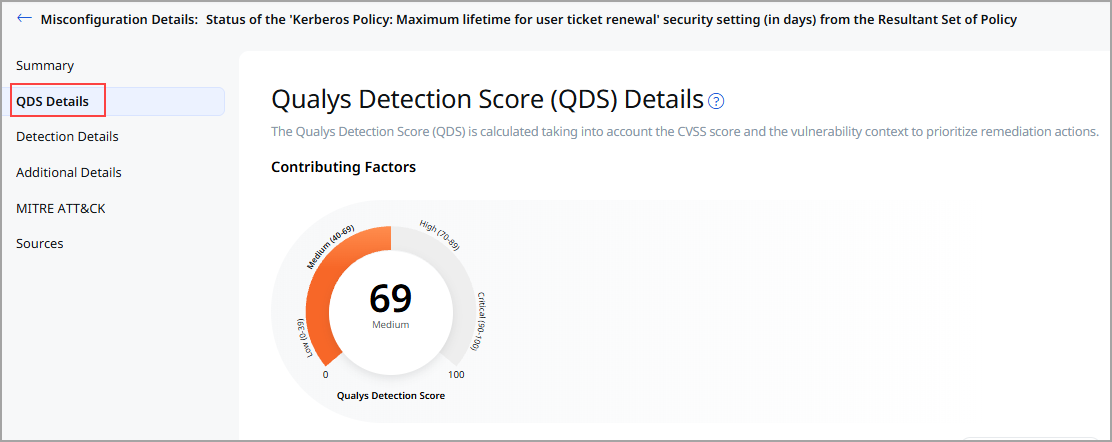
- Highest Contributing CVE:
Click the CVE number, and theAdditional Insights display the Technical Attributes, Recency, and Remediation. - Associated Malware and Threat Actors
Click on the Malware count to view the data in the Additional Insightssection. - Exploitability
It displays the date when the exploitability recently trended. The Recency section of the Additional Insights graph displays the time when the CVE trended. - Additional Insights
When you click Additional Insights, it displays more information about the vulnerability' s Technical Attributes, Temporal Attributes, Trending, and Remediation.
- Highest Contributing CVE:
- Detection Details
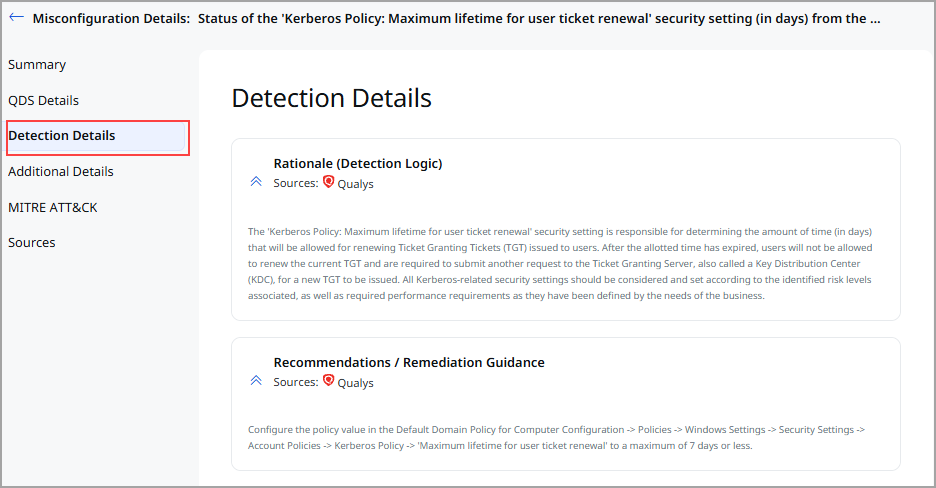
This section specifies:- The detection rationale is a logic of how a security vulnerability is identified.
- Misconfiguration impact and remediation guidance to fix the misconfiguration.
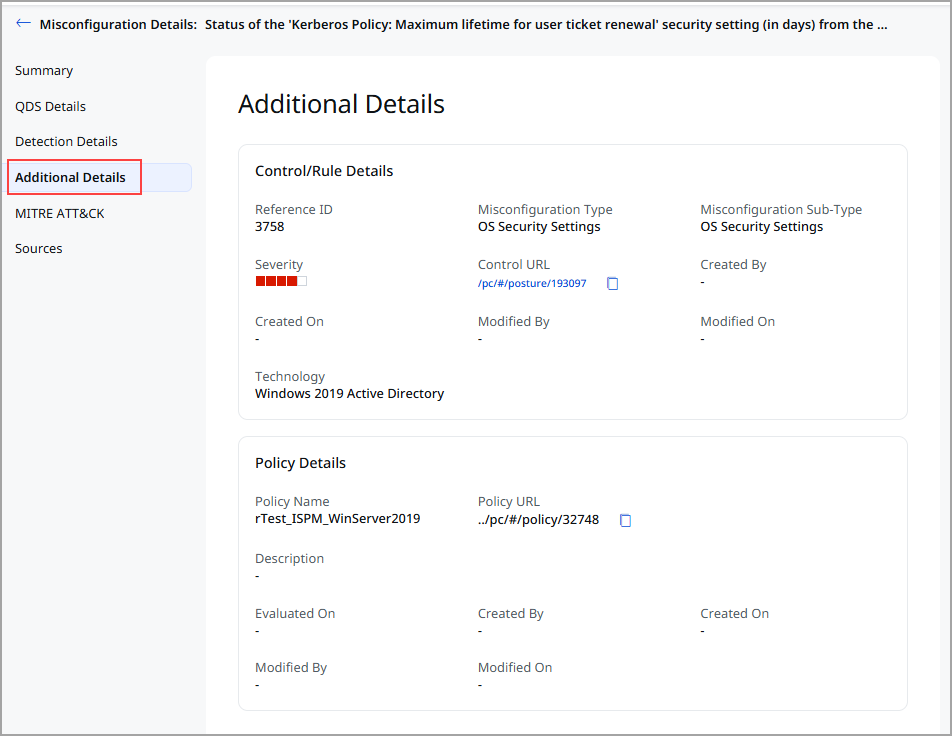
- Additional Details: Additional details about the Control/ Rule Details and the policy that is evaluated on an asset. It is supplementary information that provides further context about the policy and control.
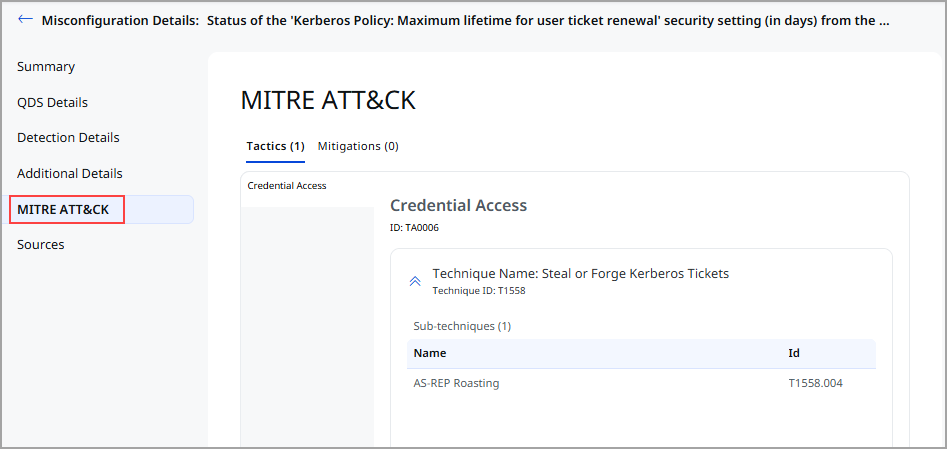
- MITRE ATT&CK: MITRE Tactics and Techniques associated with the control that evaluated on an asset.
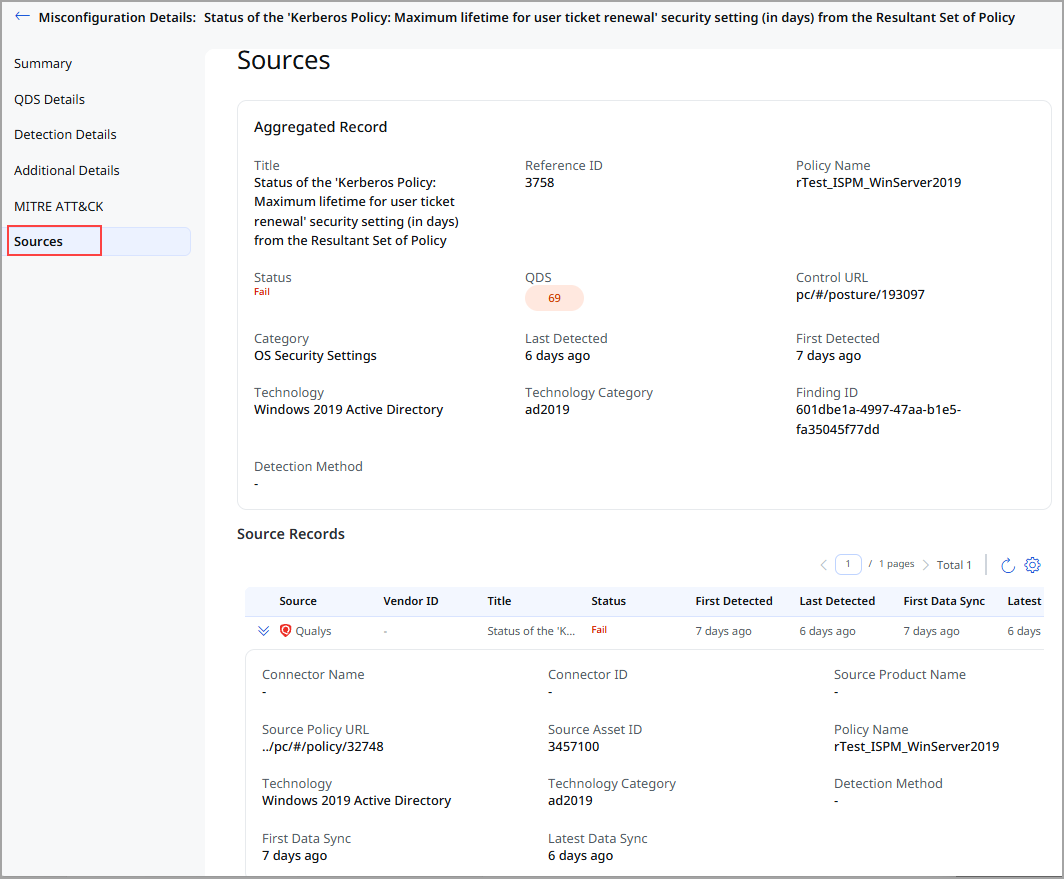
- Sources: If the same misconfiguration is detected from multiple sources on the same asset then this section displays the aggregated record created based on the merge rules and individual source records displaying the multiple sources from where the misconfiguration is detected.
Search Misconfigurations
Let us explore how you can search for misconfigurations.
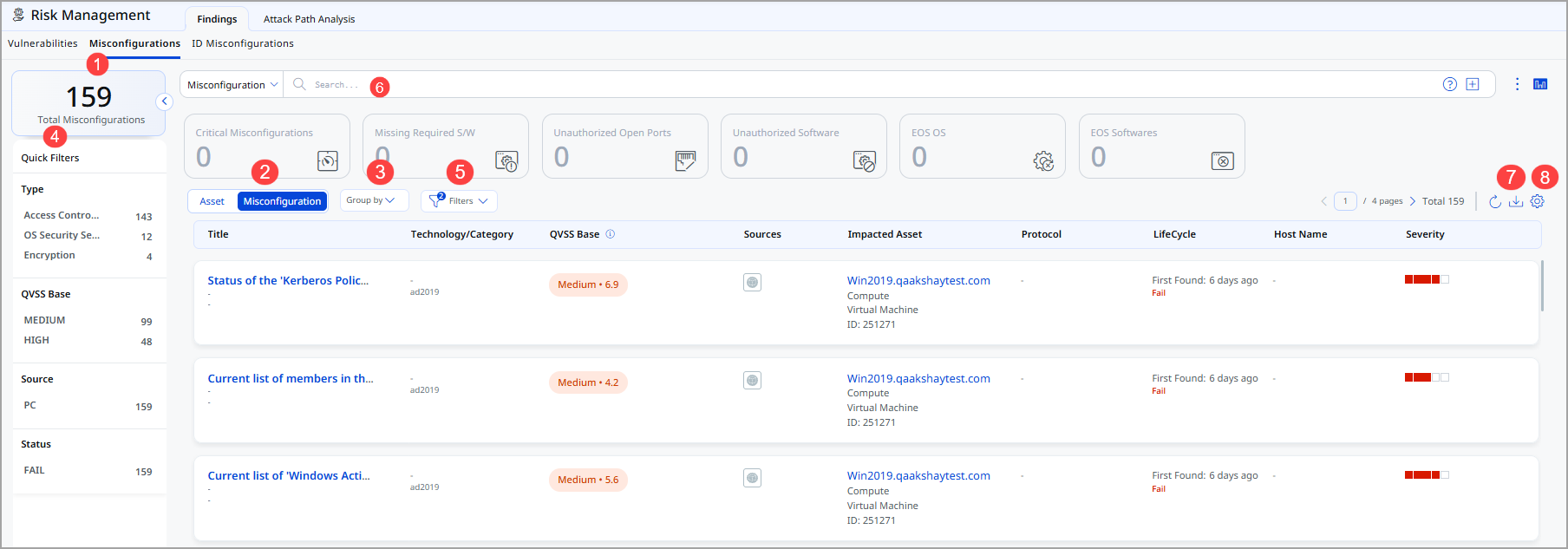
- Total Misconfiguration: This represents the total number of misconfigurations currently available.
- Choose Misconfiguration to display misconfiguration data or Asset for asset data. You can easily browse the data list and explore details.
For example, click the Title: EOS: Google Chrome 84.0.4147.125 Stable Channel to view details for that misconfiguration. - The Group By option helps you organize your data. For example, you can selectGroup By Severityand then click any value listed in the Detection Count column to view the list of assets with the assigned severity.
- Use quick filters located in the left navigation. The Quick Filters option lets you choose the type of misconfigurations to filter the misconfigurations further.
- Use Filter option to choose the type of misconfiguration to exclude from the data list.
- Use search tokens to further filter the data list.
- Download the report.
- Customize the display of rows and columns as per your needs. You can choose which columns to show or hide based on their preferences.
Best Practices
- Regular Review
Review misconfiguration findings at least monthly or after major system changes - Risk-Based Priority
Address high-impact misconfigurations before lower-severity ones - Batch Remediation
Group similar misconfigurations for efficient remediation across systems - Change Control
Use formal change management processes for configuration modifications - Impact Assessment
Test changes in non-production environments before production deployment - Root Cause Analysis
Investigate how misconfigurations were introduced to prevent recurrence - Configuration Standards
Establish and document security configuration baselines - Automated Enforcement
Use Group Policy or configuration management tools to enforce standards