Role
Roles define a set of permissions or privileges that can be assigned to users, groups, applications, or services, and are critical for understanding access posture and privilege exposure.
The Role tab provides all role identities discovered across your environment.
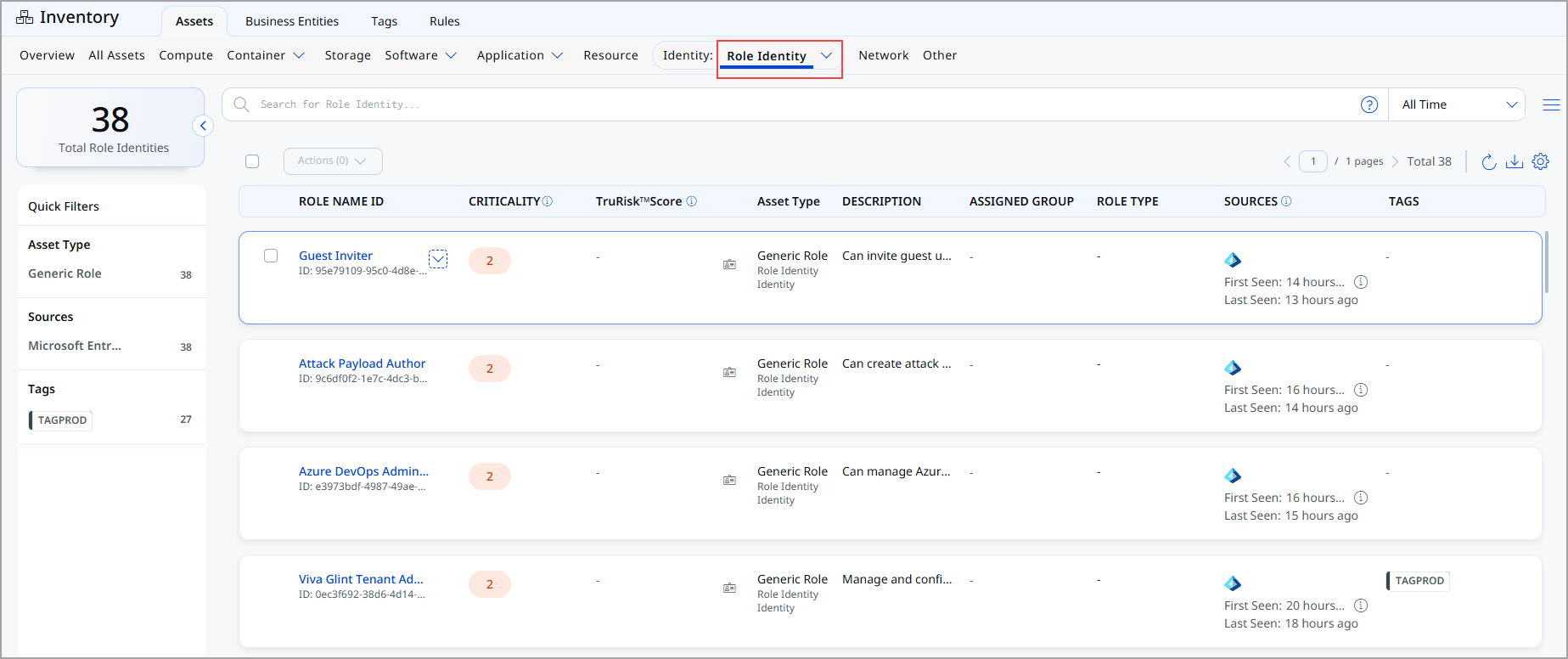
For each role, the following information is displayed:
| Column | Description |
|---|---|
| Role Name / ID | Name of the role along with its unique identifier. |
| Criticality | Asset Criticality Score (ACS) assigned to the role. |
| TruRisk™ Score | Calculated TruRisk™ Score based on permissions, exposure, and usage context. |
| Asset Type | Type of role identity, such as Generic Role. |
| Description | Description of the role and the type of permissions it provides. |
| Assigned Group | Group associated with the role. |
| Role Type | Functional classification of the role, such as Application or Service role. |
| Sources | Displays the source of the role, along with first-seen and last-seen timestamps. |
| Tags | Tags associated with the role. |
View Role Identity Details
The Role Identity Details page provides a comprehensive view of an individual role identity discovered in your environment. It consolidates identification, classification, risk context, business ownership, permissions, and source into a single view.
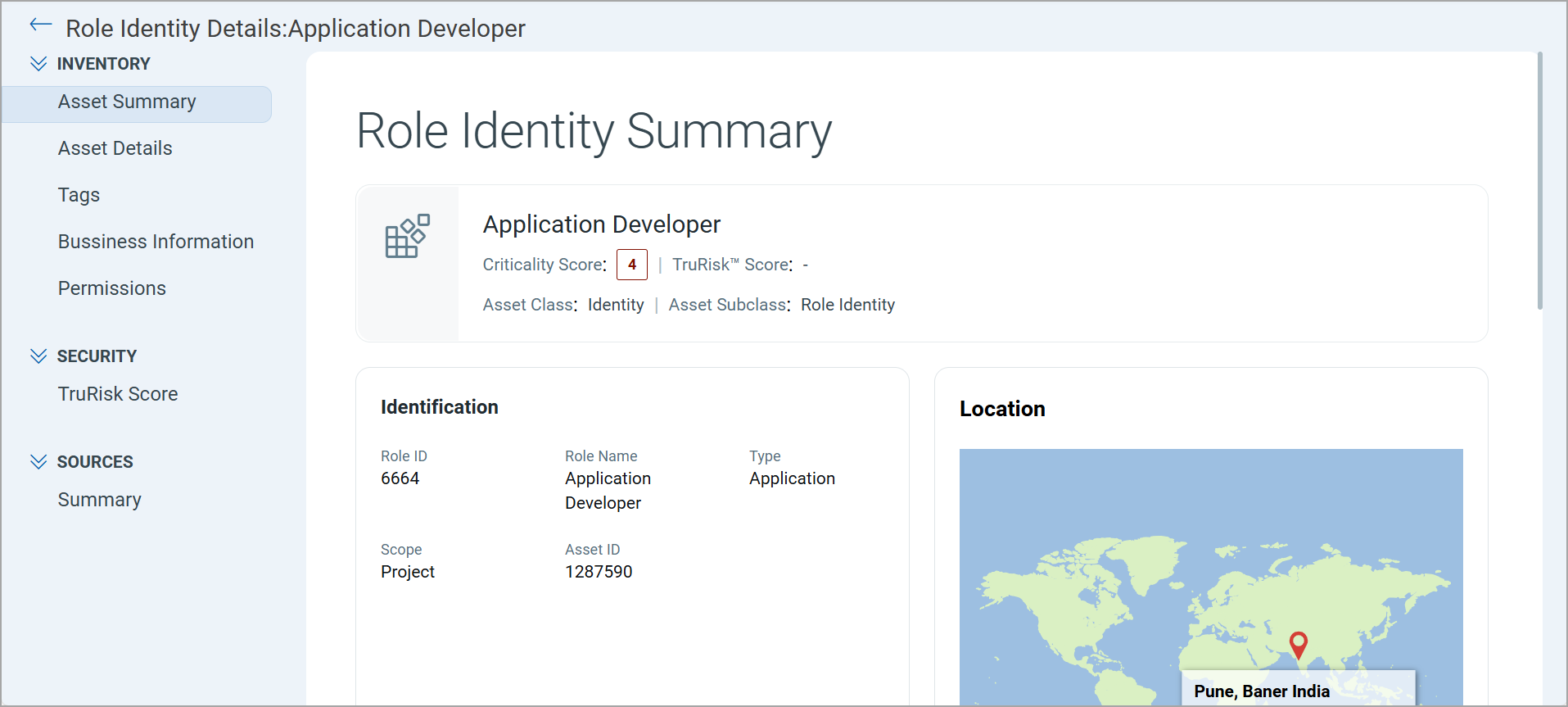
Expand the Inventory, Security, and Sources sections from the left pane and see various tabs under each section. To know more about the details you can see from these tabs, refer to the following topics:
Inventory Section
The Inventory section provides detailed information about the selected role.
The following tabs are available under the Inventory section:
The Role Identity Summary page provides key identification, activity, location, and classification details in a single view, enabling quick assessment of the role’s purpose, usage, and risk context.
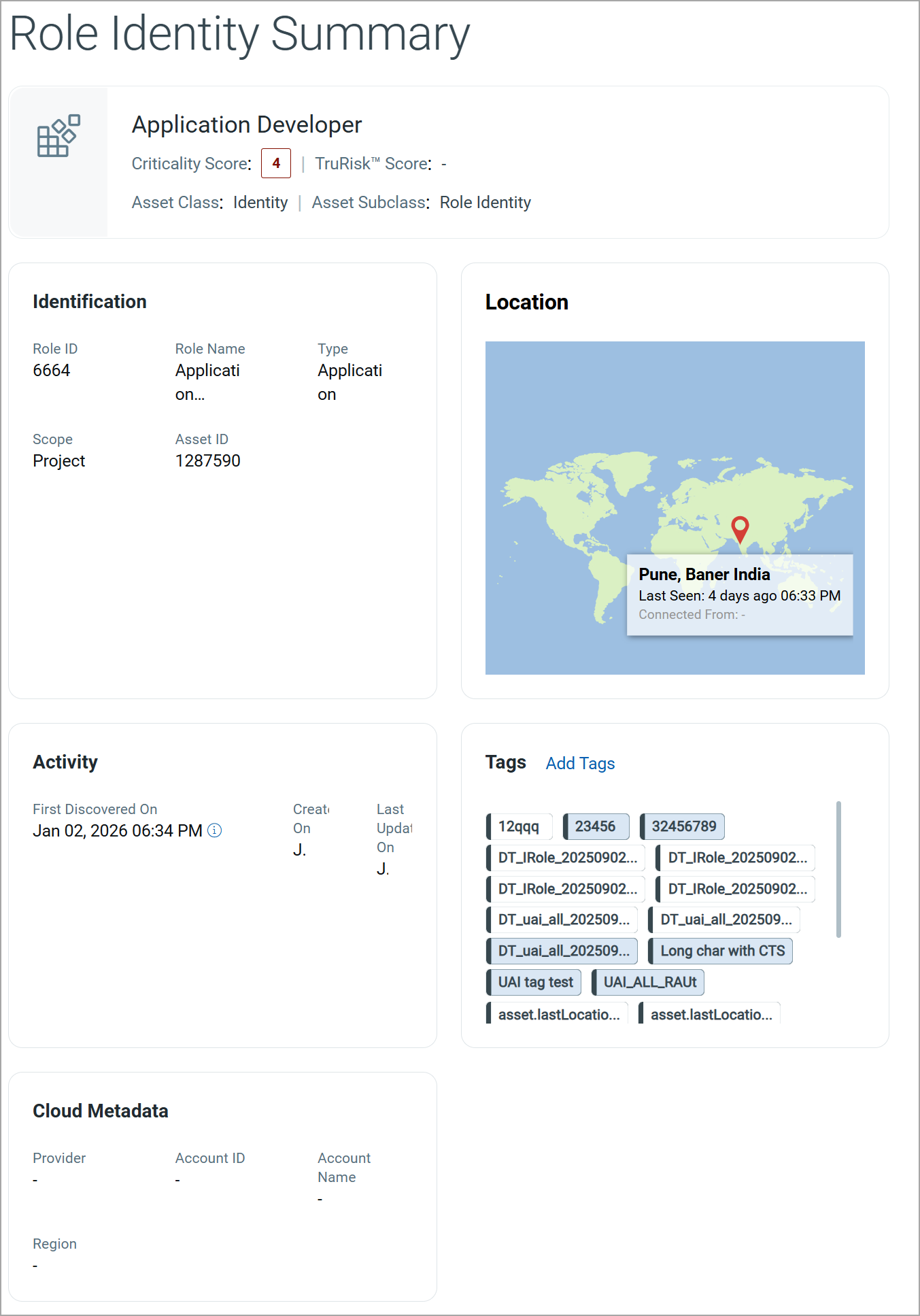
The summary displays high-level information about the role, including:
| Field | Description |
|---|---|
| Role Name | The name of the role. |
| Criticality Score | The Asset Criticality Score (ACS) assigned to the role. |
| TruRisk™ Score | The calculated TruRisk™ score of the role. |
| Asset Class and Subclass | The asset classification includes the asset class and its corresponding subclass. |
Identification
The Identification section displays the core attributes used to uniquely define the role:
| Field | Description |
|---|---|
| Role ID | Unique identifier for the role. |
| Role Name | Name of the role. |
| Type | Functional type of the role, such as Application role. |
| Scope | Scope within which the role applies. |
| Asset ID | Unique identifier assigned to the role. |
Location
The Location section displays the geographical location associated with the role based on discovery data.
This section includes:
- A map view indicating the last known location
- City, region, and country information
- Last Seen timestamp
Activity
The Activity section provides the following information for the role:
| Field | Description |
|---|---|
| First Discovered On | The date and time when the role was first discovered. |
| Created On | The date and time when the role record was created in the inventory. |
| Last Updated On | The most recent date and time when role details were modified. |
Tags
The Tags section displays all tags associated with the role.
You can:
- View existing tags applied to the role.
- Add new tags using Add Tags.
Cloud Metadata
The Cloud Metadata section displays cloud-related information associated with the role.
| Field | Description |
|---|---|
| Provider | Cloud service provider associated with the role. |
| Account ID | Cloud account identifier. |
| Account Name | Name of the cloud account. |
| Region | Cloud region associated with the role. |
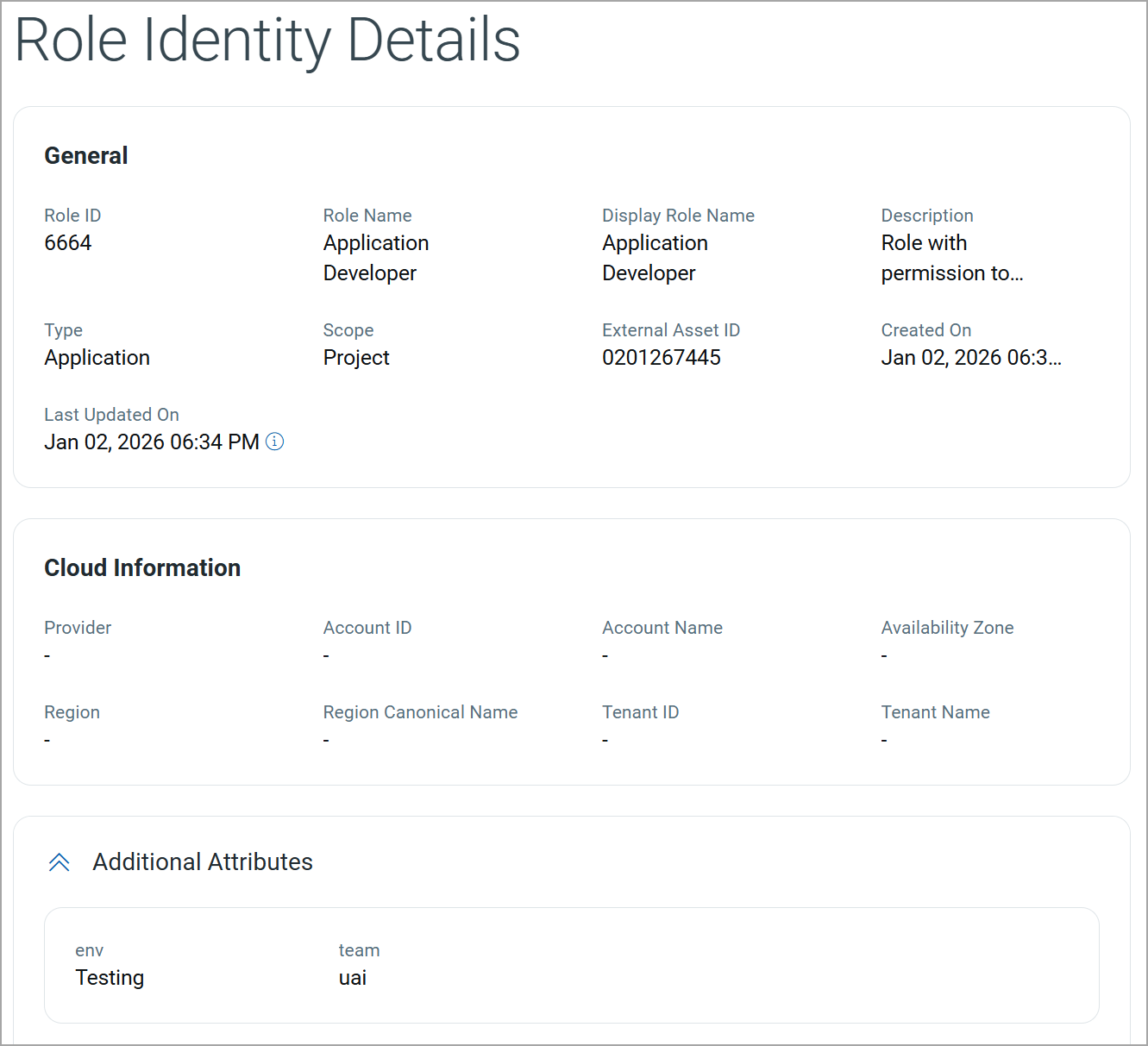
The Group Identity Details page provides all metadata associated with a selected role.
General Information
The General section displays the general details of the role.
| Field | Description |
|---|---|
| Role ID | Unique identifier assigned to the role. |
| Role Name | Name of the role. |
| Display Role Name | The display name of the role. |
| Description | Description of the role and the permissions or access it provides. |
| Type | Functional classification of the role, such as Application role. |
| Scope | Scope within which the role is applicable, for example, Project. |
| External Asset ID | External identifier associated with the role. |
| Created On | Date and time when the role record was created in the inventory. |
| Last Updated On | Date and time when the role details were last updated. |
Cloud Information
This section displays cloud-related context when the role is associated with a cloud provider or tenant.
| Field | Description |
|---|---|
| Provider | Cloud service provider associated with the role. |
| Account ID | Cloud account identifier where the role exists. |
| Account Name | Name of the cloud account. |
| Availability Zone | Availability zone associated with the role. |
| Region | Cloud region where the role is defined or used. |
| Region Canonical Name | Standardized name of the cloud region. |
| Tenant ID | Tenant identifier associated with the role. |
| Tenant Name | Name of the tenant associated with the role. |
Additional Attributes
This section lists custom key–value attributes assigned to the role.
| Attribute | Description |
|---|---|
| env | Indicates the environment context of the role (for example, Testing, Production). |
| team | Identifies the responsible team for the role. |
The Tags tab enables you to view and add tags associated with the role.
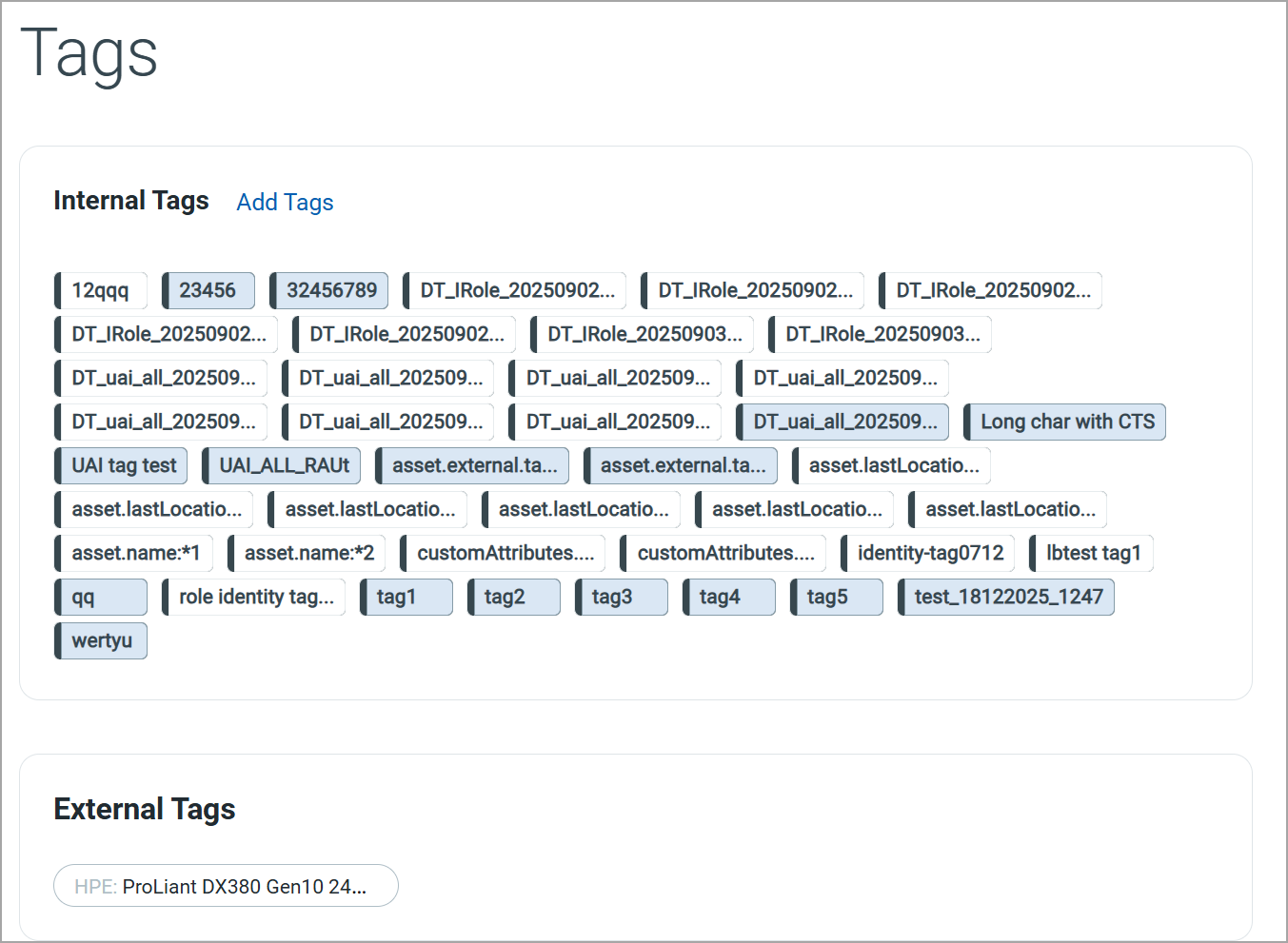
Internal Tags
Internal Tags are system-generated or user-defined tags. You can add a new tag by clicking Add Tags.
External Tags
External Tags are tags inherited from external sources such as cloud providers, container platforms, or integrated third-party systems.
Business InformationBusiness Information
The Basic Information tab provides essential business and operational context for the selected Role.
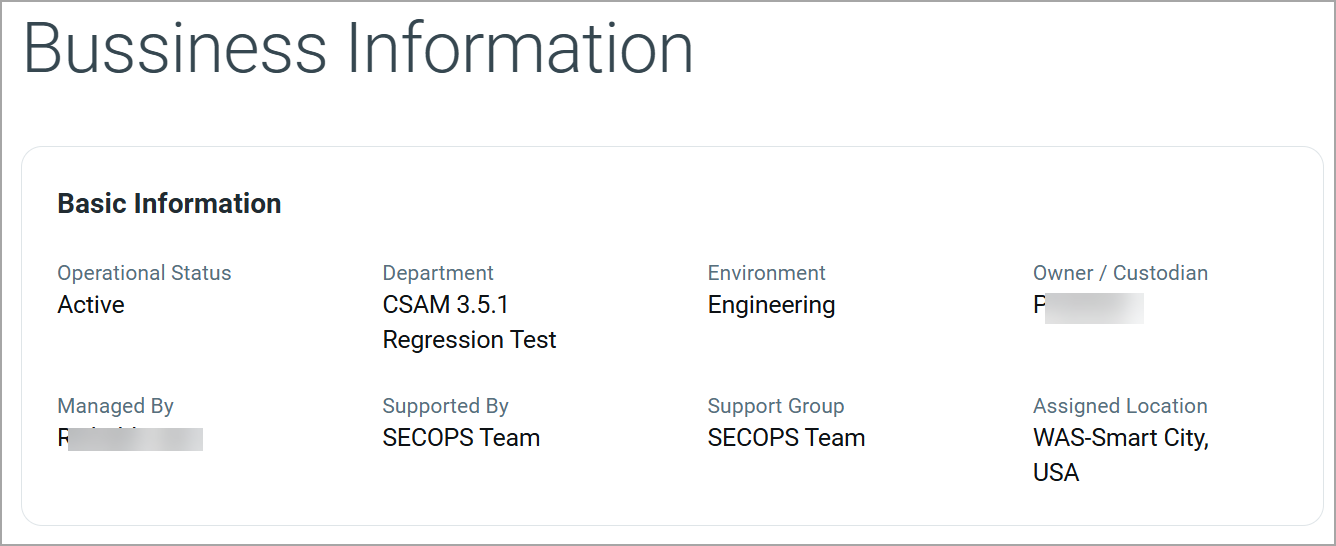
Basic Information
The Basic Information section displays key business attributes associated with the role.
| Field | Description |
|---|---|
| Operational Status | The current operational state of the role, such as Active or Inactive. |
| Department | The business unit, product, or program associated with the role. |
| Environment | The environment in which the role is primarily used, such as Engineering, Testing, or Production. |
| Owner / Custodian | Designated individual responsible for business ownership and accountability of the role. |
| Managed By | The person or team responsible for managing and maintaining the role configuration. |
| Supported By | The team that provides operational or technical support for the role. |
| Support Group | The primary support group responsible for handling issues, incidents, or requests related to the role. |
| Assigned Location | The geographical location associated with the role. |
The Permissions tab displays the access rights assigned to the role across different resources.
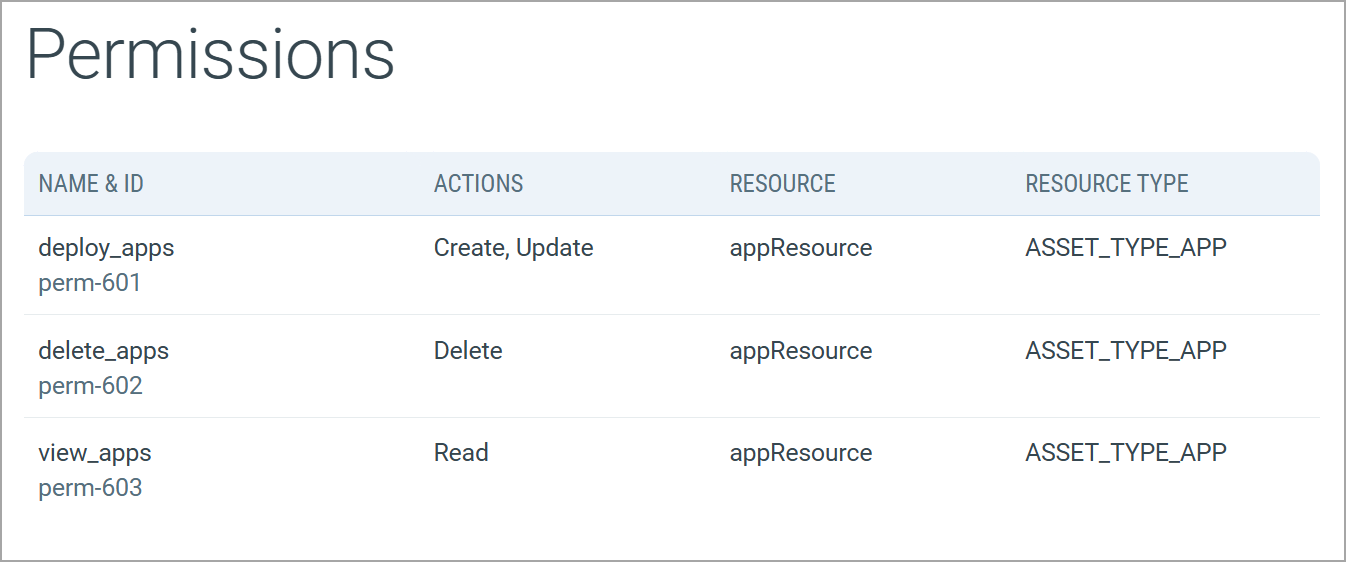
| Column | Description |
|---|---|
| Name & ID | Name of the permission along with its unique identifier. |
| Actions | Operations allowed by the permission, such as Create, Read, Update, or Delete. |
| Resource | Logical resource on which the permission is applied. |
| Resource Type | Resource category to which the permission belongs. |
Security Section
The Security section provides risk and security-related insights for the role. This section helps you assess the security posture of the role and prioritize remediation efforts based on risk indicators.
The following tab is available under the Security section:
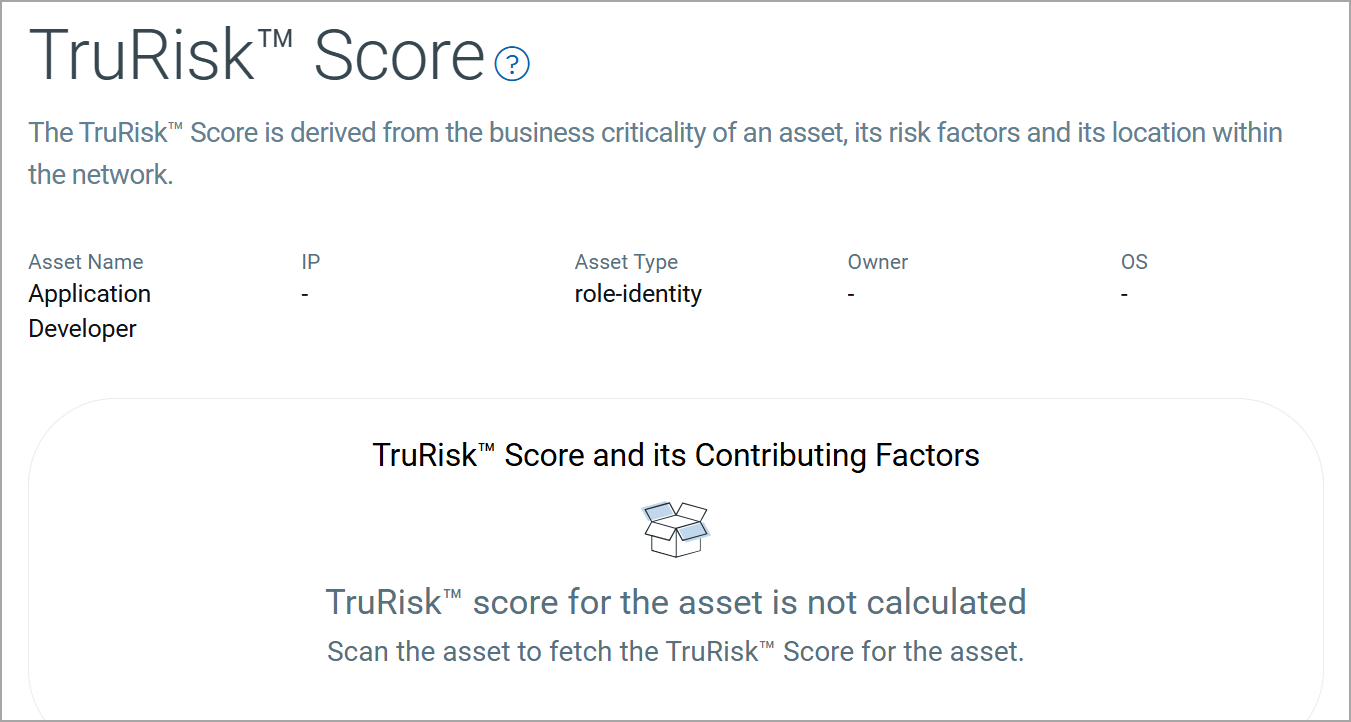
The TruRisk™ Score provides a risk-based assessment of the role by aggregating multiple contributing factors. This score helps you understand the potential security impact of the role within your environment.
Sources Section
The Sources section provides visibility into how and from where the role was discovered.
The following tab is available under the Sources section:
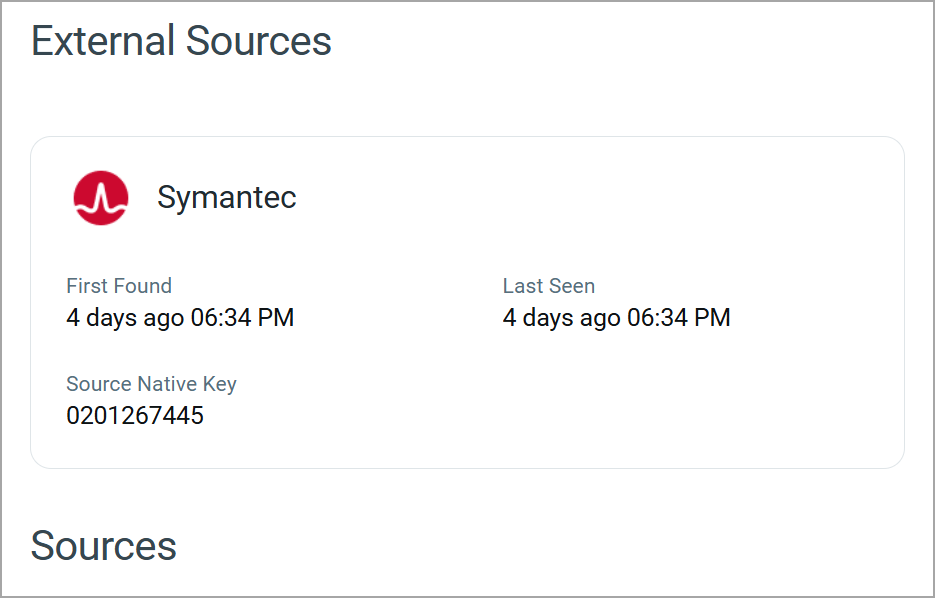
The Summary tab provides all external and internal sources that discovered the role.
External Sources
The External Sources section displays details of third-party platforms or integrations that discovered the roles.
For each external source, the following information is displayed:
| Field | Description |
|---|---|
| Source Name | Name of the external source that detected the role. |
| First Found | Date and time when the role was first discovered by the external source. |
| Last Seen | Most recent date and time when the role was observed by the external source. |
| Source Native Key | Unique identifier assigned to the role by the external source. |
Sources
The Sources section lists all discovery sources associated with the role.
Add or Remove Tags
You can manage role tags from the Quick Actions or Actions menu. For more information on managing tags, refer to Manage Asset Tags.
Download Role Identity List
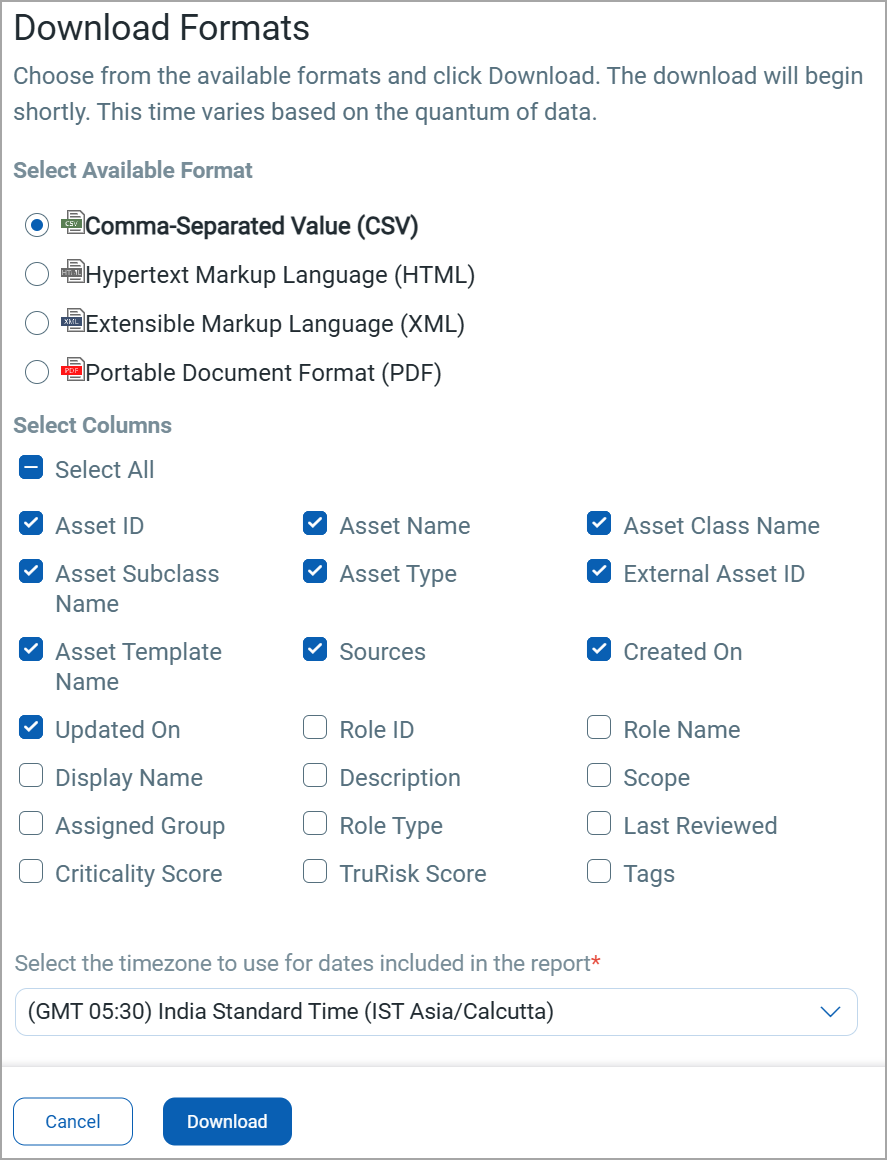
You can download the list of roles in a report from the Identity > Role tab in the following formats:
- Comma-Separated Value (CSV)
- Hypertext Markup Language (HTML)
- Extensible Markup Language (XML)
- Portable Document Format (PDF)
If you want to download the report in PDF format, you can select a maximum of 5 columns. If you select the Tags column, the report for up to 5,000 assets is downloaded.
To download, follow these steps:
- Click
 on the Identity > Role tab.
 - Select the download format and the columns you want in the report.
-
Select the timezone.
-
Click Download.