Getting Started with Agent Val
Let us get started with Agent Val to validate exploitability on your behalf.
Access Requirements
To use Agent Val, you need:
- Active Qualys ETM account with appropriate permissions
- Agent feature is enabled on your account
- Access to Vulnerability Management application
Don't have access? Contact Qualys Support or your Technical Account Manager (TAM).
You need an active Patch Management license to apply the remediation to the findings.
First Time Setup
To start using the ETM agent, you need to add it to your account. Follow the steps given here:
- Navigate to ETM application > Cyber Risk Agent > Marketplace.
- From the agent menu, select Hire Agent to enable it.
Now that the agent is added to your account, you can view them in the My Agents tab. you can assign a task to the agent.
Agent Val automatically begins identifying prioritized exposures for validation based on QVSS score, active threat-actor relevance, and business criticality of in-scope assets.
Understanding the Agent Val Profile Page
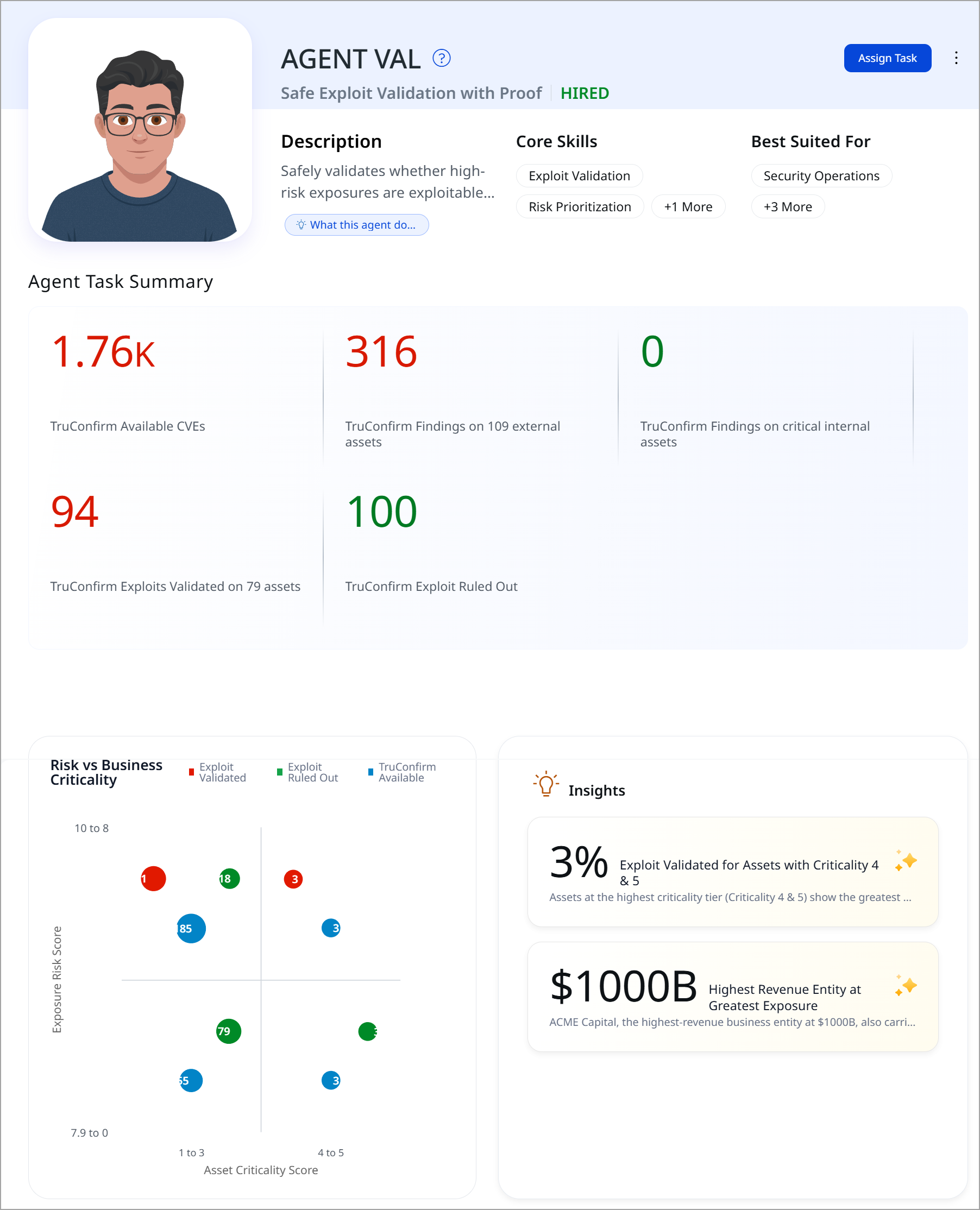
Here's what you'll see:
- Description: A short summary of what the agent does.
- Core Skills: Badges showing Agent Val's areas of expertise: Exploit Validation, Risk Prioritization, and CISA KEV Analysis.
- Best Suited For: The teams Agent Val is built to support: Security Operations, Risk Assessment Teams, Vulnerability Management Teams, and CISOs.
- Assign Task: The option you will use to put Agent Val to work. The Agent Task Summary provides the below count:
Sections Information TruConfirm Available CVEs The pool of CVEs in scope that Agent Val can validate TruConfirm Findings on external assets Findings identified on internet-facing assets TruConfirm Findings on critical internal assets Findings identified on your highest-criticality internal assets TruConfirm Exploits Validated Findings Agent Val has confirmed are actually exploitable, with proof TruConfirm Exploit Ruled Out Findings tested and found not exploitable, or confirmed closed after remediation - Risk vs. Business Criticality: The chart plots exposures by Exposure Risk Score against Asset Criticality Score, color-coded by status (Exploit Validated, Exploit Ruled Out, TruConfirm Available), so you can see at a glance where the most urgent and confirmed TruConfirm exploitable risk sits relative to business-critical assets.
- Insights: The panel surfaces standout findings automatically, such as the share of validated exploits concentrated on your highest-criticality assets, or which business entity carries the greatest confirmed exposure.
Assign Task to Agent Val
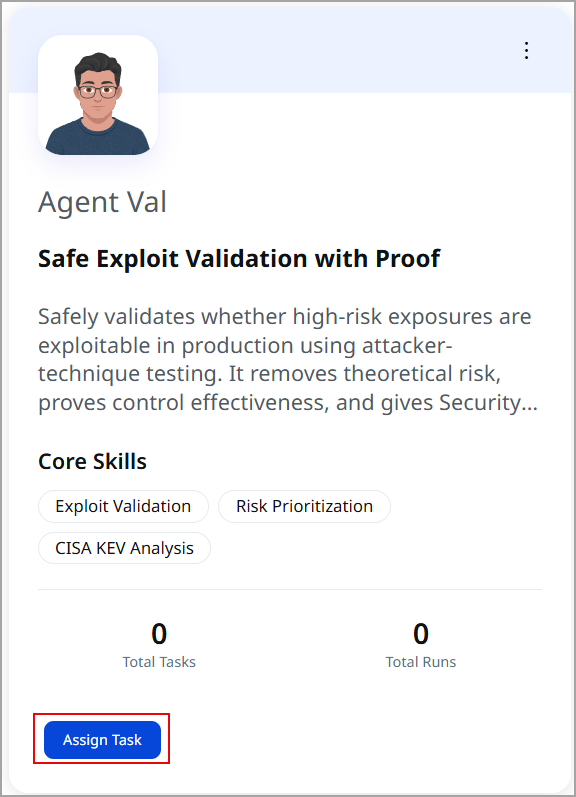
- Go to the Agent Val tile. Click Assign Task. The agent begins to assess the exploitability of detected exposures using safe, controlled validation techniques that replicate real-world attack methods.
This helps security teams identify, prioritize, and remediate confirmed risks before threat actors can exploit them. A list of findings is displayed.
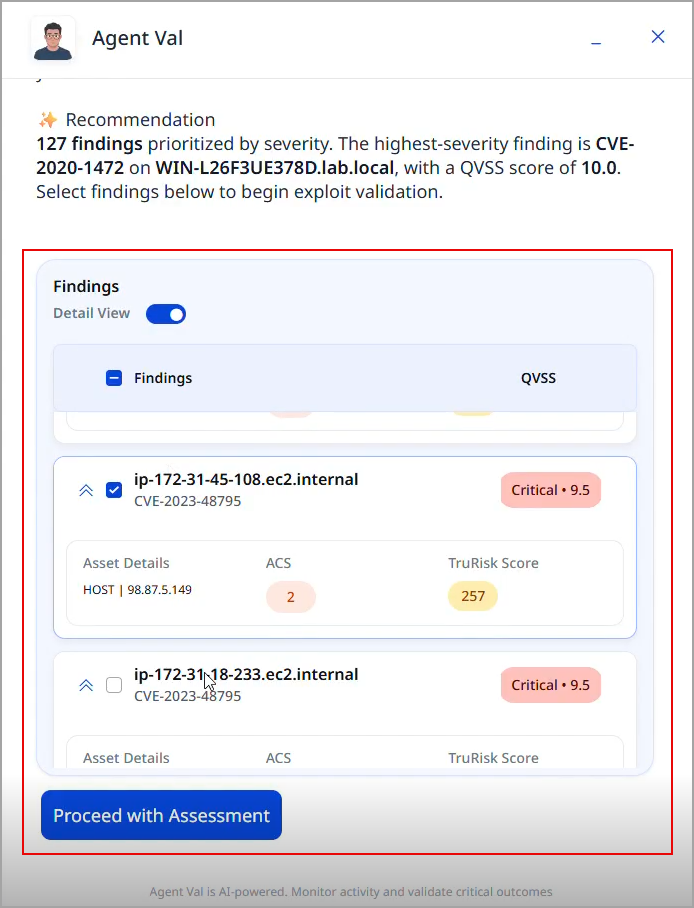
- Select the required findings and click Proceed with Assessment. Agent Val confirms before proceeding.
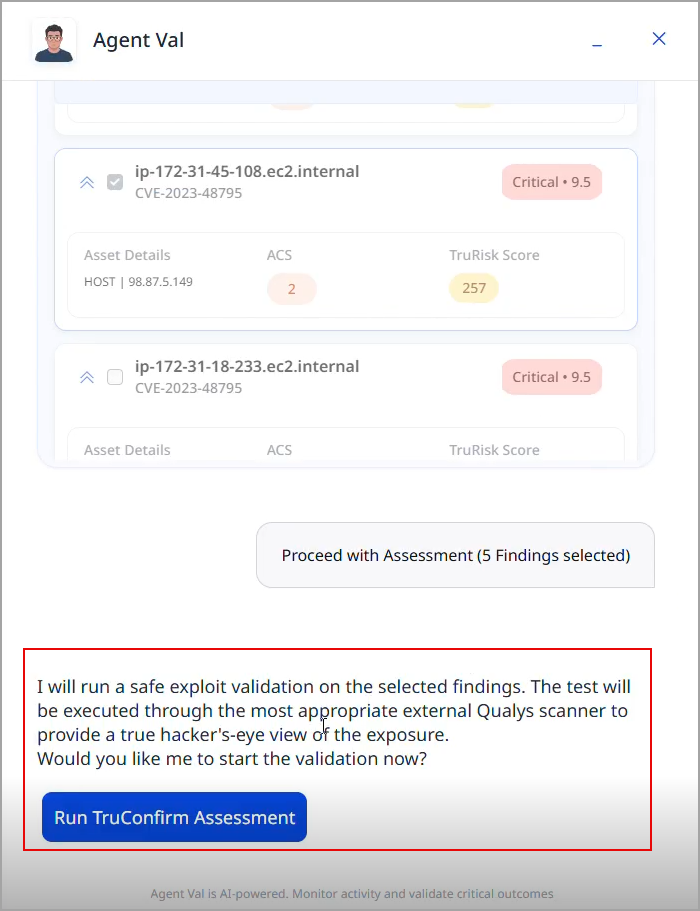
- Click Run TruConfirm Assessment to begin the validation. Agent Val provides a list of findings confirmed as exploitable.
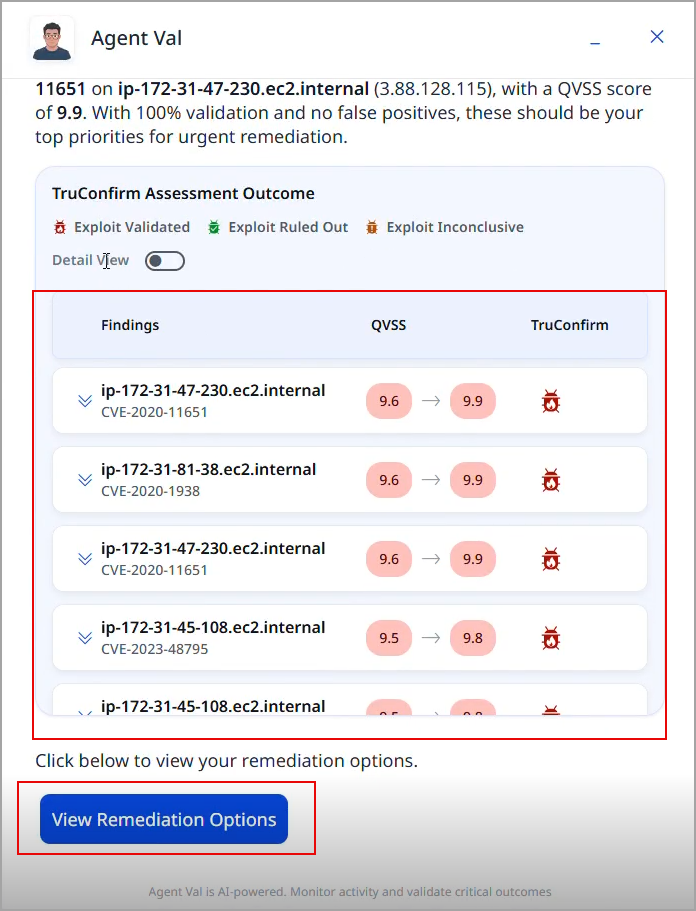
- Click View Remediation Options. Agent Val recommends the applicable patch/mitigation option for the findings.
-
Click Deploy AI-based Recommendations. Agent Val deploys remediation for the findings and displays results once the remediation job is complete.
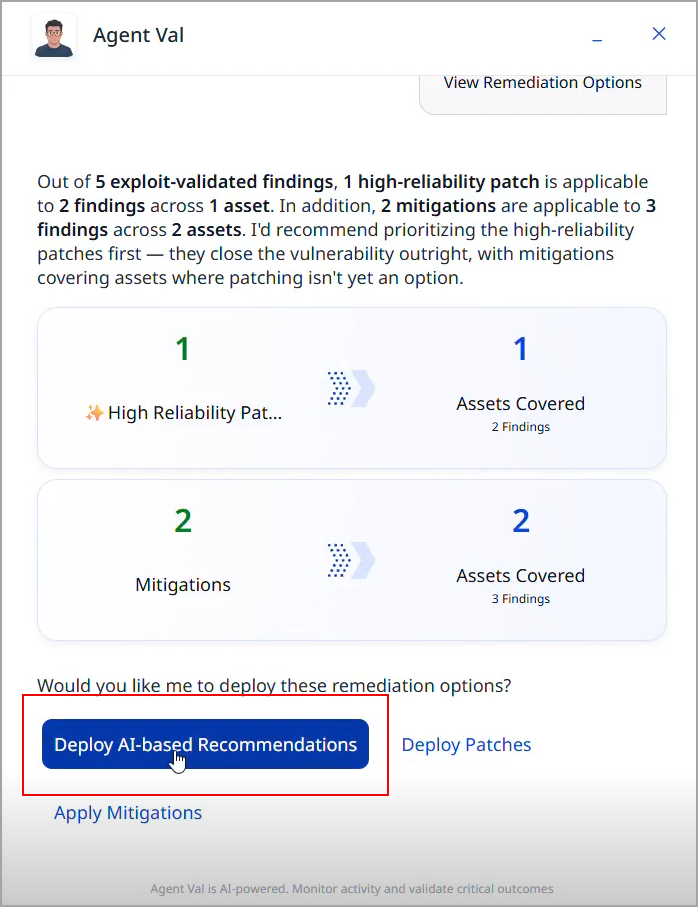
Agent Val provides a summary of the remediation process. Agent Val runs a revalidation scan after remediation to verify whether the remediation was effective.