Cyber Risk AI Assistant ROCky
The Cyber Risk Assistant ROCky features an intuitive, user-friendly interface designed for quick access to critical information. It enables you to ask questions, explore guided prompts, and start conversations efficiently from a single screen.
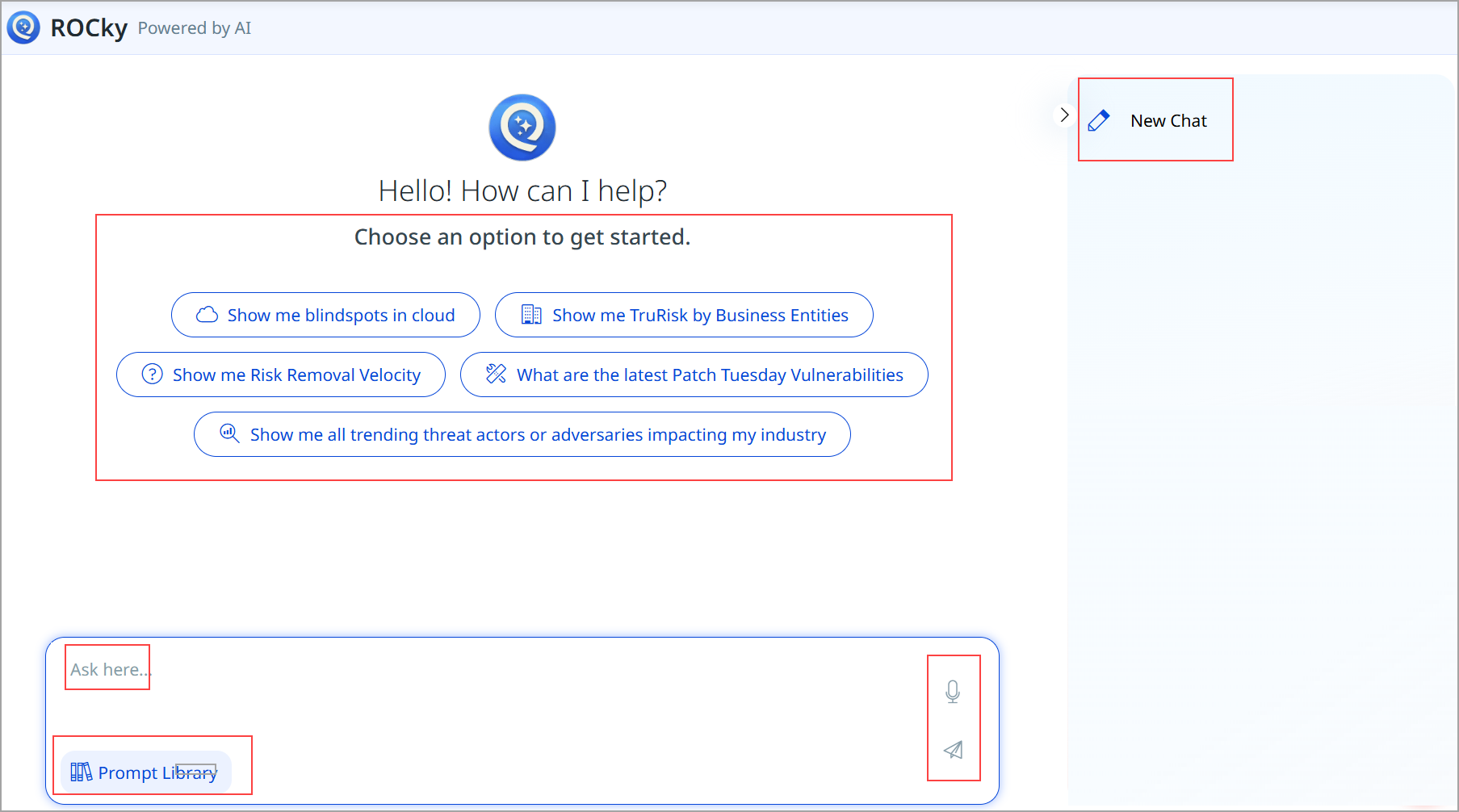
To enable this feature, connect with Qualys Support or your Technical Account Manager (TAM).
Quick-Start Options
There are a few quick-start options, pre-configured to represent commonly requested queries. These options allow you to get immediate insights with a single click, without needing to type a question. They are especially useful for first-time users or for quickly accessing frequently used information.
Text Input Field
The text input field allows you to type custom questions, commands, or follow-up queries. You can use natural language to ask questions, refine results, or continue an existing conversation. This field supports flexible interaction beyond the predefined options.
You can provide additional interaction using the following methods:
- Voice Input: Allows users to record and submit questions using voice.
- Send Message: Submits the typed or recorded query to the chatbot for processing.
New Chat Option
The New Chat option is located in the top-right corner of the interface. It allows starting a fresh conversation, clearing the current context, and initiating a new interaction with the chatbot. This is useful when switching topics or beginning a new line of inquiry.
Prompt Library
The Prompt Library provides access to a collection of categorized, pre-built prompts. These prompts help you explore specific topics or use cases without needing to formulate detailed questions, making it easier to discover available capabilities.
Together, these components create a streamlined and user-friendly chatbot experience. You can quickly get started using guided options, ask detailed questions through text or voice, and manage conversations efficiently.