ETM PA/SCA Integration
The Policy Audit (PA) and Security Configuration Assessment (SCA) integration connects your security posture information directly to Enterprise TruRisk Management (ETM). Failed postures appear as misconfigurations in ETM's unified risk management interface, giving you a comprehensive view of your security posture across the enterprise from a single place.
Each finding carries the detail you need to act: the affected asset, the severity, the current status, and the detection logic behind it. That lets your security team prioritize remediation by real risk and organizational impact, rather than by whichever console happens to be open. Because PA/SCA findings also map to MITRE ATT&CK tactics, you can connect a failed control to the adversary behavior it would enable.
At a Glance
| What ETM ingests | Failed control postures from PA and SCA, ingested as misconfigurations |
|---|---|
| Where to view | Risk Management > Findings > Misconfigurations |
| QQL filter | finding.vendorProductName:PA or finding.vendorProductName:SCA |
| How data arrives | Automatic ingestion after you run a baseline |
| Detail tabs available | Summary, QDS Details, Detection Details, Additional Details, MITRE ATT&CK, Sources |
Prerequisites
Before you implement the PA/SCA integration with ETM, make sure your environment meets these requirements:
- PA/SCA is enabled for your subscription.
- PCAS version 1.2.3 or later.
- Enterprise TruRisk platform version 10.32.1.0 or later.
Verify your current versions before you begin the integration setup, so that you know they are compatible with ETM.
How the Integration Works
- Contact your Technical Account Manager (TAM) or Qualys Support to enable PA/SCA for your subscription.
- Run a baseline for PA/SCA to ingest your existing PA/SCA data into ETM.
ETM then ingests findings from PA and SCA as misconfigurations. Failed postures from your PA/SCA environment appear in ETM with their respective risk scores, so that you can identify precisely which security issues require remediation.
After the baseline, the integration keeps both systems synchronized, so the security posture information in ETM stays current for risk management.
View Assets and Findings in ETM
After completing the integration, you can view and manage PA/SCA findings within the ETM interface.
- Navigate to Risk Management > Findings > Misconfigurations to access the consolidated view of security posture findings.
- To filter for PA or SCA findings only, use the following QQL queries respectively:
finding.vendorProductName:PAorfinding.vendorProductName:SCA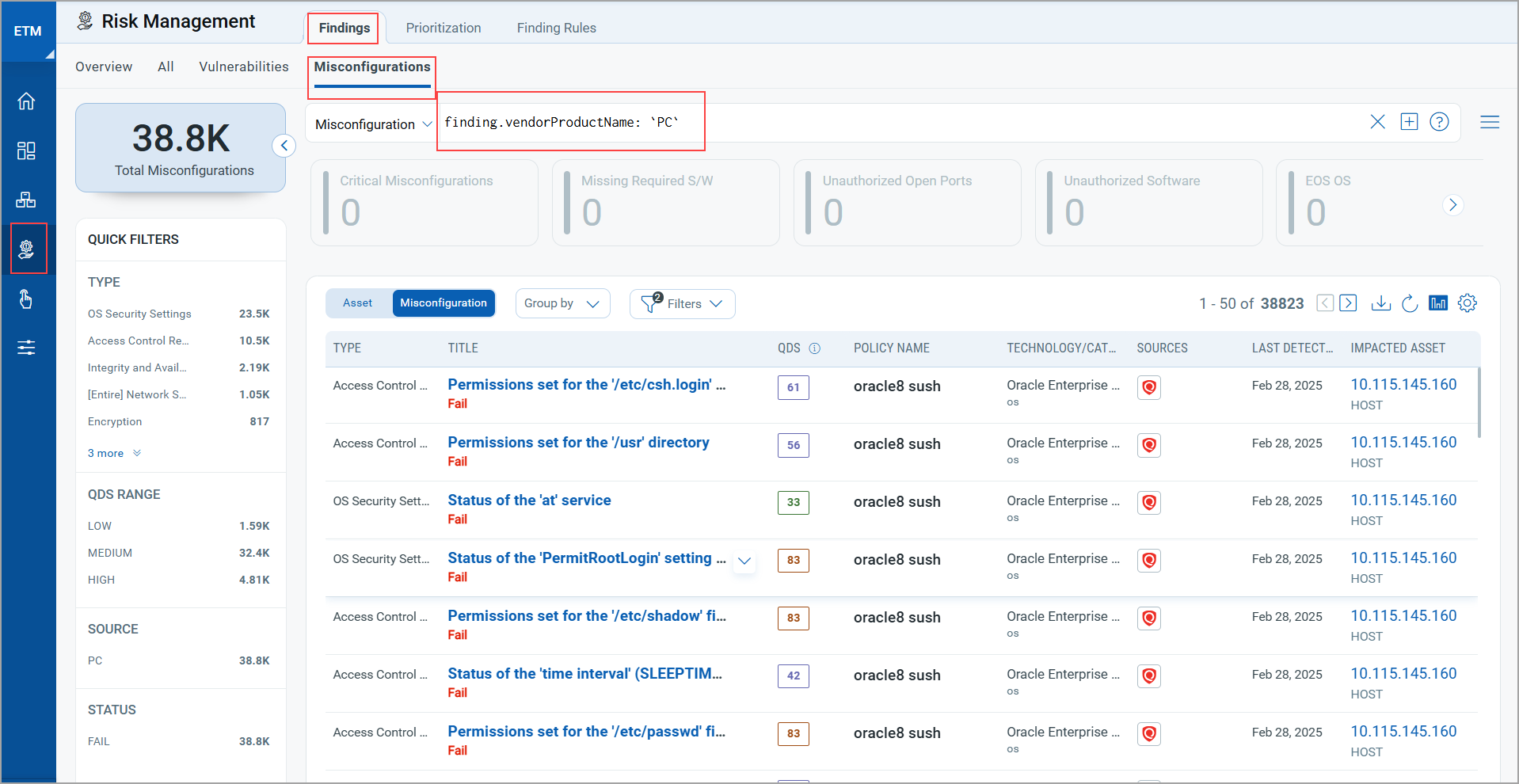
- To see the details of a misconfiguration, select it and click View Details from the Quick Actions menu. The details open in the tabs described below.
Summary
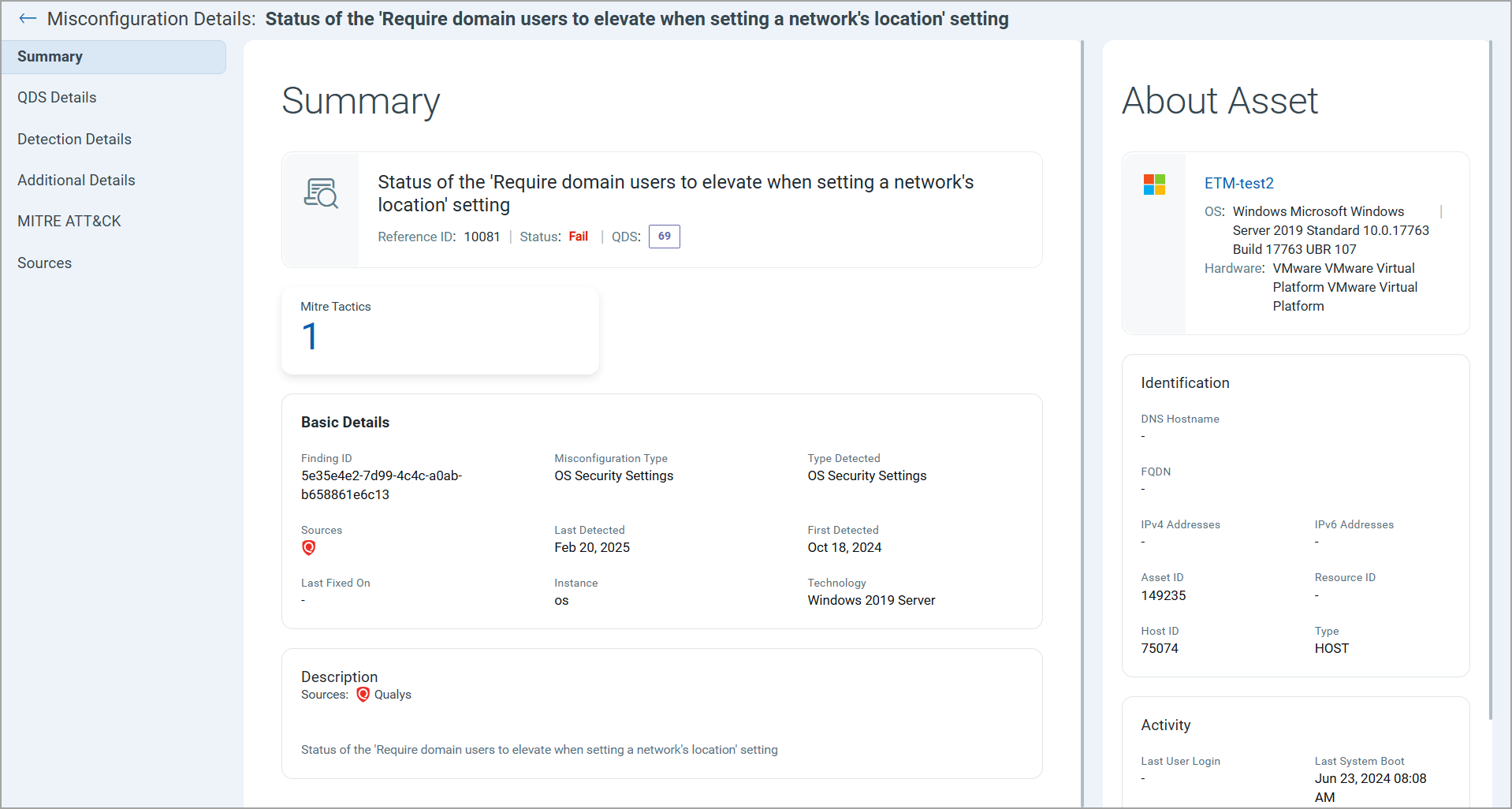
Your starting point for any finding. The Summary page collects Basic Details, Description, and asset Information such as Identification and Activity. Basic Details include the Finding ID and the Type Detected. You also see Sources, the first-detected and last-detected dates, instances, and the technology used.
QDS Details
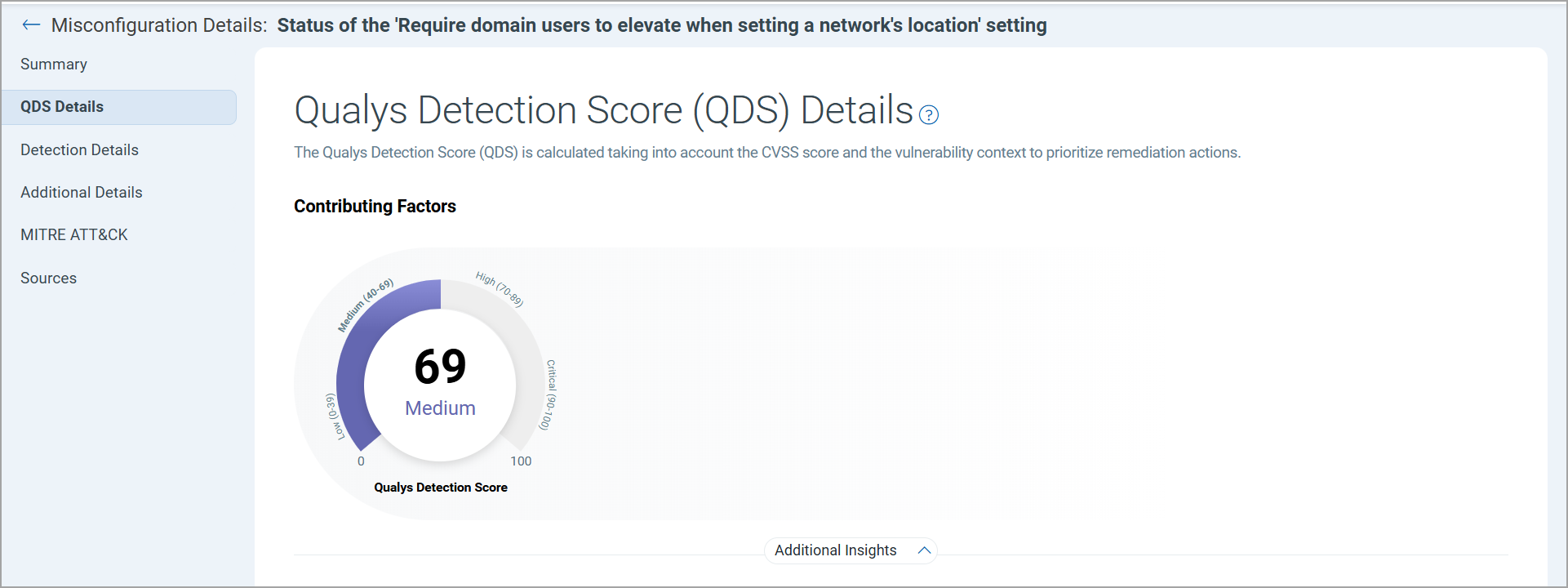
Explains why the finding scored the way it did. The Qualys Detection Score (QDS) Details tab shows the Contributing Factors behind the score, along with Additional Insights.
Detection Details
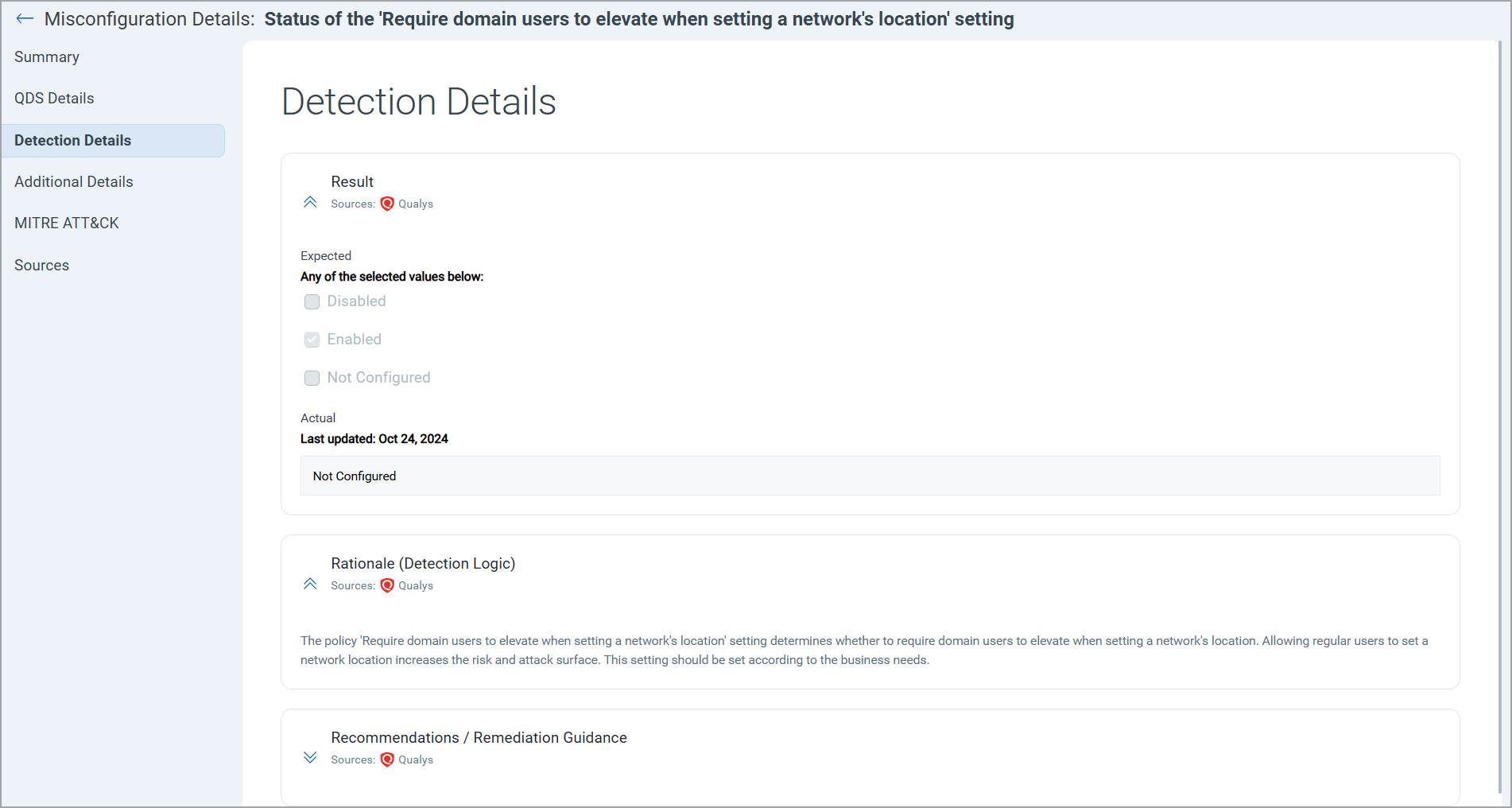
Shows what was found and what to do about it: the Result, the Rationale (detection logic), and Recommendations / Remediation Guidance.
Additional Details
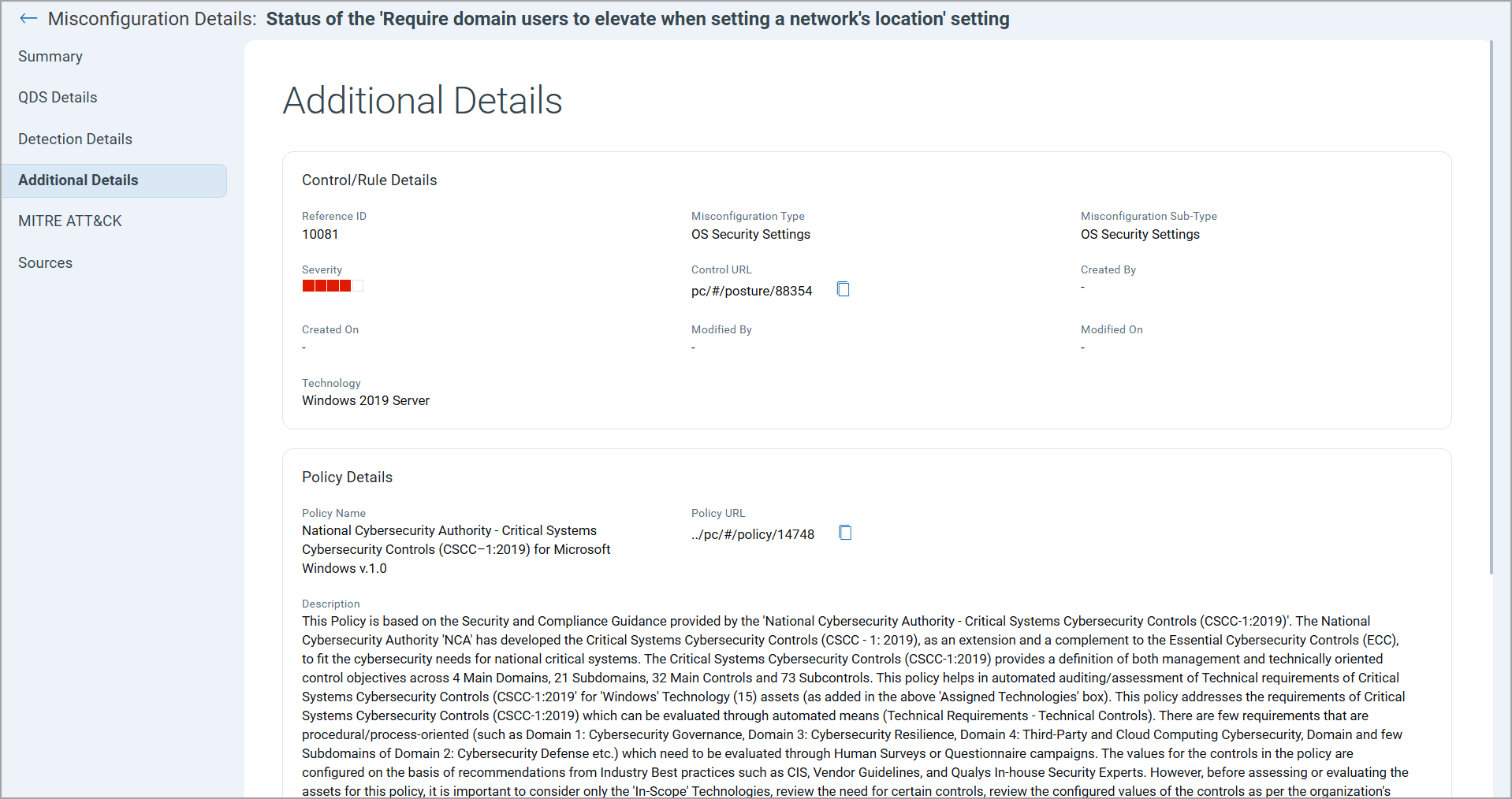
The detail you need when you act on the finding. Control/Rule Details list the Reference ID, Misconfiguration Type and sub type, Severity, and Control URL. The Policy Details section shows the Policy Name, Policy URL, Description, Evaluated On, and Created By.
MITRE ATT&CK
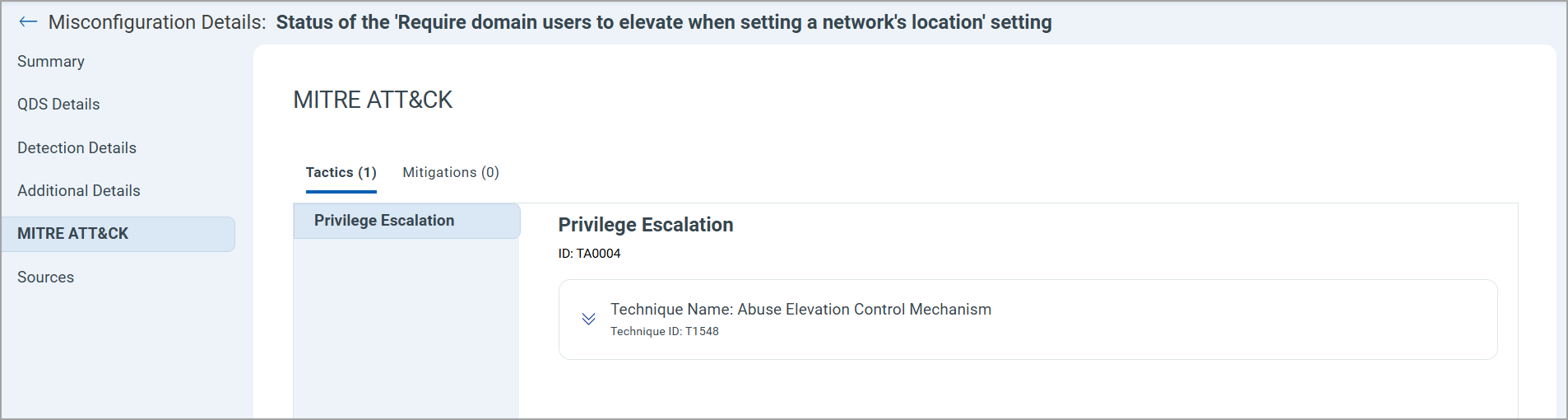
Connects the failed control to adversary behavior. The MITRE ATT&CK tab displays Tactics, such as Privilege Escalation, and Mitigations details with a list of names and IDs.
Sources
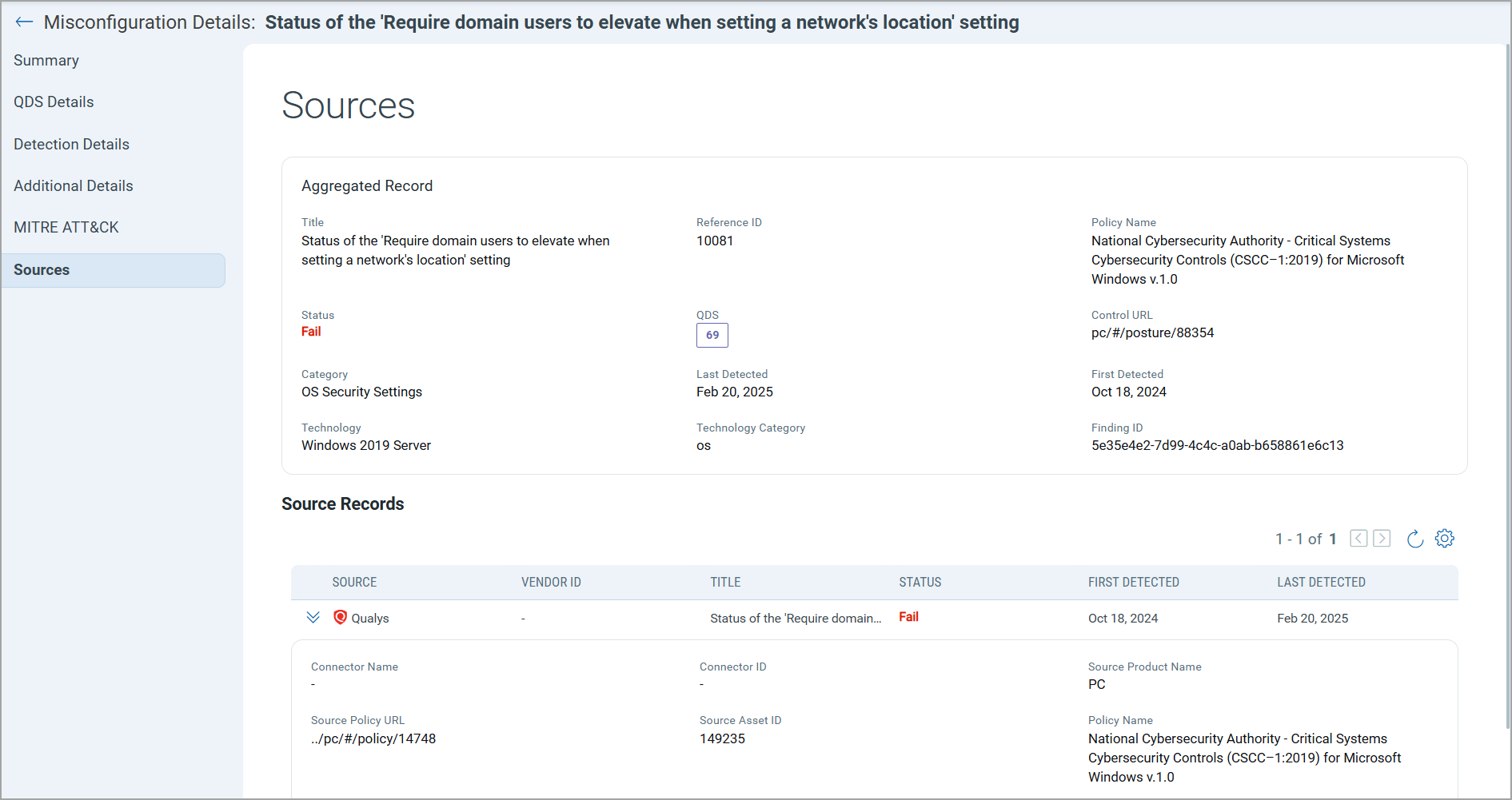
Traces the finding back to where it came from. The Sources tab shows Aggregated Records and Source Records, including Connector Name, Connector ID, Source Policy URL, Source Asset ID, Policy Name, Technology, and Technology Category.