Asset Criticality Score Prediction by AI
AI ACS assesses asset criticality automatically, so you do not have to rate every asset by hand. Manual assessment can be inconsistent and can overlook critical assets, which leaves risk unaccounted for.
The AI-based score gives you a dynamic and consistent way to identify and prioritize the assets that matter most to your organization.
Navigate to: Inventory > Assets > Host
Use this to
- Enable AI ACS for the untagged assets in your inventory.
- View the AI-based criticality score for an asset.
- See the TruRisk™ score that AI ACS produces.
Prerequisites
Your account needs a CSAM subscription.
This feature is available on request. Contact Qualys support to get this feature enabled.
Getting Started with AI ACS
Configure AI ACS in the CSAM application before you use it in ETM. AI ACS currently supports assets that are not tagged. Once the feature is enabled, the asset score shows that it is powered by AI ACS.
Review your tag coverage before you enable AI ACS. Assets that already carry a tag with a criticality score are not covered by AI ACS, so the prediction applies only to the untagged part of your inventory.
To turn on AI ACS and view the score:
- Open the CSAM application > Configuration.
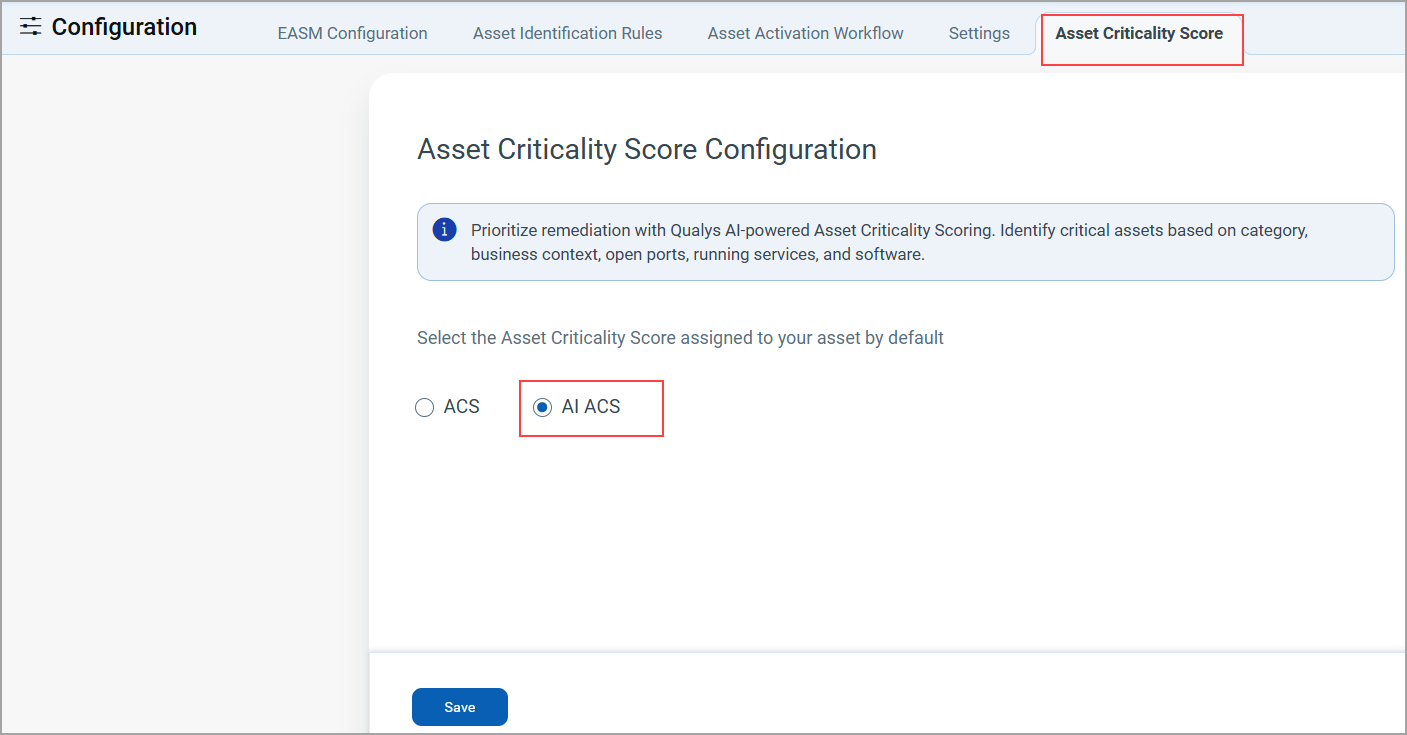
- Go to the Asset Criticality Score tab, choose AI ACS, and click Save.
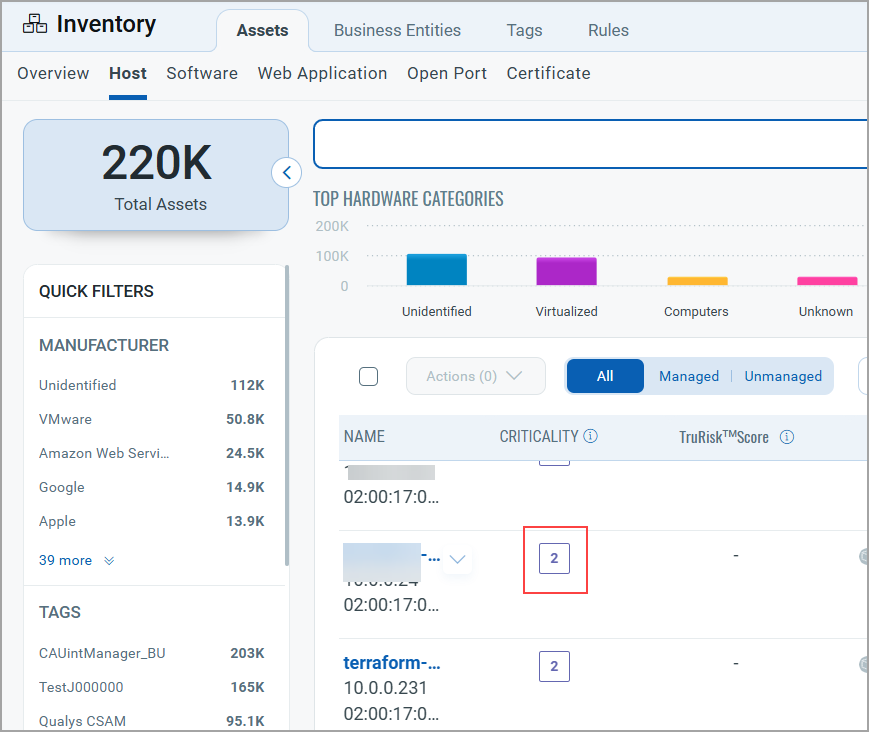
- Navigate to ETM application > Inventory tab > Assets > Host.
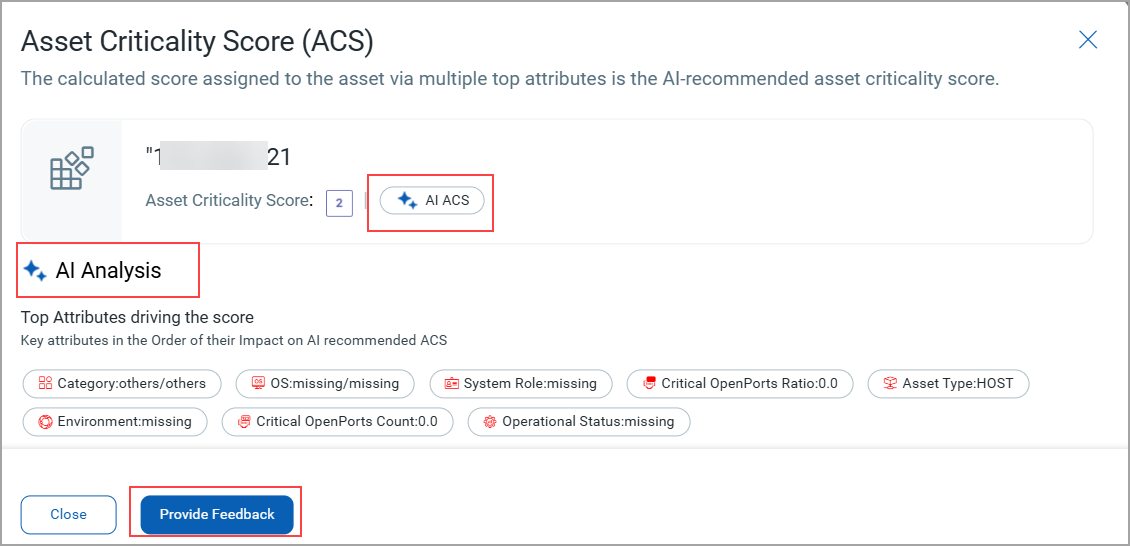
- Select the asset whose ACS score you want to view, and click the score shown next to the asset.
- (Optional) Provide feedback to improve the formula.
The TruRisk™ Score is calculated once a week. AI ACS is calculated after a week, once data is collected.
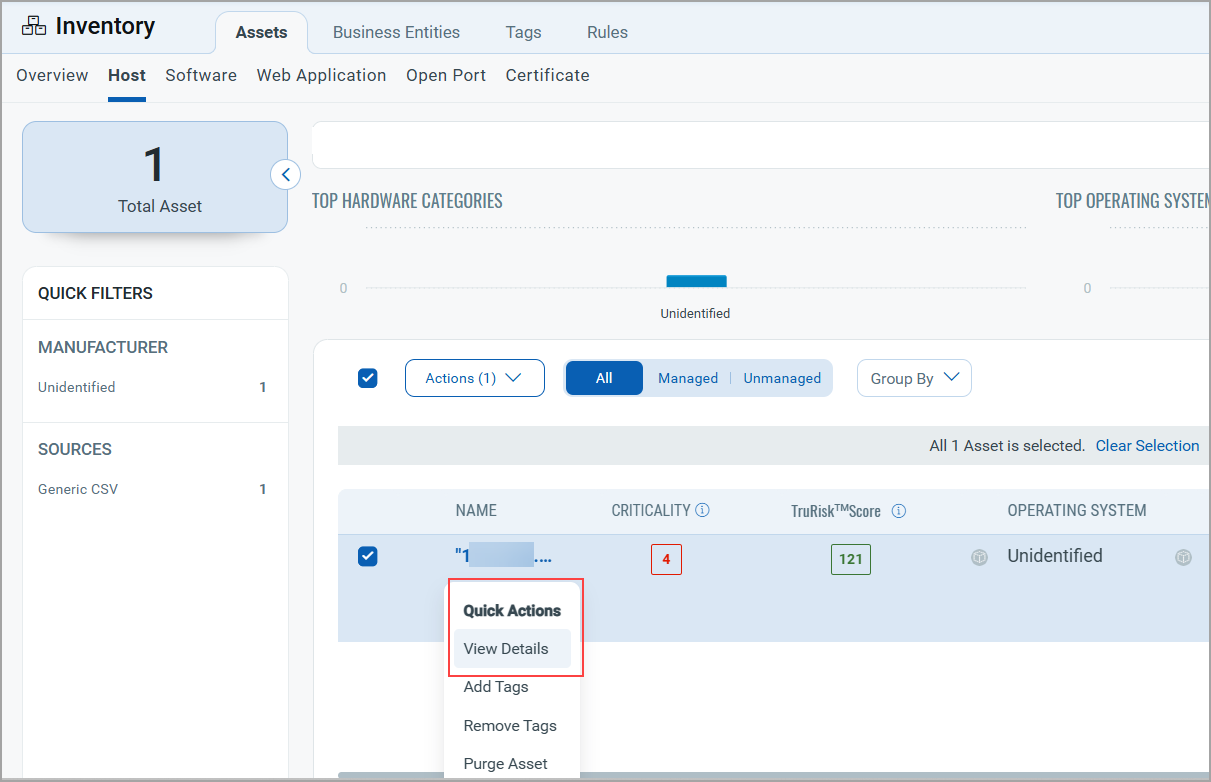
- To view the asset details, click View Details from the Quick Action menu of the asset.
- Go to the Security section, and click TruRisk™ Score.
The TruRisk™ Score is now based on AI ACS.
- To see the details of the formula, click Risk Calculation.
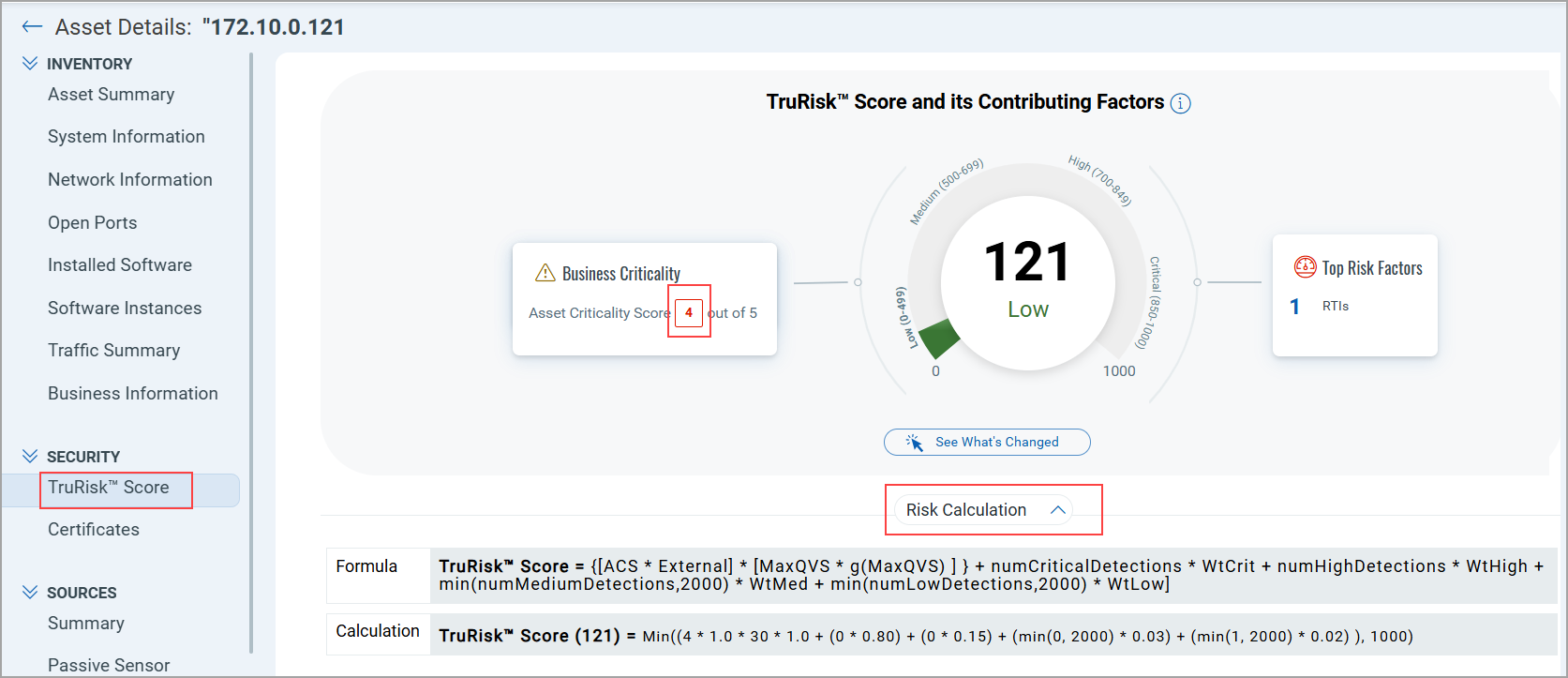
Activate or deactivate AI ACS at any time. The change takes effect during the next TruRisk™ score calculation cycle.
Plan any change to the AI ACS setting around the calculation cycle. Scores you see immediately after activating or deactivating the feature still reflect the previous cycle.