Service Account Key Authentication
Use Service Account Key authentication to allow the connector to securely access your Google Cloud Platform (GCP) resources. This method uses a GCP service account and its associated JSON key file to authenticate API requests. Provide the Project ID and upload the service account key file with the required permissions to enable the connector to discover and collect data from your GCP environment.
Project ID: Enter your project ID.
You can provide a distinct project ID for a GCP connector. You can use the same service account for multiple projects. As a result, you can create multiple GCP connectors with the same service account but distinct project IDs.
For detailed steps on using the same service account for multiple projects, see Assigning Service Account for Multiple Projects.
Configuration File: Create a service account and download the configuration file from the GCP console and then upload it to Qualys Cloud Platform.
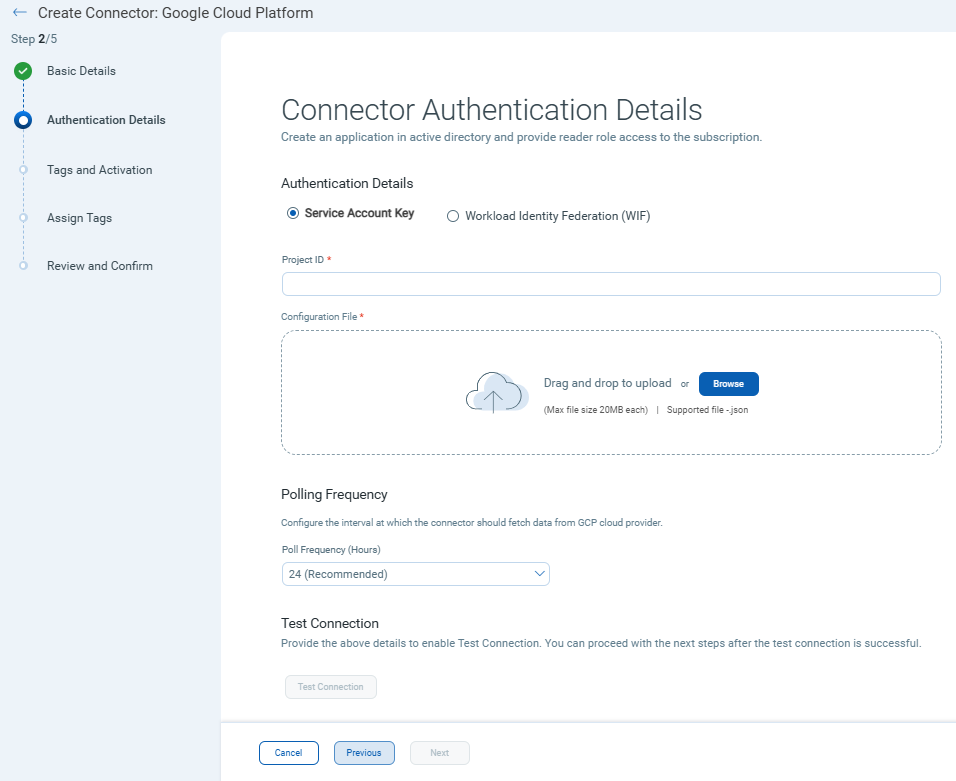
Ensure you have uploaded the configuration file with the correct project details for the connector to fetch resource details.