Workload Identity Federation for GCP Connectors
Qualys TotalCloud supports Workload Identity Federation (WIF) for GCP connectors. WIF allows TotalCloud to authenticate to GCP using short-lived federated tokens from a supported external Identity Provider (IDP), without requiring a GCP service account JSON key.
Prerequisites
Before configuring WIF for a GCP organization connector, ensure the following conditions are met:
- A supported external IDP is configured. Currently supported IDPs are Microsoft Entra ID and Okta.
- A GCP Workload Identity Pool and an OIDC provider that trusts the IDP are created in the GCP console.
- The WIF feature is enabled for your subscription under TotalCloud.
- At least one IDP entry is created and its status is active under Preferences > Identity Provider Configurations.
Configure the Identity Provider
If you have already completed this step for an individual GCP connector, you can reuse the same IDP entry. Proceed to Step 2.
- In TotalCloud, navigate to Preferences.
- Select the Identity Provider Configurations tab.
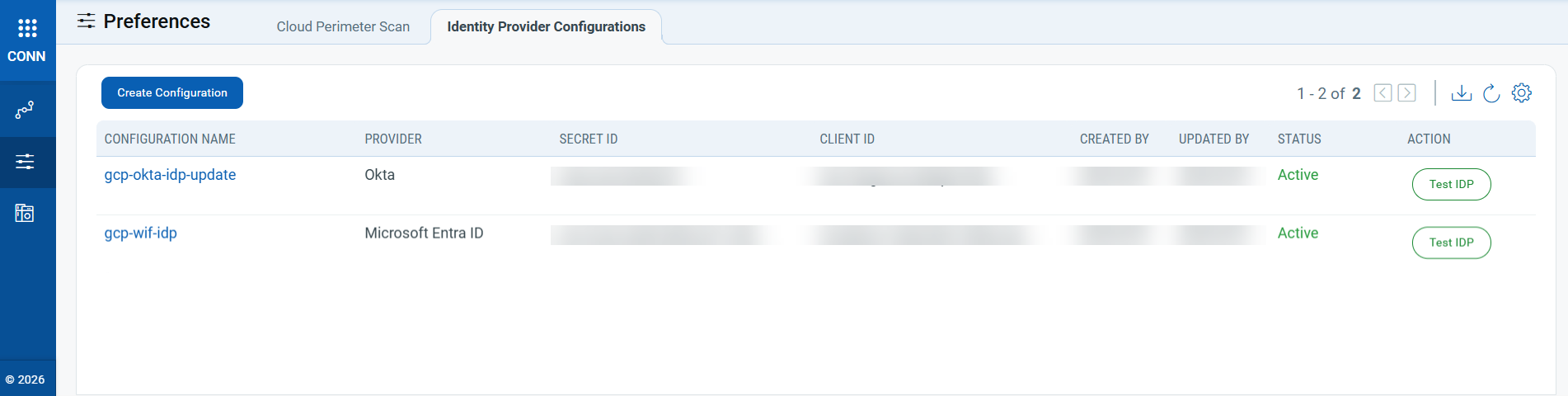
- Click Create to open the Create New WIF IDP Configuration form.
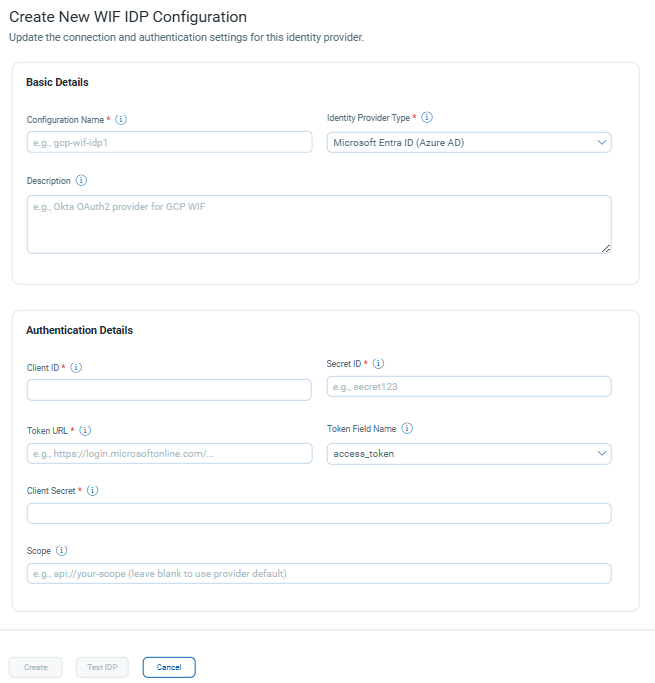
- Enter a configuration name.
- From the IDP list, select Microsoft Entra ID or Okta.
- Enter the following details from your IDP application:
- Client ID
- Secret ID
- Token URL
- Scope (mandatory for Okta)
- Click Test Credentials to validate the connection.
- Confirm that the status shows as active, then click Save.
Create or Edit the GCP Organization Connector
- Navigate to Connectors.
- To create a new connector, click Create Connector and select GCP Organization as the connector type. To update an existing Org connector, select the connector and click Edit.
- On the Authentication Details page, select Workload Identity Federation as the authentication method.
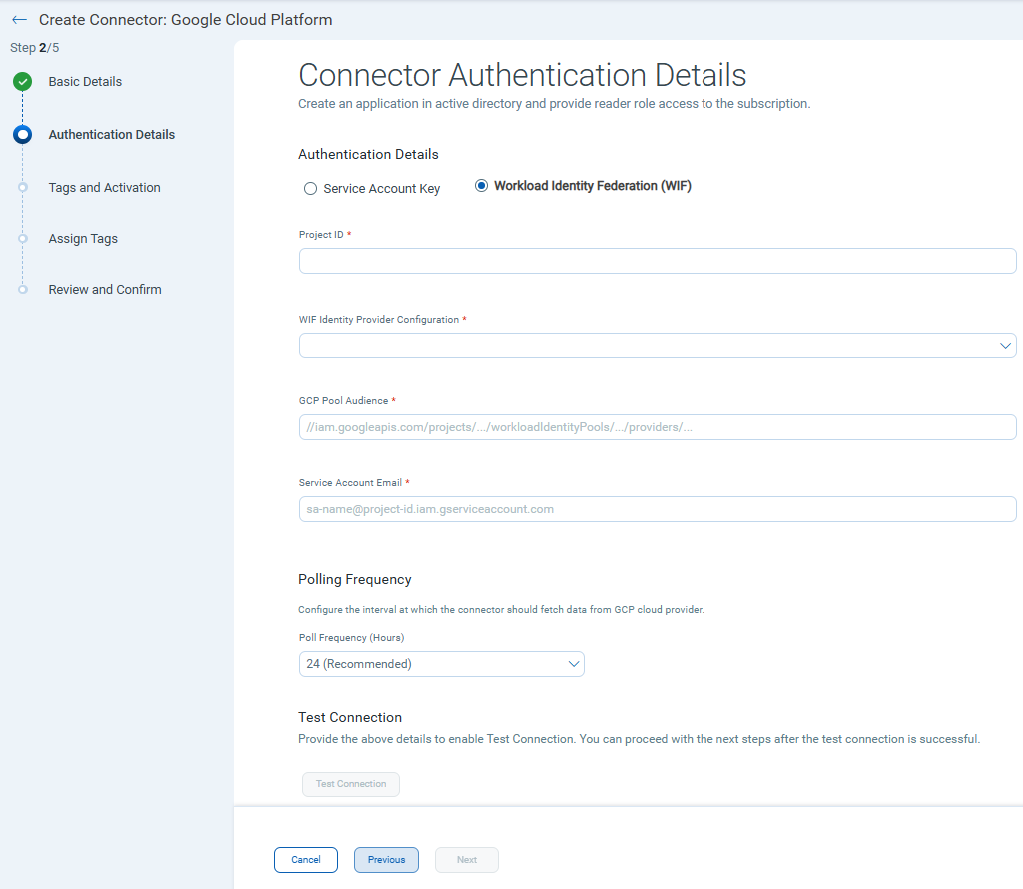
- From the Identity Provider list, select the IDP entry created previously.
- Enter the GCP Pool Audience value. Retrieve this value from the GCP console where the OIDC Workload Identity Pool is configured.
- Enter the Service Account Email. This is required if service account impersonation is enabled for the GCP project.
The GCP Organization connector uses the specified Service Account via the configured Workload Identity Federation (WIF) Pool. The projects and resources the connector can discover and assess are determined by the IAM roles granted to this Service Account at the Google Cloud Organization level. Ensure the Service Account has the appropriate organization-level IAM permissions to access the required resources.
- Click Test Connection to verify authentication.
- Continue through the remaining connector setup steps: enter project details, assign tags, review the configuration, and click Confirm.
Result
After configuration, the GCP organization connector authenticates to GCP using short-lived federated tokens issued by the configured IDP. No service account JSON key is stored or required. The connector functions identically to a standard Org connector for scanning.
Limitations
The following limitations apply to WIF for GCP organization connectors:
- Currently, Microsoft Entra ID and Okta are supported as IDPs.
- WIF is available for GCP connectors only. AWS and Azure connectors are not supported.
- A maximum of 10 IDP configurations per customer is allowed by default.
- Tokens are short-lived (approximately one hour) and are not cached across connector runs.