API Collection
An API Collection is a logical grouping of related API endpoints that are defined, managed, and consumed together as a single unit. It typically represents an application’s API surface described using a standard specification such as OpenAPI, where multiple endpoints share common properties like versioning, authentication methods, protocols, and business purpose. Instead of managing each API endpoint individually, an API collection provides a centralized view of all related endpoints, making it easier to understand how the APIs function together.
The API Collection tab provides API definitions that are logically grouped and managed together as a single unit.
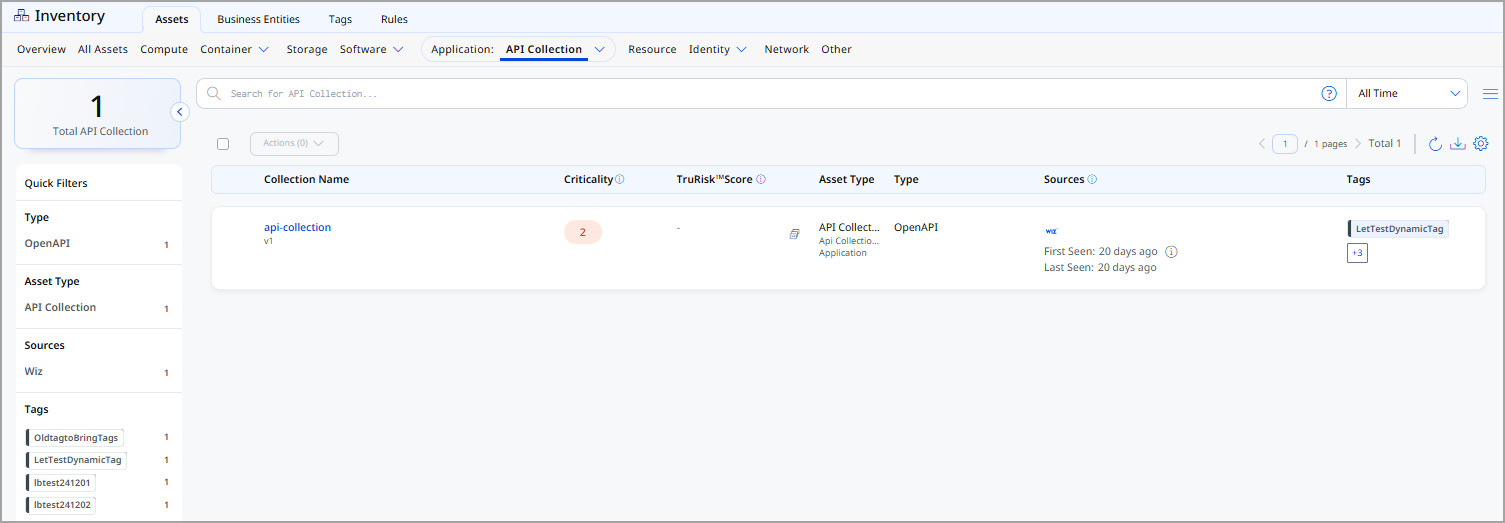
For each API collection, the following information is displayed:
| Column | Description |
|---|---|
| Collection Name | Name of the API collection. |
| Criticality | Business criticality assigned to the API collection. |
| TruRisk™ Score | The calculated TruRisk™ Score for the API collection. |
| Asset Type | Displays the asset type as API Collection. |
| Type | Specification used by the collection (for example, OpenAPI). |
| Sources | External or internal sources that identified the API collection, along with first and last seen timestamps. |
| Tags | Tags applied to the API collection for grouping, filtering, and governance. |
View API Collection Details
The API Collection Details page provides comprehensive information about a selected API collection, including its definition, cloud context, metadata, and additional attributes.
You can access this page by selecting an API Collection from Inventory > Application > API Collection.
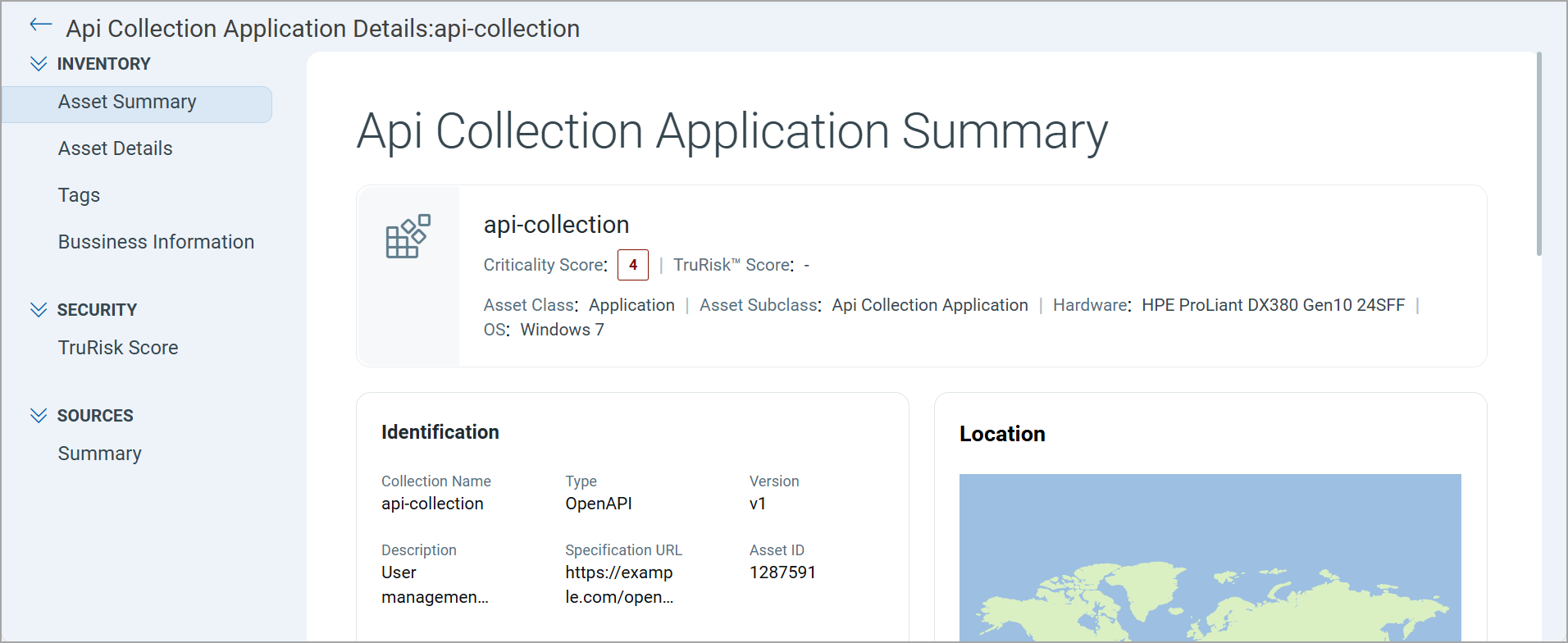
Expand the Inventory, Security, and Sources sections from the left pane and see various tabs under each section. To know more about the details you can see from these tabs, refer to the following topics:
Inventory Section
The Inventory section provides detailed information about the selected API collection.
The following tabs are available under the Inventory section:
The Asset Summary tab provides an overview of the selected API collection, consolidating its identity, risk posture, discovery details, and contextual metadata in a single view.
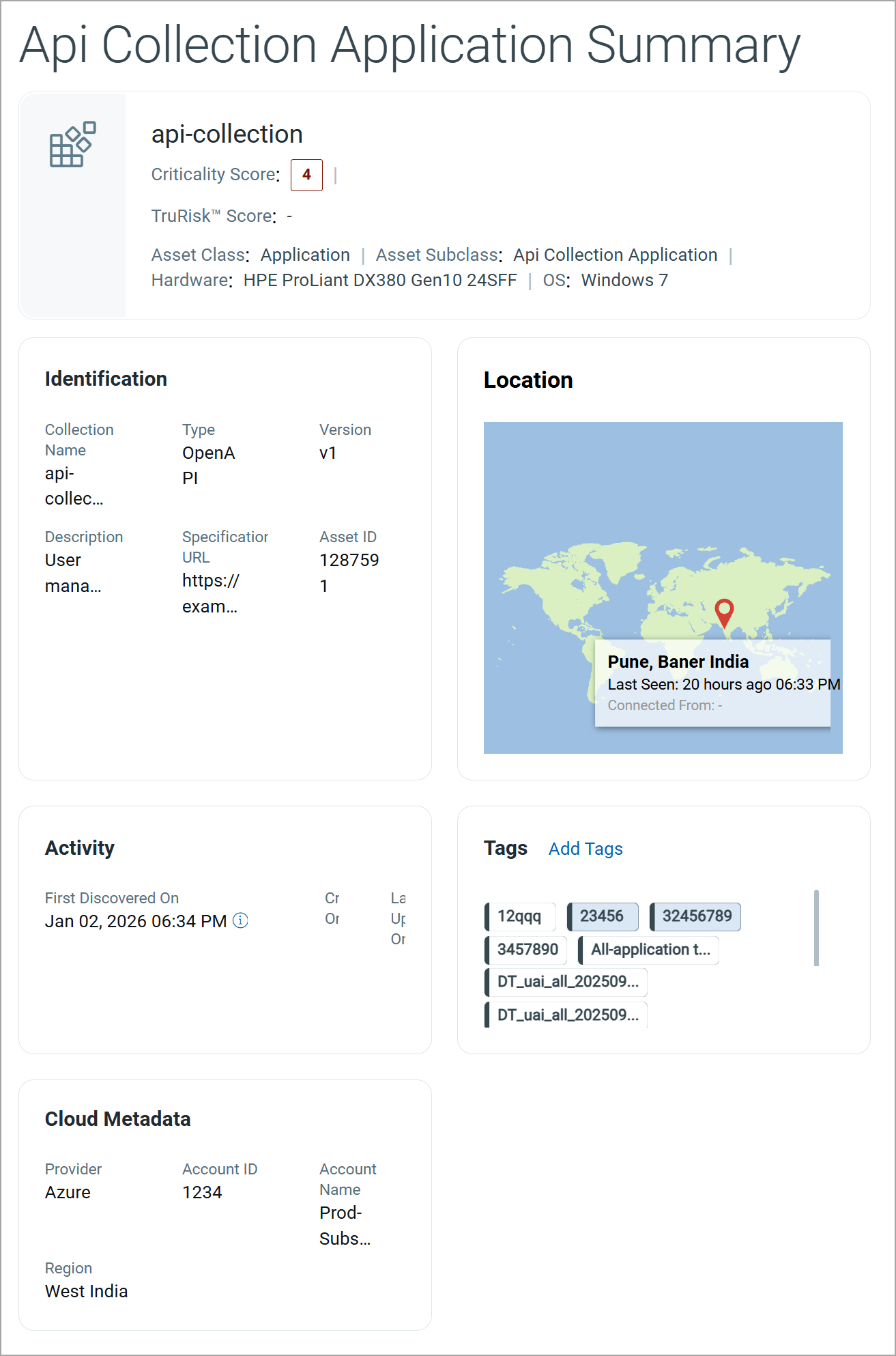
The summary includes:
| Field | Description |
|---|---|
| Collection Name | The name of the API collection. |
| Criticality Score | Indicates the business criticality assigned to the API collection. |
| TruRisk™ Score | Displays the calculated TruRisk™ score for the API collection. |
| Asset Class and Subclass | Shows the asset classification, including the asset class and its corresponding subclass. |
| Hardware and Operating System | Displays the hardware and operating system associated with the API endpoint. |
Identification
The Identification section displays key attributes used to identify the API collection.
| Field | Description |
|---|---|
| Collection Name | The name assigned to the API collection. |
| Type | The API specification format used to define the collection (for example, OpenAPI). |
| Version | The version of the API collection specification. |
| Description | A brief description of the API collection’s purpose and functionality. |
| Specification URL | The URL pointing to the API specification document (such as an OpenAPI definition). |
| Asset ID | The unique identifier assigned to the API collection. |
Location
The Location section displays the geographic location associated with the API collection, based on the discovery data.
This section includes:
- A map view indicating the last known location
- City, region, and country information
- Last Seen timestamp
Activity
The Activity section provides the following information on the API collection:
| Field | Description |
|---|---|
| First Discovered On | Date and time when the API collection was first identified. |
| Created On | Date and time when the asset record was created in the platform. |
| Last Updated On | Most recent date and time when the asset information was updated. |
Tags
The Tags section displays tags applied to the API collection.
You can:
- View existing tags applied to the API collection.
- Add new tags using Add Tags.
Cloud Metadata
If the API collection is associated with a cloud environment, the Cloud Metadata section displays cloud-specific details.
| Field | Description |
|---|---|
| Cloud Provider | Cloud service provider hosting the API collection. |
| Account ID | Cloud account identifier where the API collection resides. |
| Account Name | Name of the cloud account. |
| Region | Cloud region associated with the API collection. |
The Asset Details tab provides technical and contextual information about the selected API collection.
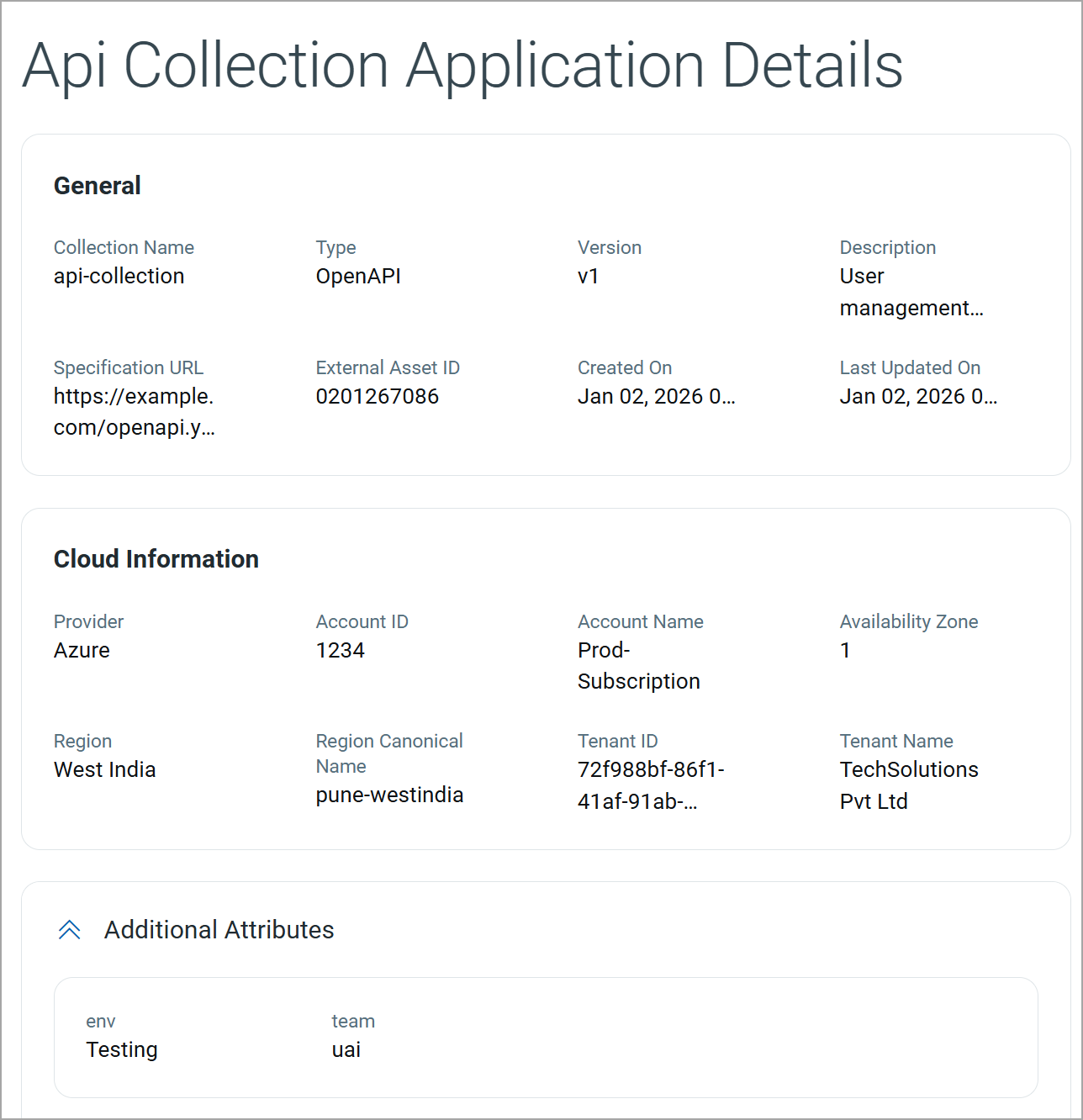
General
This section displays the identification and configuration details of the API collection.
| Field | Description |
|---|---|
| Collection Name | The name of the API collection. |
| Type | The specification format used to define the API collection (for example, OpenAPI). |
| Version | The version of the API collection specification. |
| Description | A brief description of the API collection and its functional purpose. |
| Specification URL | The URL pointing to the API specification file (for example, an OpenAPI YAML or JSON file). |
| External Asset ID | The unique identifier assigned to the API collection by an external source. |
| Created On | The date and time when the API collection asset was created in the system. |
| Last Updated On | The most recent date and time when the asset details were updated. |
Cloud Information
This section provides cloud-related metadata for the API collection when it is associated with a cloud environment.
| Field | Description |
|---|---|
| Provider | The cloud service provider hosting the API collection (for example, Azure). |
| Account ID | The identifier of the cloud account associated with the API collection. |
| Account Name | The name of the cloud account. |
| Availability Zone | The availability zone in which the API collection is hosted. |
| Region | The geographic region where the API collection is deployed. |
| Region Canonical Name | The standardized internal name of the cloud region. |
| Tenant ID | The unique identifier of the cloud tenant. |
| Tenant Name | The name of the organization or tenant that owns the cloud account. |
Additional Attributes
This section displays custom attributes associated with the API collection. These attributes are typically used for internal classification and governance.
| Attribute | Description |
|---|---|
| env | Indicates the environment in which the API collection operates (for example, Testing or Production). |
| team | Identifies the team responsible for managing or owning the API collection. |
The Tags tab displays all tags associated with the selected API collection. Tags are grouped into Internal Tags and External Tags based on their source and usage.
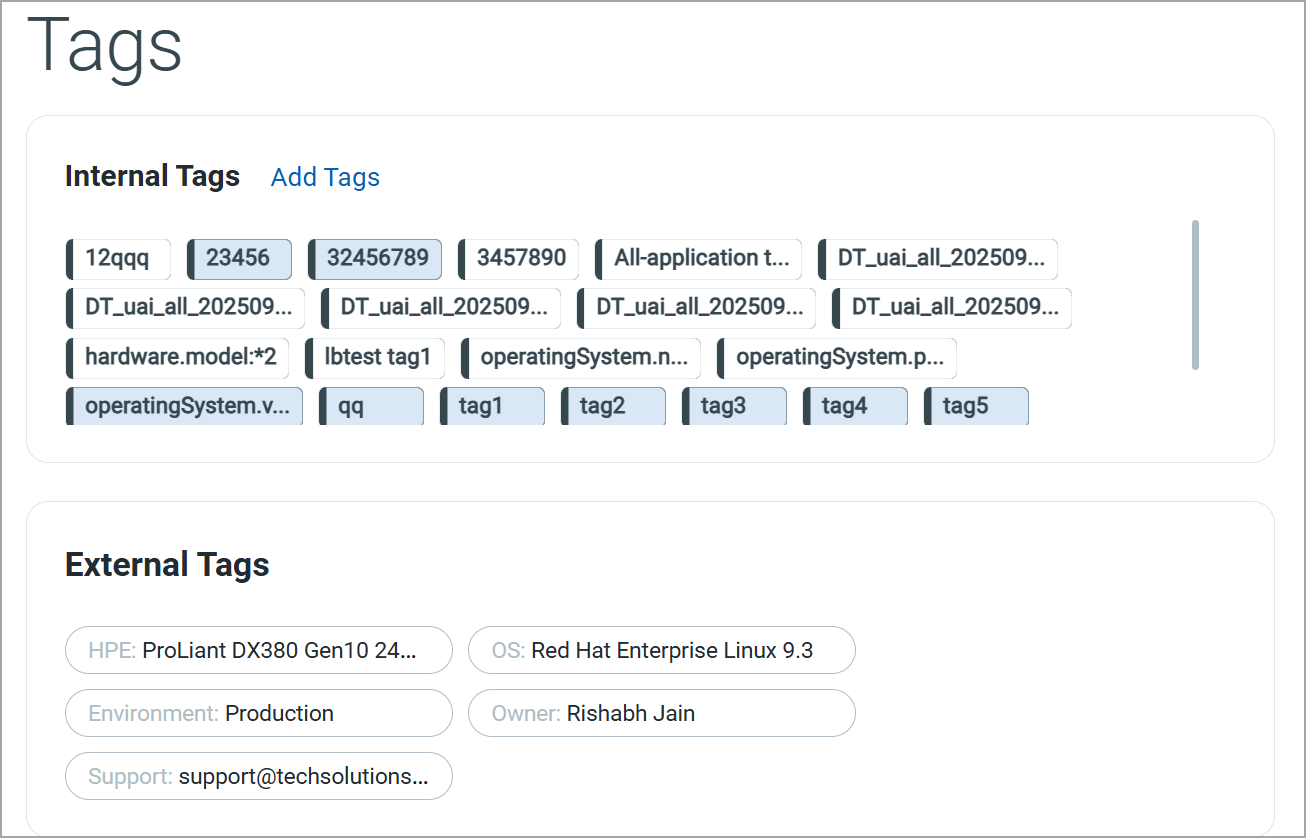
Internal Tags
Internal Tags are system-generated or user-defined tags.
You can add a new tag by clicking Add Tags.
External Tags
External Tags are tags inherited from external sources such as cloud providers, container platforms, or integrated third-party systems.
Business InformationBusiness Information
The Business Information tab captures organizational and operational context for the API collection. This information helps you understand ownership, usage environment, and support responsibilities for effective governance and accountability.
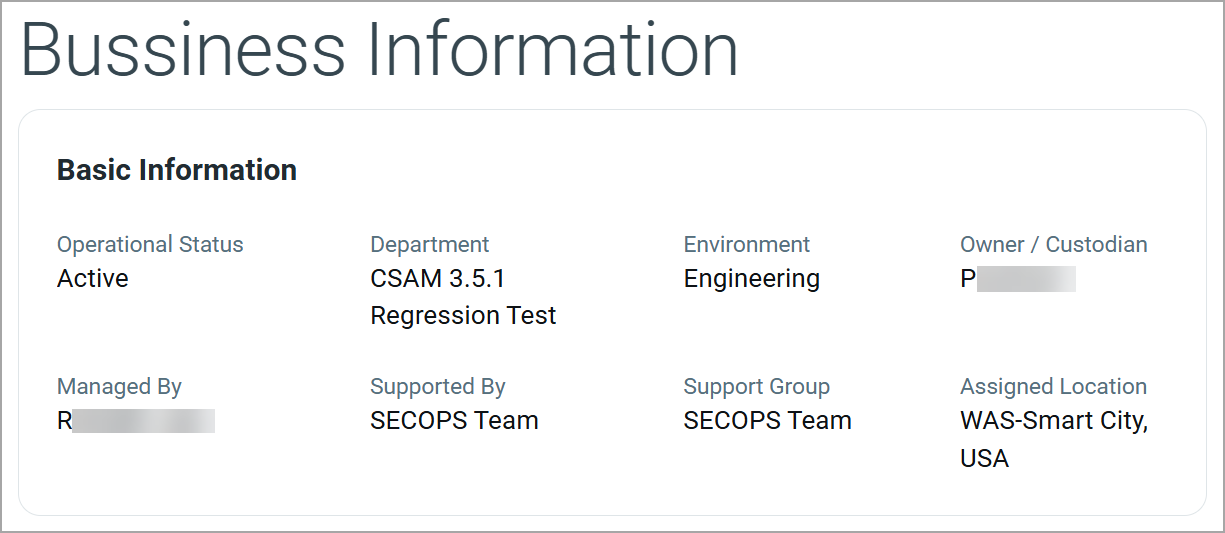
Basic Information
The Basic Information section displays key business and operational attributes associated with the API collection.
| Field | Description |
|---|---|
| Operational Status | Indicates the current operational state of the API collection. |
| Department | Department associated with the API collection, often reflecting the owning business function. |
| Environment | Deployment environment in which the API collection operates, such as Engineering, Production, or Testing. |
| Owner / Custodian | Primary owner or custodian responsible for the API collection. |
| Managed By | Individual user or team responsible for managing and maintaining the API collection. |
| Supported By | Support team for handling operational or technical issues. |
| Support Group | Organizational support group accountable for ongoing support and escalations. |
| Assigned Location | Business or operational location associated with the API collection. |
Security Section
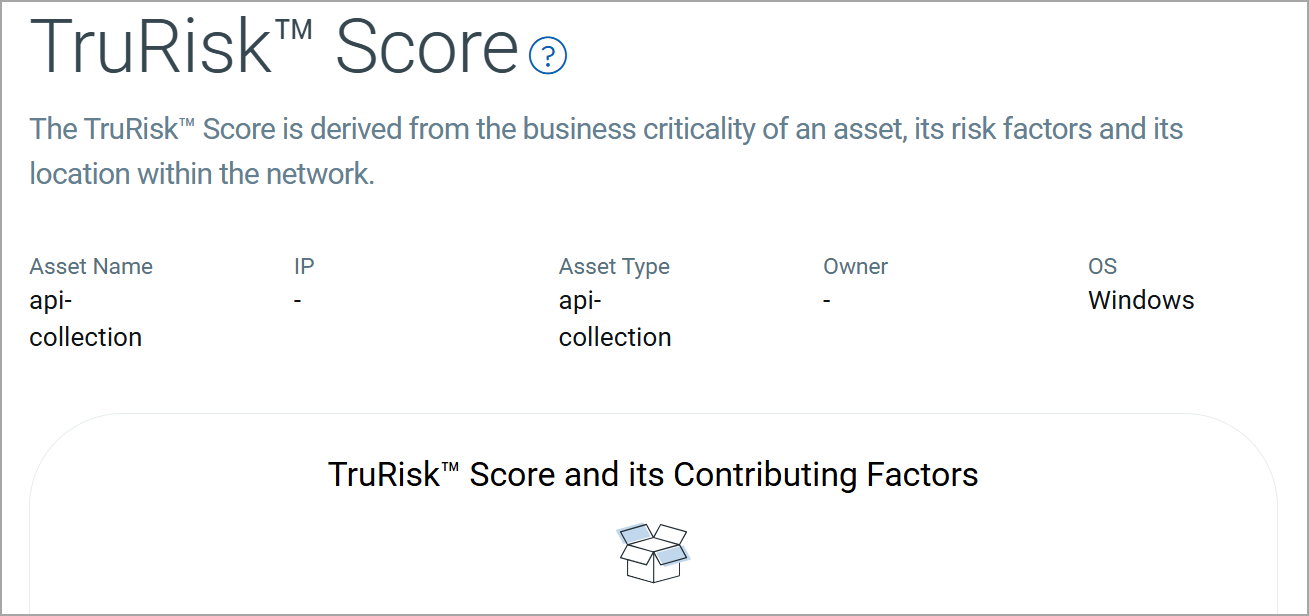
The Security section provides the security posture of the API collection using the TruRisk™ Score. It helps assess the overall risk by combining business criticality, exposure, and risk factors associated with the asset.
The following tab is available under the Security section:
The TruRisk™ Score provides a risk-based assessment of the API collection by aggregating multiple contributing factors. This score helps you understand the potential security impact within your environment.
Sources Section
The Sources section provides visibility into how and from where an API collection was discovered.
The following tab is available under the Sources section:
The Summary tab provides a consolidated view of all external and internal sources that discovered the API collection.
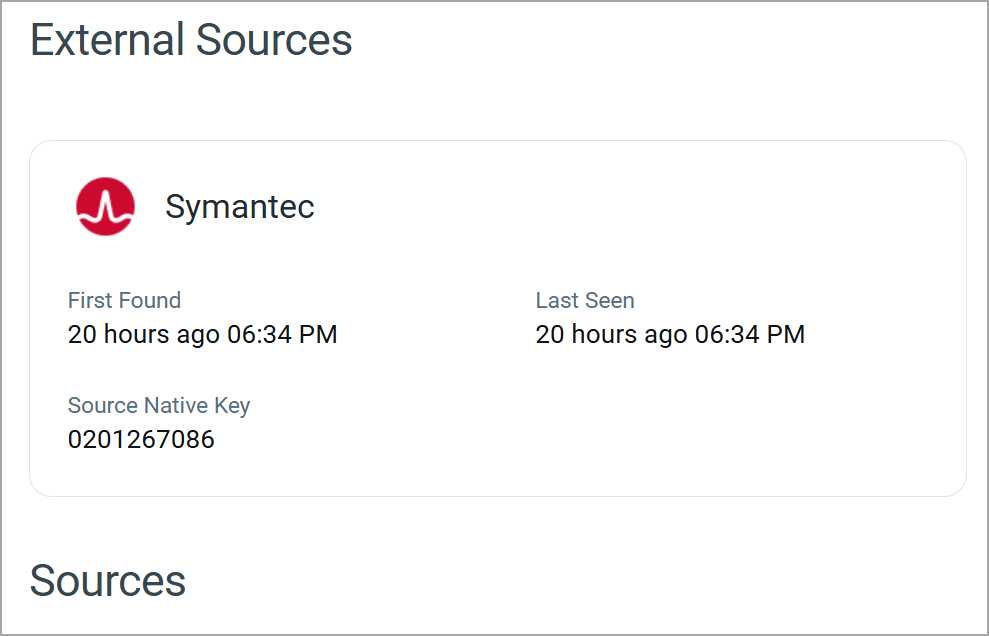
External Sources
The External Sources section displays details of third-party platforms or integrations that discovered the API collection.
For each external source, the following information is shown:
| Field | Description |
|---|---|
| Source Name | Name of the external platform or integration that detected the API collection. |
| First Found | Date and time when the API collection was first discovered by the external source. |
| Last Seen | Most recent date and time when the API collection was observed by the external source. |
| Source Native Key | Unique identifier assigned to the API collection by the external source. |
Sources
The Sources section lists all discovery sources associated with the API collection. It provides a high-level overview of how the asset is being tracked and updated.
Add or Remove Tags
You can manage tags of the API collection from the Quick Actions or Actions menu. For more information on managing tags, refer to Manage Asset Tags.
Download Repository List
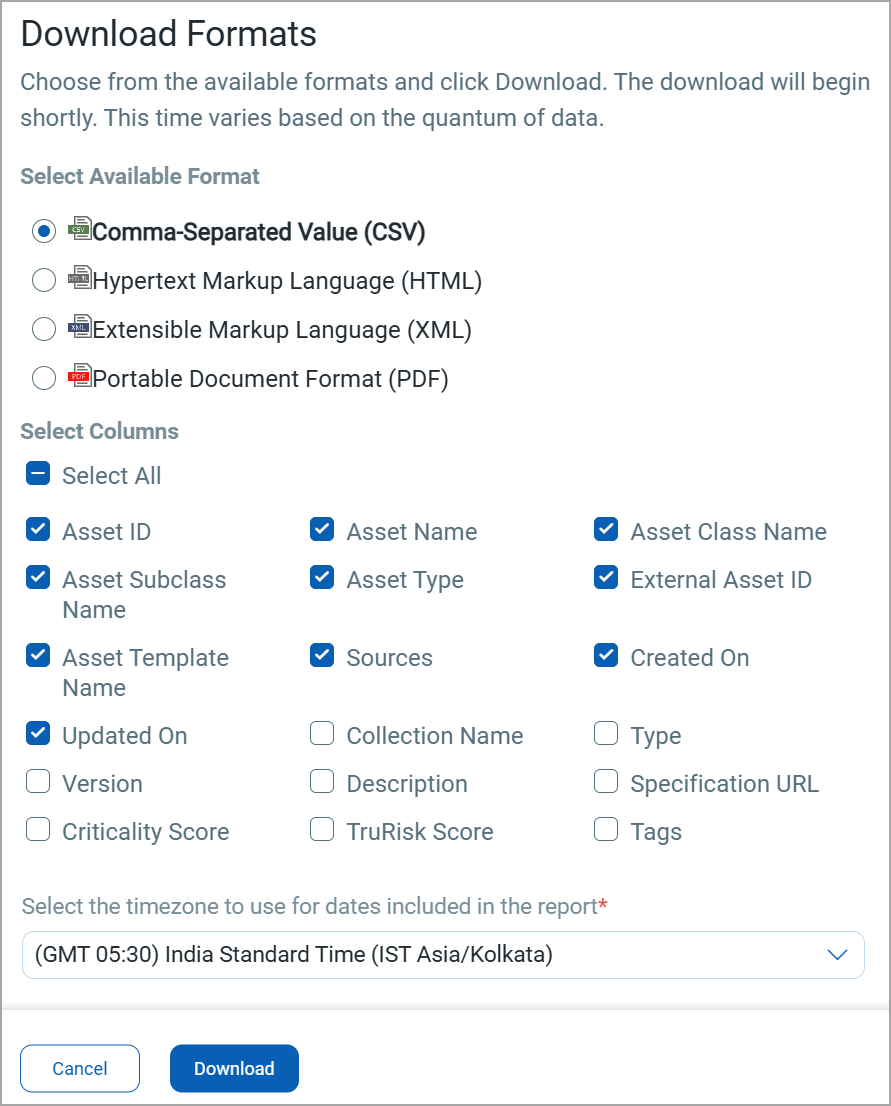
You can download the list of API collection in a report from the Application > API Collection tab in the following formats:
- Comma-Separated Value (CSV)
- Hypertext Markup Language (HTML)
- Extensible Markup Language (XML)
- Portable Document Format (PDF)
If you want to download the report in PDF format, you can select a maximum of 5 columns. If you select the Tags column, the report for up to 5,000 assets is downloaded.
To download, follow these steps:
- Click
 on the API Collection tab.
 - Select the download format and the columns you want in the report.
-
Select the timezone.
-
Click Download.