Repository
A repository refers to a centralized location where application-related artifacts are stored and managed. This includes source code repositories (such as Git-based repositories) that contain application code, configuration files, scripts, and version histories, as well as generic binary repositories that store compiled artifacts, including libraries, packages, container images, or build outputs.
The Repository tab provides all code and binary repositories discovered in your environment. This tab helps you identify, track, and manage repositories that support application development and delivery, such as source code repositories and generic binary repositories.
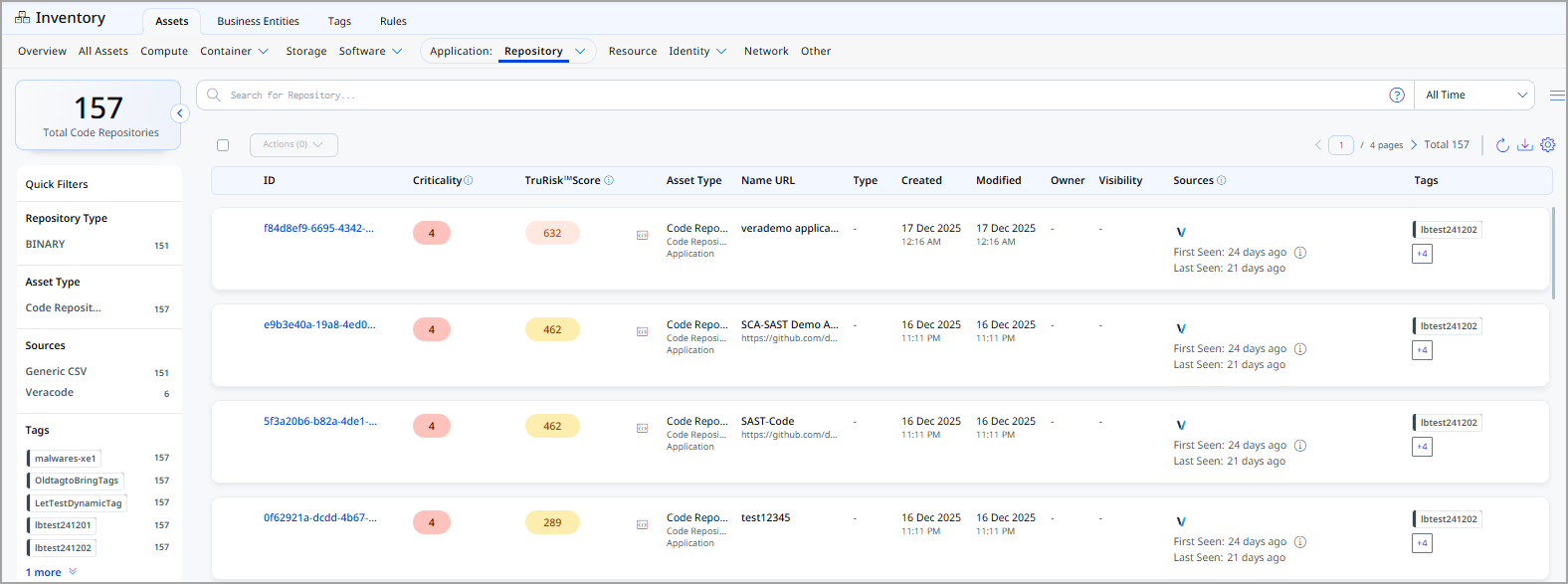
The following information is displayed for each repository:
| Column | Description |
|---|---|
| ID | A unique identifier assigned to the repository. |
| Criticality | Business criticality score assigned to the repository. |
| TruRisk™ Score | Risk-based TruRisk™ score for the repository. |
| Asset Type | Specifies the type of repository asset, such as Code Repository or Generic Binary Repository. |
| Name URL | Displays the repository name along with its source location or URL, helping identify where the repository is hosted (for example, a Git URL or binary storage path). |
| Type | Indicates the repository technology, such as Git, which defines how the repository is structured and accessed. |
| Created | The date and time when the repository was first created. |
| Modified | The most recent date and time when the repository metadata or content was updated. |
| Owner | The owner of the repository. |
| Visibility | Specifies whether the repository is Public or Private, indicating its accessibility and exposure level. |
| Sources | Shows the discovery source(s) from which the repository information was collected, along with first seen and last seen timestamps. |
| Tags | Displays tags associated with the repository. |
View Repository Details
The Repository Details page provides a comprehensive view of an individual repository asset and its associated metadata. This page helps you understand the repository’s business importance, ownership, location, security posture, and discovery sources.
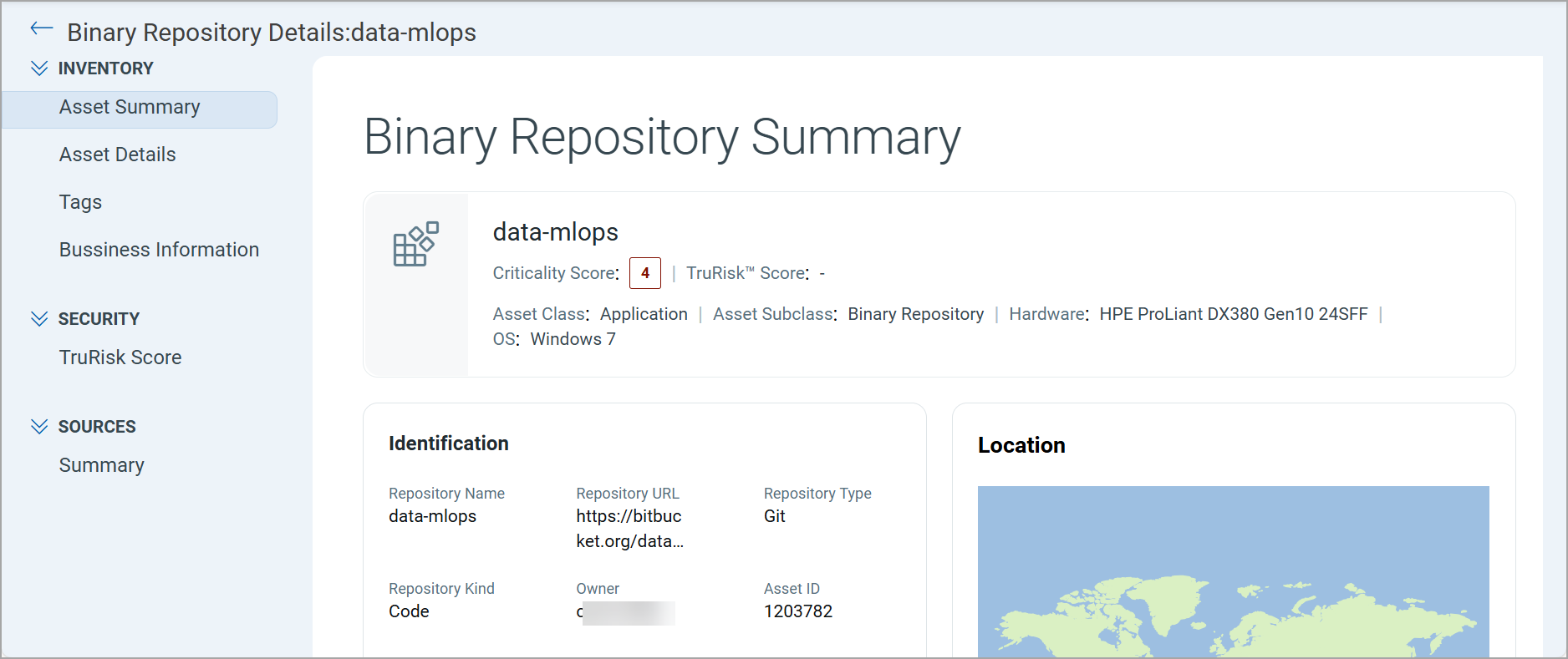
Expand the Inventory, Security, and Sources sections from the left pane and see various tabs under each section. To know more about the details you can see from these tabs, refer to the following topics:
Inventory Section
The Inventory section provides access to all inventory-related information for the selected repository asset.
The following tabs are available under the Inventory section:
The Asset Summary tab provides a high-level overview of the repository, including its name, criticality, TruRisk™ score (if available), asset class and subclass, and underlying platform details.
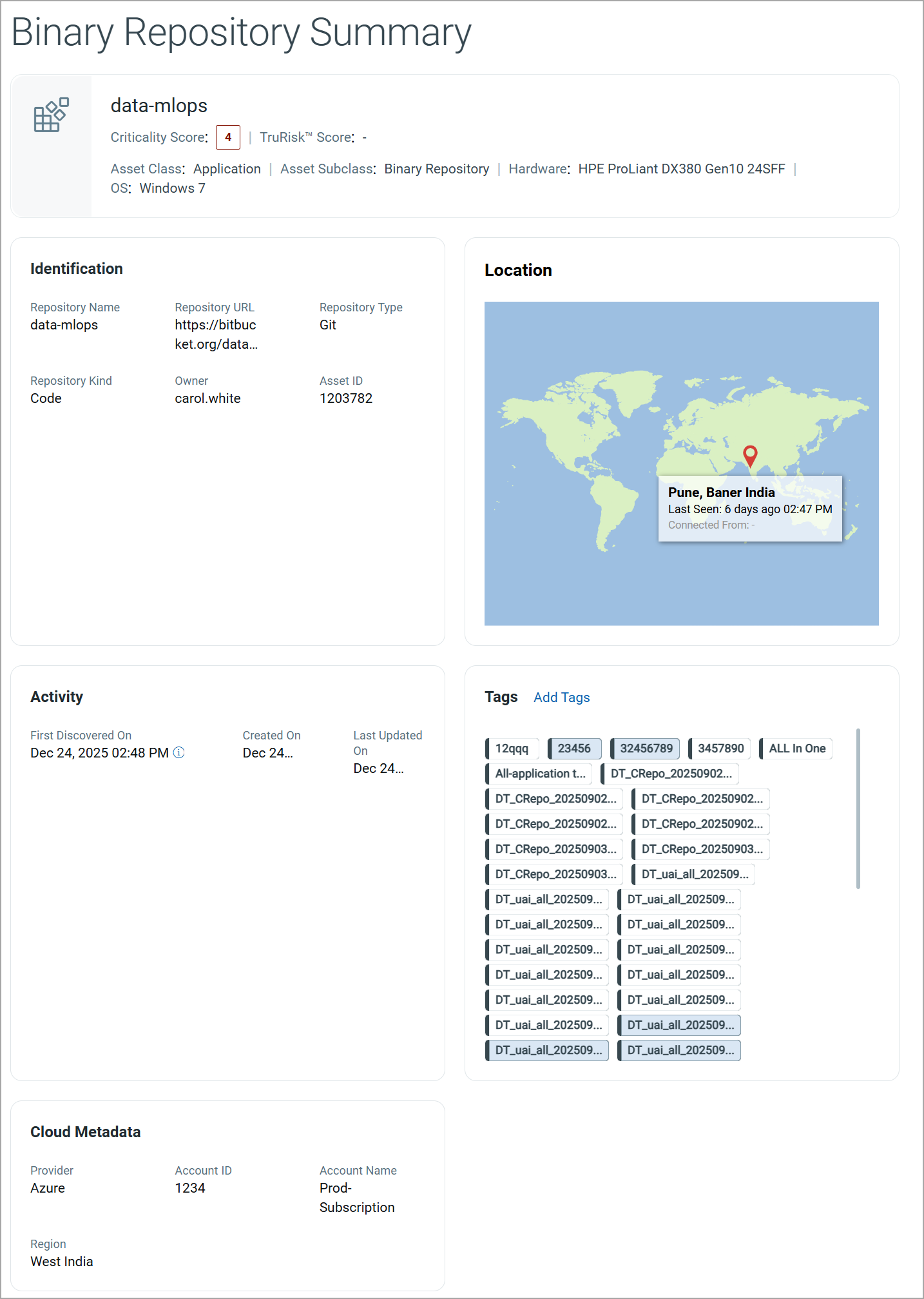
The repository summary includes:
| Field | Description |
|---|---|
| Repository Name | The name of the repository. |
| Criticality Score | Indicates the business criticality of the repository. |
| TruRisk™ Score | Displays the TruRisk™ score for the repository. |
| Asset Class and Subclass | Shows the asset classification, including the asset class and its corresponding subclass. |
| Hardware and Operating System | Displays the hardware and operating system associated with the repository. |
Identification
The Identification section displays key attributes used to uniquely identify the repository.
| Field | Description |
|---|---|
| Repository Name | The unique name assigned to the repository. |
| Repository URL | The URL or endpoint where the repository is hosted. |
| Repository Type | The repository technology. |
| Repository Kind | Indicates whether the repository is Code or Binary. |
| Owner | The owner of the repository. |
| Asset ID | A unique identifier assigned to the repository. |
Location
The Location section displays the geographical location associated with the repository based on discovery data.
This section includes:
- A map view indicating the last known location
- City, region, and country information
- Last Seen timestamp
Activity
The Activity section provides the following information on the repository:
| Field | Description |
|---|---|
| First Discovered On | The date and time when the repository was first detected by the system. |
| Created On | The date and time when the repository record was created in the inventory. |
| Last Updated On | The most recent date and time when the repository details were updated. |
Tags
The Tags section displays all tags associated with the repository.
You can:
- View existing tags applied to the repository
- Add new tags using Add Tags.
Cloud Metadata
If the repository is associated with a cloud environment, the Cloud Metadata section displays cloud-specific details.
| Field | Description |
|---|---|
| Provider | The cloud provider hosting the repository, if applicable. |
| Account ID | The cloud account identifier associated with the repository. |
| Account Name | The name of the cloud account. |
| Region | The geographical region where the repository is hosted. |
The Asset Details tab provides technical and contextual information about the selected repository.
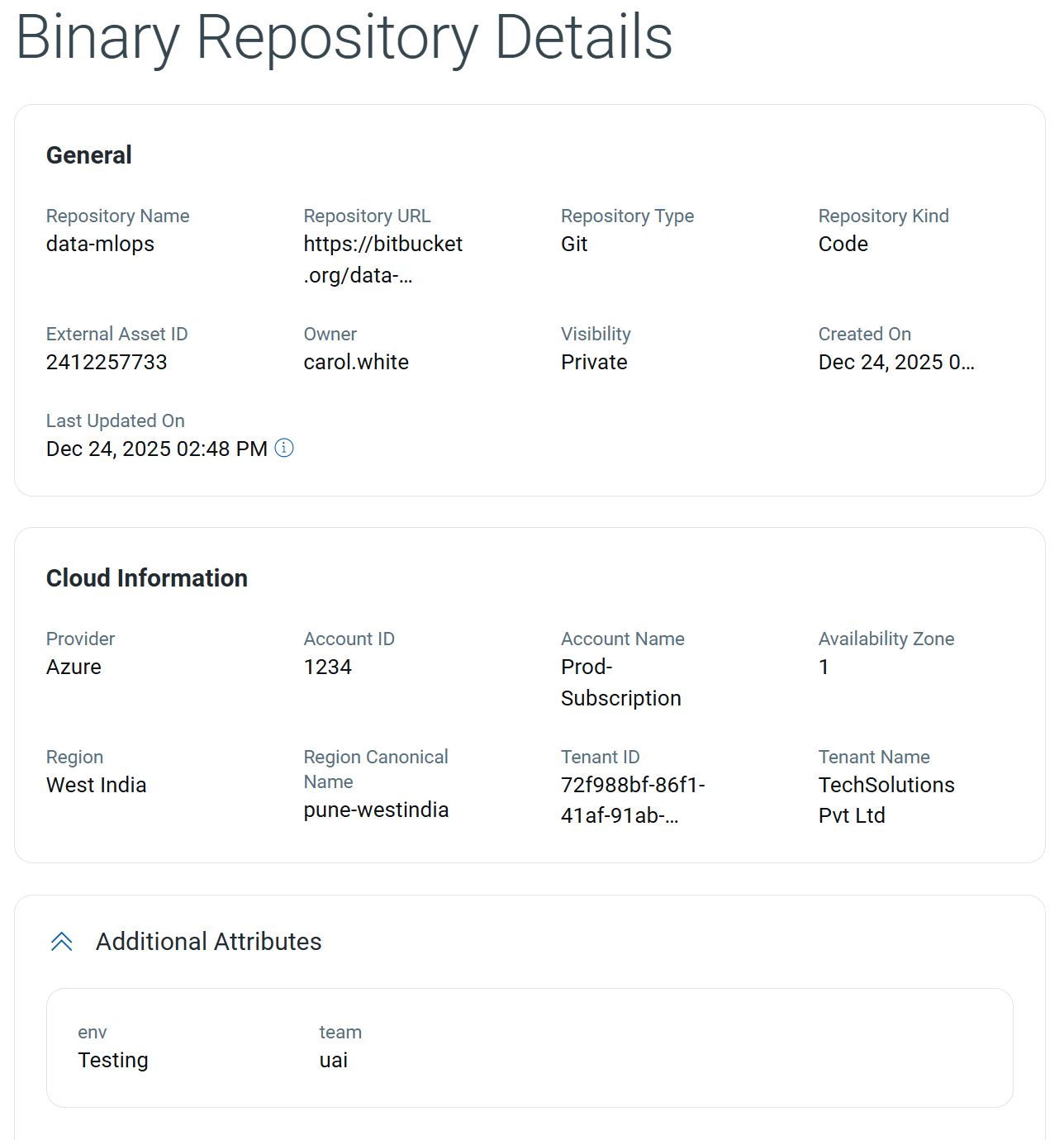
General
This section displays the identification and configuration details of the repository.
| Field | Description |
|---|---|
| Repository Name | The name of the repository. |
| Repository URL | The URL or endpoint where the repository is hosted. |
| Repository Type | The repository technology. |
| Repository Kind | Indicates whether the repository is Code or Binary. |
| External Asset ID | The unique identifier assigned by the external source from which the repository was discovered. |
| Owner | The owner of the repository. |
| Visibility | Displays whether the repository is Public or Private. |
| Created On | The date and time when the repository was created. |
| Last Updated On | The most recent date and time when the repository details were updated. |
Cloud Information
This section provides cloud-related metadata for the repository when it is associated with a cloud environment.
| Field | Description |
|---|---|
| Provider | The cloud provider hosting the repository. |
| Account ID | The unique identifier of the cloud account associated with the repository. |
| Account Name | The name of the cloud account. |
| Availability Zone | The availability zone where the repository is hosted. |
| Region | The geographical region of the cloud environment. |
| Region Canonical Name | The canonical name of the cloud region. |
| Tenant ID | The unique identifier of the cloud tenant. |
| Tenant Name | The name of the cloud tenant or organization. |
Additional Attributes
This section displays custom attributes associated with the repository. These attributes are typically used for internal classification and governance.
| Field | Description |
|---|---|
| env | Indicates the environment associated with the repository, such as Testing or Production. |
| team | Specifies the team responsible for the repository. |
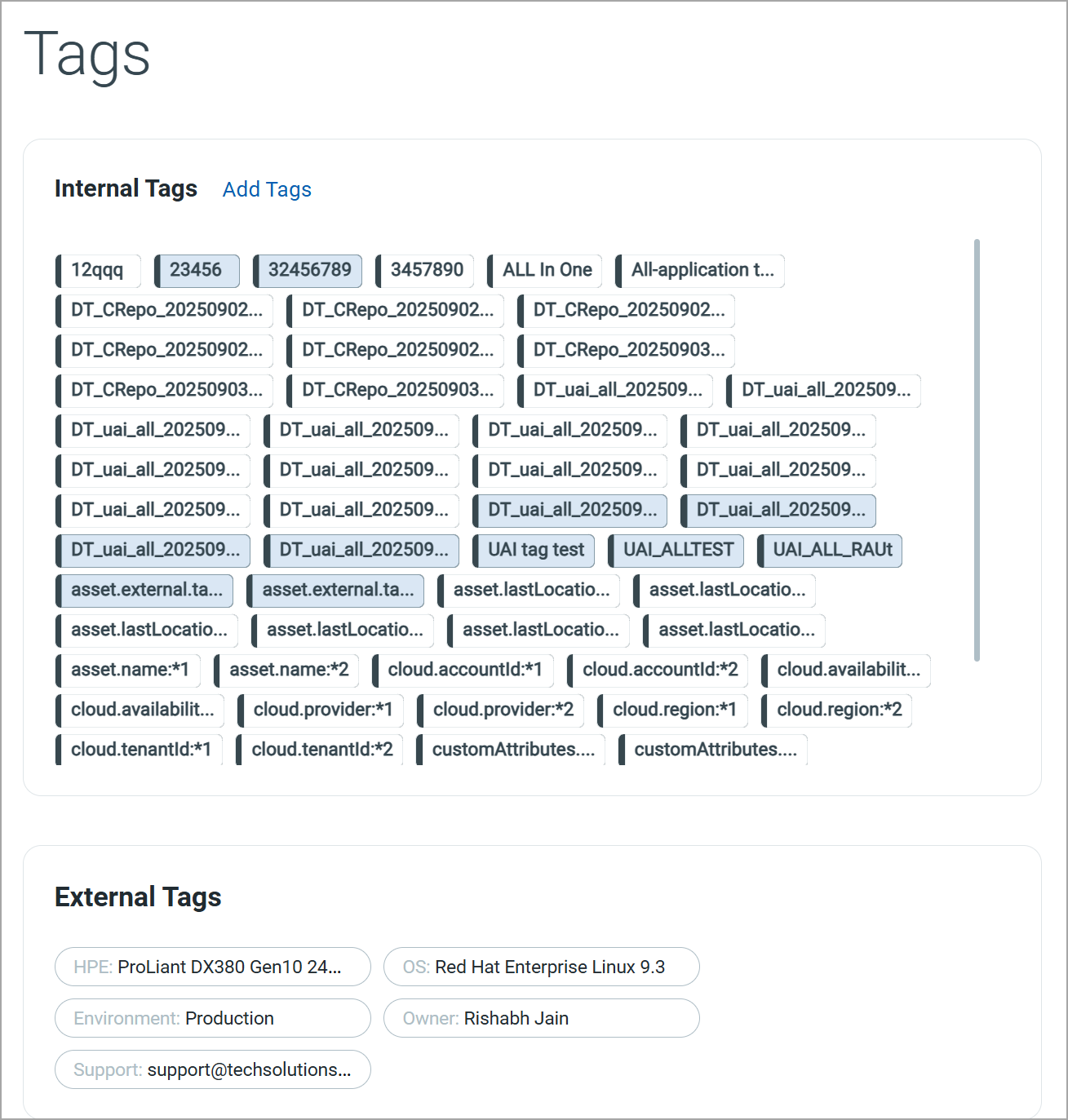
The Tags tab displays all tags associated with the selected repository. Tags are grouped into Internal Tags and External Tags based on their source and usage.
Internal Tags
Internal Tags are system-generated or user-defined tags. These tags are commonly used for asset organization, dynamic asset grouping, and policy enforcement.
You can add a new tag by clicking Add Tags.
External Tags
External Tags are tags inherited from external sources such as cloud providers, container platforms, or integrated third-party systems.
Business InformationBusiness Information
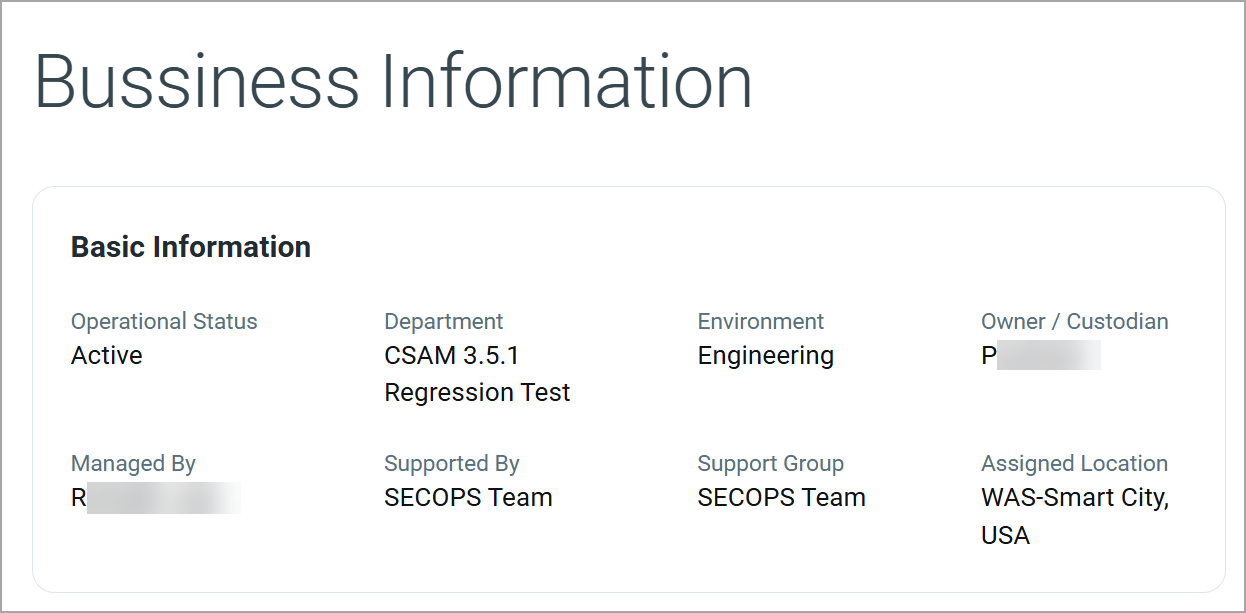
The Business Information tab provides contextual details for the selected repository. This information helps organizations understand the operational purpose of the repository, identify responsible teams, and align the asset with business functions and locations.
Basic Information
The Basic Information section displays key business and operational attributes associated with the repository.
| Field | Description |
|---|---|
| Operational Status | Indicates the current operational state of the repository, such as Active or Inactive. |
| Department | Identifies the department or business unit responsible for the repository. |
| Environment | Specifies the environment in which the repository is used. |
| Owner / Custodian | The individual accountable for the repository from a business perspective. |
| Managed By | Individual or team responsible for managing the repository. |
| Supported By | Identifies the support team responsible for handling operational or technical issues. |
| Support Group | Displays the support group associated with the repository for escalation and troubleshooting. |
| Assigned Location | Indicates the business or geographic location to which the repository is assigned. |
Security Section
The Security section provides risk and security-related insights for repositories. This section helps you assess the security posture of the application and prioritize remediation efforts based on risk indicators.
The following tab is available under the Security section:
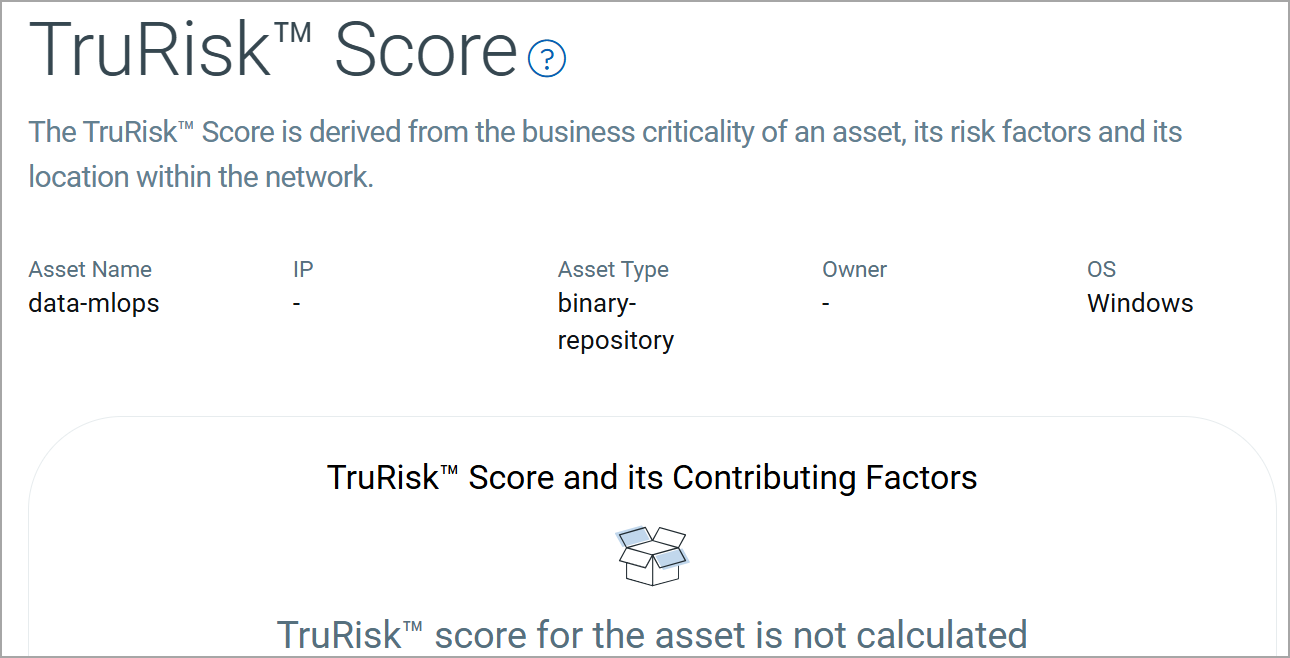
The TruRisk™ Score provides a risk-based assessment of the repository by aggregating multiple contributing factors. This score helps you understand the potential security impact of the repository within your environment.
Sources Section
The Sources section provides visibility into how and from where a repository was discovered.
The following tab is available under the Sources section:
The Summary tab provides a consolidated view of all external and internal sources that discovered the repository.
External Sources
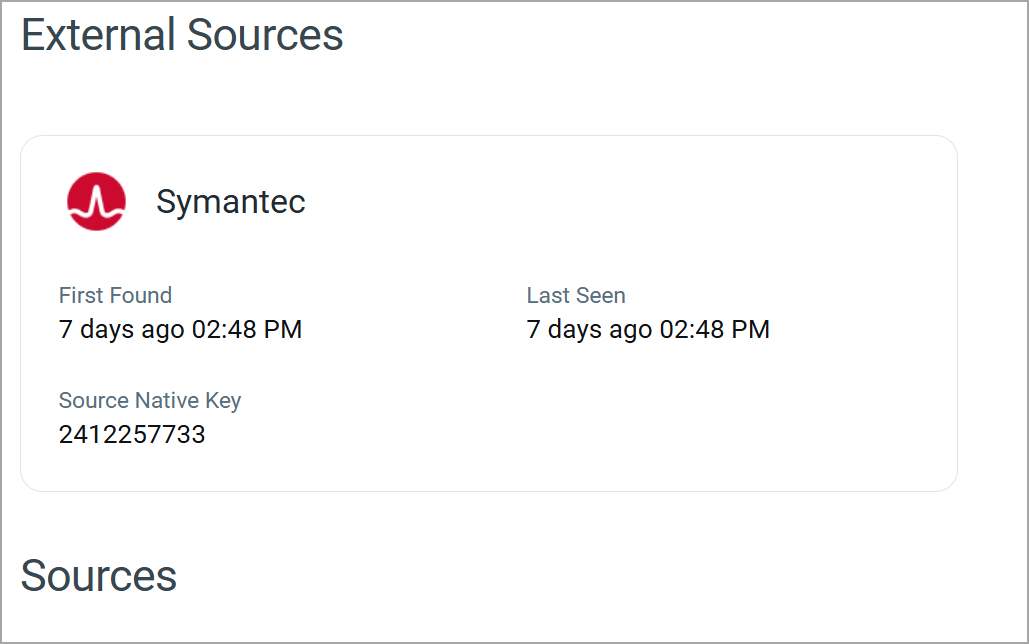
The External Sources section displays details of third-party platforms or integrations that discovered the repository.
For each external source, the following information is shown:
| Field | Description |
|---|---|
| Source Name | Name of the external platform or integration that detected the repository. |
| First Found | Date and time when the repository was first discovered by the external source. |
| Last Seen | Most recent date and time when the repository was observed by the external source. |
| Source Native Key | Unique identifier assigned to the repository by the external source. |
Sources
The Sources section lists all discovery sources associated with the repository. It provides a high-level overview of how the asset is being tracked and updated.
Add or Remove Tags
You can manage tags of the repository from the Quick Actions or Actions menu. For more information on managing tags, refer to Manage Asset Tags.
Download Repository List
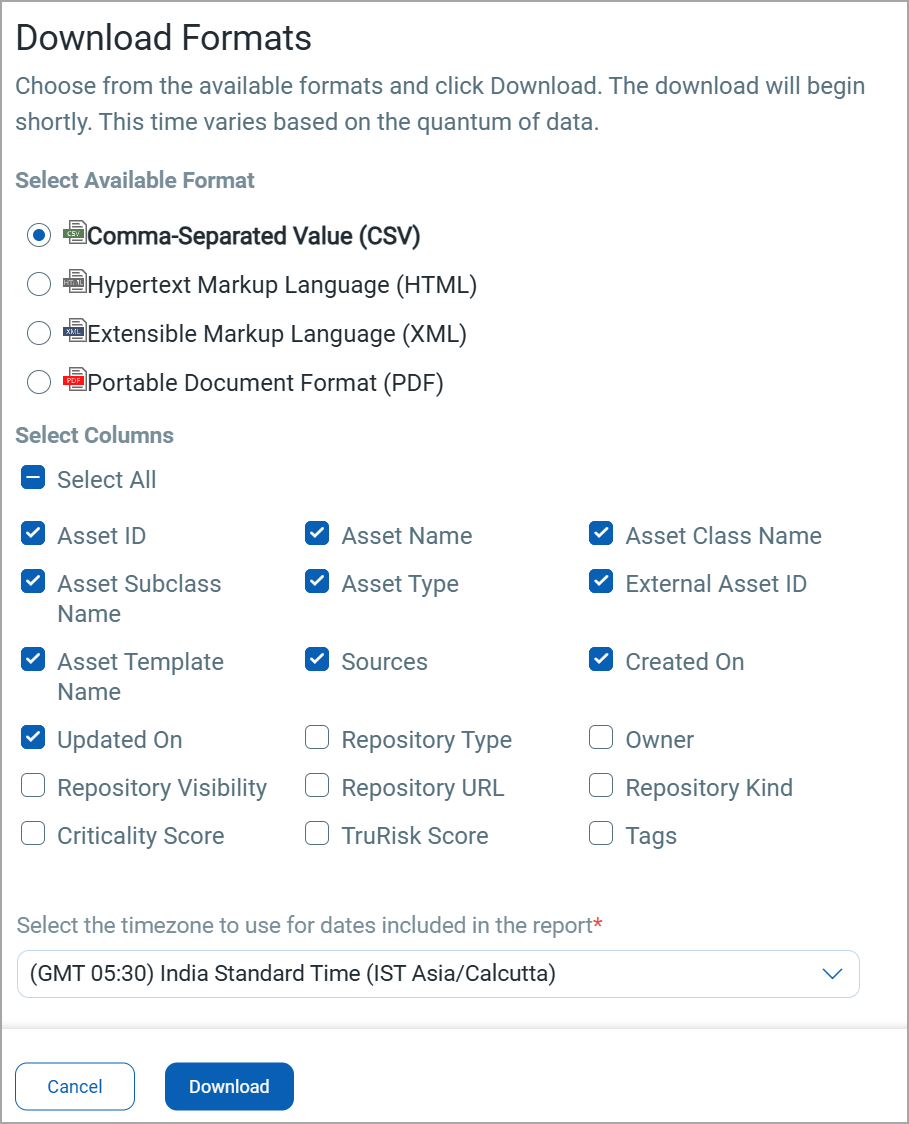
You can download the list of repositories in a report from the Application > Repository tab in the following formats:
- Comma-Separated Value (CSV)
- Hypertext Markup Language (HTML)
- Extensible Markup Language (XML)
- Portable Document Format (PDF)
If you want to download the report in PDF format, you can select a maximum of 5 columns. If you select the Tags column, the report for up to 5,000 assets is downloaded.
To download, follow these steps:
- Click
 on the Repository tab.
 - Select the download format and the columns you want in the report.
-
Select the timezone.
-
Click Download.