Viewing Activity Logs
The Admin user can view Activity logs for tracking user and system actions. This feature enhances visibility, traceability, and compliance by recording critical operations through the shared services activity log framework.
Activity logs shows logs for following features and activities:
- Company Profile updates
- Business Entities
- ETM Customer Onboarding steps
- Prioritization plans and templates
- Findings closure activity
- Finding rules: Source Trust Ranking, Custom Merge, Purge
- TruRisk™ Customization
- Custom Attributes
The key benefits of the comprehensive Activity Logs support feature include:
- Enhanced Visibility
Users have a clear view of all actions taken within the system, allowing for better monitoring and oversight. - Improved Traceability
By recording critical operations, organizations can easily trace back actions to their origins, which is essential for troubleshooting and understanding system changes. - Increased Compliance
Maintaining an accurate audit trail helps organizations adhere to regulatory requirements and internal policies, facilitating compliance during audits. - Accountability
The Activity logs hold users accountable for their actions, promoting responsible usage of the system.
To view the Activity logs, navigate to Admin utility > Activity Logs.
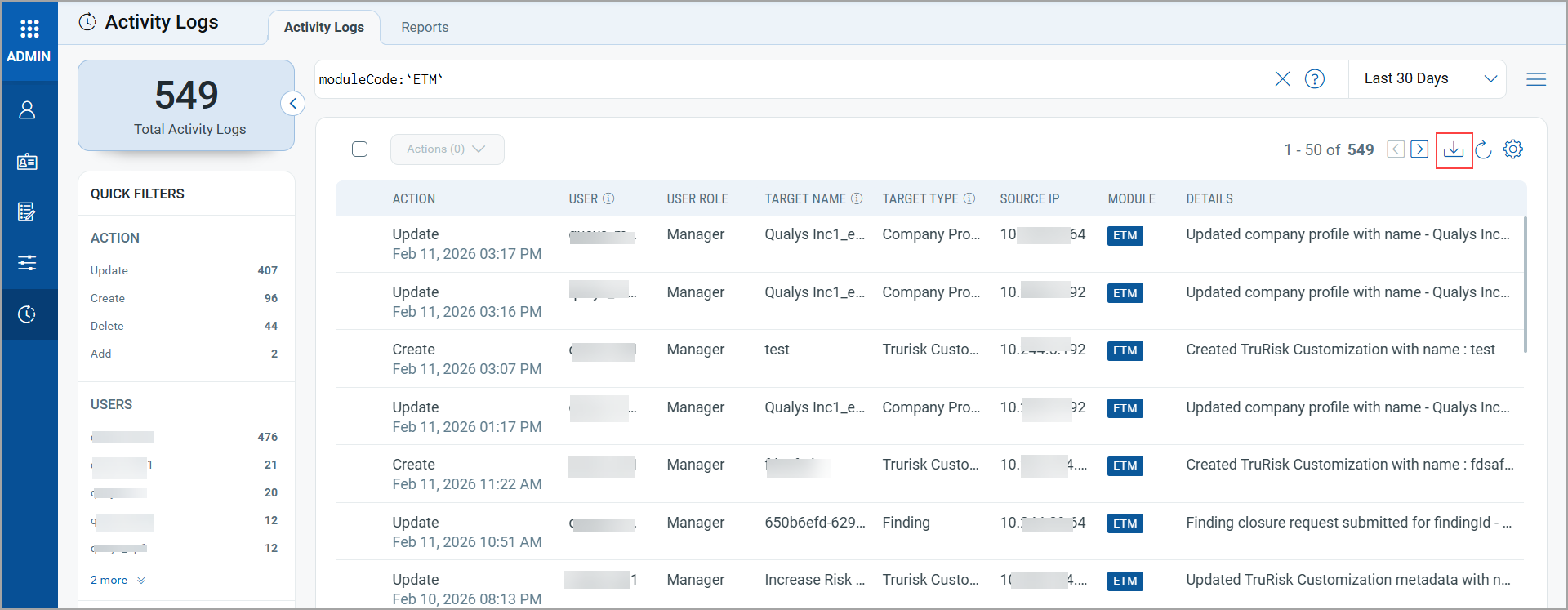
You can download the logs using download . icon availble .