View Findings Based on Risk Acceptance Rule
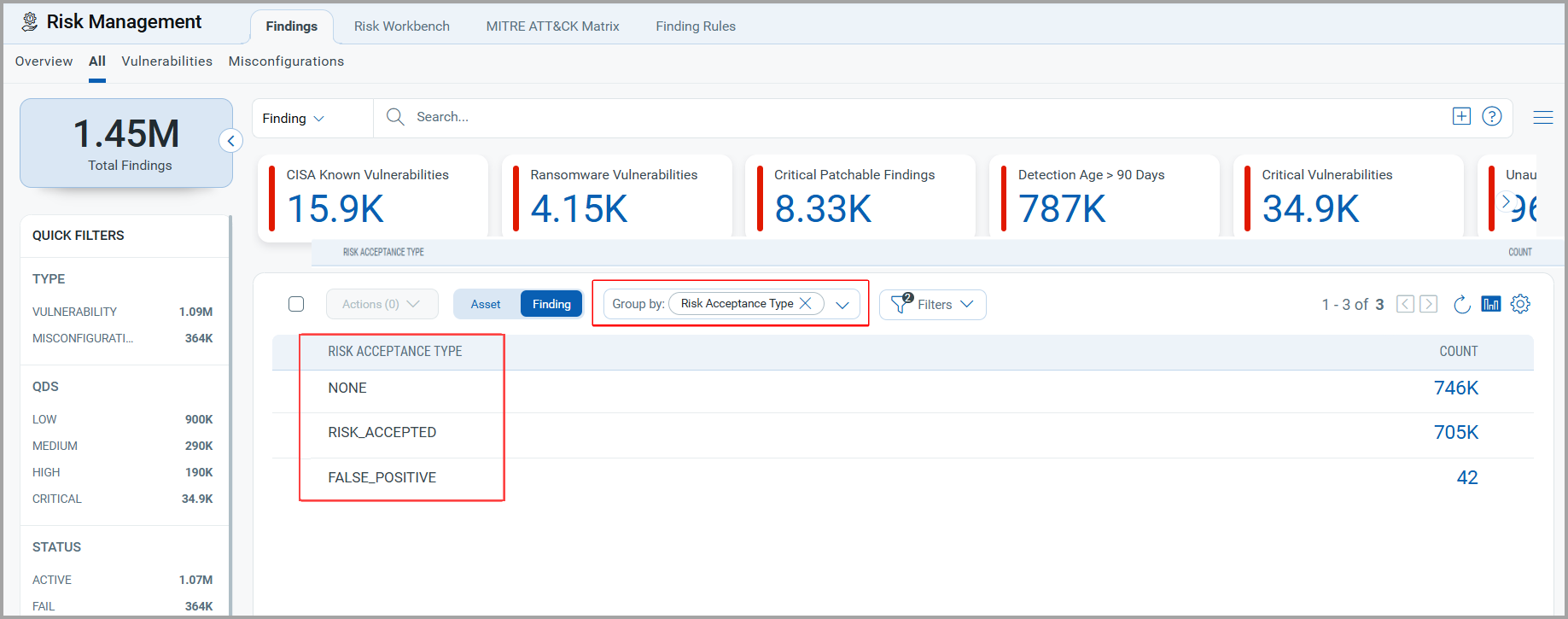
The Group By field in the Findings tab allows you to filter the findings based on your criteria. You can group the data by selecting Risk Acceptance Status or Risk Acceptance from the Group By drop-down menu. The following screenshot is an example of the Group by field that lists both types of Risk Acceptance.
You can also utilize this Group By field in the All and Misconfiguration tabs. We have provided screenshots from the Vulnerabilities tab for demonstration purposes.
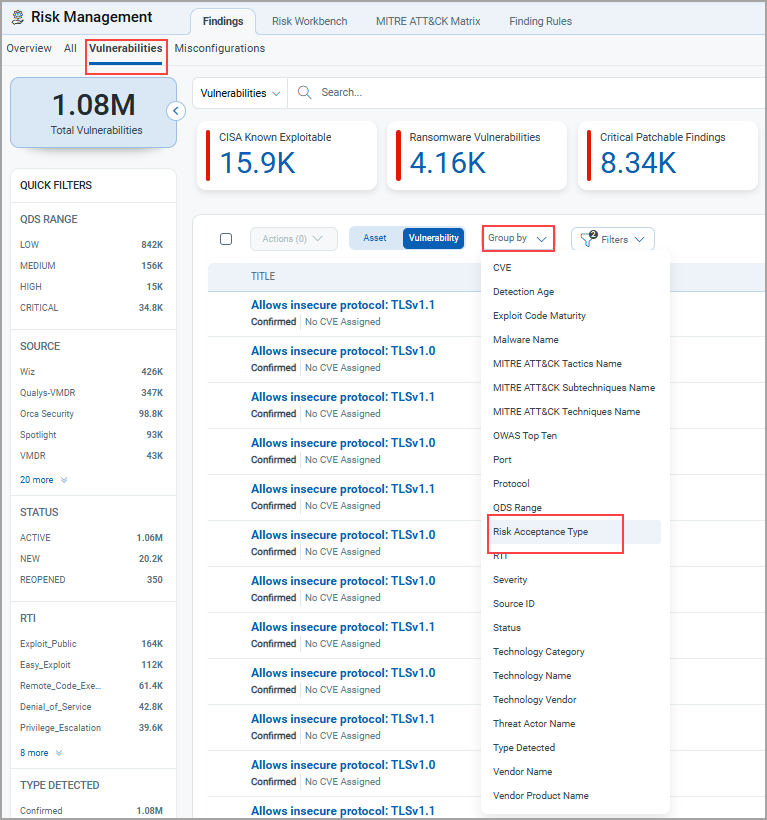
Group By Risk Acceptance Type
To view the Findings based on Acceptance rule, navigate to Findings > Vulnerabilities > go to Filter and uncheck the Ignored vulnerabilities.
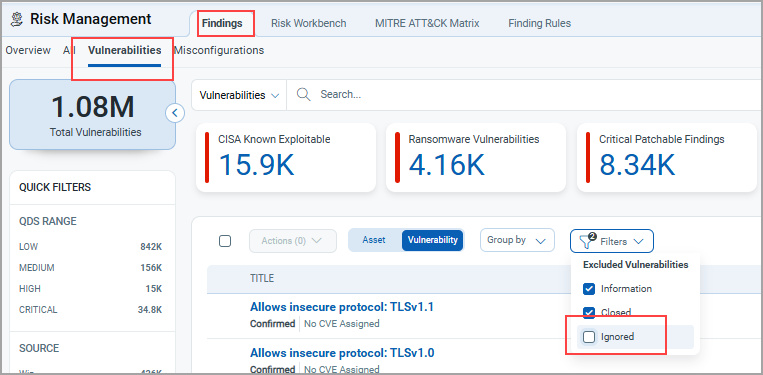
Select the Group By Risk Acceptance Type to retrieve a list of all the Findings and the detection count.