Enterprise TruRisk Management Release 1.3.2
July 07, 2025
Enhanced Custom Attributes
We have introduced the following enhancements for a better UI experience with Custom Attributes:
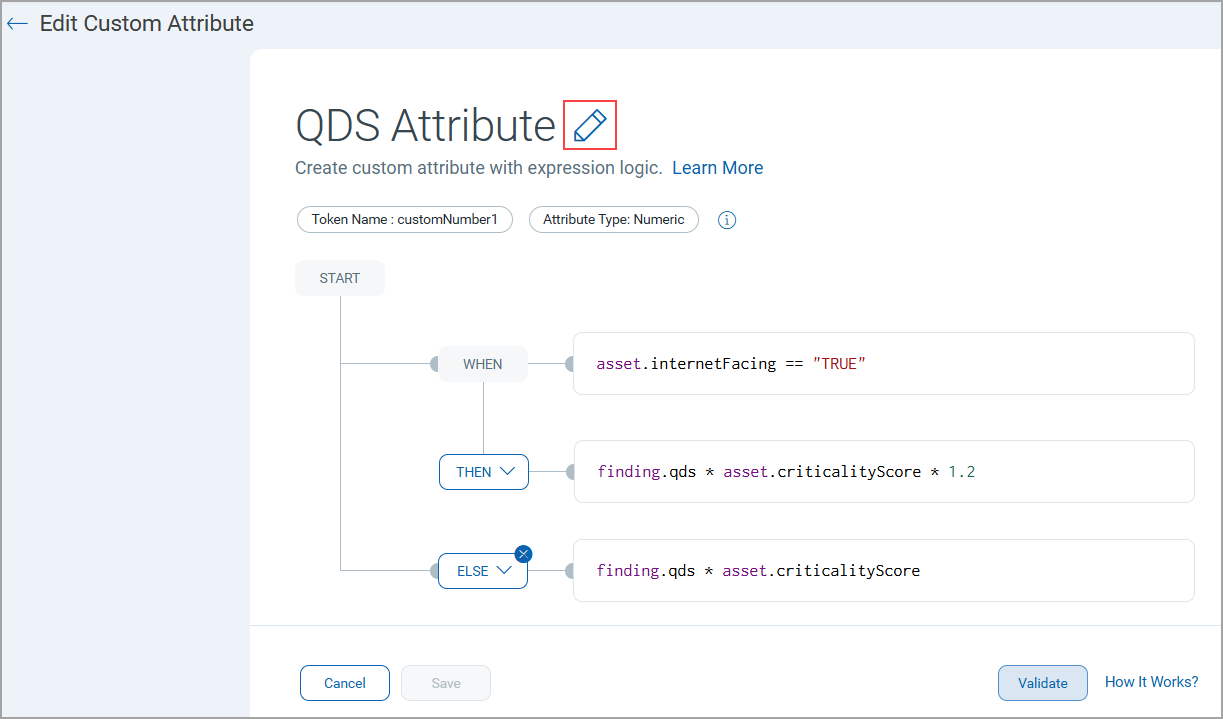
- Expression-Based Custom Attribute Creation Page
The Custom Attribute creation screen has been redesigned with an expression-based evaluation interface. You can now directly enter and configure expressions in dedicated fields like WHEN, THEN, and ELSE conditions.
- Better Validation Process
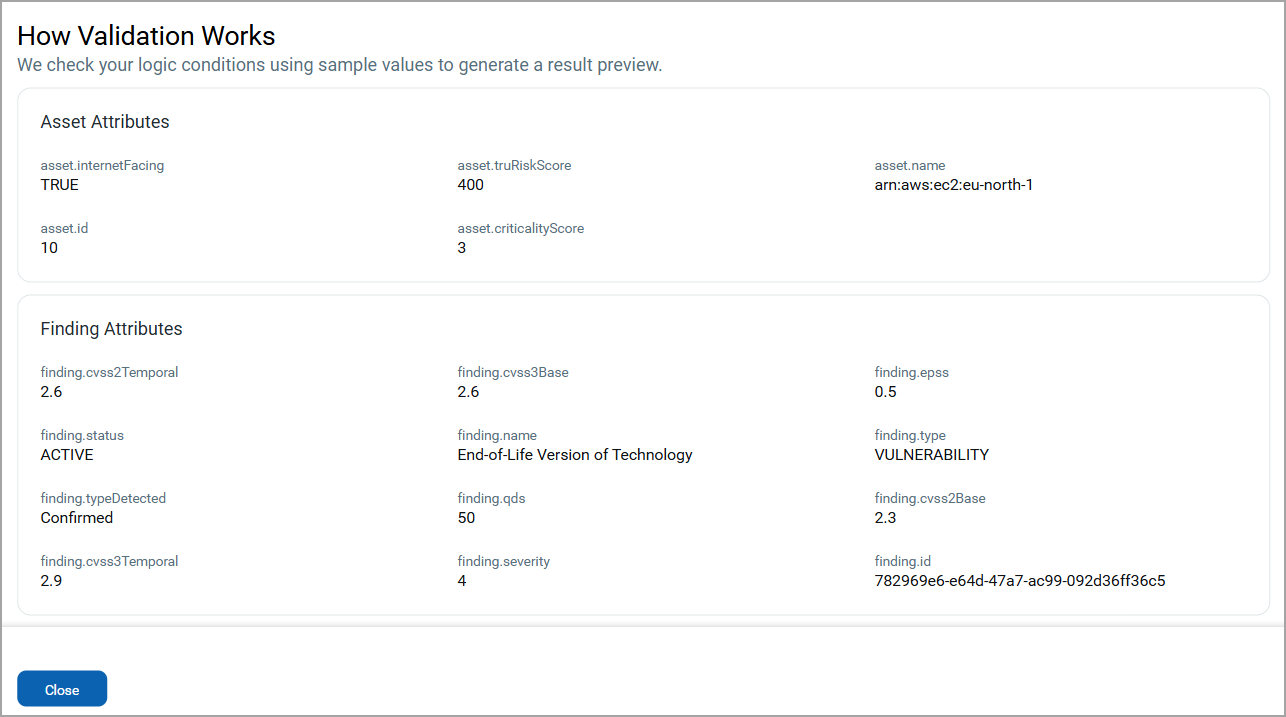
The validation page now clearly separates and displays Asset Attributes and Finding Attributes, making it easier to validate expressions with the right context.
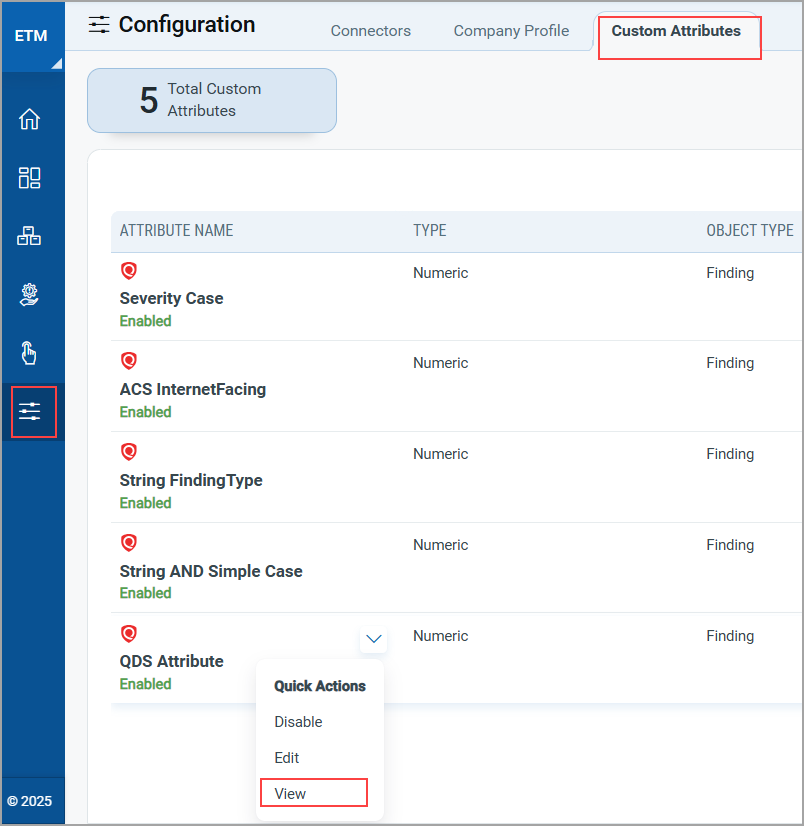
- New View Option in Quick Action Menu
The Quick Action menu option for custom attributes now has a new View option, which allows you to view the full details of a custom attribute, including the associated expression screen.
Introduced New Tokens for Findings Tab
| Token | Tab | Description |
|---|---|---|
|
finding.technologyCategory |
Risk Management > Findings |
Use this token to search for vulnerabilities or misconfigurations related to a given technology category.
|
|
finding.technologyName |
Risk Management > Findings |
Use this token to search for vulnerabilities or misconfigurations related to a given technology name.
|
|
finding.technologyVendor |
Risk Management > Findings |
Use this token to search for vulnerabilities or misconfigurations related to a given technology vendor.
|
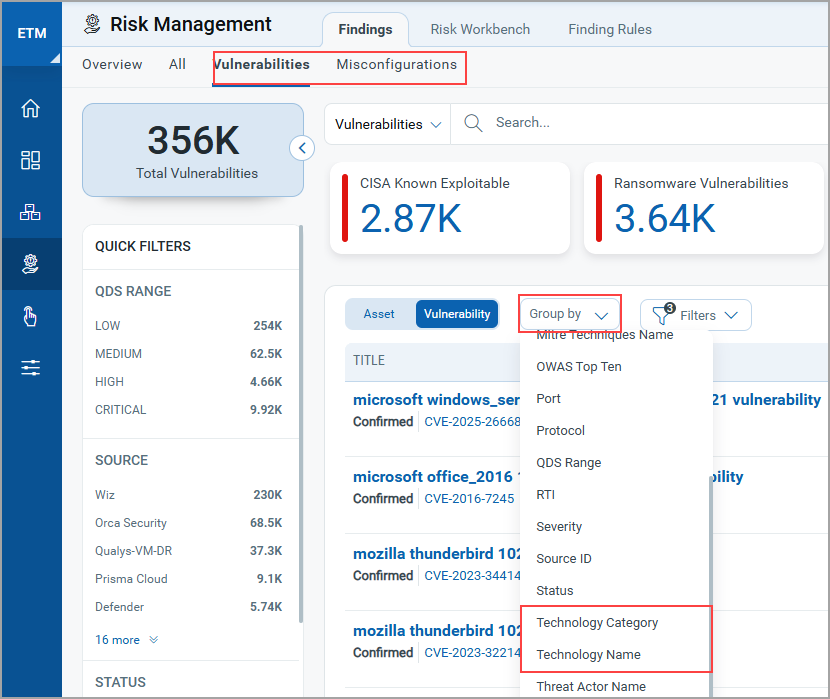
You can use the finding.technologyCategory and finding.technologyName to sort out vulnerabilities or misconfigurations using the groupBy filter.
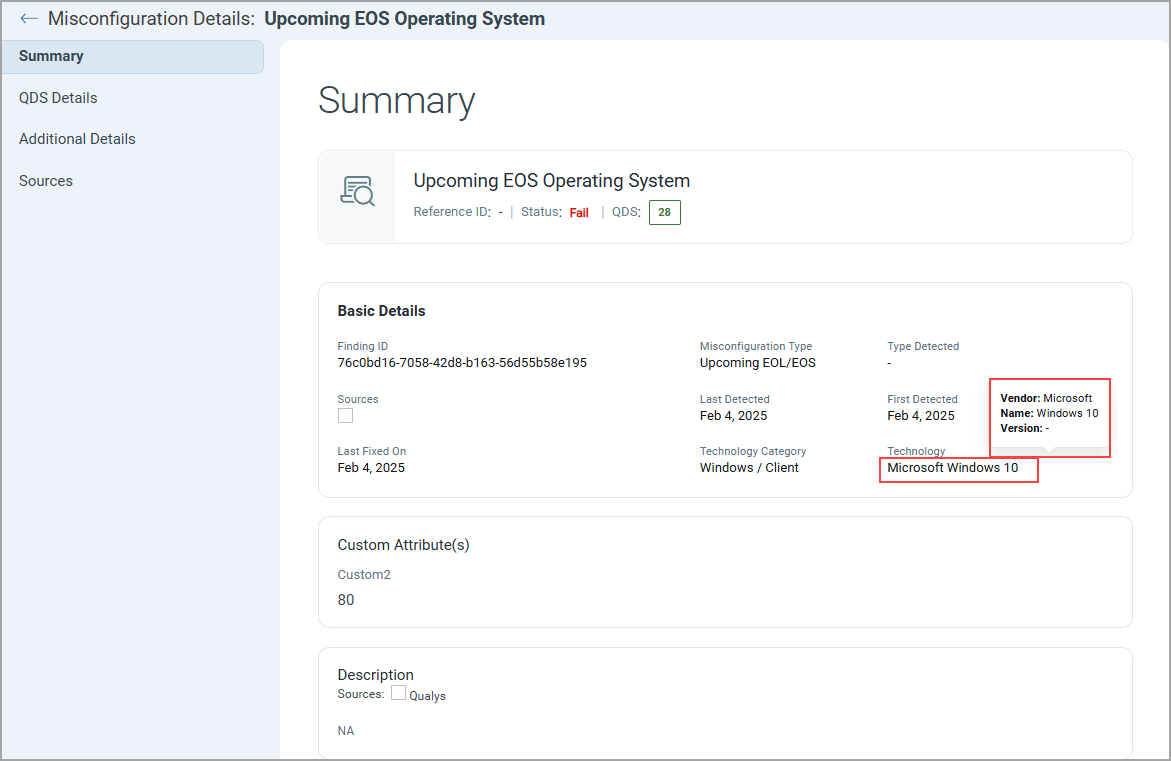
Improved Findings Details Page with Information for Technology on UI
We have enhanced the Findings Details Page to provide more context in the Technology field. Now, when you hover over the Technology field label, a tooltip displays additional information, including:
- Vendor
- Name
- Version
This update clearly shows users the technology, making it easier for them to make more informed decisions during analysis and remediation.
API Features and Enhancements
With this update, we have enhanced reporting columns. The output response of the Download report using the resource name API now includes information for patches, findings from VMDR, ServiceNow, and WAS, and other existing details. For detailed information on APIs, refer to the ETM API Release Notes.