Qualys Enterprise TruRisk Management Ticketing Connector
Release v1.0.0
This guide explains how to install and use the Qualys ETM Ticketing Connector, which allows you to view your Qualys ETM finding data in Azure DevOps.
The Qualys ETM Ticketing Connector enables DevOps teams to integrate application findings into their existing CI/CD processes.
Features
The Qualys ETM Ticketing Connector offers the following functionality.
-
Automatic Ticket Creation: Automatically creates Azure DevOps work items based on ETM detections to streamline tracking and remediation.
-
Supported Work Item Types: Supports creating Task (default) and Bug work items in Azure DevOps.
-
OIDC Authentication Support: Uses OIDC-based authentication to securely access ETM APIs and requires a Client ID and Client Secret for configuration.
-
QQL-Based Filtering: Supports Asset QQL and Findings QQL to precisely control which ETM detections are processed and sent to Azure DevOps.
How Does ETM Findings Connector Work?
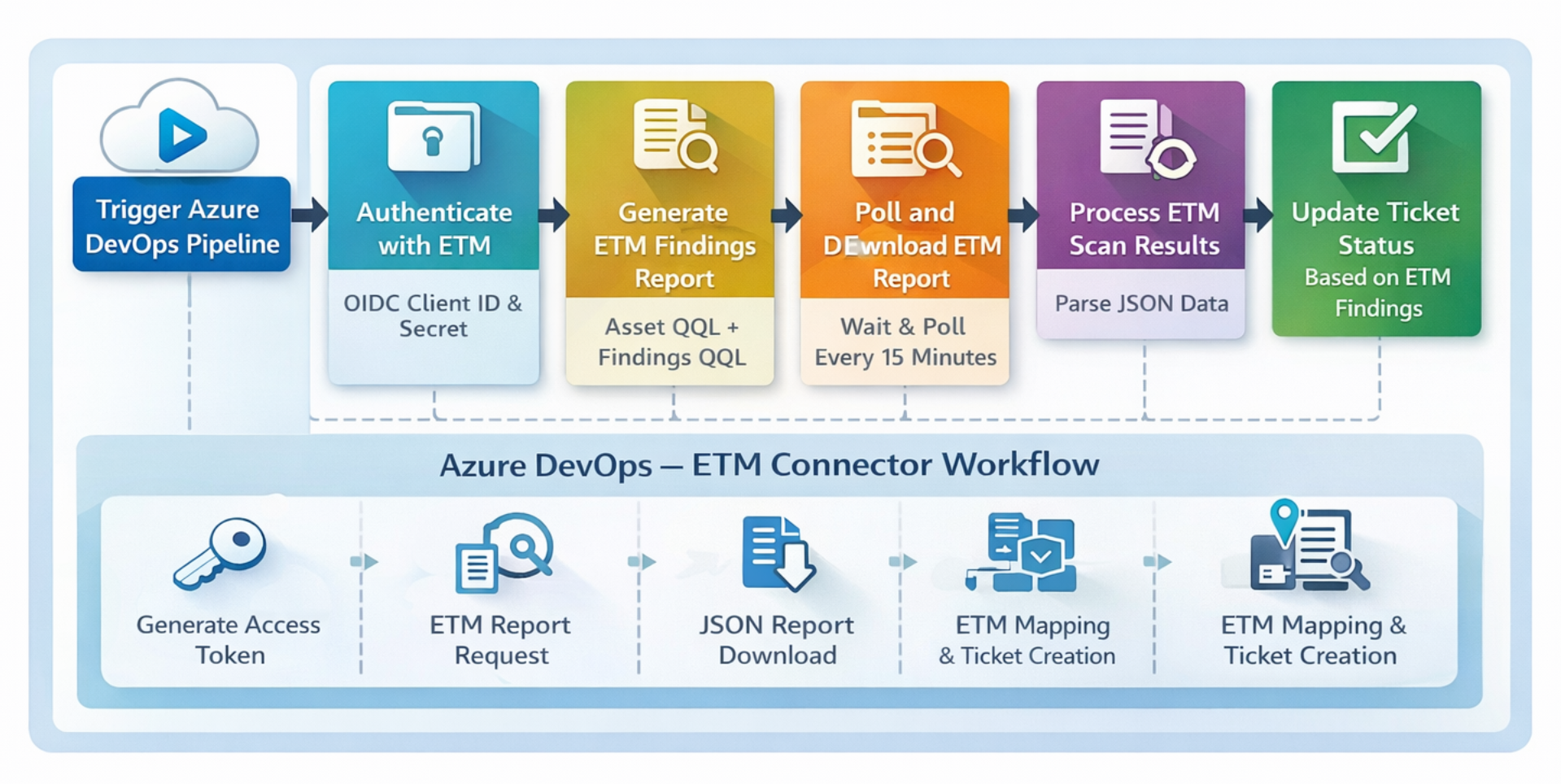
Prerequisites
To configure Qualys ETM Ticketing Connector for Azure DevOps, the following prerequisites must be met:
-
You must have valid account credentials for an active Qualys ETM subscription. Ensure the account has API access enabled and a role assigned with all necessary permissions.
-
An Azure DevOps Personal Access Token (PAT) is necessary, with permissions to Read, Write, and Manage work items, for securely authenticating and authorizing access when creating work items via the API.
Quick Start Steps