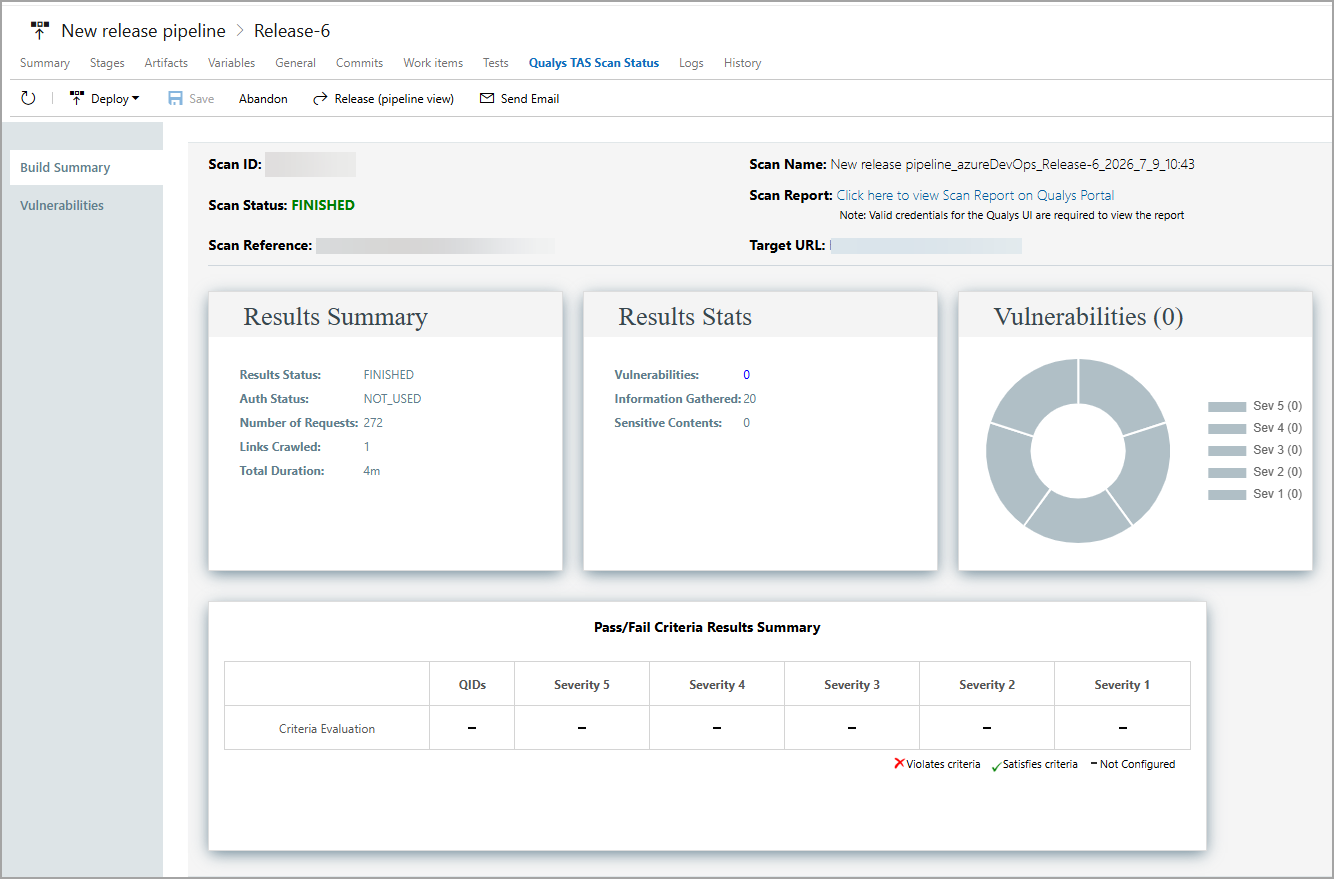
View TAS Scan HTML Report
View the TAS Scan HTML Report to review scan findings, identified vulnerabilities, and detailed scan results generated during the pipeline execution.
Perform the following steps:
- Click the link shown in the Scan Report field.
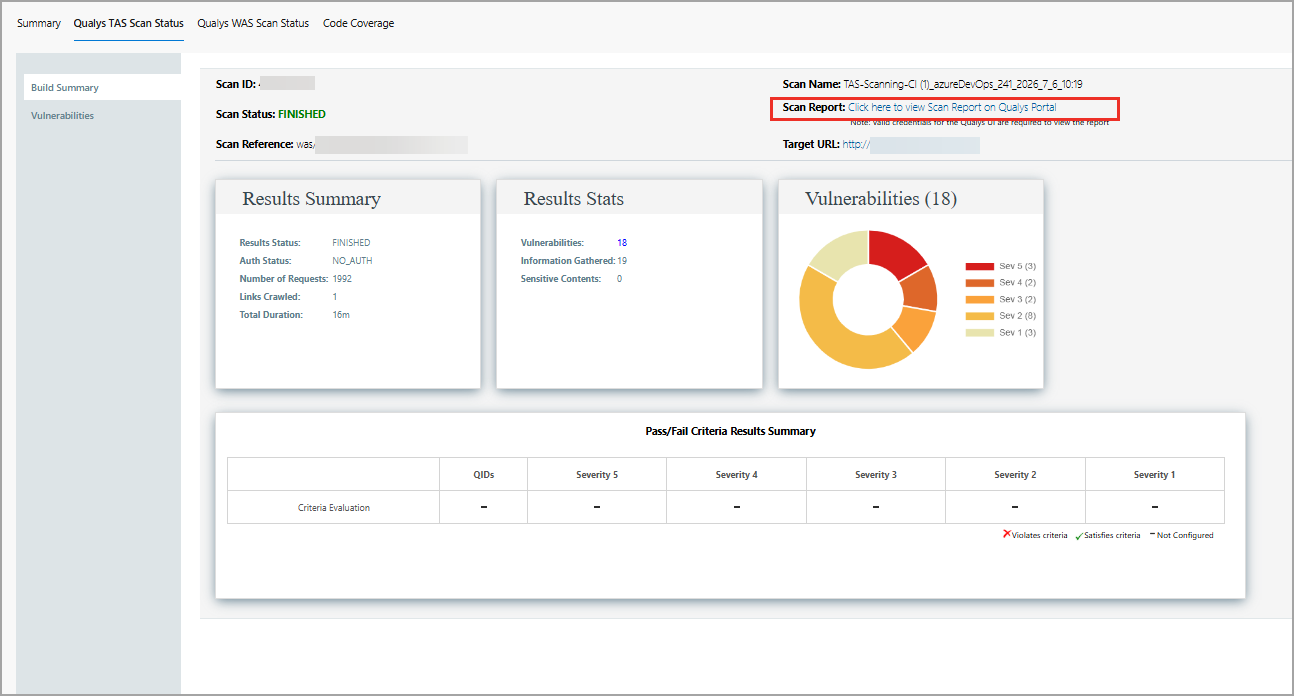
- Hover the mouse over the
 and
 icons to view the value you configured for the criteria and the actual value obtained after the scan.
Under the Qualys TAS Scan Status tab, the Vulnerabilities tab provides details about vulnerabilities, such as QIDs, vulnerability titles, URLs where the vulnerabilities occur, and authentication status.

View Qualys TAS Scan Status for Release Pipeline
After the scan has completed, perform the following steps to view the WAS scan report:
- Go to your release pipeline.
-
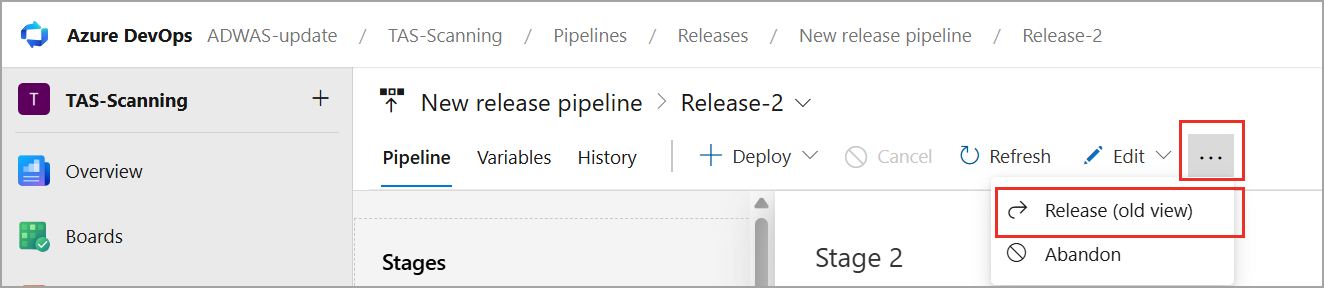
Click
 and then click Release (old view).
A new page opens in a new window.
- Select the Qualys TAS Scan Status.
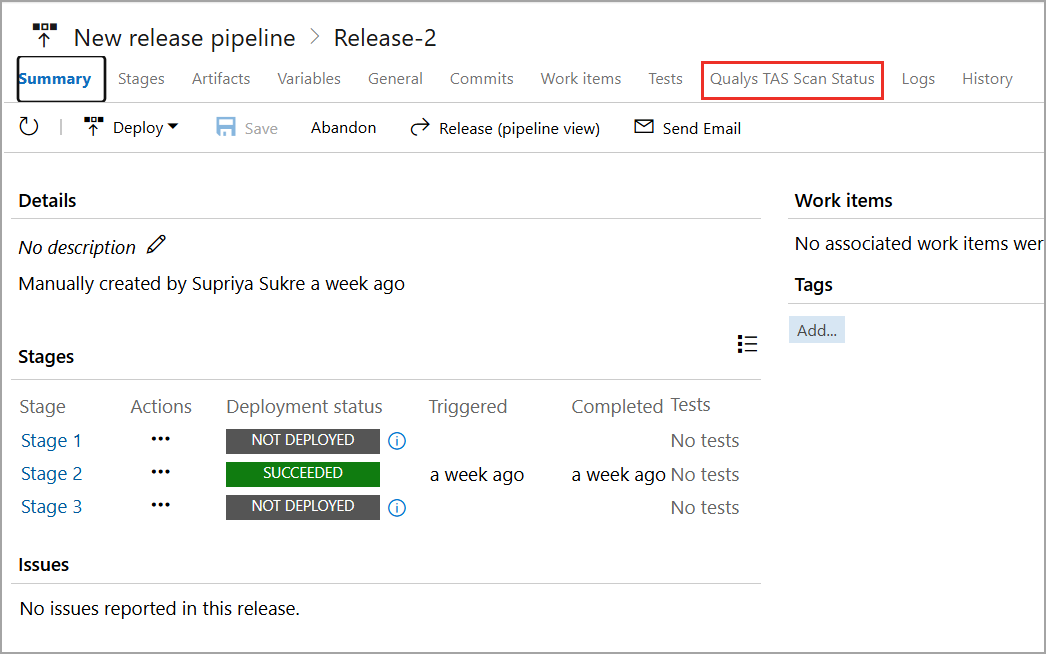
View the TAS Scan Status Report.