View Work Item
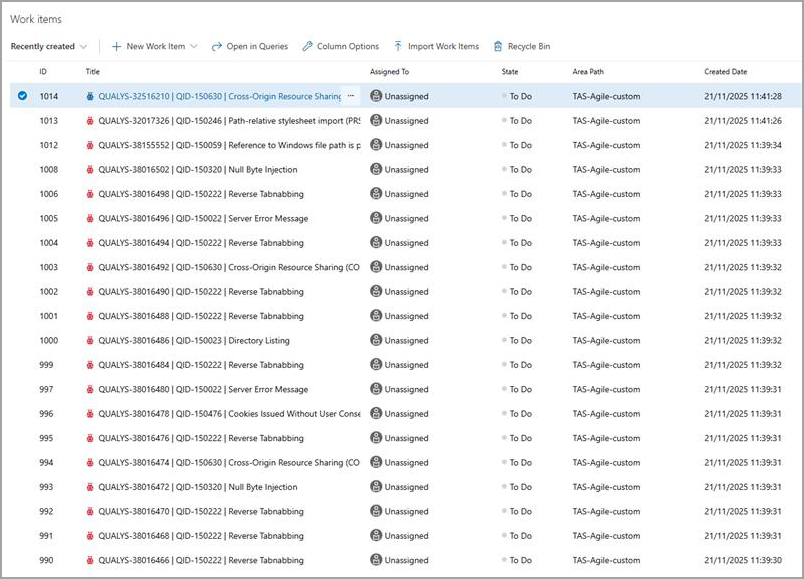
You can view the work items (tickets) created using the TAS integration.
To view work item details, select the work item from the list.
Work Item/ Ticket Details
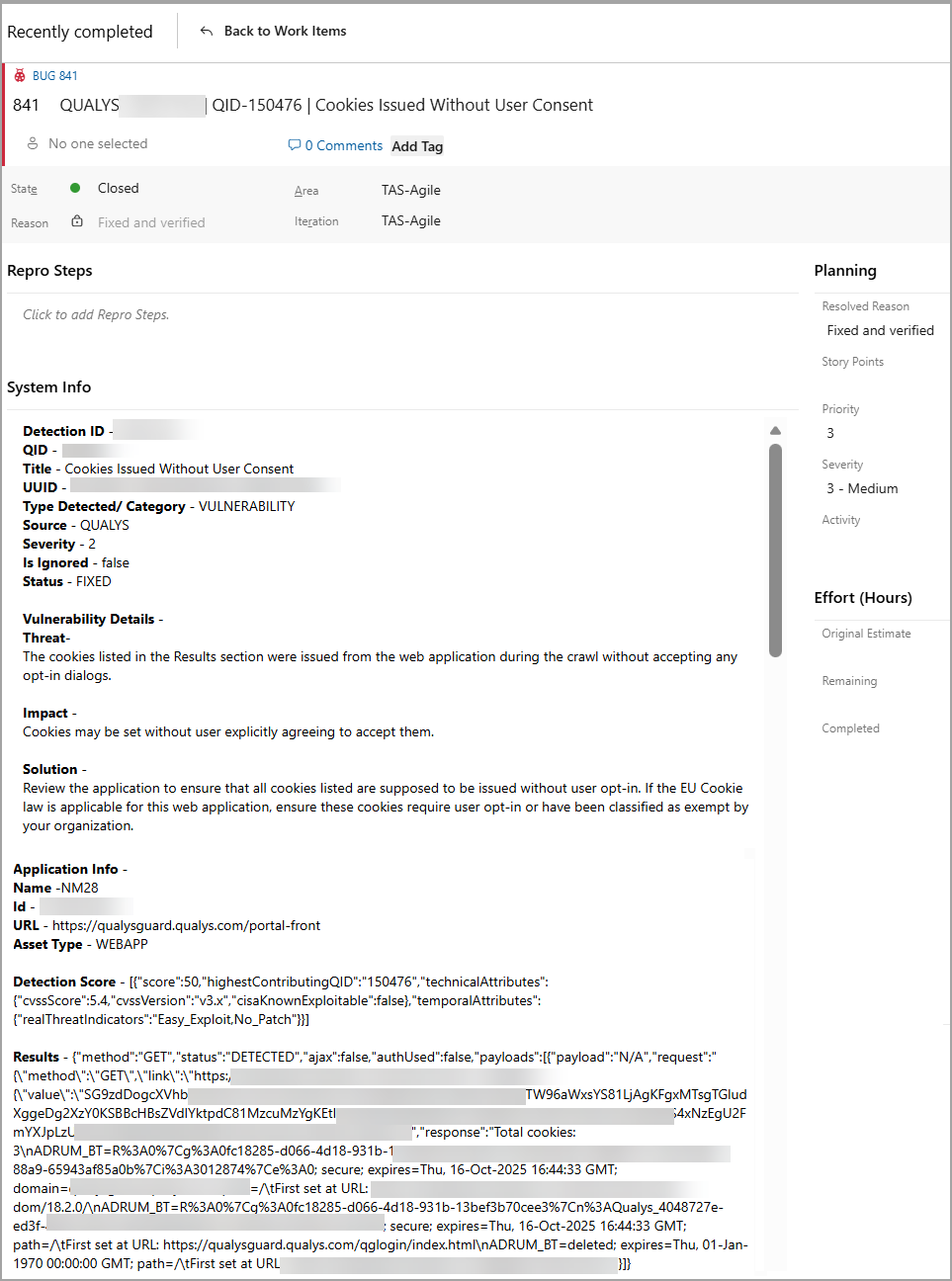
You can view the following details of the ticket:
|
Field |
Description |
|---|---|
|
Finding ID |
Unique identifier of the finding. |
|
QID |
Qualys finding ID. |
|
Title |
Name of the QID. |
|
UUID |
Universally Unique Identifier for finding. |
|
Category |
Type of vulnerability. |
|
Source |
A tool or system that reports the finding (for example, Qualys, Burp, Bugcrowd). |
|
Severity |
Risk level of the finding. |
|
Vuln Details |
Additional information about the vulnerability. |
|
Application Details |
Information about the affected application. |
|
Finding Score |
Numeric score showing the risk or impact of the finding. |
|
Results |
Specific output, evidence, or findings from the finding. |
Sample Work Item
The following image shows the sample work item and its details: