Qualys TotalAppSec Finding Connector
Release v1.2.0
This guide explains how to install and use the Qualys TotalAppSec Finding Connector, which allows you to view your Qualys TAS finding data in Azure DevOps.
Here, we detail how to install and use the Qualys TotalAppSec Finding Connector to view your Qualys TAS finding data in Azure DevOps.
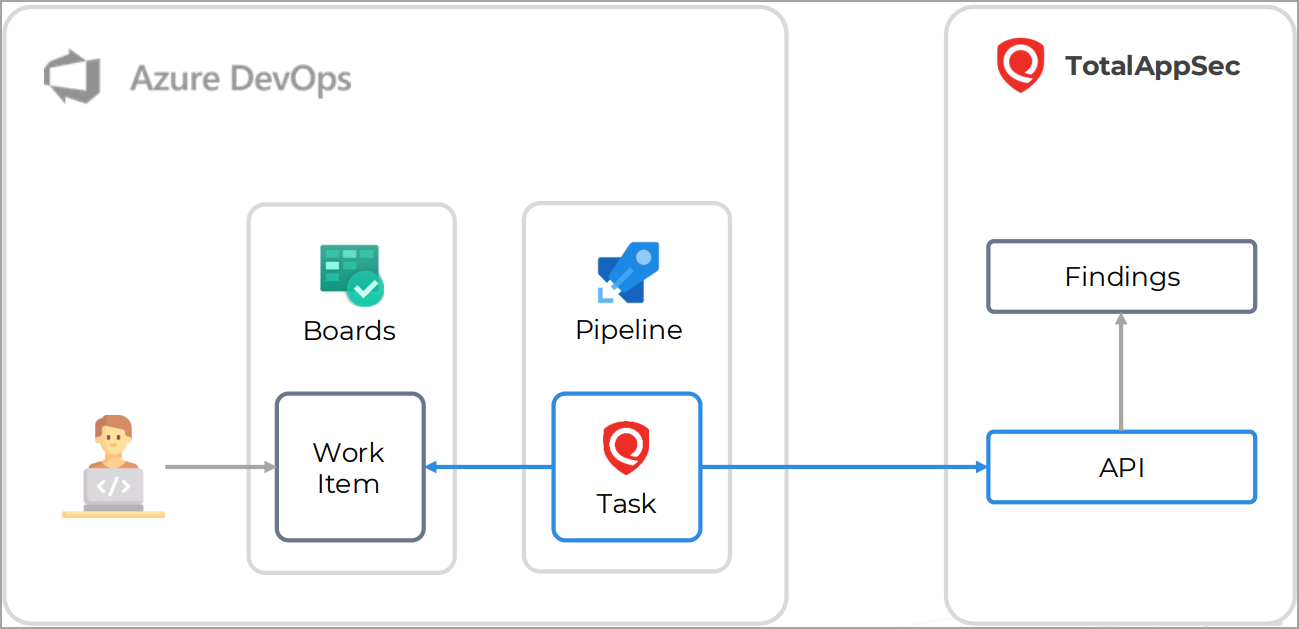
The Qualys TotalAppSec Finding Connector enables DevOps teams to integrate application findings into their existing CI/CD processes.
How it Works?
Prerequisites
To configure the Qualys TotalAppSec Finding Connector for Azure DevOps, the following prerequisites must be met:
-
You must have valid account credentials for an active Qualys TAS subscription. Ensure the account has API access enabled and a role assigned with all necessary permissions.
-
An Azure DevOps Personal Access Token (PAT) is necessary, with permissions to Read, Write, and Manage work items, for securely authenticating and authorizing access when creating work items via the API.
Quick Start Steps