Release Notes
Here is what’s new in features and improvements in Qualys Web App Scanning Connector for Azure DevOps!
Release v1.3.2
November 05, 2025
Added Control for PDF Report Generation in Build Pipeline Configuration
In this release, a new 'Generate report as PDF' checkbox is introduced in the Build Pipeline Project configuration. When selected, a PDF report will be automatically generated along with the JSON report. If unselected, only the JSON report will be generated. By default, this checkbox will be unselected.
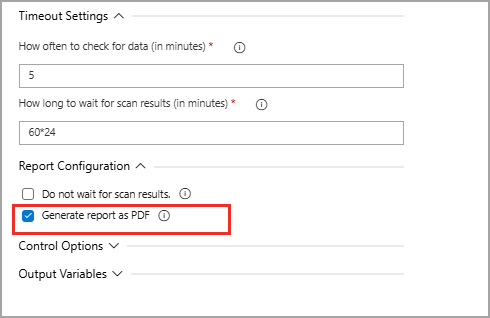
For more details, see Generate Report as PDF.
Release v1.3.1
October 03, 2025
New Setting to Skip Waiting for WAS Scan Results
When you select the 'Do not wait for scan results' checkbox, the plugin will initiate the WAS scan and then proceed immediately, without pausing or waiting for the scan status. This allows your pipeline to keep running smoothly, while the scan URL is saved in the artifact file for you to review later. It is a great way to save time and avoid any slowdowns, especially if you know the scans might take a while. Qualys suggests using this option when you expect longer scans and want to keep your pipeline moving without delays. You can find the Qualys WAS scan URL in the logs, which you can access if you have valid Qualys credentials.
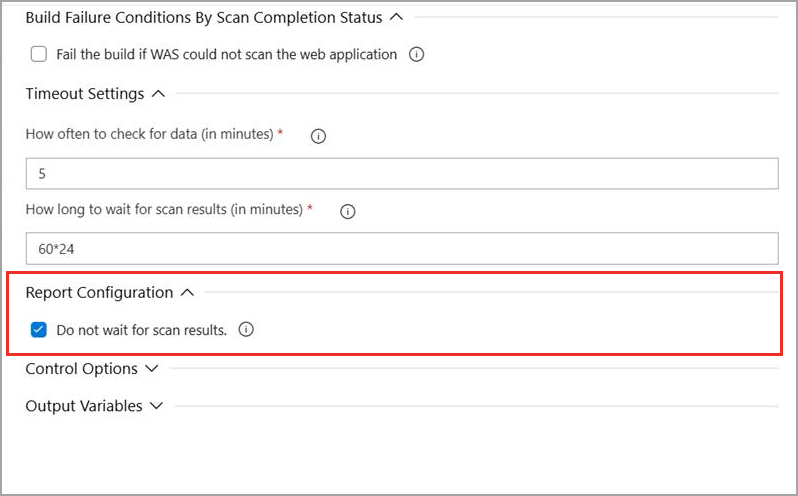
For details, refer to Submit WAS Scans Without Waiting for Scan Results.
Release v1.3.0
September 11, 2025
New: Added Support for PDF Report Generation for Web Applications
In this release, we have added support for PDF report generation for the web application. You can download them directly from the Published artifacts section on the Build Summary page. Also, the reports are included in the pipeline logs and can be downloaded from there. These PDF reports are also available in JSON format.
For details, refer to Download Qualys WAS Scan PDF Report.
Release v1.2.2
We have fixed an issue where Scan Report URL navigation was not working correctly for the newly added Qualys platforms.