Related Tables for Custom Fields
The custom fields that could not be accommodated in the classified tables are listed in separate tables called related tables.
If you are using a custom table that includes custom fields (excluding predefined fields), you need to create a new mapping record to match the customization.
We do not recommend to edit the mappings we provide in the related tables as it could lead to mismatch of the data and result it Identification Engine discarding the data.
Identify and View Related Table Entries In-Out of the Box Table Entries
Perform the following steps to identify and view related table entries:
- Open the CMDB Table Record Entry (cmdb_ci_computer.list).
-
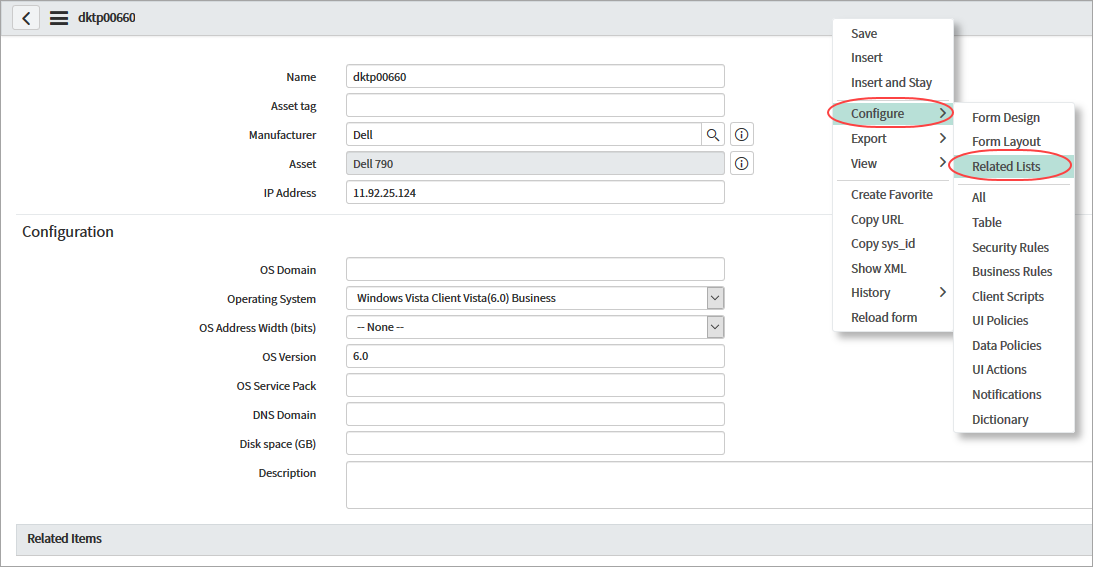
On the top grey bar, right-click and choose Configure > Related lists from the menu.
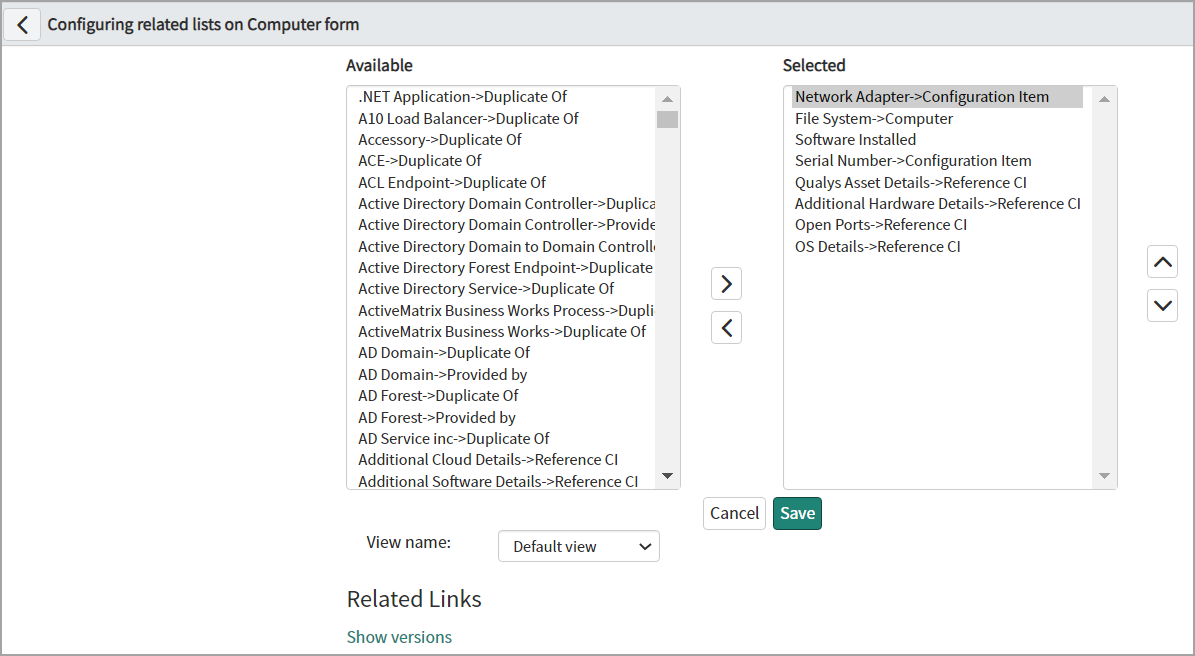
- Select the required column names from Available, click the ' > '(Add) to the Selected check box, and then click Save.
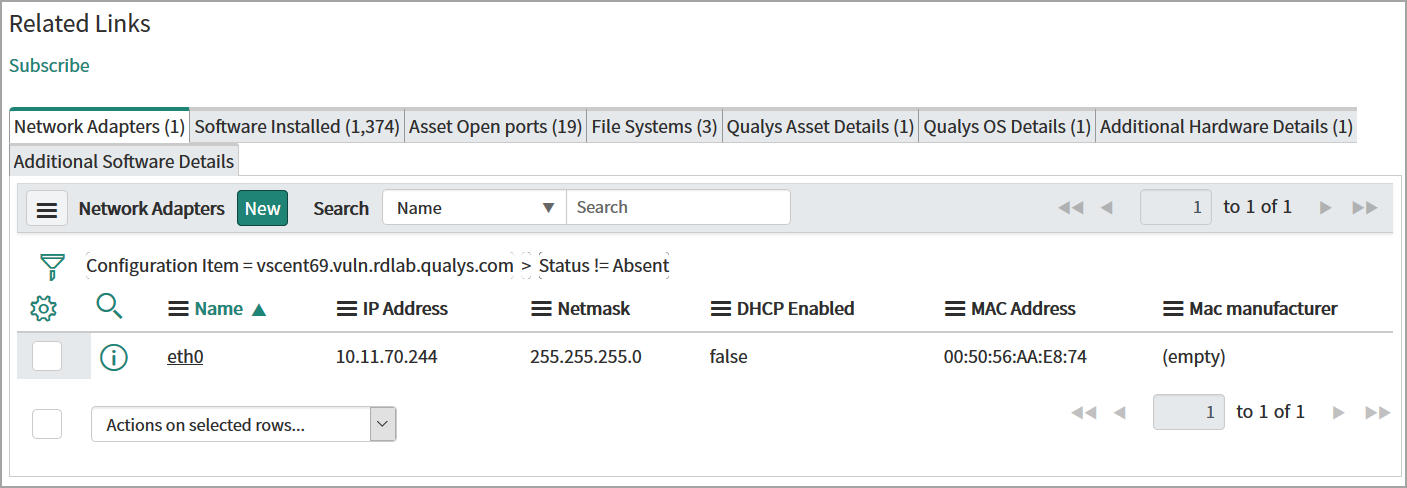
You can view the details for the added columns in the Related Links section.