Associate Import Configuration to Connector
You must associate the import configuration with a connector to execute the import.
To associate an import configuration with a connector, perform the following steps to:
- Go to Configuration > Connectors, and select the connector for which you wish to configure imports.
- Navigate to Import Configurations, and click Edit.
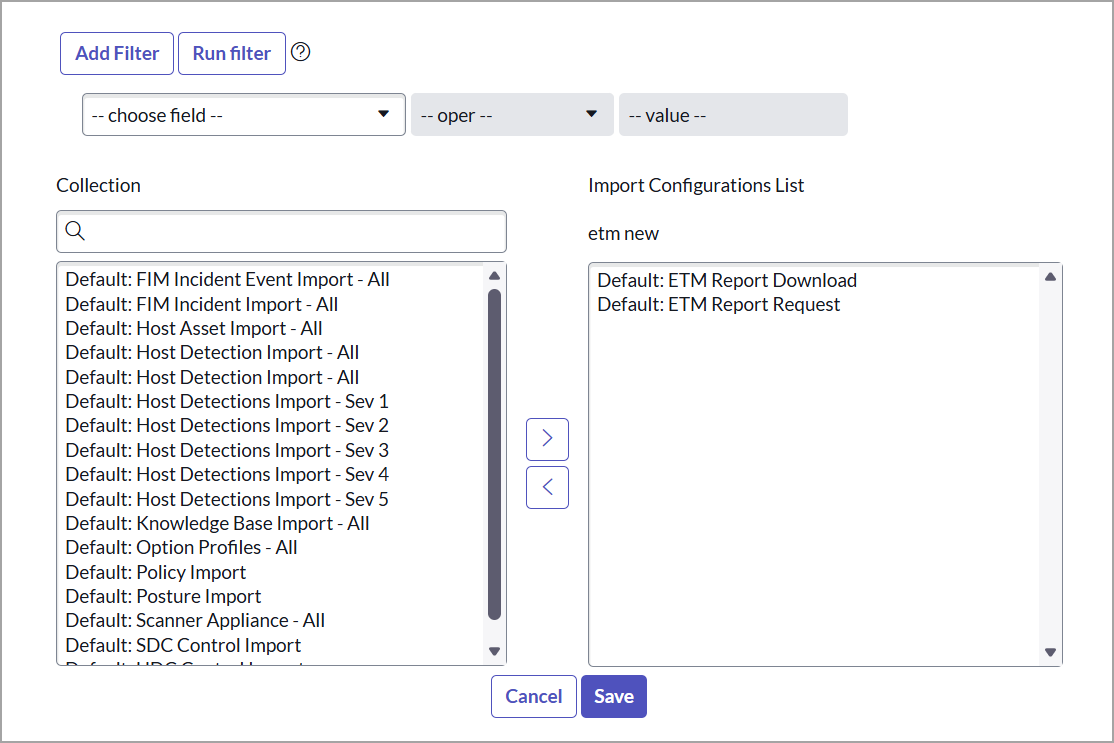
- From the Collection list, select the import configuration and move to the Import Configuration List.
- If you want to configure Qualys Core to work with the ETM application, select the following import configurations, as shown in the following image:
- If you want to configure Qualys Core to work with the ETM application, select the following import configurations, as shown in the following image:
-
Click Save.
Related Topic