Schedule Import
You can define schedules to import each data type at a specified frequency to automate data imports.
You have a default import schedule associated with every import configuration.
Perform the following steps to schedule the import:
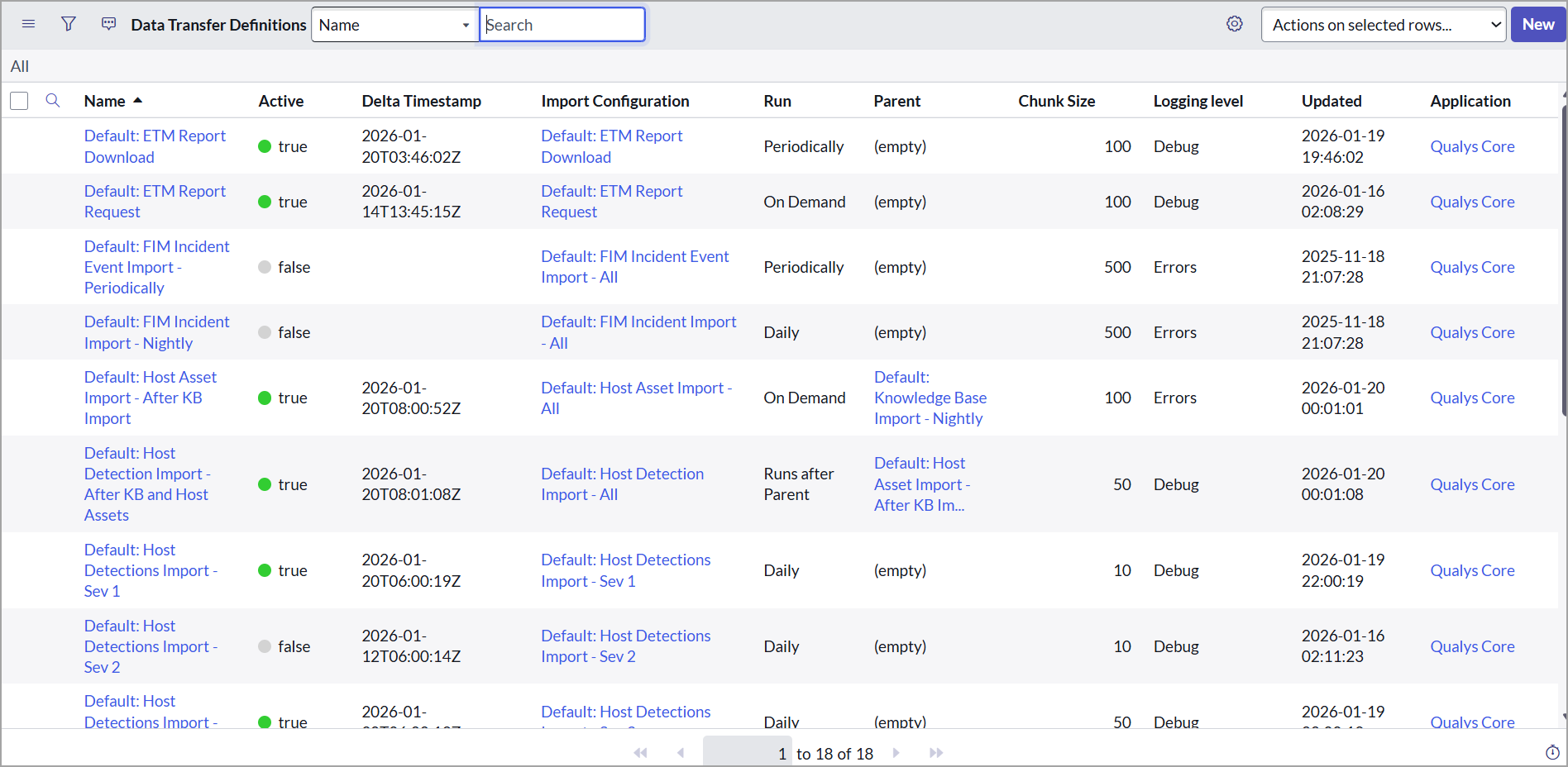
- Go to Data Import > Scheduled Imports to view the schedules defined by default.
The following image shows the default schedules for the ETM import configuration.
We recommend importing each type of data at least once every day. However, you can define to import data multiple times a day, depending on your infrastructure and scanning frequency
-
In the default import schedules, review the following sections:
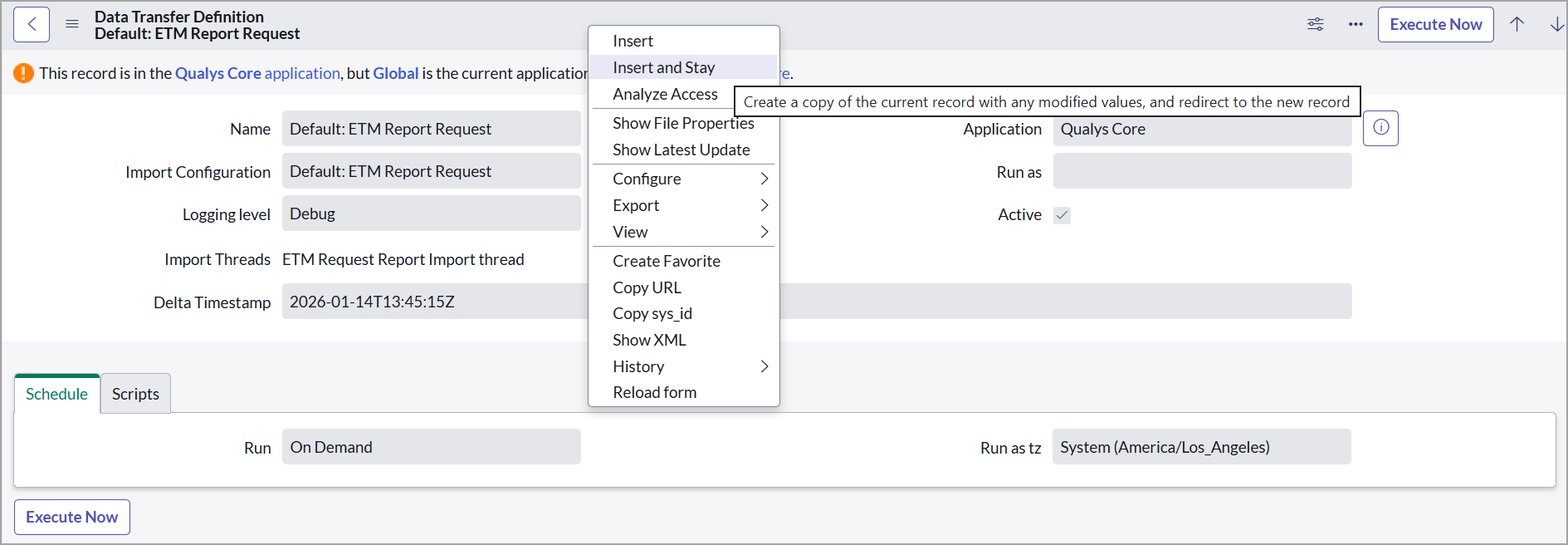
If you want to copy the default import schedule, modify it, and create a new schedule, open the default import schedule, click Make changes to the same, right-click the toolbar, and click Insert and Stay.
-
You can edit the following scheduled Imports
- ETM Report Request
- ETM Report Download
Schedule ETM Report Request
To edit the schedule, enter the following details:- Delta Timestamp - Indicates the date and time when this scheduled import was last run.
If the Delta Timestamp field is populated, the data import is executed as delta. For the first import execution, clear the value in the Delta Timestamp field to perform the full import.
-
By default, the Qualys ETM subscription includes the Standard API service level. For the default Qualys API rate limits, refer to Qualys API Limits document.
- Schedule
-
Run - Select the frequency of import from the list. The related fields change based on the value you select in the Run field.
-
Run as tz - Select the time zone to be followed for this import schedule.
-
There is a default import schedule associated with every import configuration. We recommend you retain the default values for all the fields except Delta Timestamp and Schedule fields.
Schedule ETM Report Download
To edit the ETM Report Download schedule, enter the following details:- Delta Timestamp - Indicates the date and time when this scheduled import was last run.
If the Delta Timestamp field is populated, the data import is executed as delta. For the first import execution, clear the value in the Delta Timestamp field to perform the full import.
-
By default, the Qualys ETM subscription includes the Standard API service level. For the default Qualys API rate limits, refer to Qualys API Limits document.
- Schedule
-
Run - Select the frequency of import from the list. The related fields change based on the value you select in the Run field.
-
Run as tz - Select the time zone to be followed for this import schedule.
-
-
Repeat Interval - Set the interval for downloading reports. By default, the repeat interval is set to 8 hrs.
-
Starting - Select the download schedule's starting date and time from the calendar.
There is a default import schedule associated with every import configuration. We recommend you retain the default values for all the fields except Delta Timestamp and Schedule fields.