View ETM Vulnerable Items
You can view ETM Vulnerable Item details fetched by the Qualys ETM VR integration app.
Perform the following steps:
- Navigate to the All tab.
- Go to Qualys ETM VR Integration.
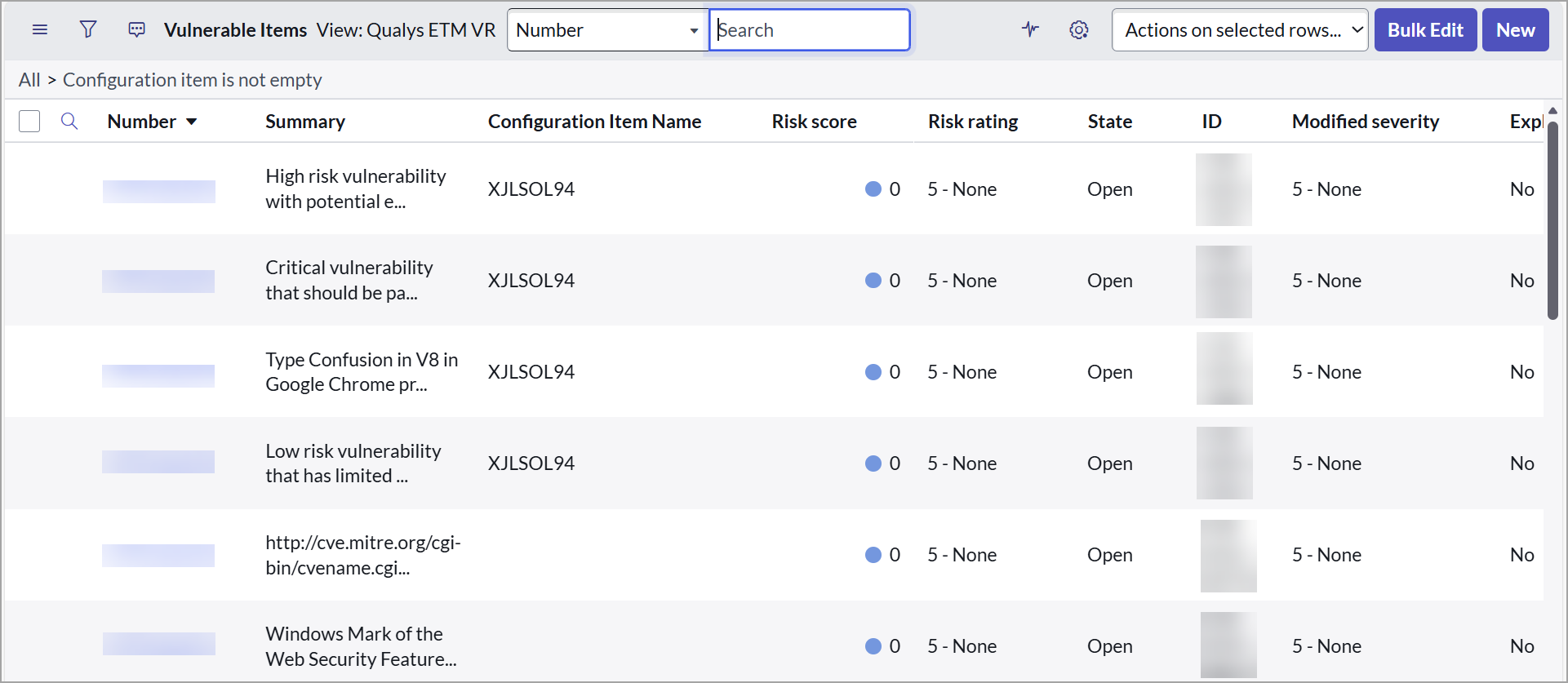
- Navigate to Data and select ETM Vulnerable Items.
The table displays vulnerable items along with their details.
View Qualys ETM VR App Specific Data of VIT
You can view the ETM-specific data of the selected VIT.
Perform the following steps:
- Go to Qualys ETM VR Integration.
- Navigate to Data and select ETM Vulnerable Items.
- From the Vulnerable Items table, select the VIT.
- On the title bar, right-click beside the VIT Number, and select View from the displayed options.
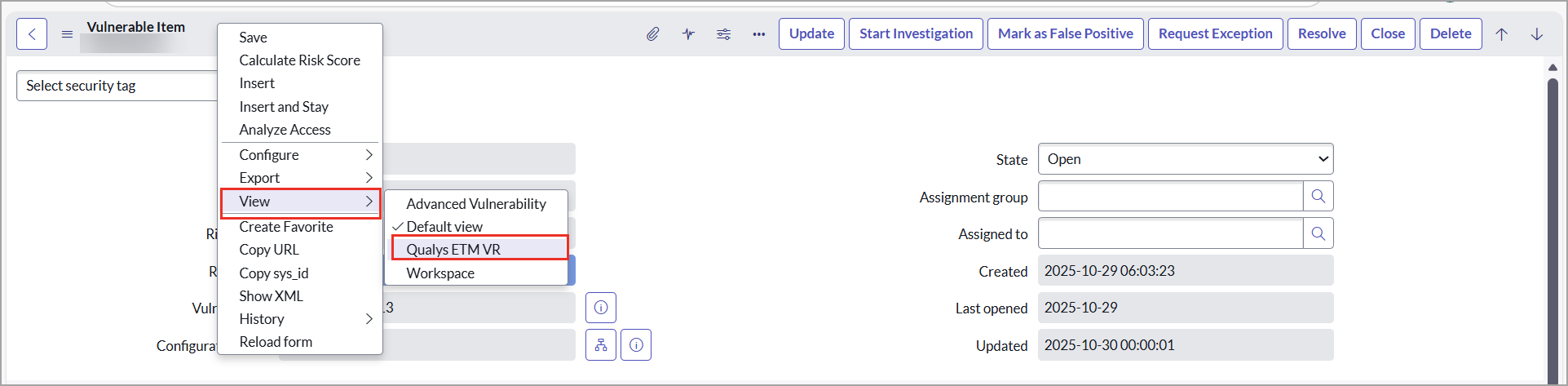
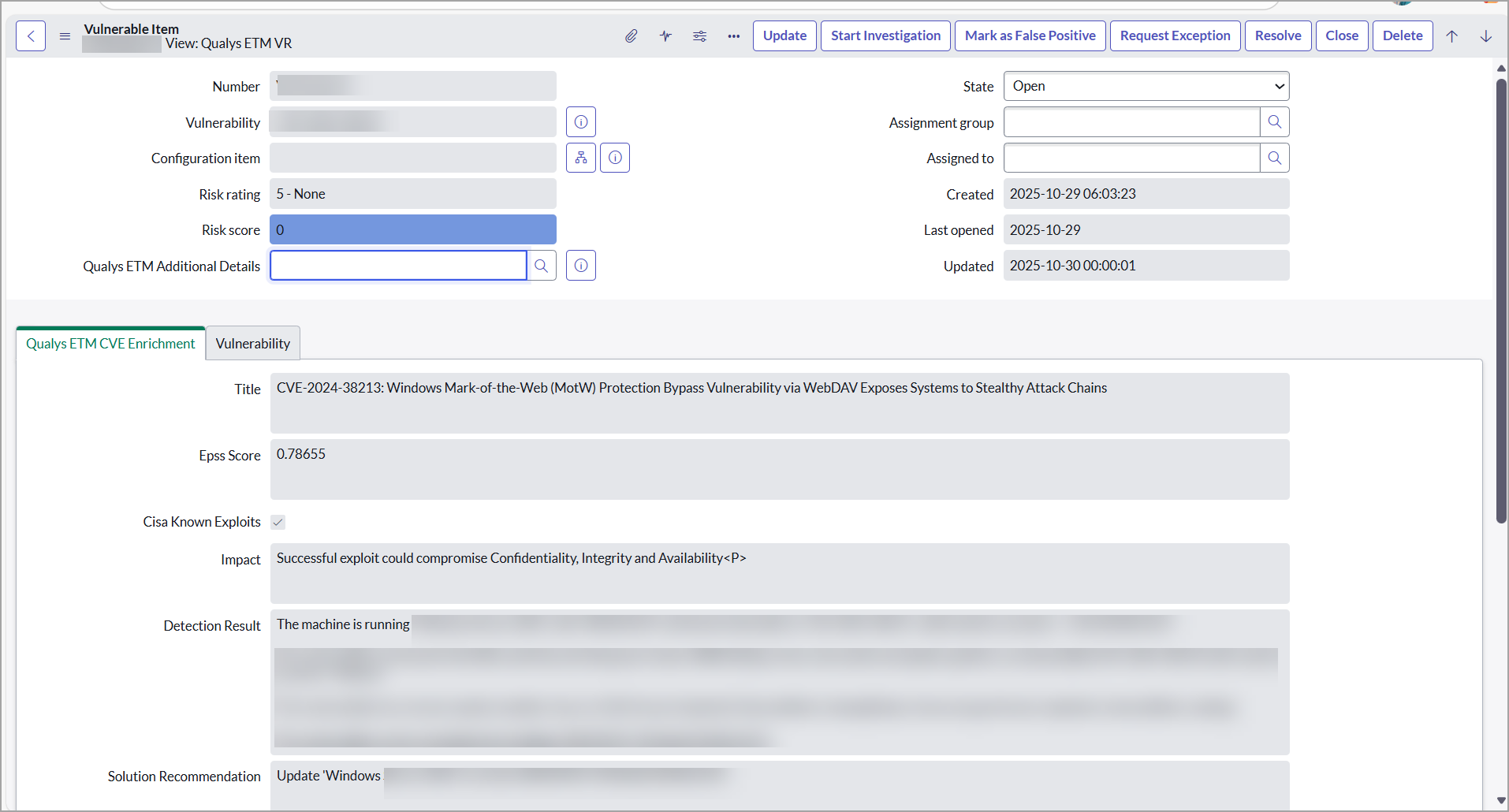
- Select Qualys ETM VR.
You can see the ETM-specific data for the selected VIT.
View ETM VIT Additional Details
To view Qualys ETM Additional Details, perform the following steps:
- Go to Qualys ETM VR Integration.
- Navigate to Data and select ETM Vulnerable Items.
- From the Vulnerable Items table, select the VIT.
- Scroll down to the bottom of the Vulnerable Item details page.
