Creating Reports
Perform the following steps to create various reports on vulnerabilities in the Qualys VM module:
-
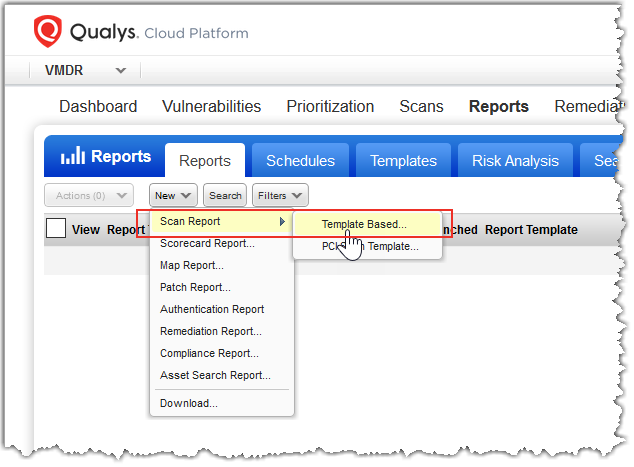
Go to VM or VMDR > Reports > New > Scan Report > Template Based.
You can choose from the default report templates, customize them, or create your own.
- Try the Technical Report to see full vulnerability details in your report.
- To get a report on compliance data, choose PC from the module picker.
- Then go to Reports > New > Compliance Report, and pick the report you are interested in.