Debugging and Troubleshooting
In this section, you get the solutions for debugging and troubleshooting issues.
How to Debug
In case of any unexpected application behavior, you can check the application logs. The application log has four different levels of logging: Information, Error, Warning, Debug. The application writes log entries after important transitions.
Configure Logging
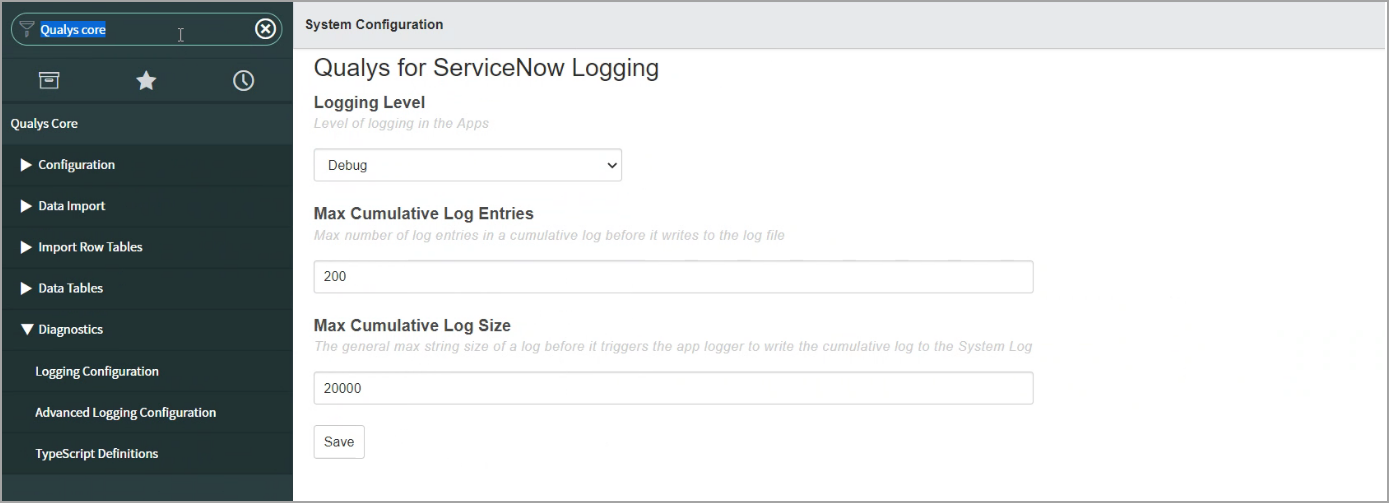
From the Qualys Core application, click Diagnostics > Logging Configuration. In the Qualys for ServiceNow Logging page, select Debug in the Logging Level field.
View Logs
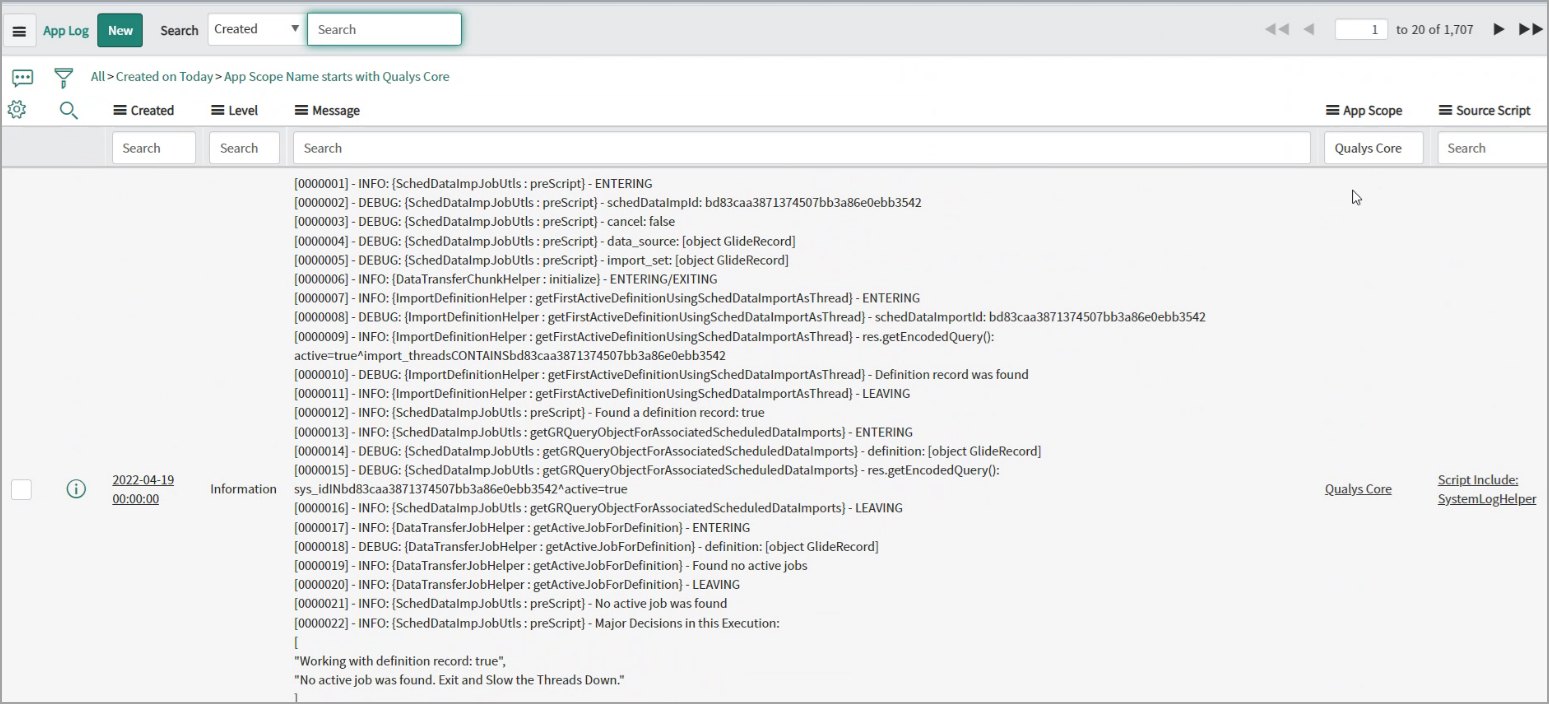
To view the logs, navigate to System Logs > All, and filter with Qualys Core as App Scope.
If Find CI Functionality Breaks
If the Find CI functionality is breaking, ensure that you have added 'Manual Entry' as Choices in the Discovery Source (column) of the configuration item that means cmdb_ci table.
Perform the following steps to add choices:
- Go to System Definition > Tables and search for configuration item table. In the table, open the discovery source column.
- Click New under the choice section, add 'Manual Entry' as Label and 'Manual Entry' as Value, and click Submit.
I am receiving a 'concurrency limit exceeded' error during the import process. What should I do?
If you encounter a concurrency limit error while performing an import, reduce the Import Thread count to 1 in the configuration settings.
Why does the ServiceNow API call fail during user subscription?
If the password in the ServiceNow account includes %, +, \, or &, the API call will fail.
These characters are not supported in ServiceNow authentication. Modify the password to exclude them and attempt the connection again.
Known Issues
The FIM API does not support the 'updatedDate' filter. Hence, the Qualys Core app can not currently show the state transition of the synced incident on the Qualys UI.
Related Topic