View Activity Logs
Learn more about the details you can see from the Qualys Managed Risk Operations Center (mROC) Administration > Activity Logs tab and the actions that you can perform.
Partners with the Manager and Sub Manager roles can see the Administration > Activity Logs tab and view the activity log details.
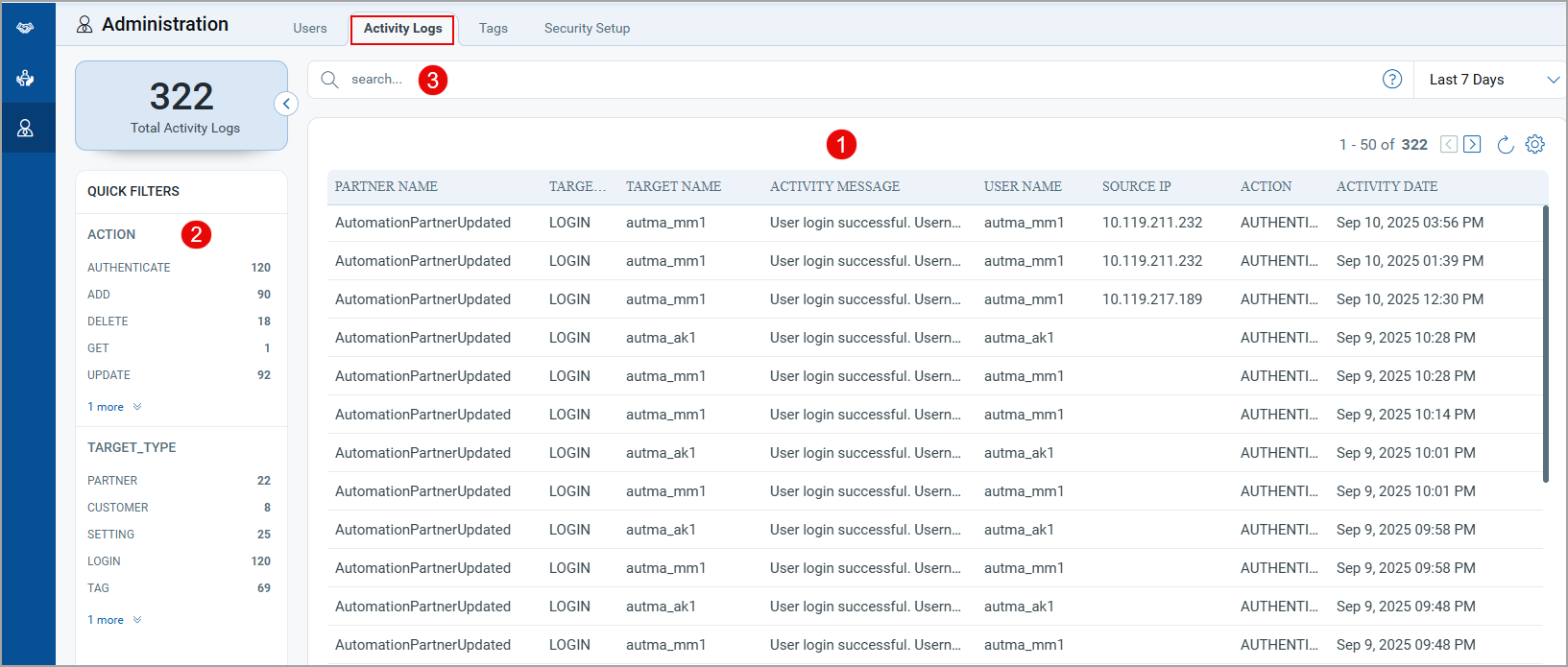
- You can see a list of partner accounts, wherein you can find the summary of partners, such as partner name, Activity logged (Add user, update user password, delete user), source IP, action performed, and activity date.
- You can use the search criteria provided in the left pane to filter the partners based on the action performed and target type.
- You can use Qualys Query Language (QQL) to filter customers.
Examples:
- You can find details of a particular customer based on the action performed. (Examples: ADD, UPDATE, DELETE)
- You can filter customers based on their target types, such as SUPER_PARTNER or USER.
- You can filter customers based on their status, such as ACTIVATION, ACTIVE, and DELETED.
- You can filter customers based on their user names.