View Bulk Action Jobs
Learn more about the details you can see from the Qualys Managed Risk Operations Center (mROC) Customers > Bulk Action Jobs.
You can see the details of the bulk action job, such as the Name, Status, Job Execution Date, and Result.
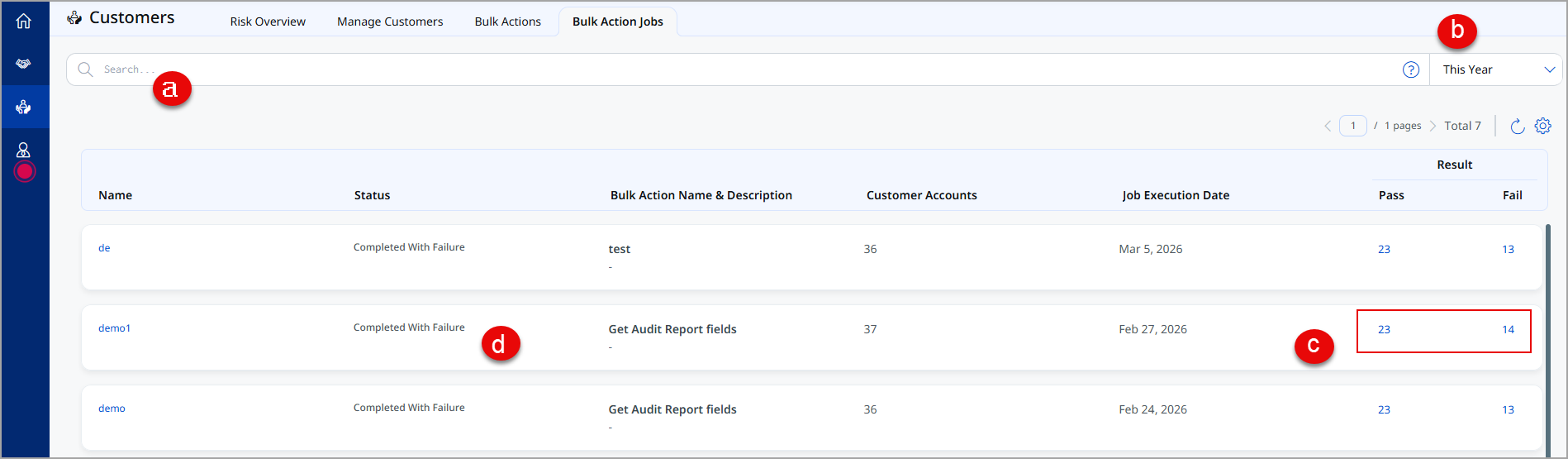
(a) You can search for the job details using the QQL token. For more information on how to use the search query, go to Searching from Bulk Action Jobs Tab.
(b) You can filter the results according to your selected criterion.
(c) The numbers under the PASS and FAIL column display the count of the bulk action jobs that passed or failed for the particular bulk action. You can click the count to view more details.
(d) You can also click the job name to view the details of the job result.
The bulk action jobs automatically purge after 180 days from the creation date.
View Bulk Action Job Results
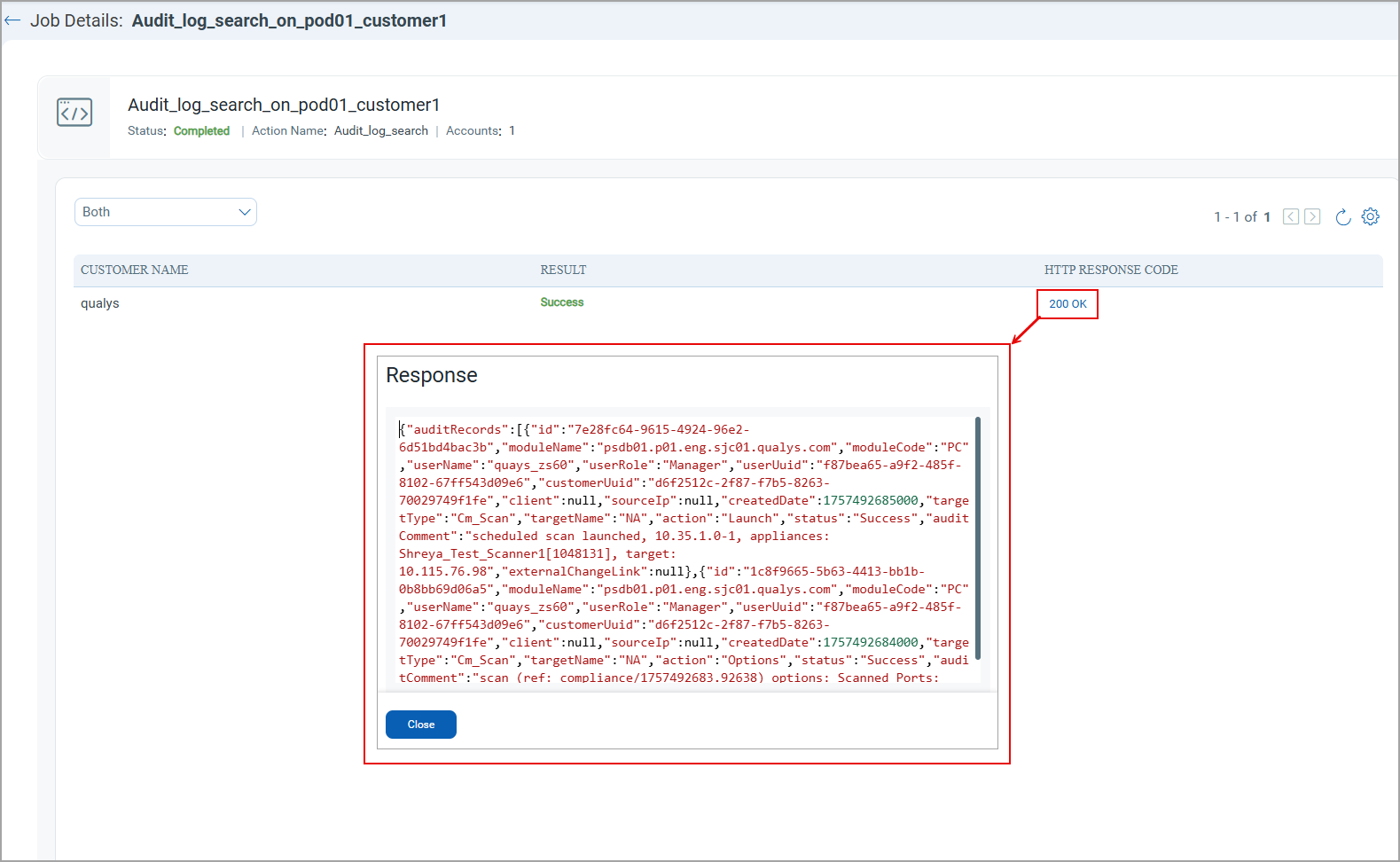
To view the details of each bulk action job result, click on the bulk action job name.
- The bulk action job result displays the customer name, the success or failure result, and the respective HTTP RESPONSE CODE.
- You can click on each HTTP Response code to view the failed or passed job details.