Managed Risk Operations Center (mROC) Release 2.3.0
SEPTEMBER 17, 2026
This release introduces the Growth Opportunities option, a new risk scope graph on the Risk Overview tab, account-level quick actions, and a breakdown of the factors driving each account's TruRisk score.
New Feature
Spot Every Growth Opportunity Across Your Customer Base
What Changed For You
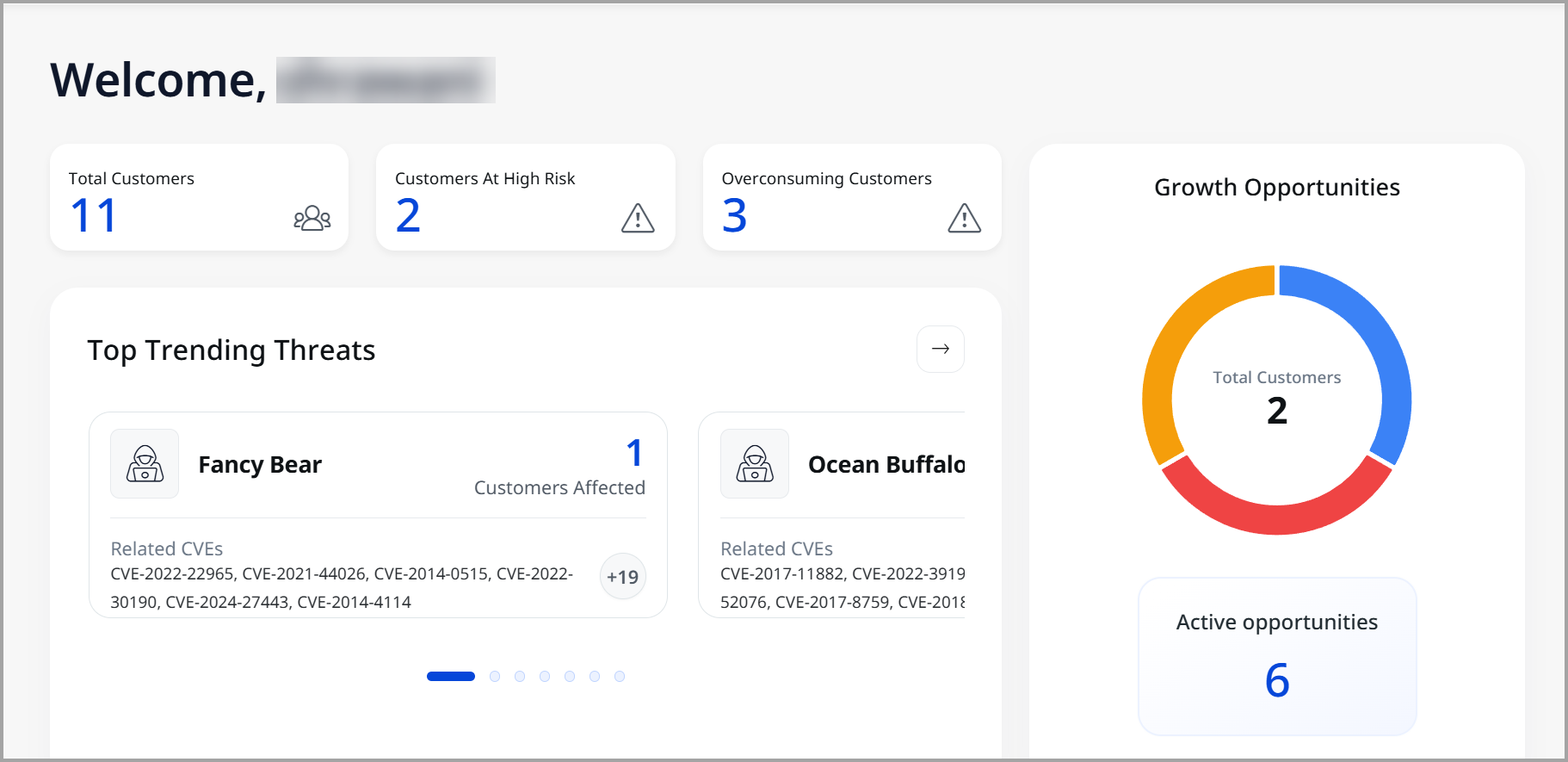
Identify customer growth opportunities in one place on the mROC console.
The Growth Opportunities section shows how many customers could benefit from each opportunity, such as a new feature or product enhancement. Use this information to identify opportunities that deliver the most value and to prioritize your customer outreach efforts.
Where to Find It
Go to the mROC Home page to view the Growth Opportunities.
New Feature
Filter Findings Faster with the Martini Glass Funnel
What Changed For You
Filter findings by risk scope to quickly identify the threats that need immediate attention.
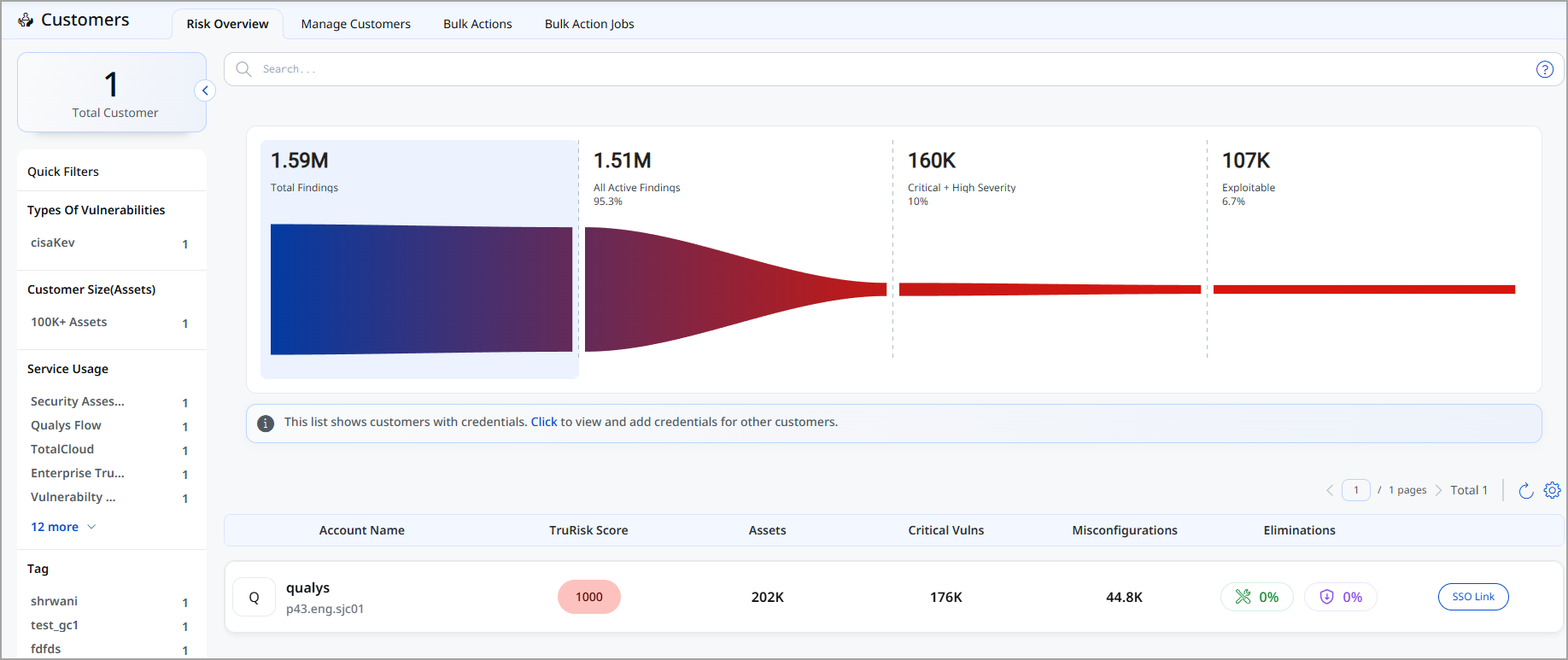
From the Risk Overview tab, you can quickly filter all findings to identify the ones that need immediate attention. The four scopes at the top of the page form a funnel-shaped Martini Glass, helping you move from all detected findings to the smaller set of active, severe, and exploitable findings. This makes it easier to focus on the findings that reduce the greatest risk instead of reviewing every finding.
The Initial Scope includes data from both VMDR and ETM. The remaining scopes include data only from ETM.
The funnel narrows from Total Findings to All Active Findings, then to Critical and High Severity Findings, and finally to Exploitable Findings, making it easier to prioritize remediation efforts and reduce risk. Each stage displays the count of findings and their percentage of the total.
Where to Find It
Go to the Risk Overview tab to view the scope graph.
New Feature
Investigate Account Risks Faster with Quick Actions
What Changed For You
Review account risk details directly from Risk Overview.
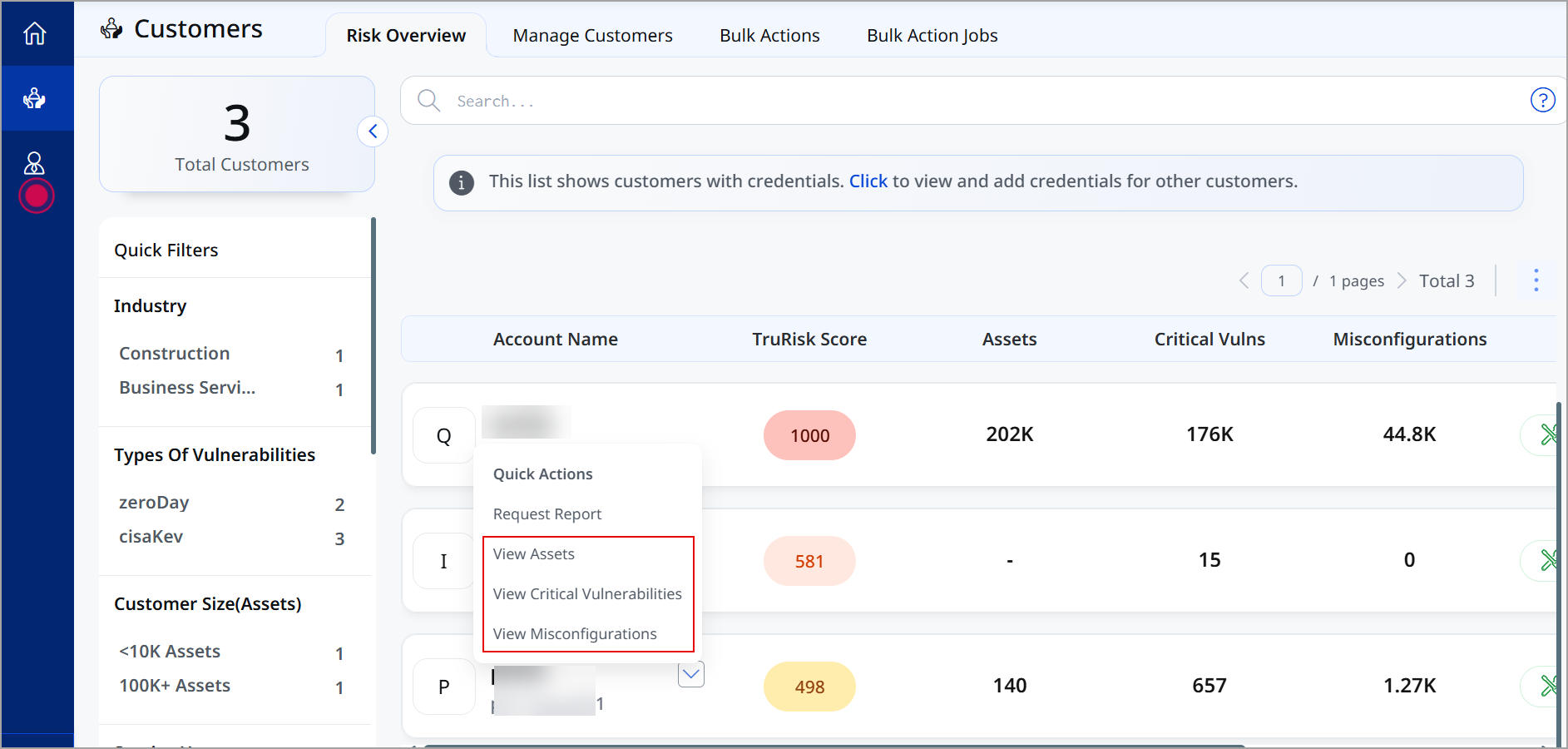
You can now access an account's Assets, Critical Vulnerabilities, and Misconfigurations directly from the Risk Overview page using the Quick Actions menu. The selected page opens with account-specific filters already applied, helping you investigate risks faster without manually searching or switching contexts.
Where to Find It
Go to the Risk Overview tab and select the quick action drop-down next to any account name.
New Feature
Generate Reports to Prioritize Remediation Efforts
What Changed For You
Turn account risk findings into a prioritized action plan for faster remediation.
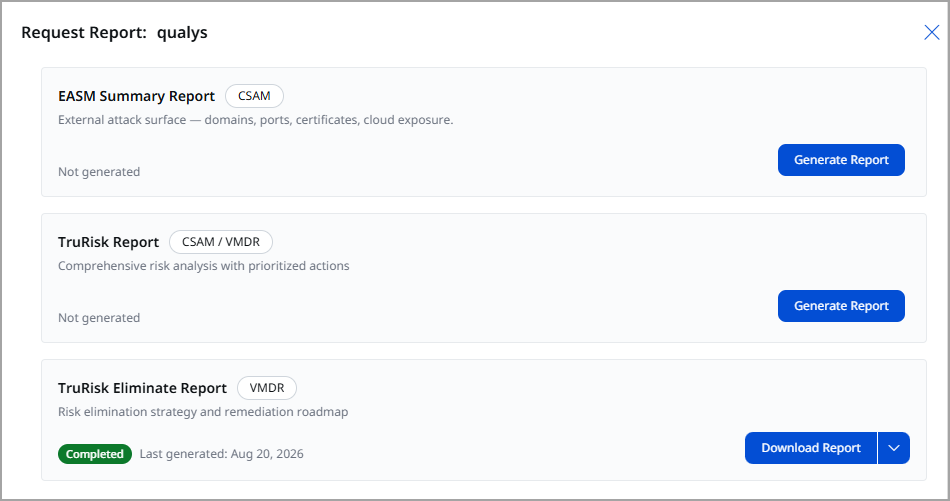
You can now generate reports on-demand for a selected organization directly from the Request Report window. This enhancement gives you a single place to request, track, and download the reports you need, without waiting for a scheduled report run.
Once ready, download the report or regenerate it at any time to refresh the data with the latest results. The Request Report window displays the report types available for your subscription, along with a short description of the insights each report provides. To request a report, click Generate Report next to the required report type.
You can generate the following report types:
-
- EASM Summary Report: Provides a summary of your external attack surface, including domains, ports, certificates, and cloud exposure.
- TruRisk Report: Provides a comprehensive risk analysis of the selected organization along with prioritized actions.
- TruRisk Eliminate Report: Provides a risk elimination strategy along with a remediation roadmap.
Where to Find It
Go to the Risk Overview tab, select the quick action drop-down next to an account name, and select Request Report.
New Feature
Identify the risks contributing most to the score
What Changed For You
Quickly understand what is driving an account's TruRisk score through the quick action menu available with each account name.
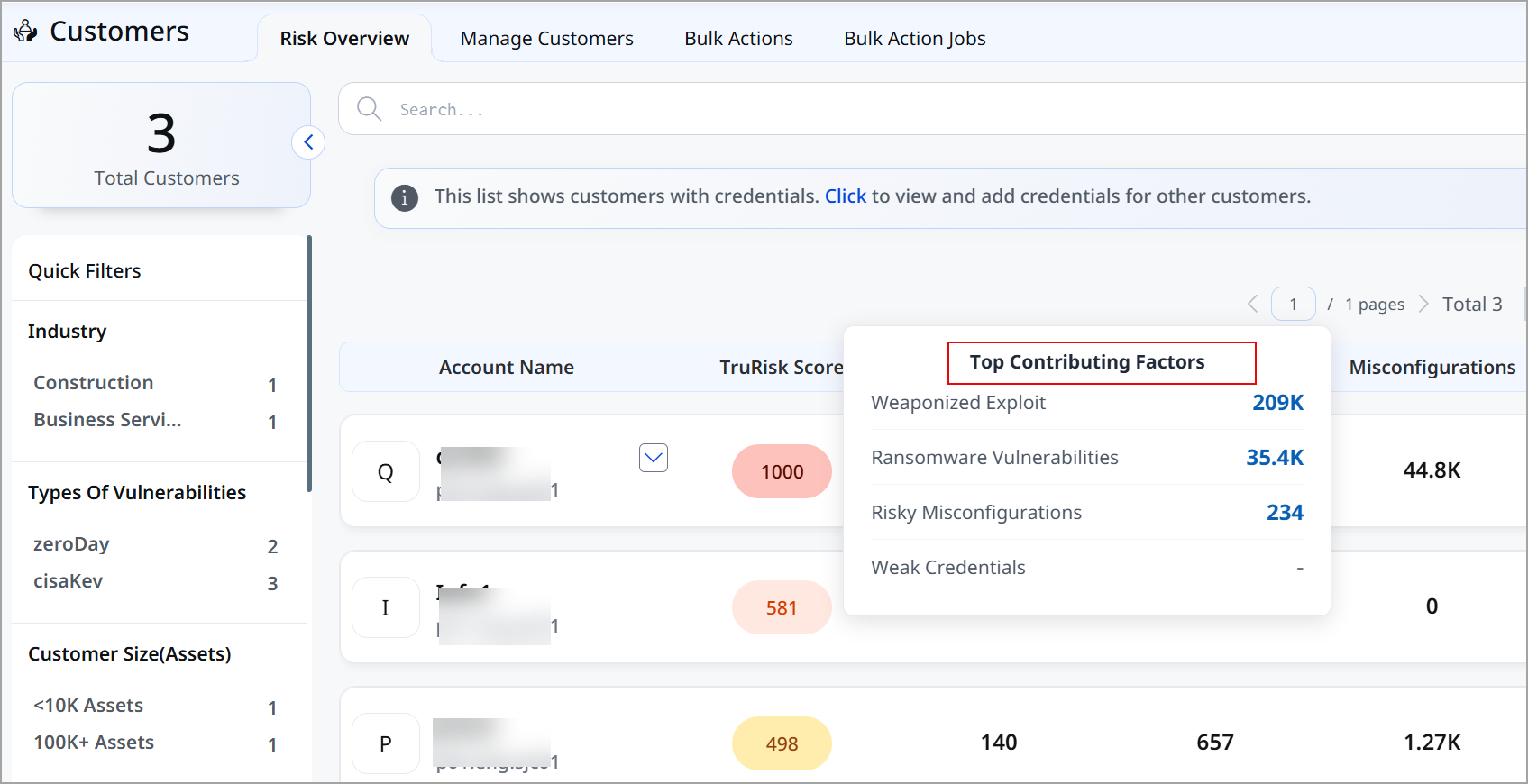
The Top Contributing Factors section shows the key risks affecting a customer's TruRisk Score. Click any factor to open the findings in the respective application with the relevant filter already applied, making it easy to investigate the risk.
The following are the top contributing factors displayed :
- Weaponized Exploit
- Ransomware Vulnerabilities
- Risky Misconfigurations
- Weak Credentials
Where to Find It
Go to the Risk Overview tab and hover on TruRisk Score to find the Top Contributing Factors.