Troubleshooting
The following are the commonly faced issues and their troubleshooting solutions:
Messages are not delivered to Microsoft Teams
When creating an alert triggering rule on the Policy Audit, using double quotes ("") for field values in QQL (for example, vulnerabilities.vulnerability.vendors.productName:"windows"), alert messages are not delivered to Microsoft Teams.
Solution:
To successfully trigger the alerting action from the Qualys platform, you need to replace "@{items('Apply_to_each_2')['text']}" with the replace(items('Apply_to_each_2')['text'],'"','\"') from the Expression in the Teams Workflow.
Perform the following steps to replace the expression:
- Select the text to replace the expression.
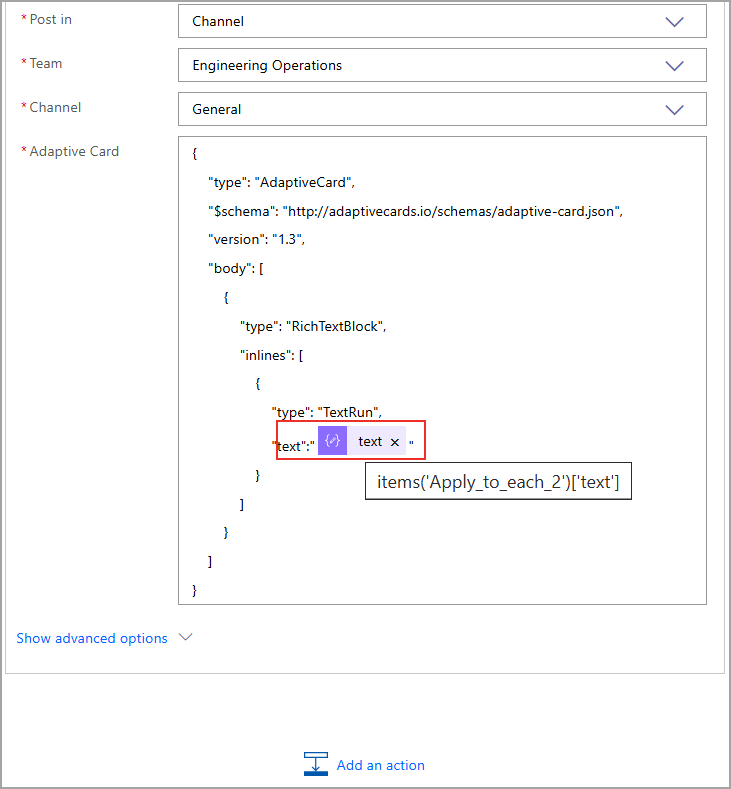
- Click the
 (cross) beside the text.
 - Click Expression from the Add Dynamic Content.
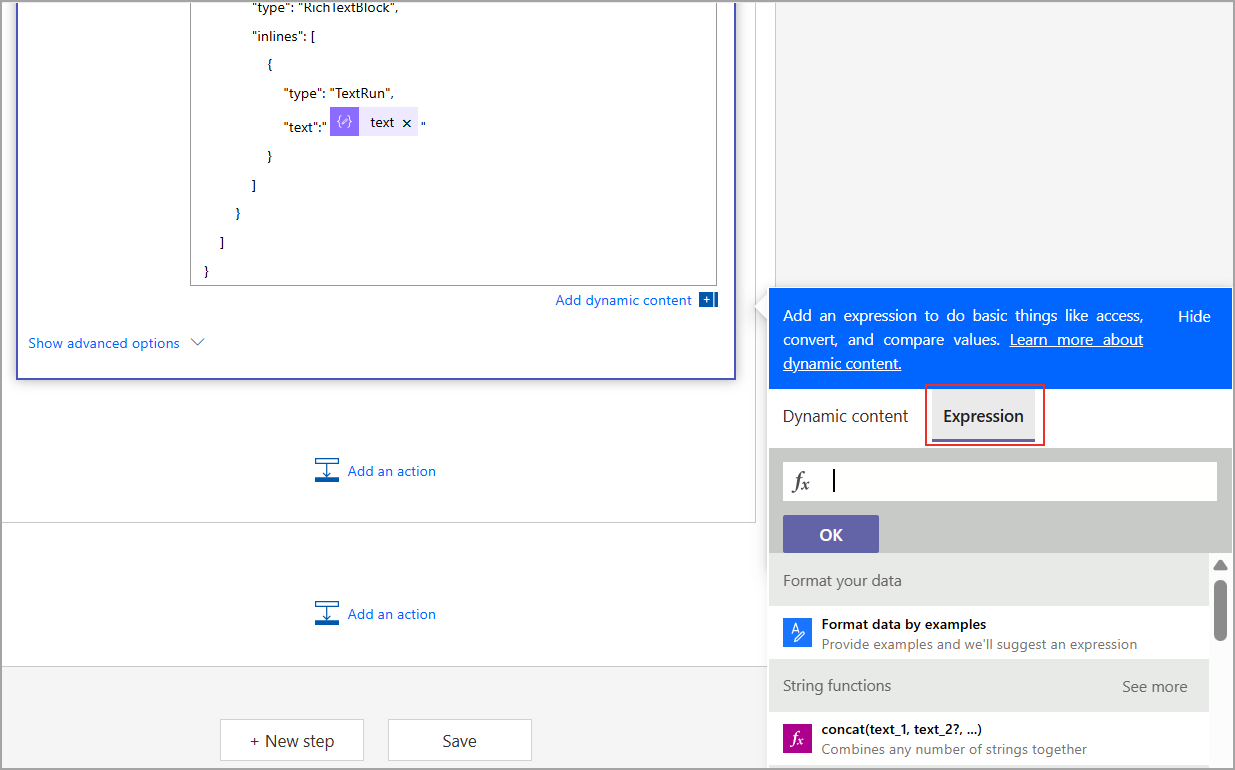
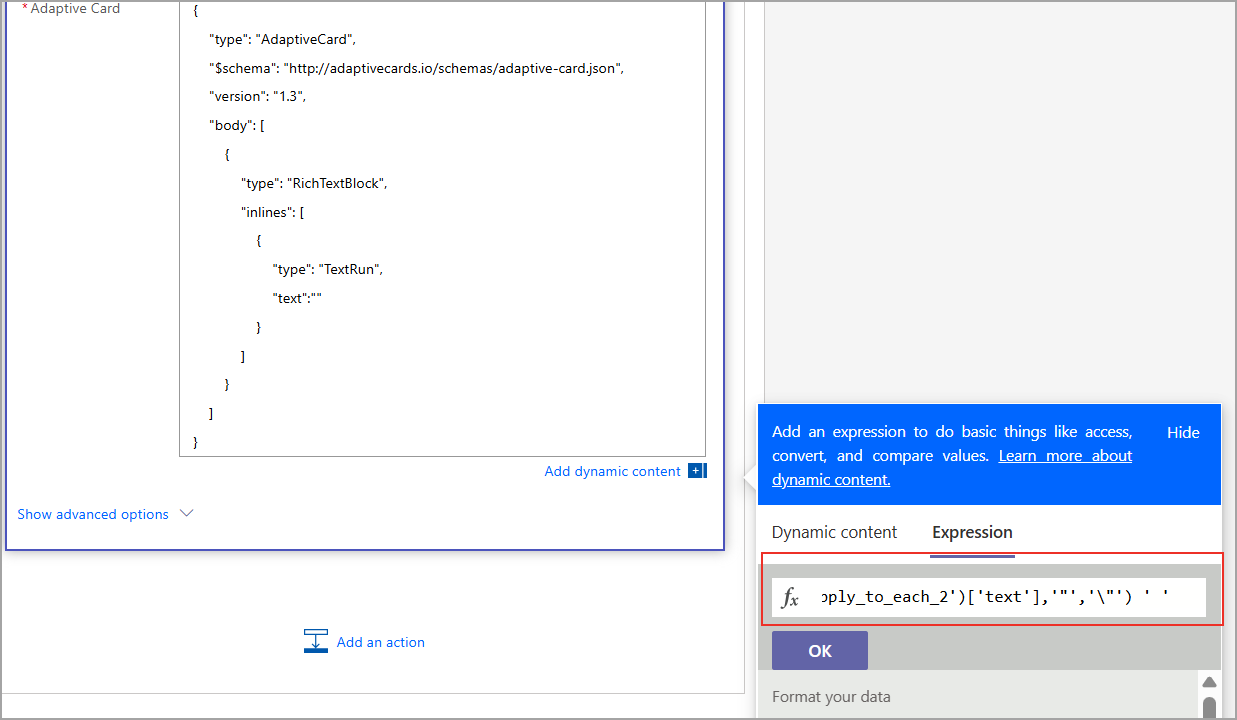
- Paste
replace(items('Apply_to_each_2')['text'],'"','\"')
The replaced expression is shown with the 'replaced' label.
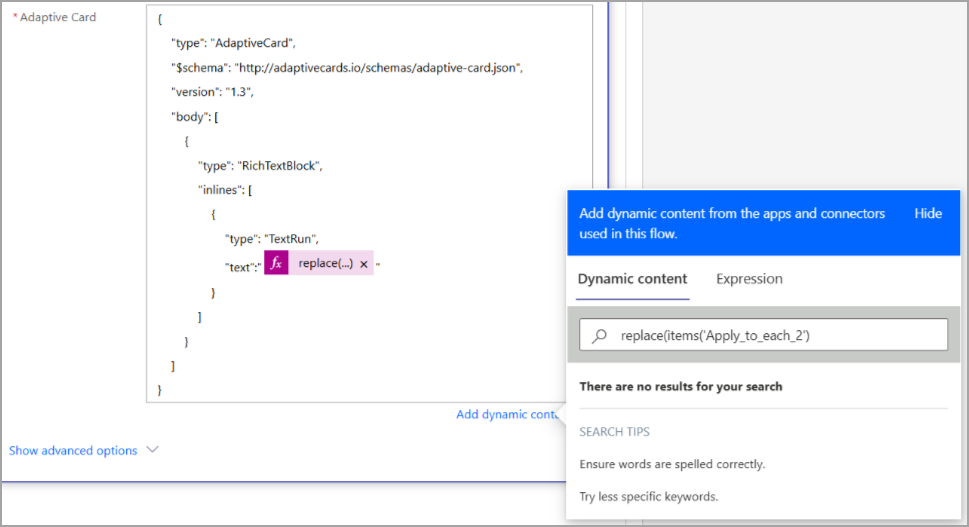
- Click Save.